Guide

Table of Contents
Cannot run the game error
The problem appears as follows: the game does not start and gives the error “Cannot run the game”. Besides, the error contains the words “java.io.IOException: Cannot run program” and the path to the application to launch the game. As a rule, this application is “java.exe” and very rarely “STALZONE.exe”.
There are many reasons for the occurrence of this problem, here are the most common ones:
- There are antivirus applications on the device that block access to the game;
- There are unwanted applications on the device that block access to the game;
- Various viruses are present in the operating system, blocking access to the game;
- Some game files affecting the game are corrupted or deleted;
- Operating system components are corrupted or an assembly is installed;
- An operating system older than Windows 10 is installed on the device.
Below are the possible solutions to this problem. Please follow them step by step.
Uninstall antivirus and unwanted applications
Uninstall all antivirus and unwanted apps from your device. List of guides:
Checking the operating system for viruses
Check your Windows operating system for viruses. List of guides:
Checking the integrity of game files
Check the integrity of the game files using a special function. List of guides:
- Game files check in EXBO;
- Game files check on Steam;
- Game files check in VK Play;
- Game files check in 4game.
Operating system diagnostics and repair
Check and repair the components of the Windows operating system. Guide:
Operating system update
Install all the latest updates of the Windows operating system. Guide:
Operating system reinstallation
Completely reinstall the Windows operating system. List of guides:
What to do if the problem persists?
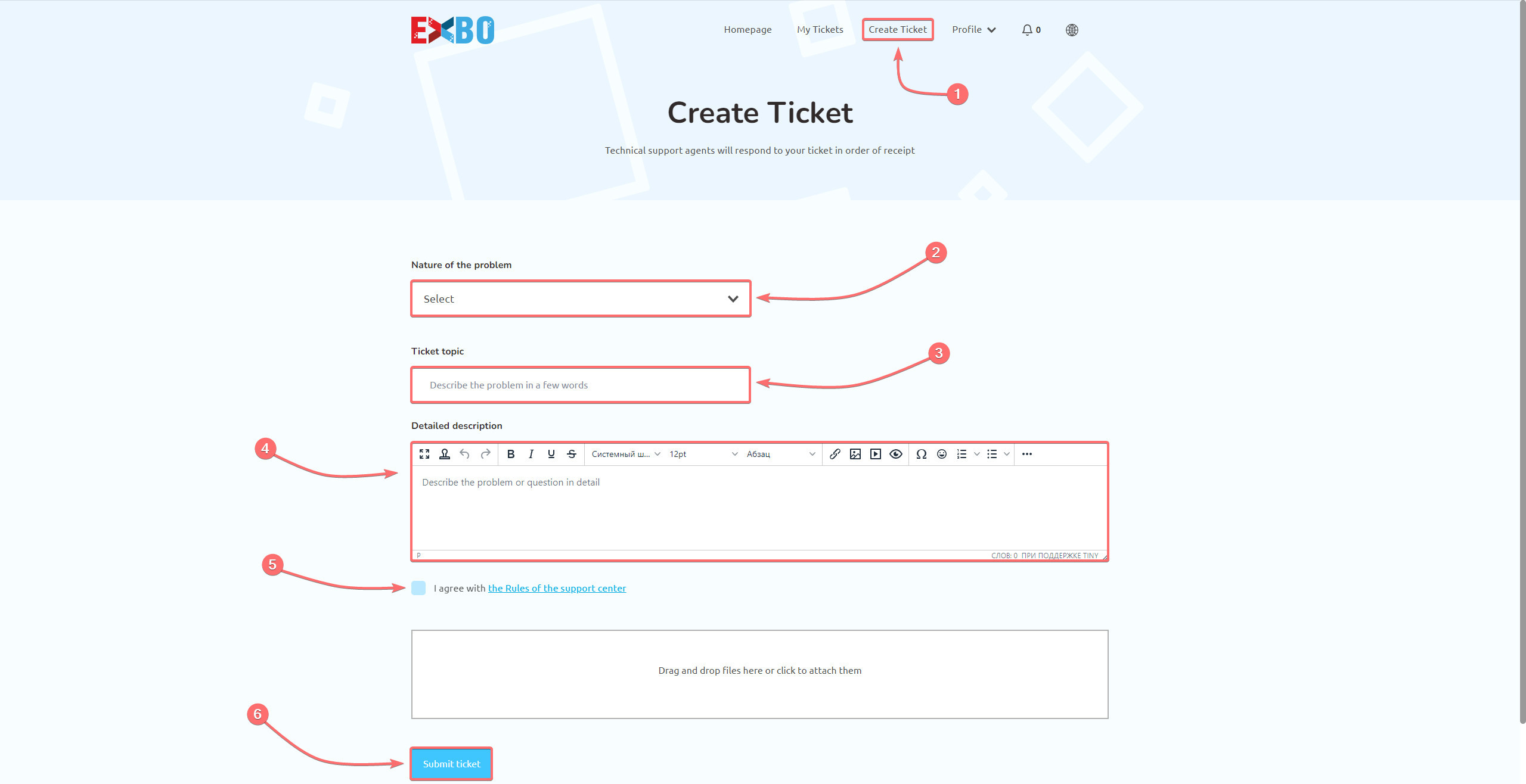
If you are unable to solve the problem on your own, please try to contact our support team. We currently have the following support service departments:
While creating the ticket, please specify which methods have been done previously.
Other guides
- Blue screen of death appears;
- Application terminated;
- Driver is no longer responding;
- Problems with game textures;
- High ping in the STALZONE game;
- All RAM is not available;
- EXBO installer does not start;
- Freezes, lags and low FPS;
- Device shutdown in game;
- Incorrect time at STALZONE auction;
- No fonts in the EXBO Launcher;
- Java virtual machine error;
- Low game download speed;
- Weird mouse cursor behaviour;
- Failed to write the game file;
- Read timed out error;
- Socket exception game error;
- Java heap space error;
- Additional keys do not work;
- Authorisation error in the game;
- Error at hooking API;
- Incorrect authentication code;
- Sound problems in the game;
- Microphone problems in the game.
Keywords: сфттще, сannot run the game error, how to cannot run the game error, i have a problem with cannot run the game error please help, game wont start, cant launch game, game not launching, cannot run the game error, CANNOT RUN THE GAME ERROR, error game the run cannot, cannot, canot run the game error, canont run the game error, ошибка не удалось запустить игру, game does not start, failed to launch, launch error