Guide

Table of Contents
Information on the problem
The problem is as follows: when trying to authorise in the EXBO launcher, you are redirected to the browser for further authorisation on the site. After clicking the “Sign in” button, a blank page opens in the browser and nothing else happens.
Semi-automatic way to solve the problem
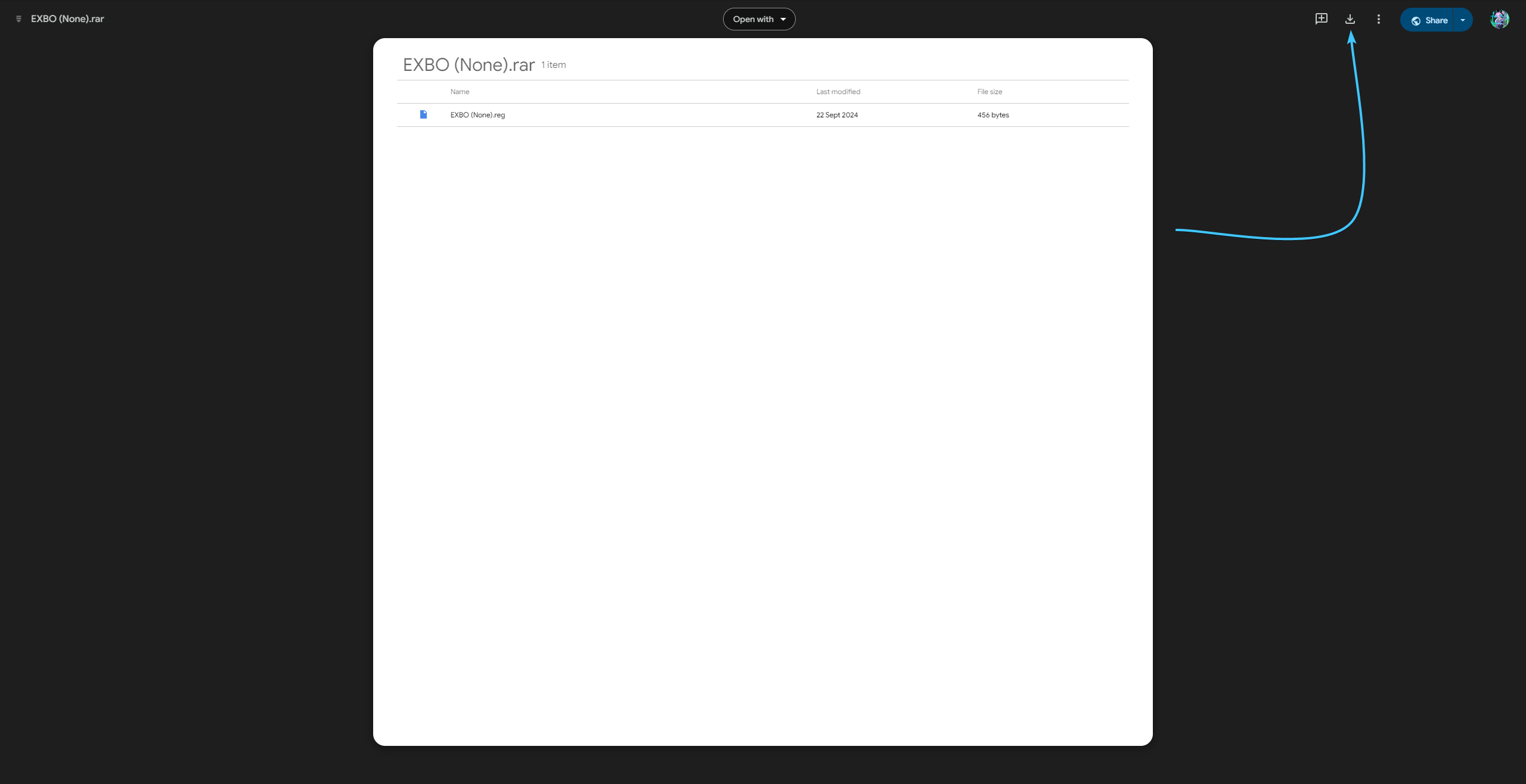
1. Follow the link and download the archive with the file. Extract the file and move it to a convenient place.
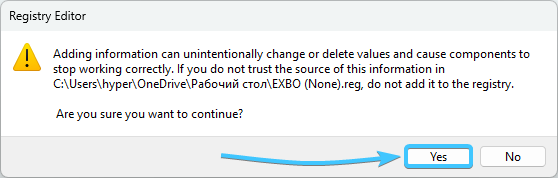
2. Run this file. Click the “Yes” button to implement the changes to the Windows registry.
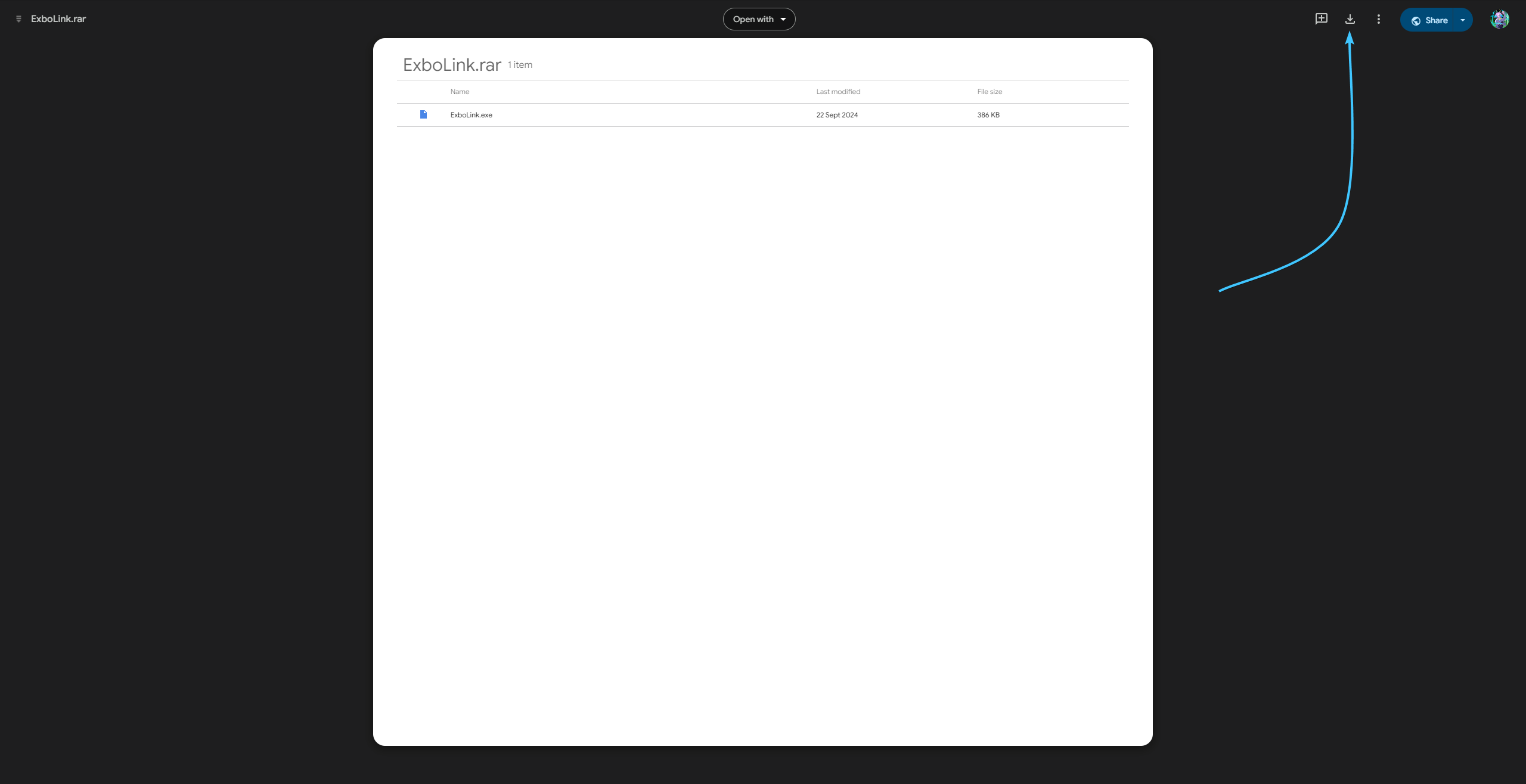
3. Follow the link and download the archive with the file. Extract the file and move it to a convenient place.
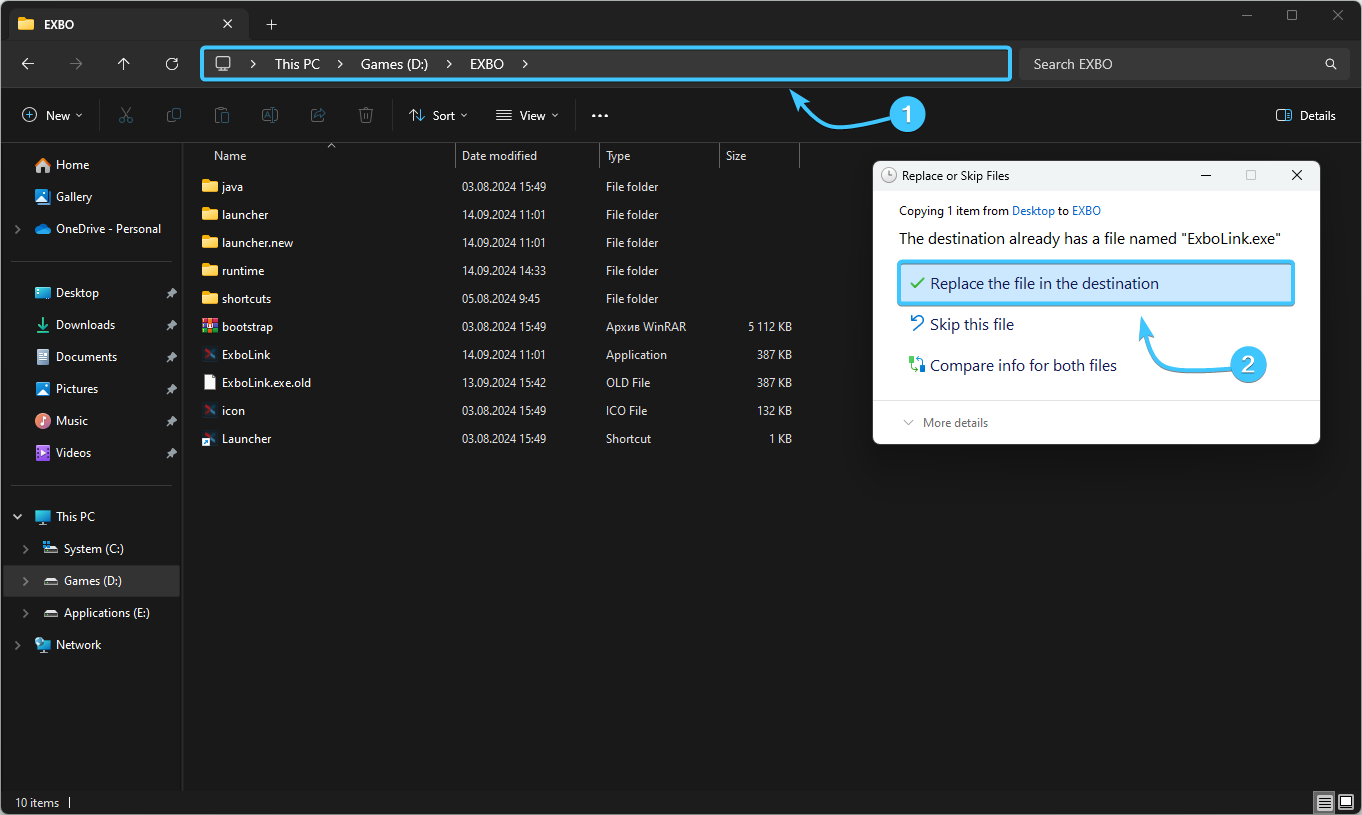
4. Open the EXBO folder and move the received “ExboLink” file into it with further replacement.
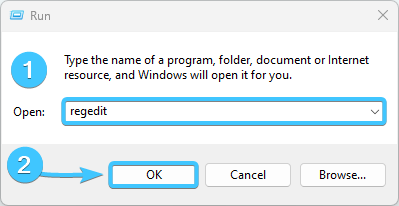
5. Press the keyboard shortcut Win + R. Enter the command “regedit” (without quotation marks) and click “OK”.
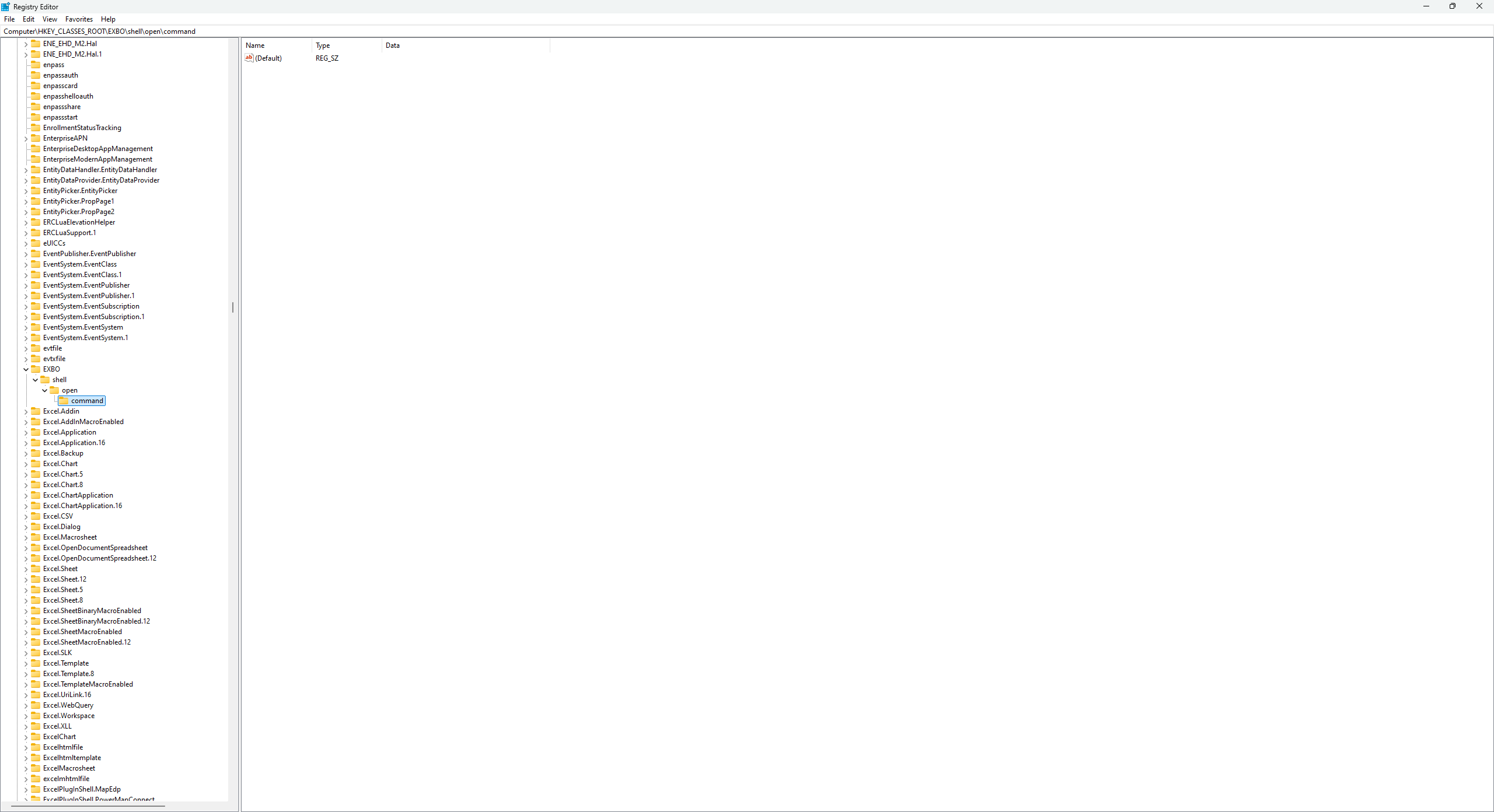
6. The registry editor will open. Go to the path: “HKEY_CLASSES_ROOT\EXBO\shell\open\command”.
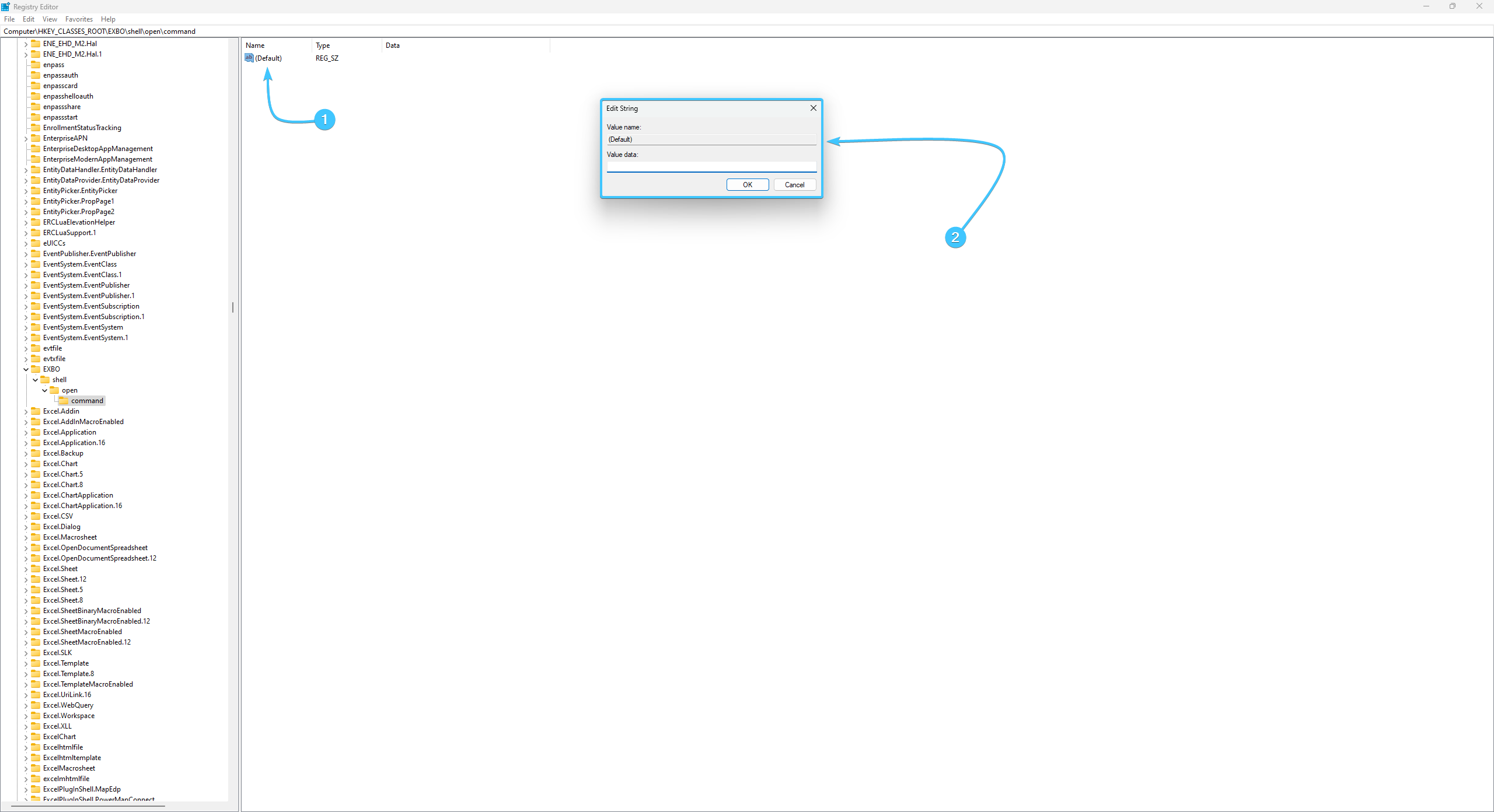
7. Double-click the “(Default)” parameter to open its settings for modification.
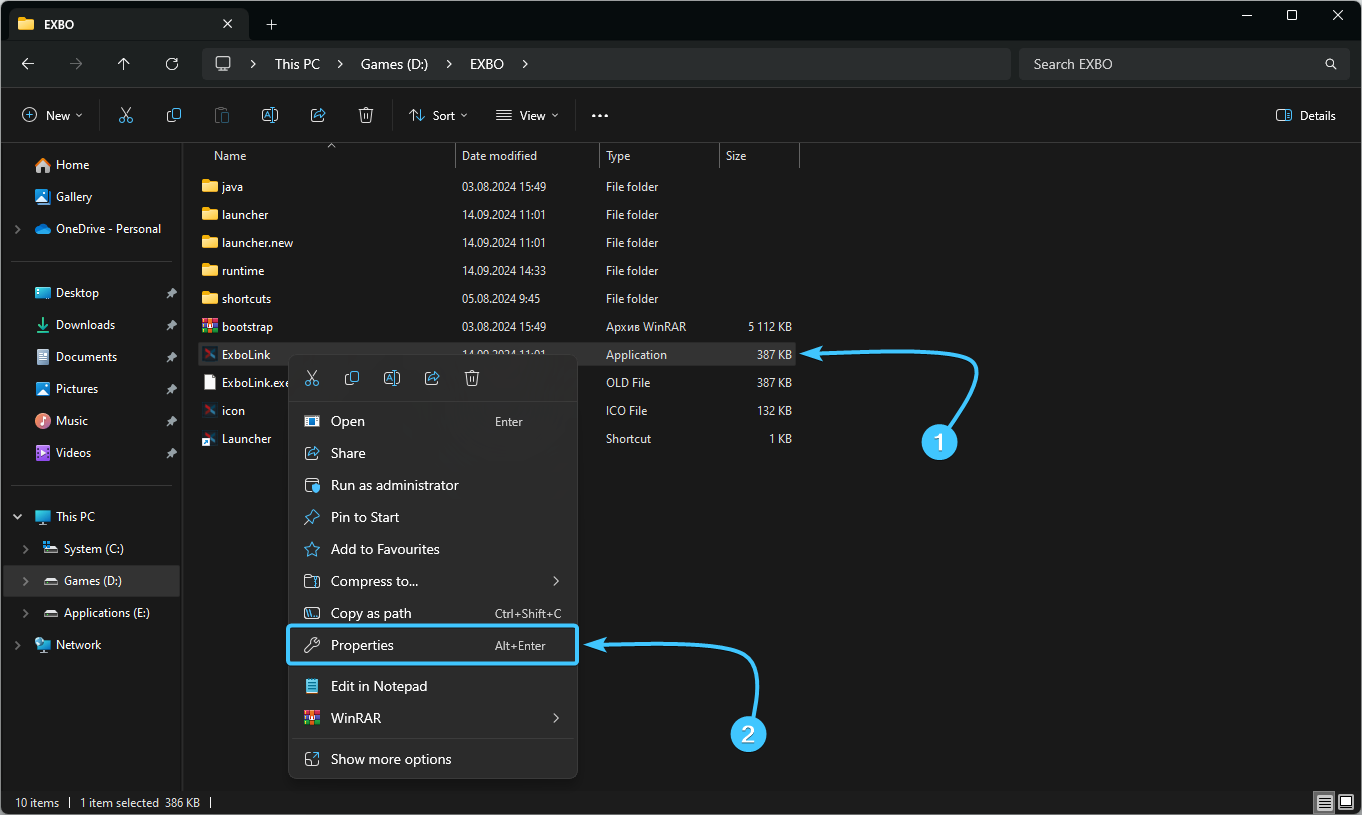
8. Open the EXBO folder and right-click on the “ExboLink” file. Click on the “Properties” button.
9. A new window will appear. Copy the path to the file that is located in the “Location” line.
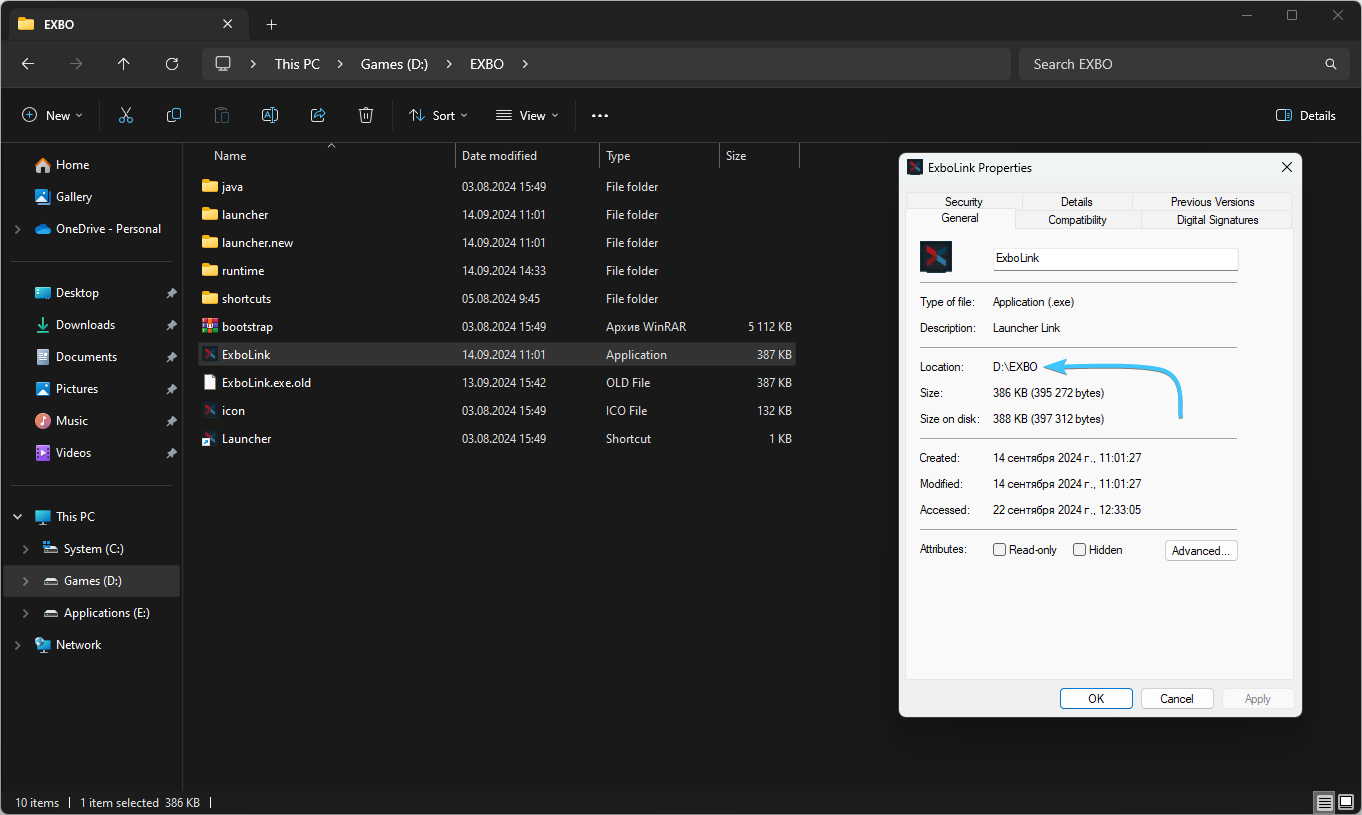
10. Insert this path into the “(Default)” parameter value you opened earlier.
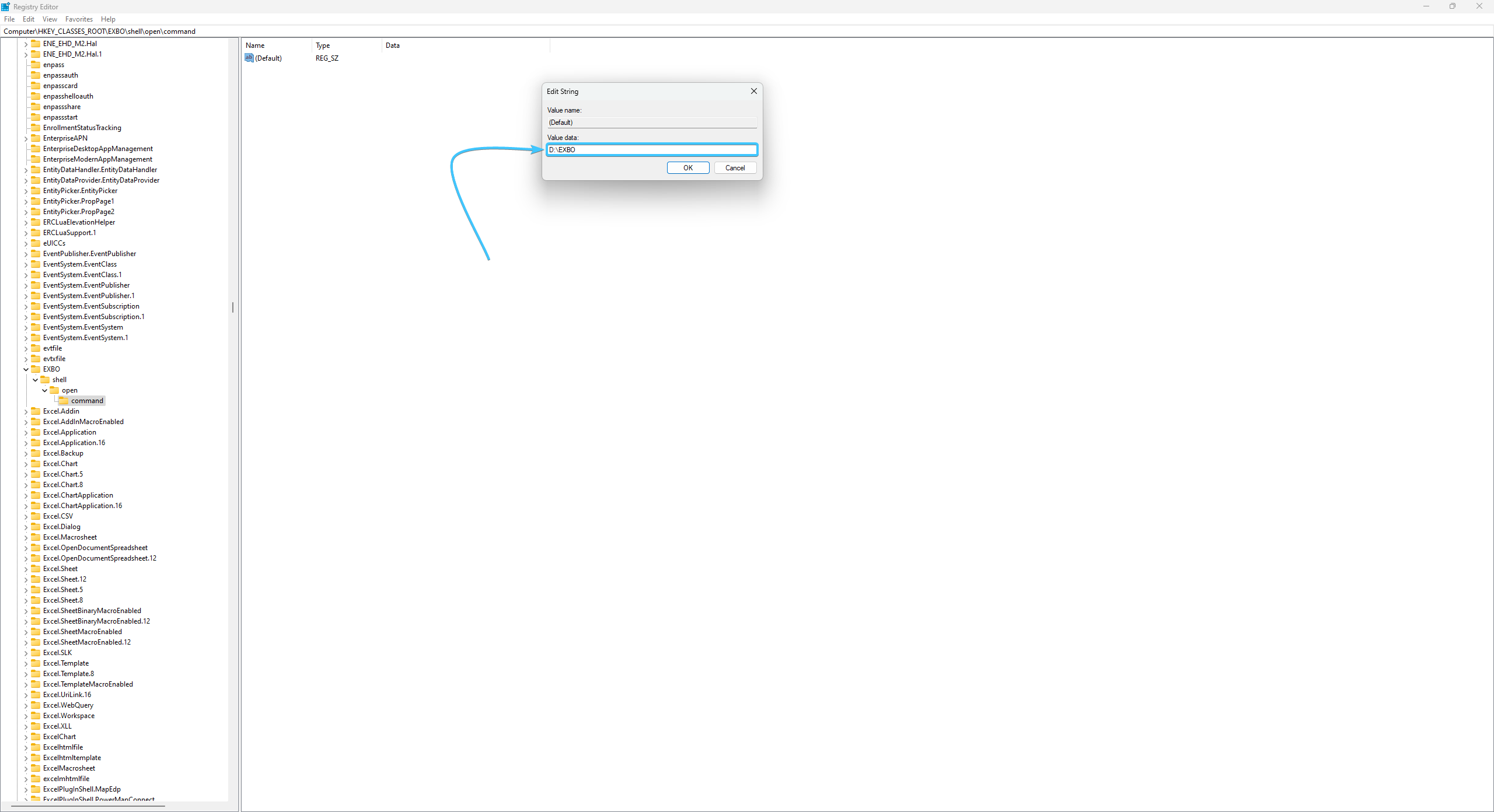
11. Add \ExboLink.exe to this path so that the parameter accesses this file.
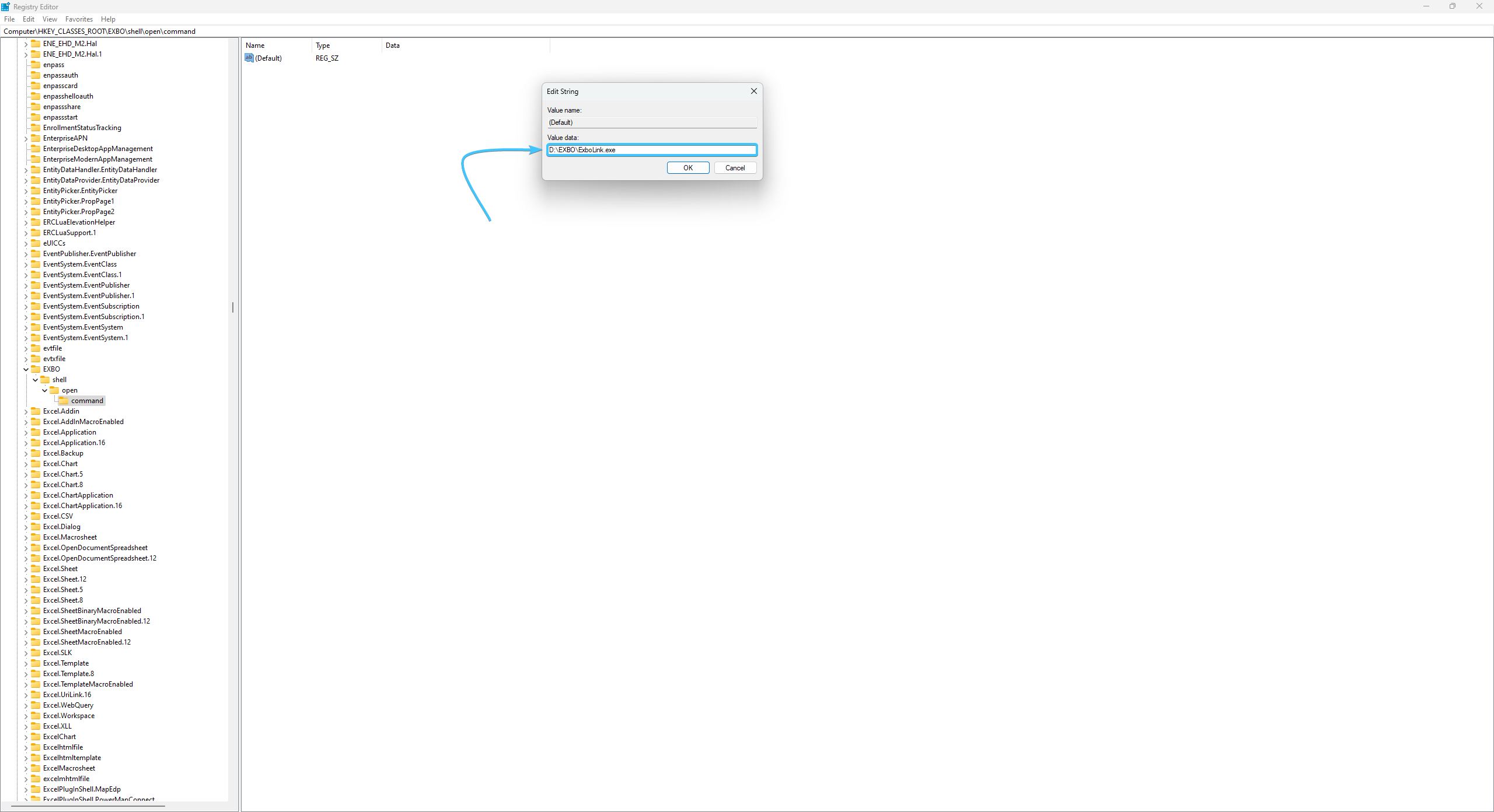
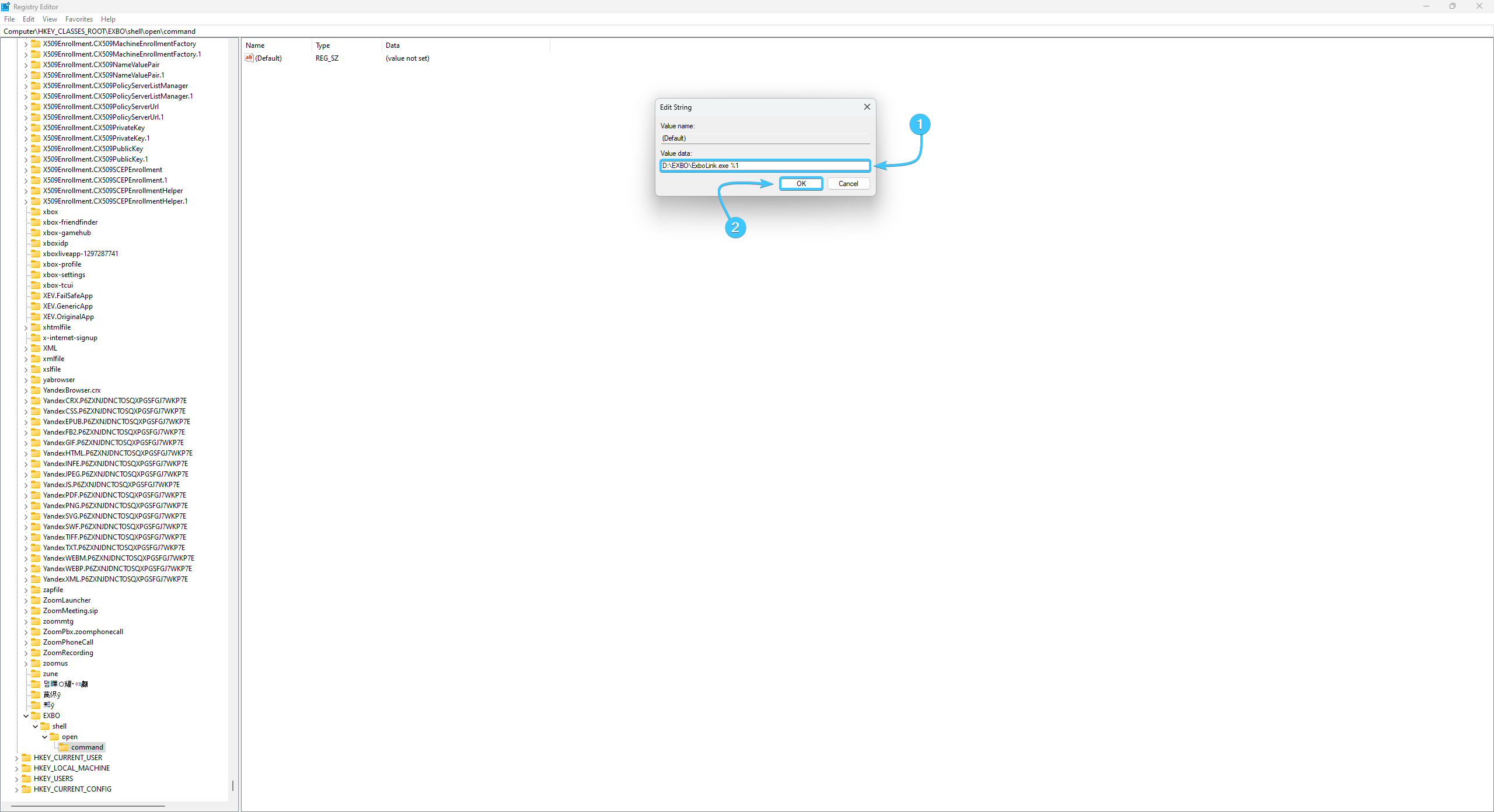
12. Add the value “%1” at the end of the path. Press the “OK” button to save the parameter.
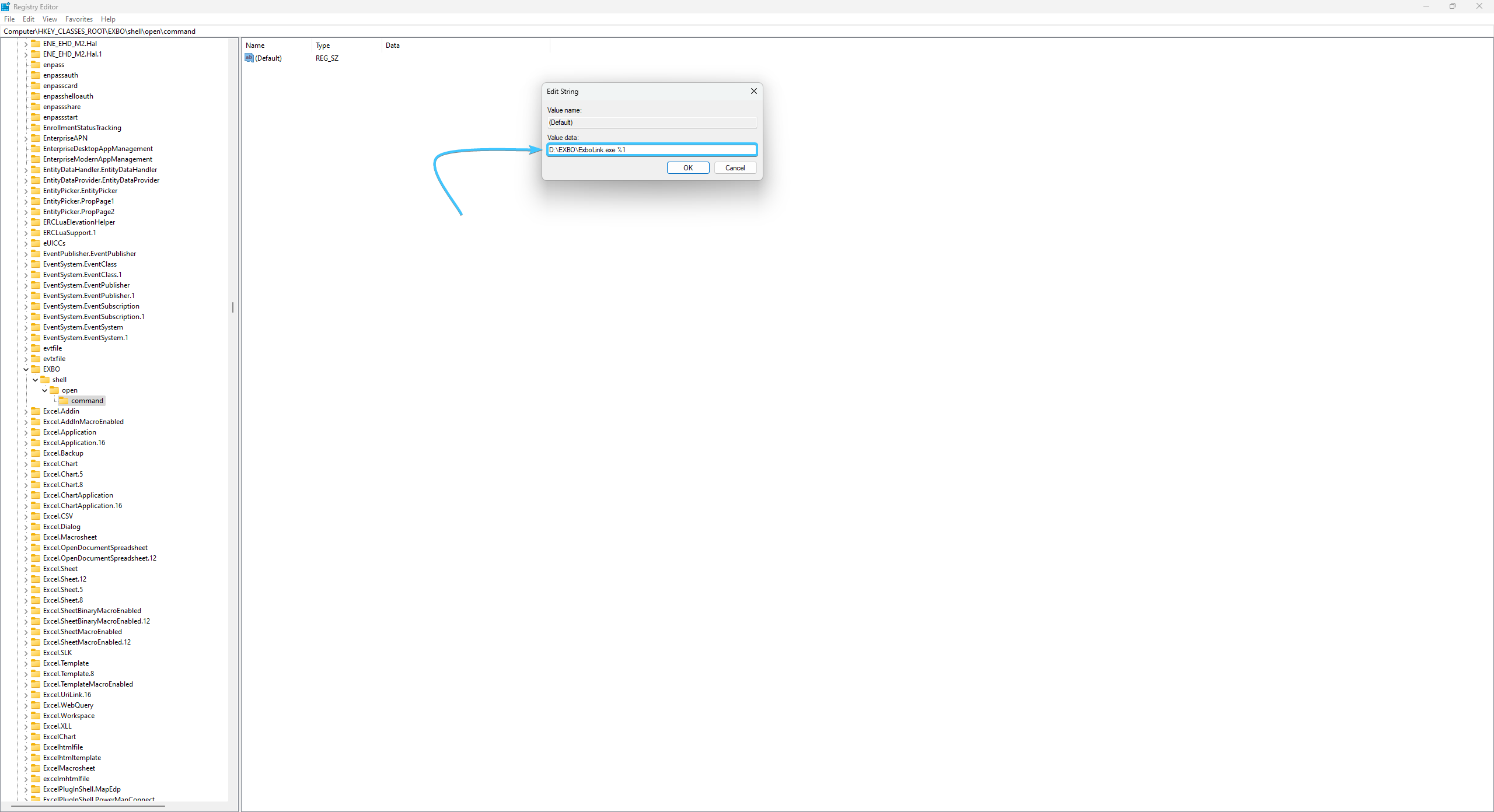
13. Reboot the device. After that, authorisation on the website will be available again.

Manual way to solve the problem
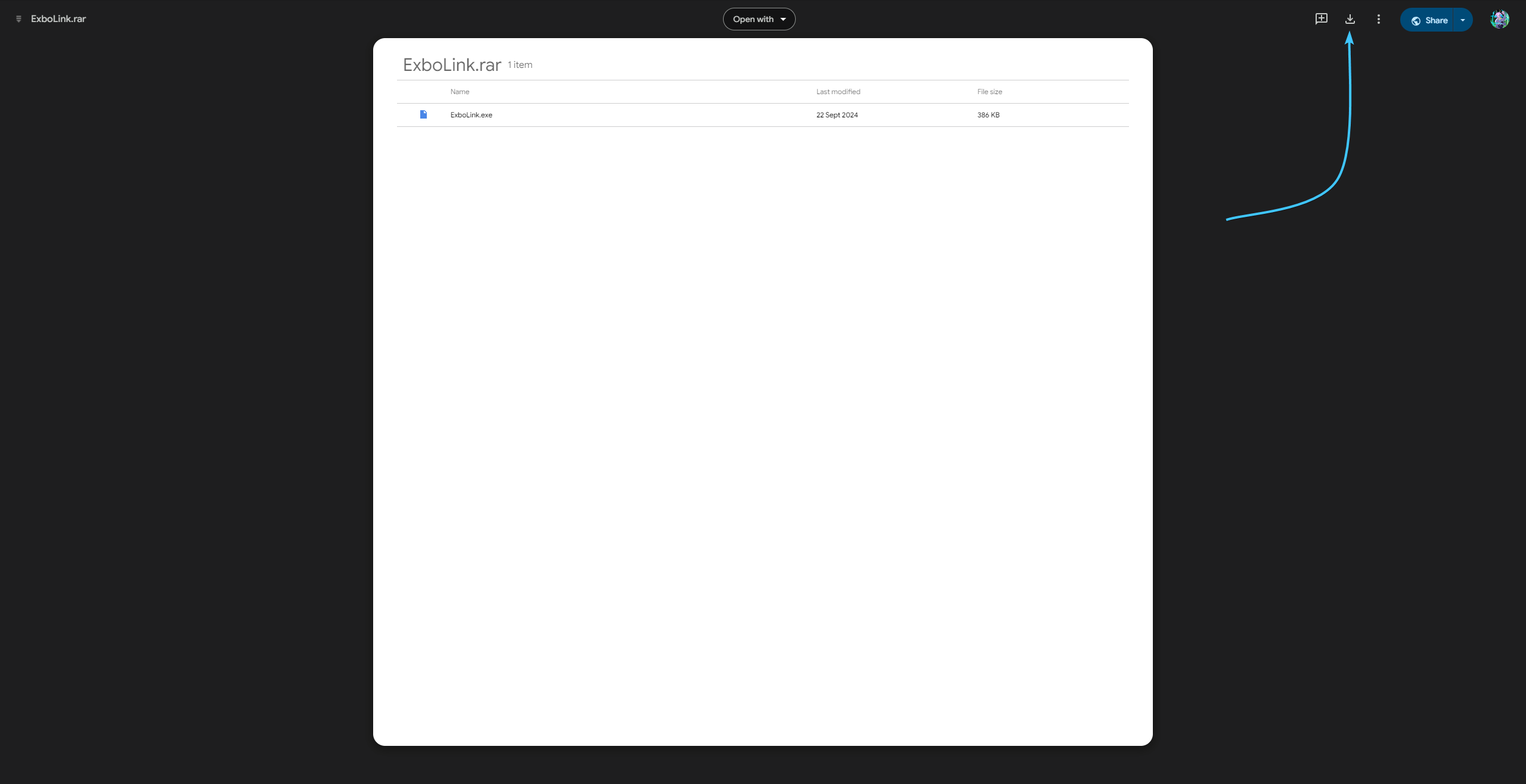
1. Follow the link and download the archive with the file. Extract the file and move it to a convenient place.
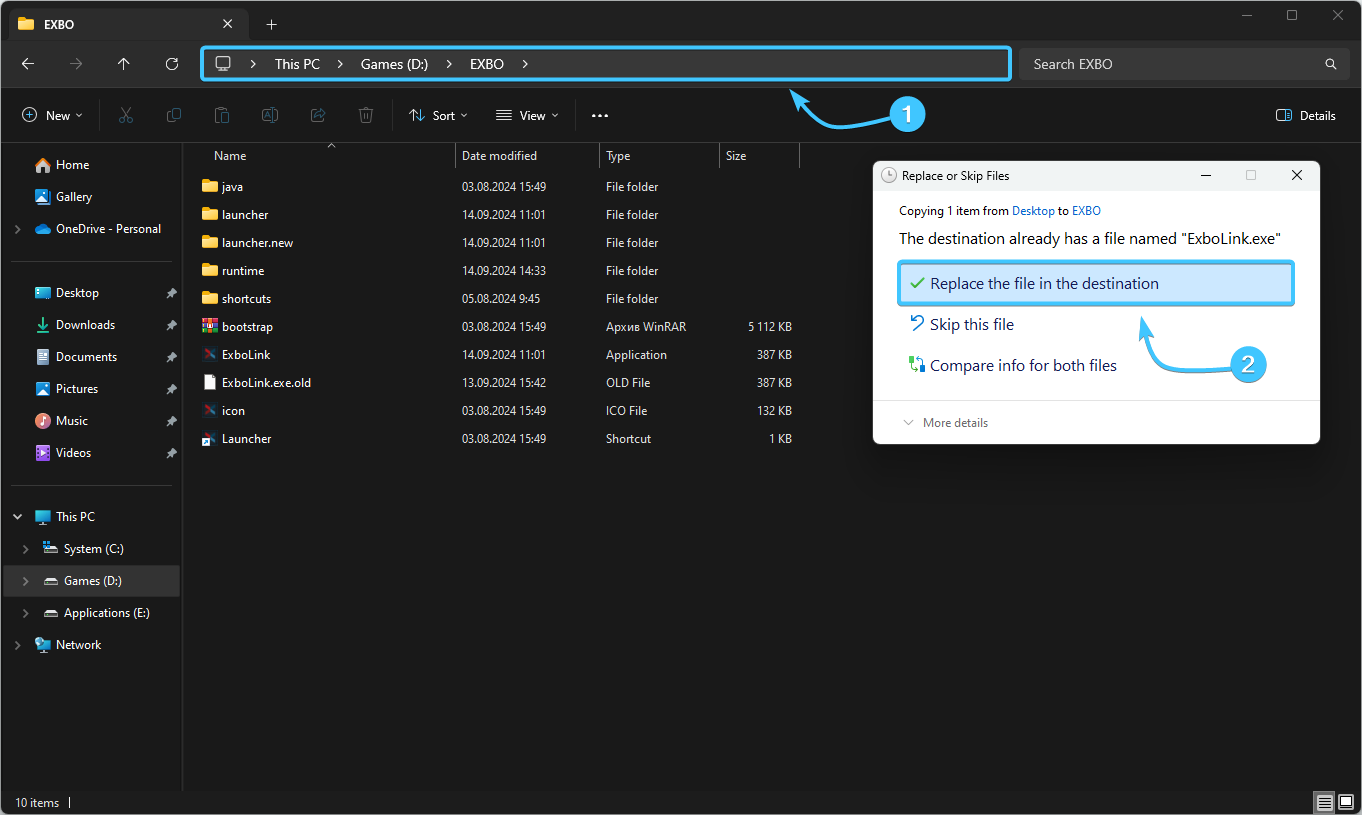
2. Open the EXBO folder and move the received “ExboLink” file into it with further replacement.
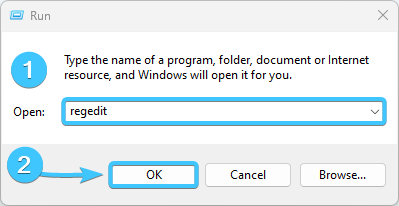
3. Press the keyboard shortcut Win + R. Enter the command “regedit” (without quotation marks) and click “OK”.
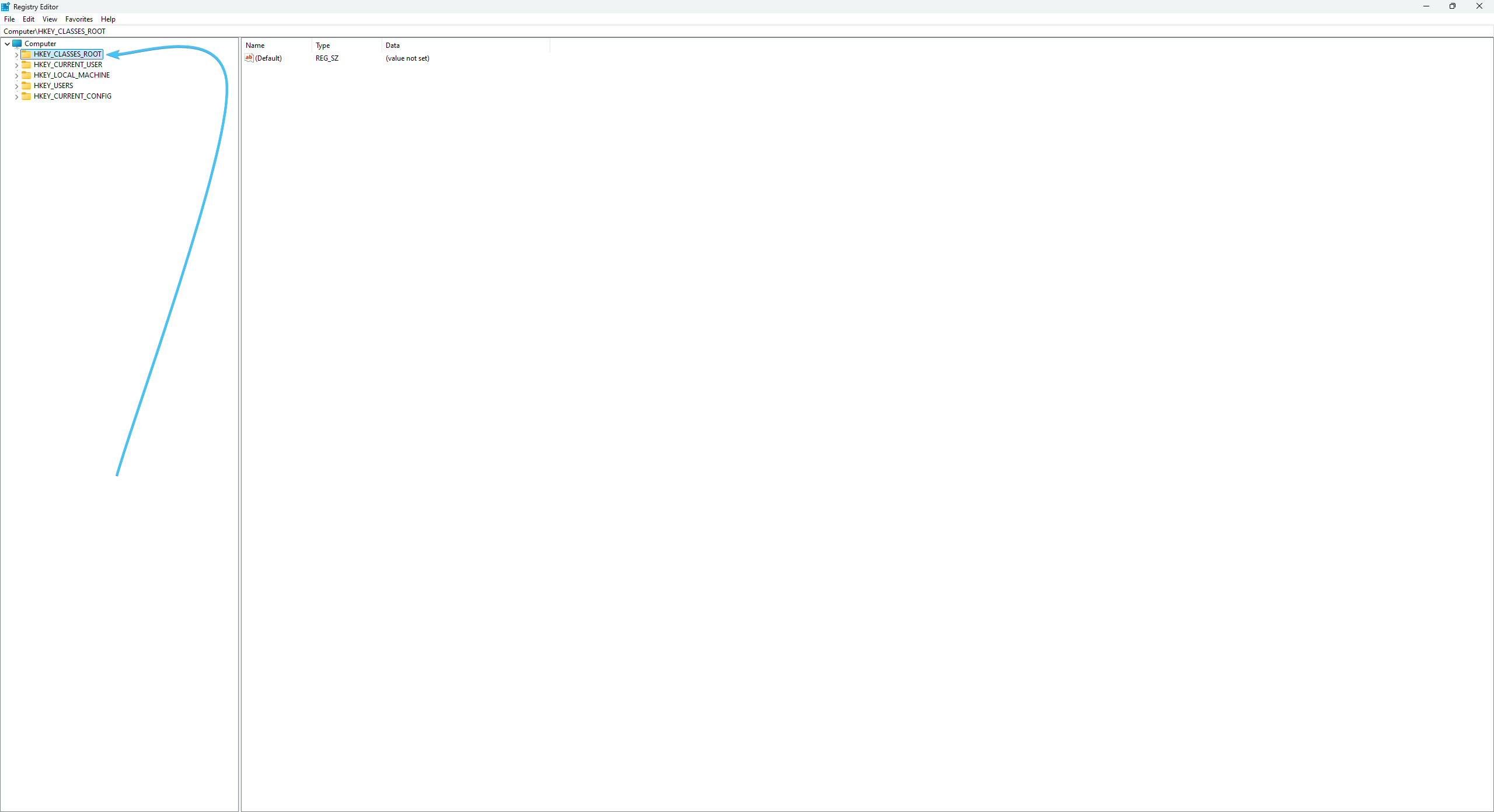
4. The registry editor will open. Right-click on the “HKEY_CLASSES_ROOT” section.
5. Select “New”, then “Key”. Assign the name “EXBO” (without the quotation marks) to the key.
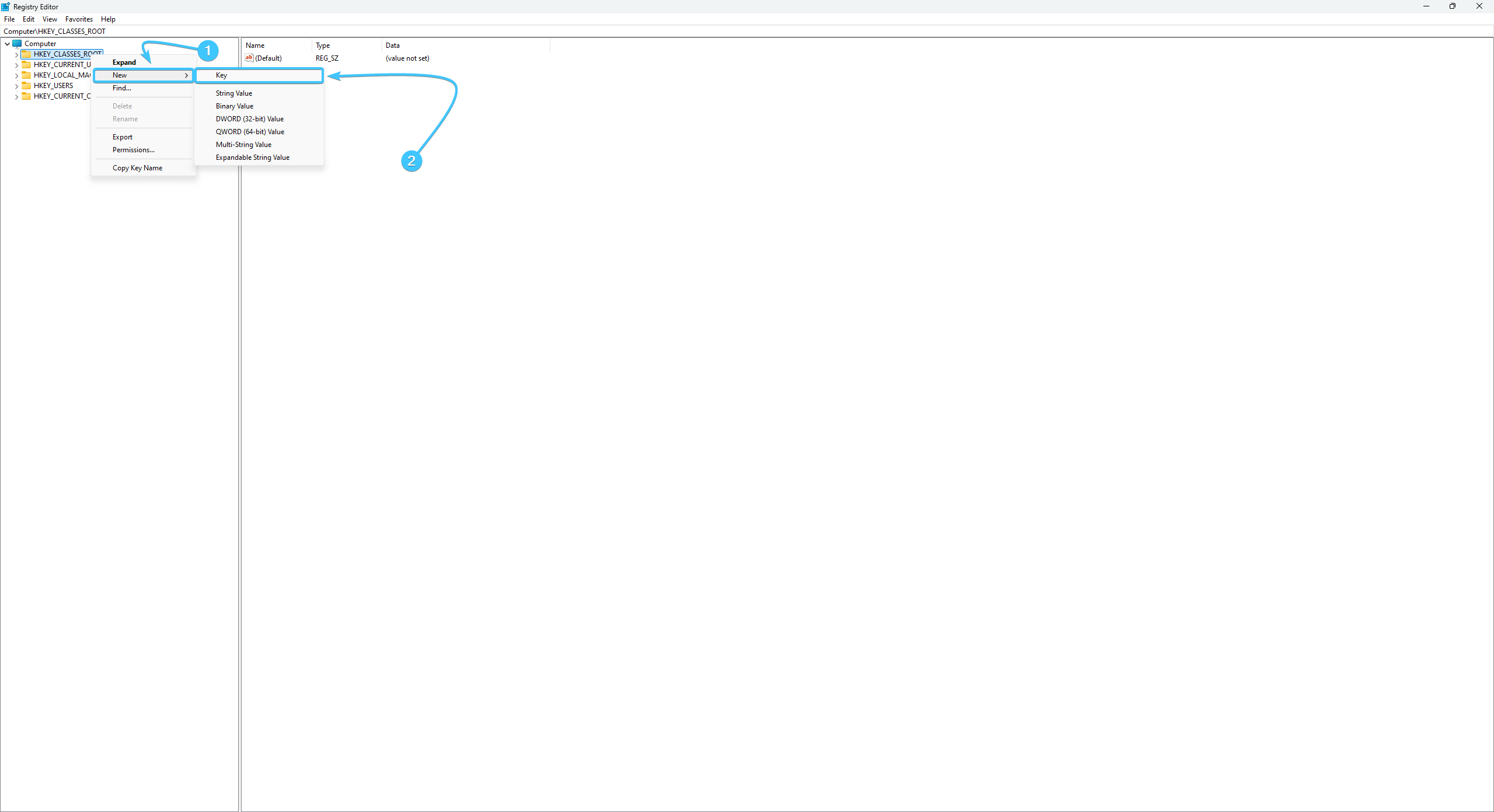
6. Right-click on “EXBO”. Select “New”, then “Key”. Name it “shell” (without the quotation marks).
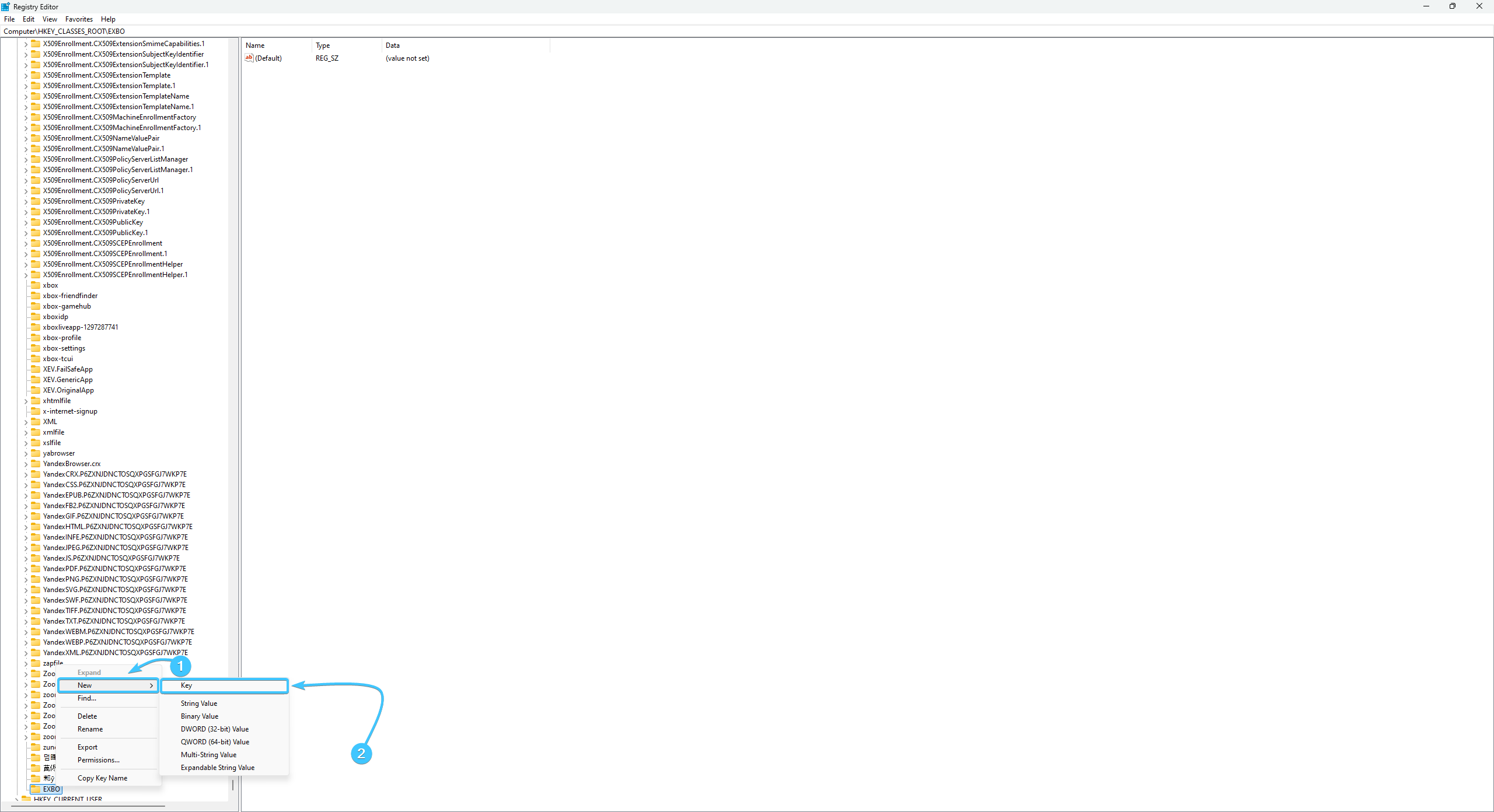
7. Right-click on “shell”. Select “New”, then “Key”. Name it “open” (without the quotation marks).
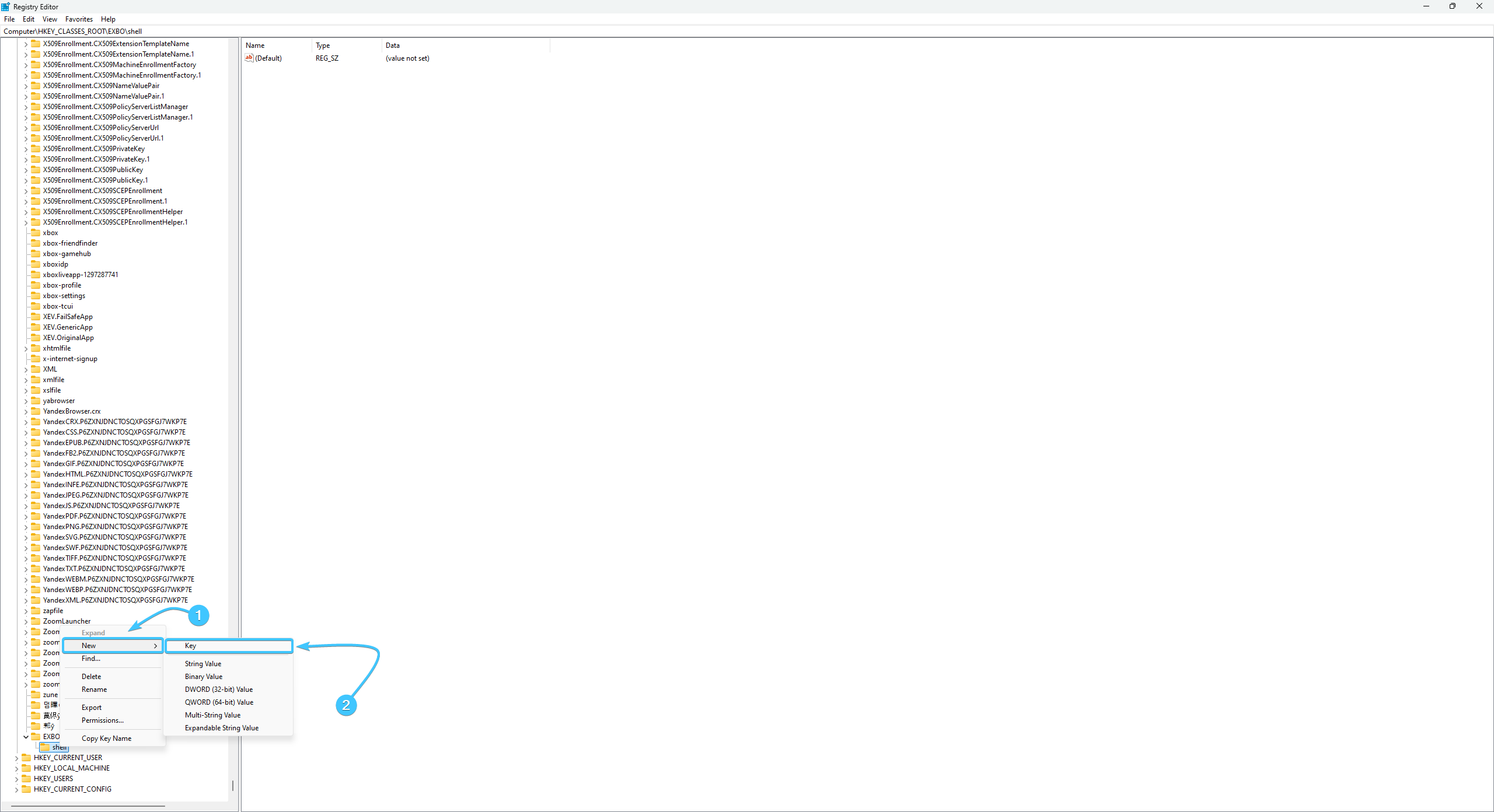
8. Right-click on “open”. Select “New”, then “Key”. Name it “command” (without the quotation marks).
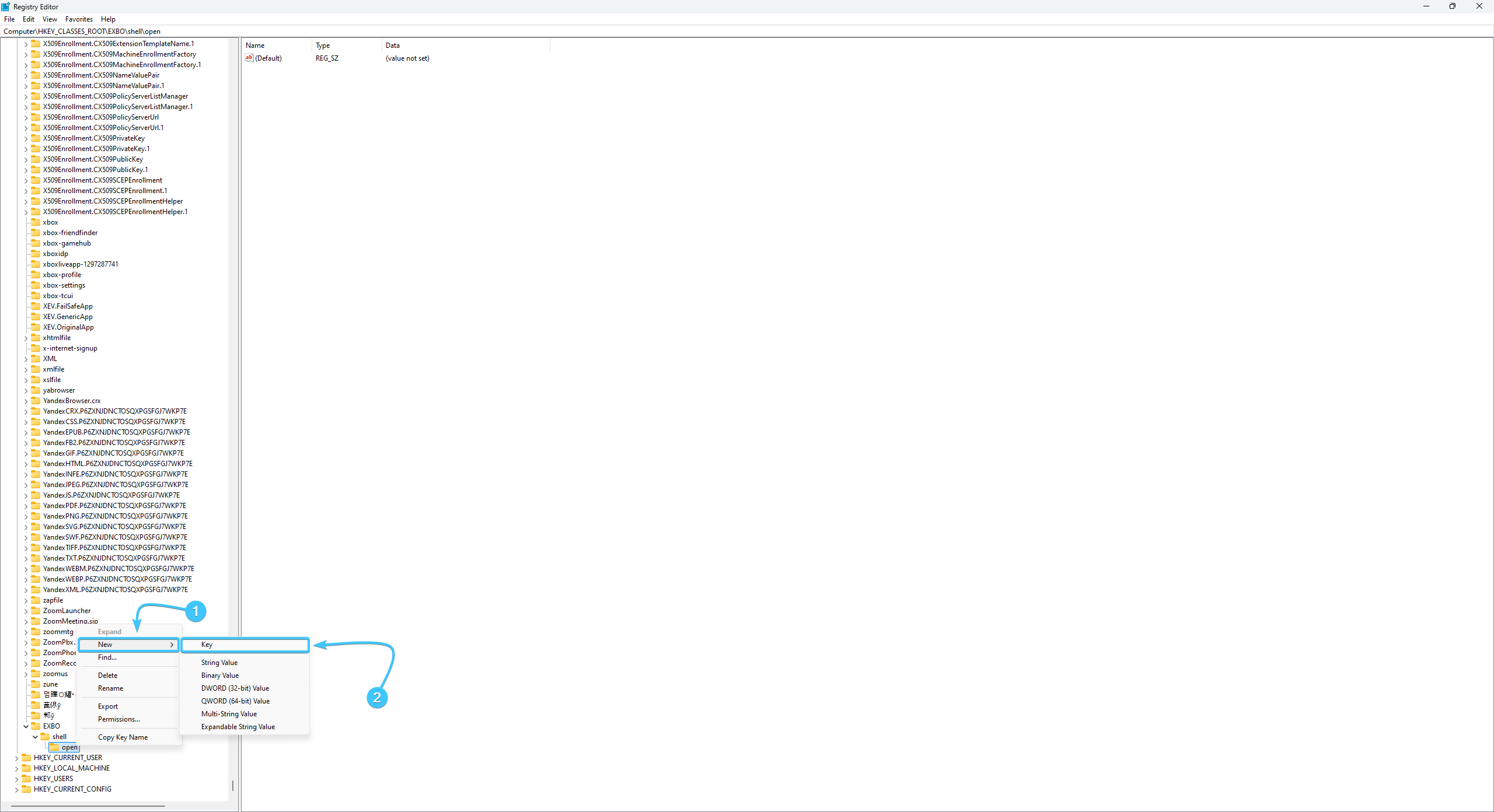
9. Open the “EXBO” section. There will be a “(Default)” option. Double-click on it.
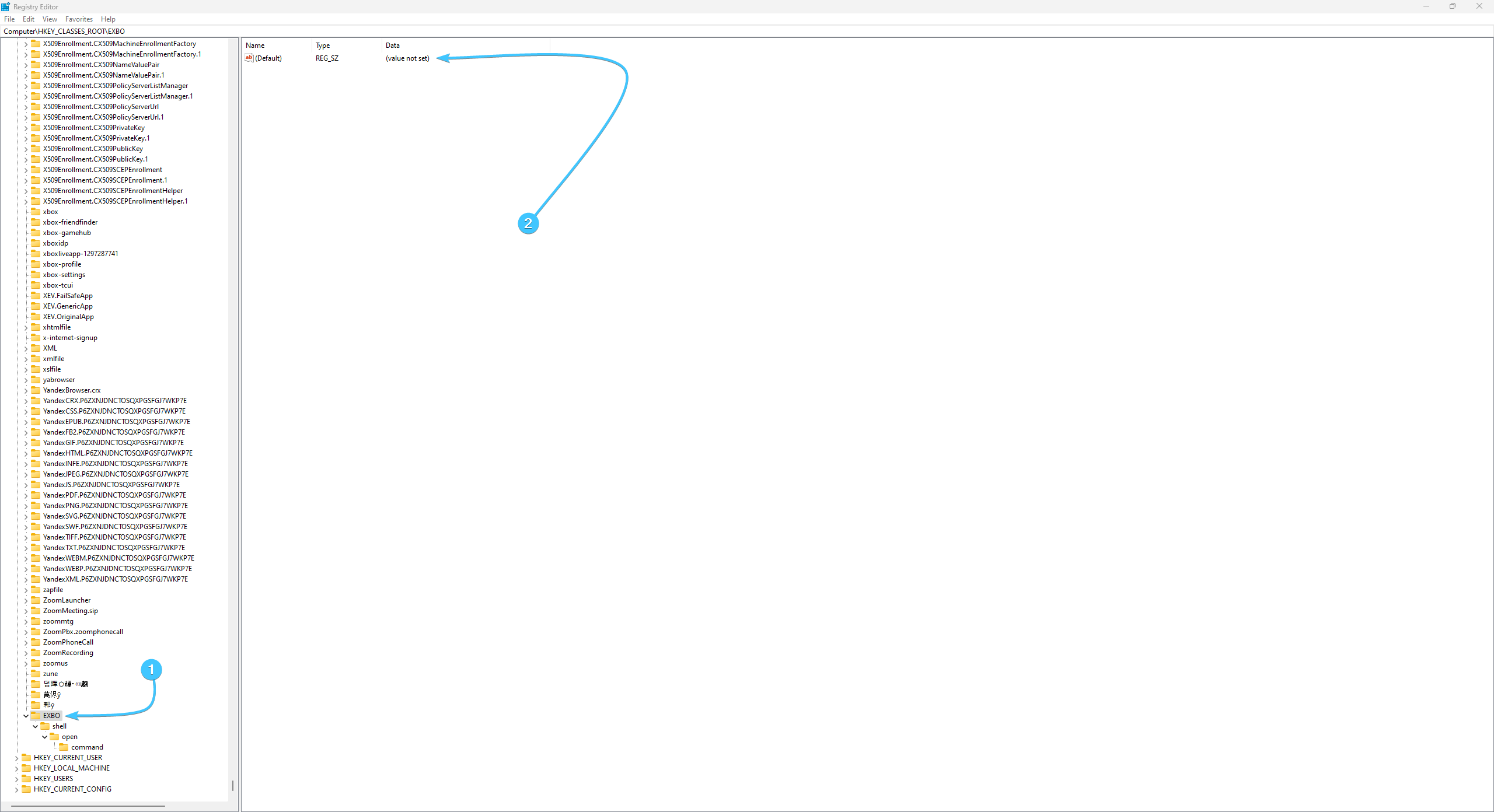
10. Enter the value “URL:exbo” (without quotation marks). Press the “OK” button to save the parameter.
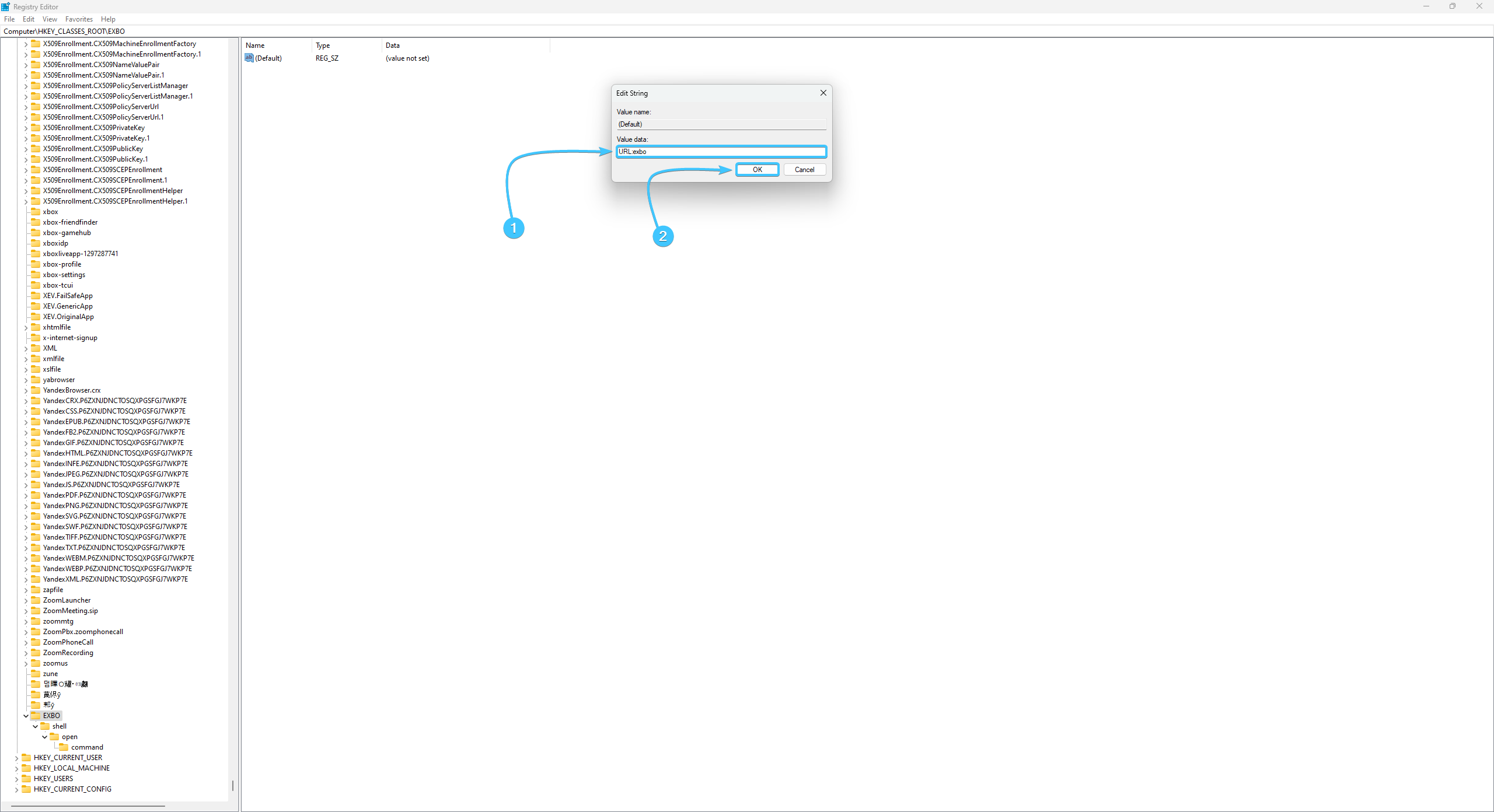
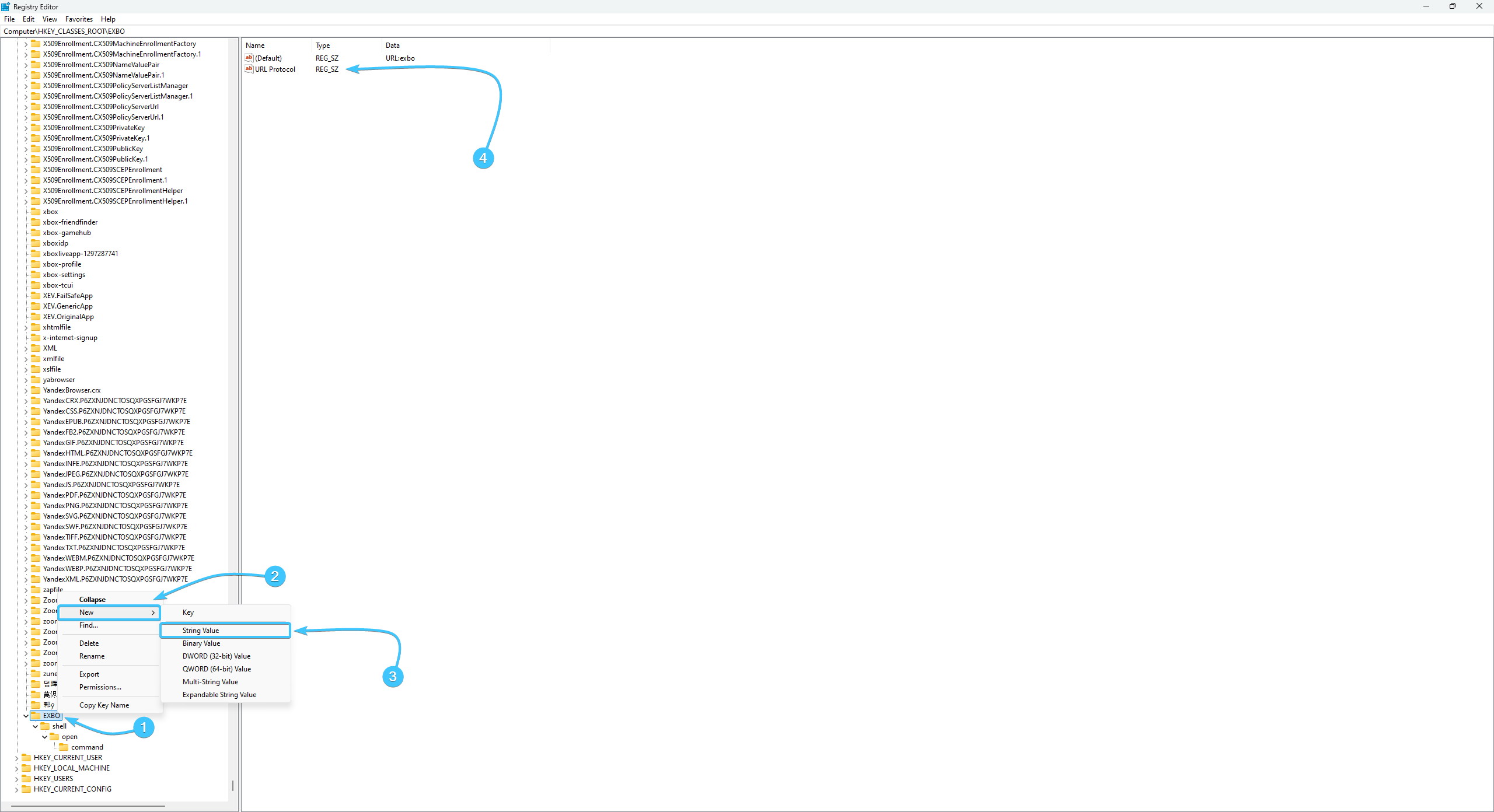
11. Right-click on “EXBO”. Select “New” → “String Value”. Name it “URL Protocol”.
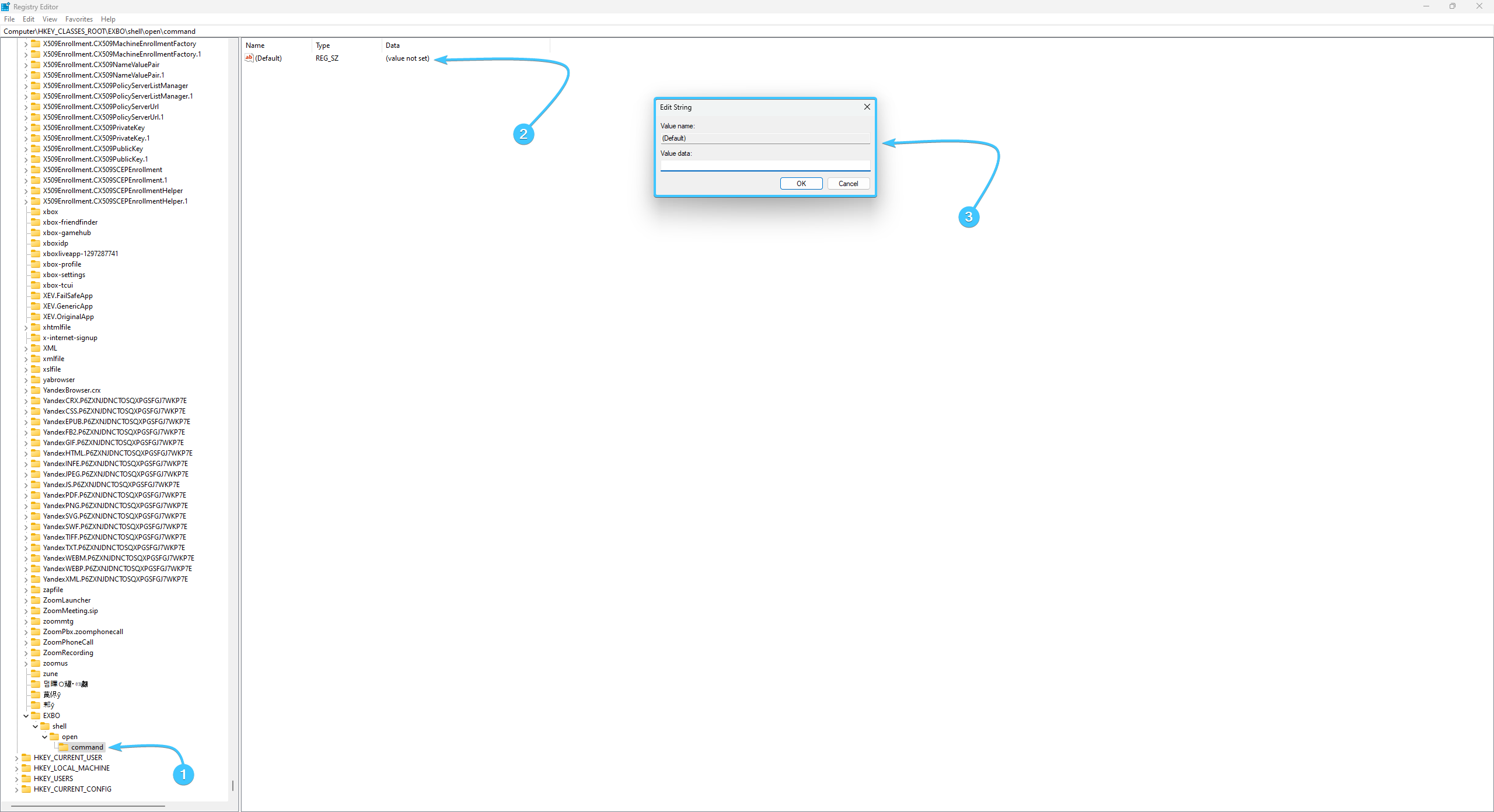
12. Open the “command” section. There will be a “(Default)” option. Double-click on it.
13. Open the EXBO folder and right-click on the “ExboLink” file. Click on the “Properties” button.
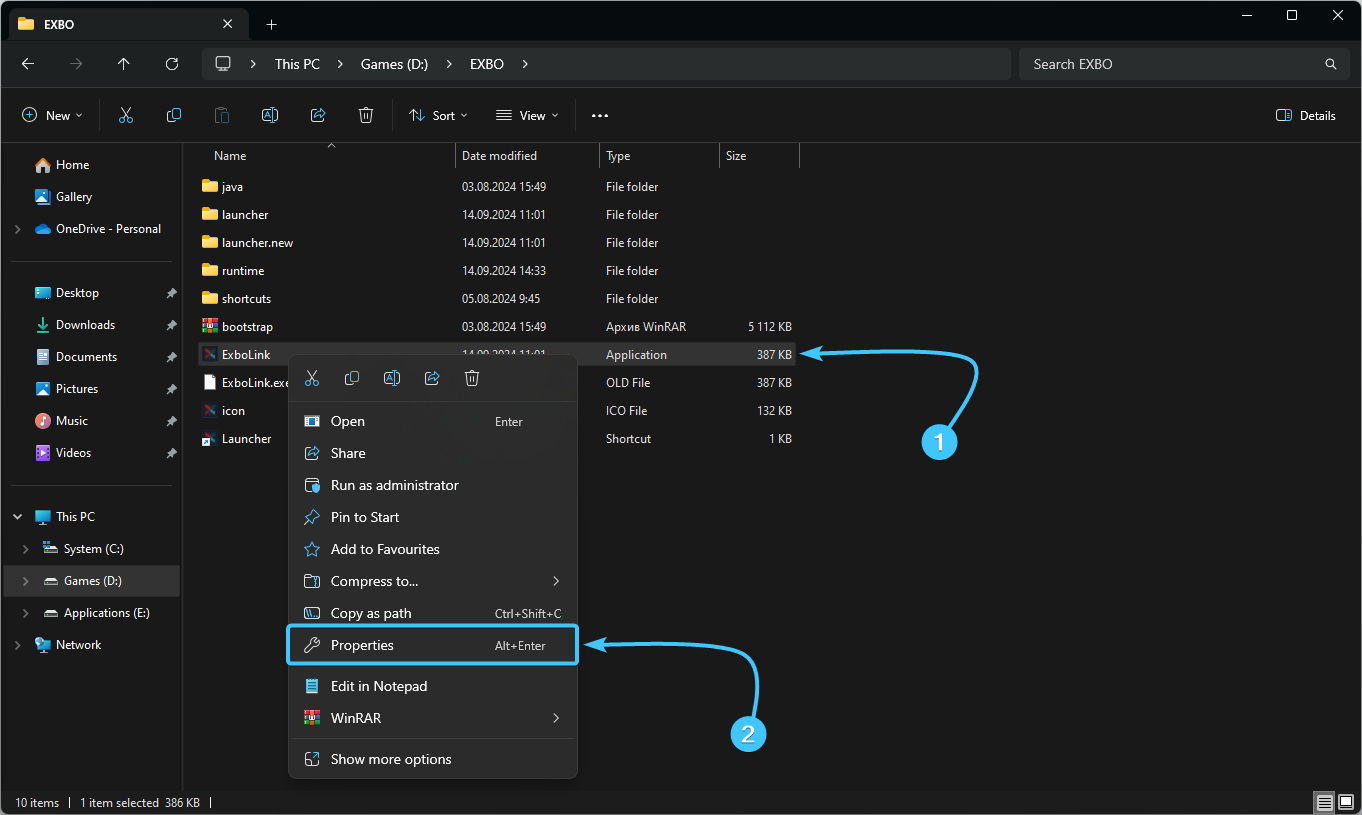
14. A new window will appear. Copy the path to the file that is located in the “Location” line.
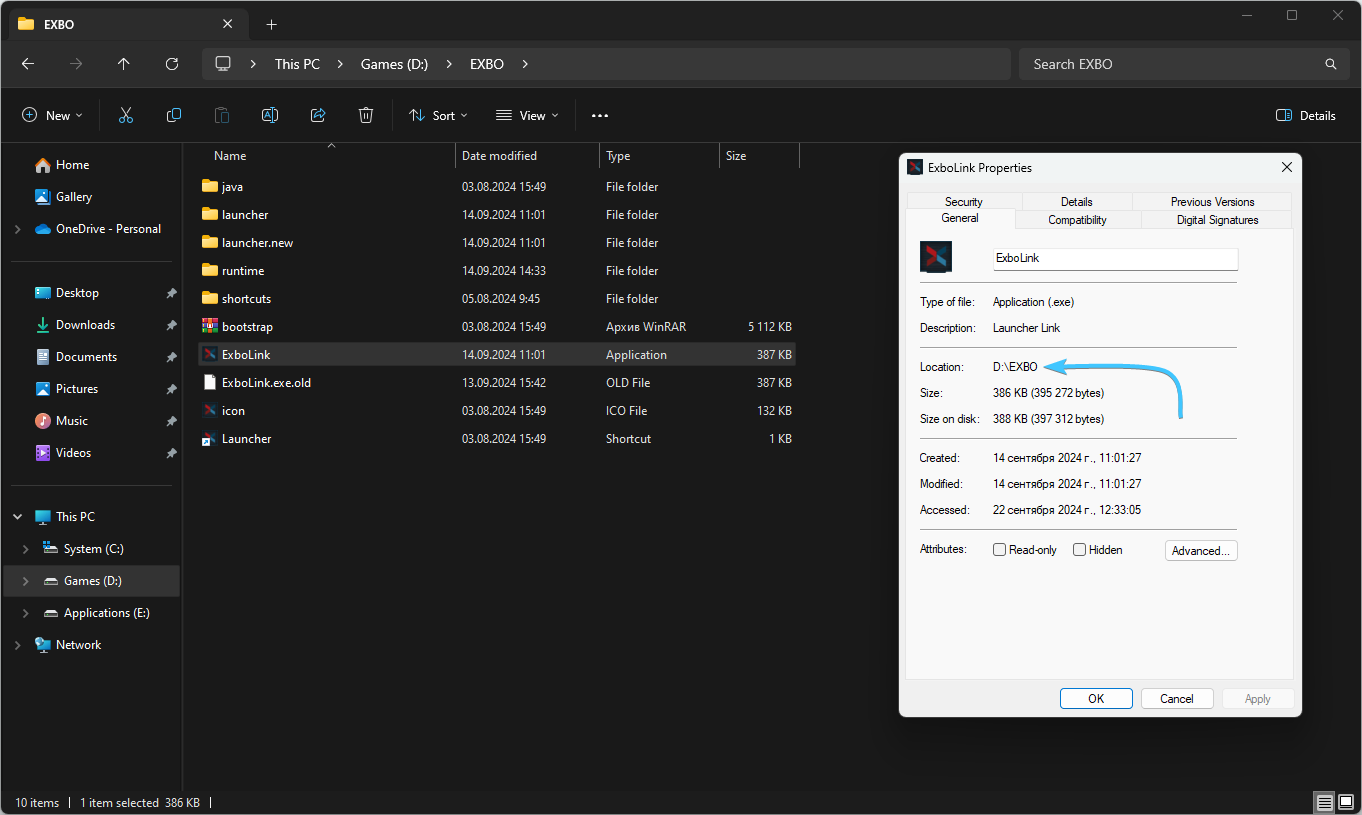
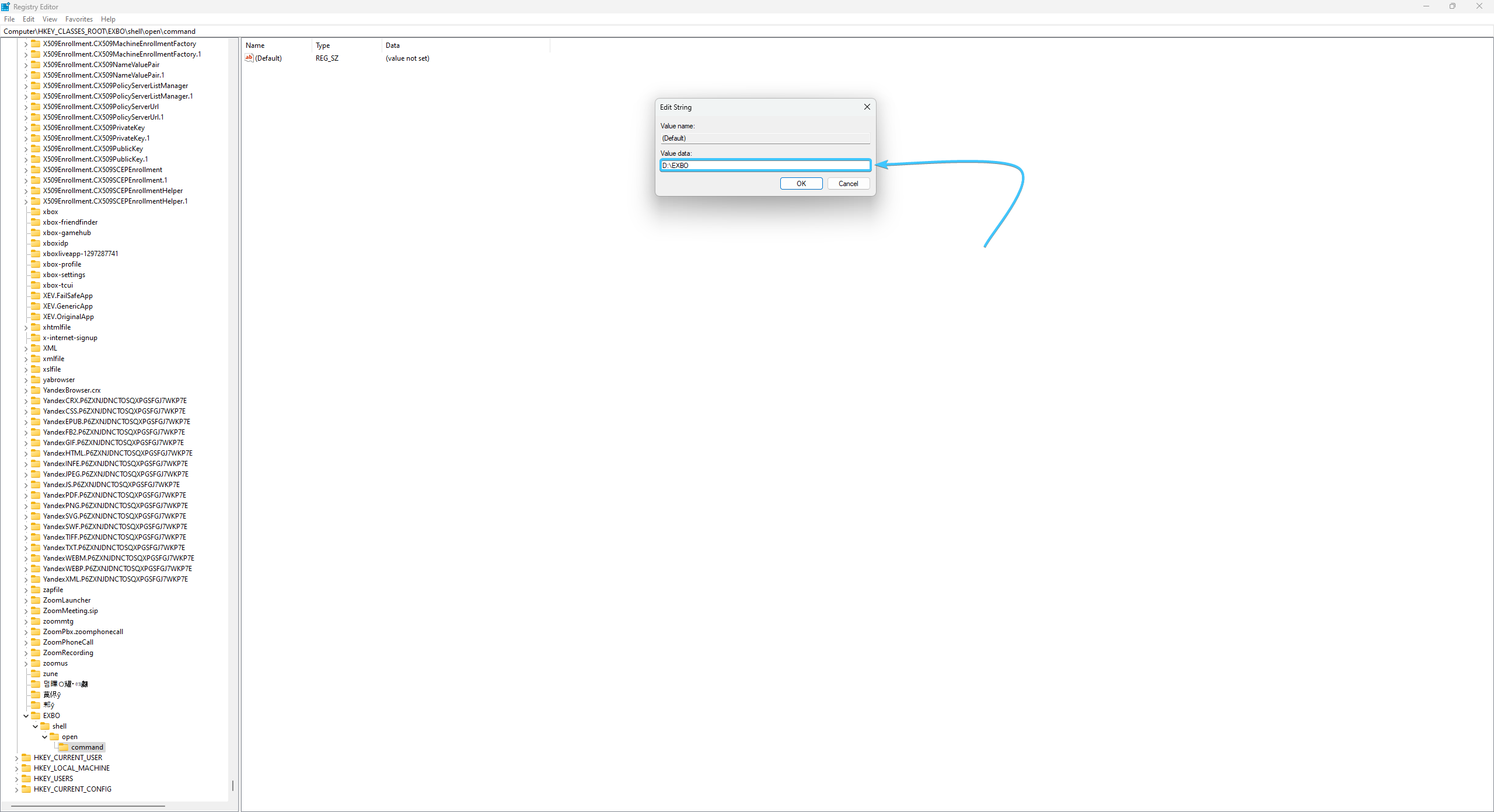
15. Insert this path into the “(Default)” parameter value you opened earlier.
16. Add \ExboLink.exe to this path so that the parameter accesses this file.
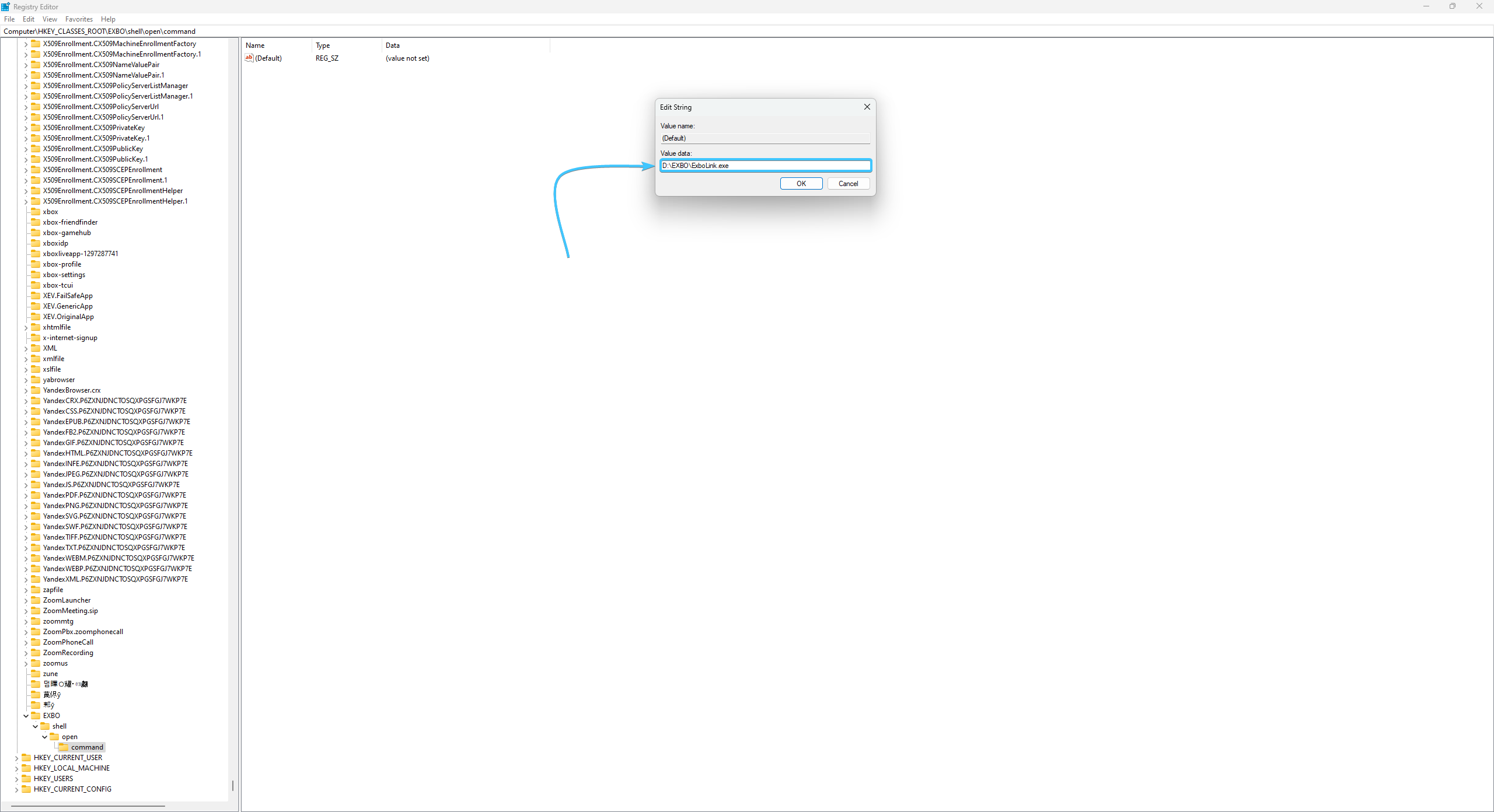
17. Add the value “%1” at the end of the path. Press the “OK” button to save the parameter.
18. Reboot the device. After that, authorisation on the website will be available again.

Other guides
- Blue screen of death appears;
- Application terminated;
- Driver is no longer responding;
- Problems with game textures;
- High ping in the STALZONE game;
- All RAM is not available;
- EXBO installer does not start;
- Freezes, lags and low FPS;
- Device shutdown in game;
- Incorrect time at STALZONE auction;
- No fonts in the EXBO Launcher;
- Java virtual machine error;
- Cannot run the game error;
- Low game download speed;
- Weird mouse cursor behaviour;
- Failed to write the game file;
- Read timed out error;
- Socket exception game error;
- Java heap space error;
- Additional keys do not work;
- Authorisation error in the game;
- Error at hooking API;
- Incorrect authentication code;
- Sound problems in the game;
- Microphone problems in the game.