Guide

Before installing the game
- Check whether your device meets the system requirements of STALZONE;
- Create an EXBO account and take security measures to protect your account in the account settings;
- Be logged in to the STALZONE game site so that the steps of the instructions are clear.
Installing the STALZONE game in EXBO
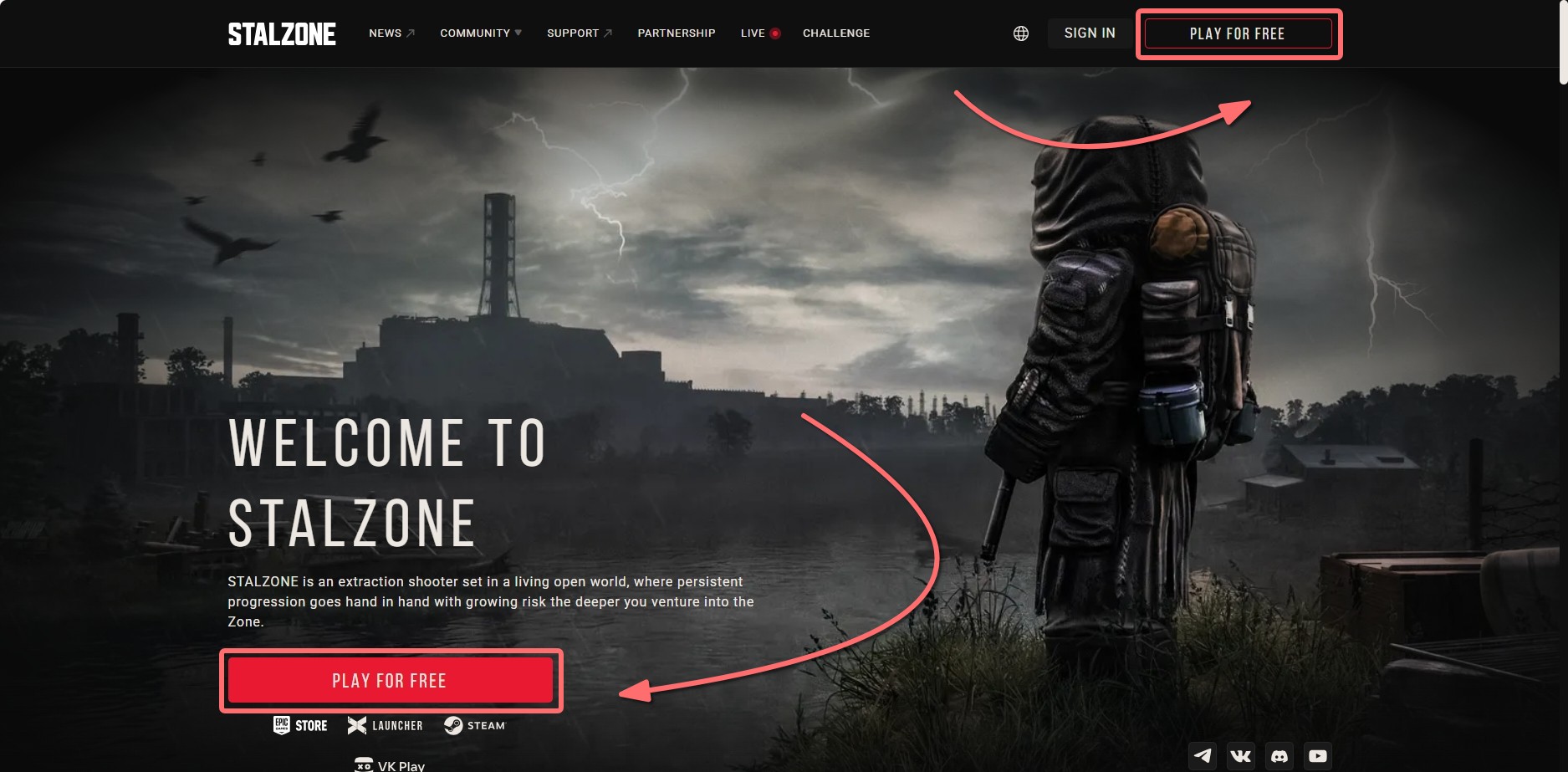
1. Go to the official STALZONE game website and click on the “Play for free” button.
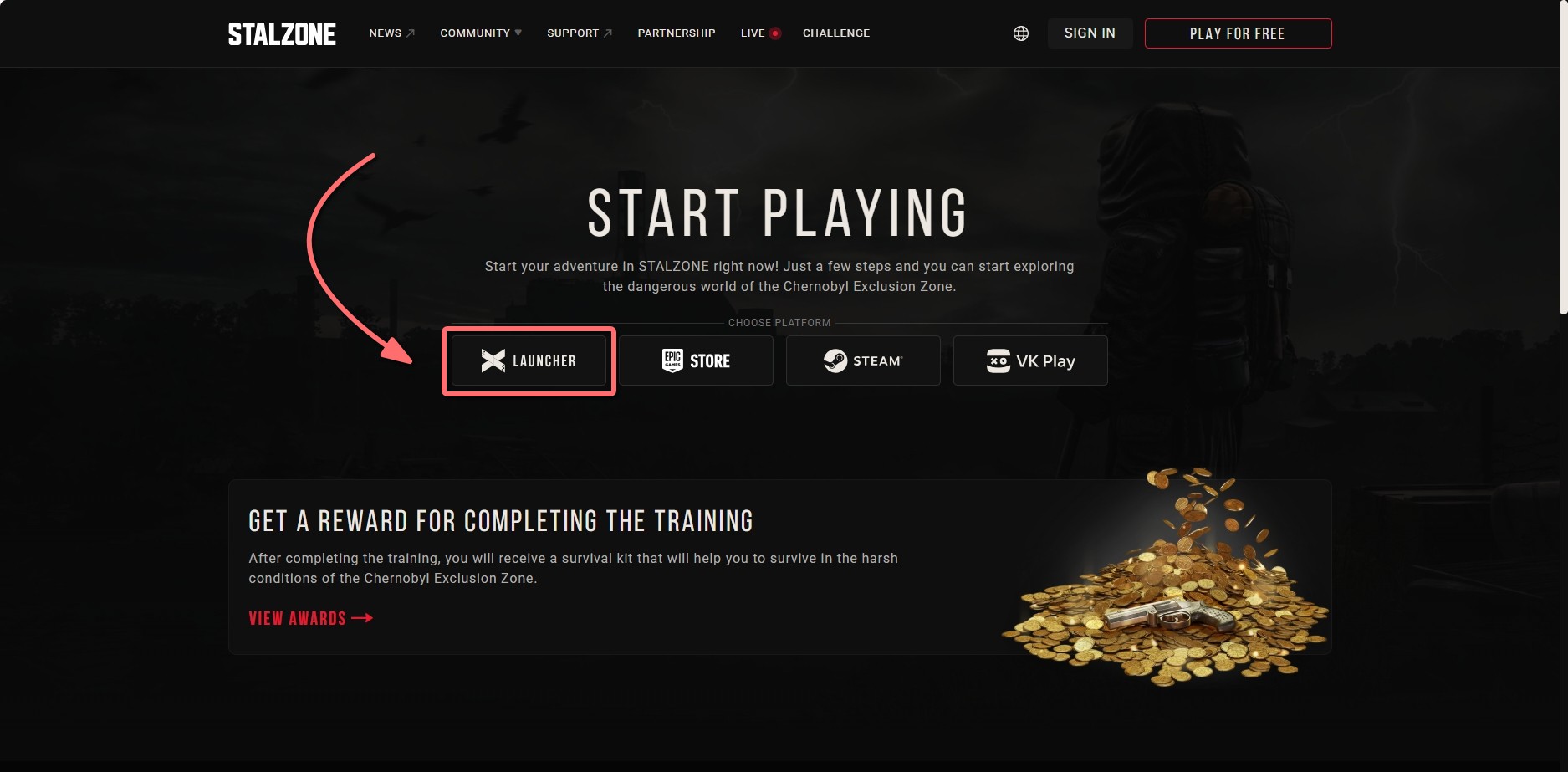
2. Click “Download the launcher”. Use the backup download links if the download won’t start.
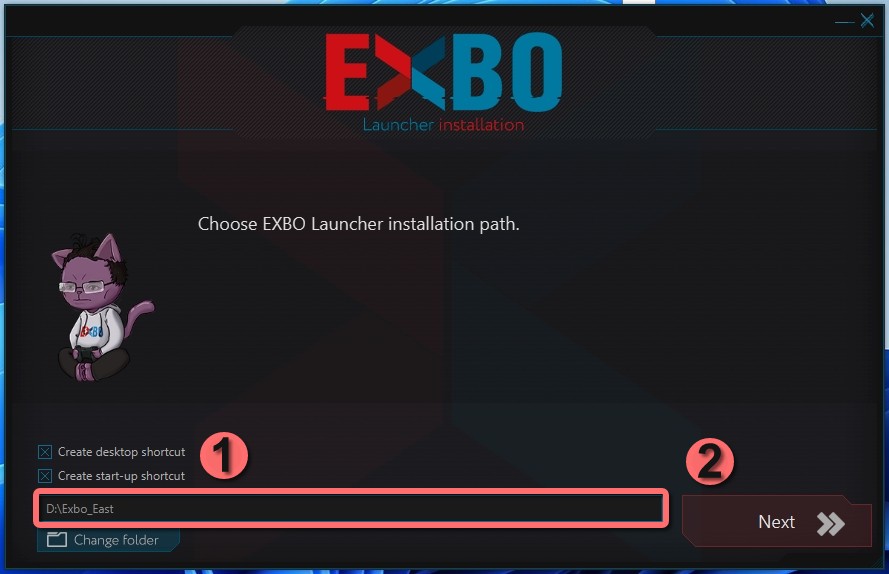
3. Launch the installer. Choose Launcher installation path by clicking “Change Folder”. Click “Next” once done.
4. The process of launcher installation will start. It may take some time, wait for it to complete.
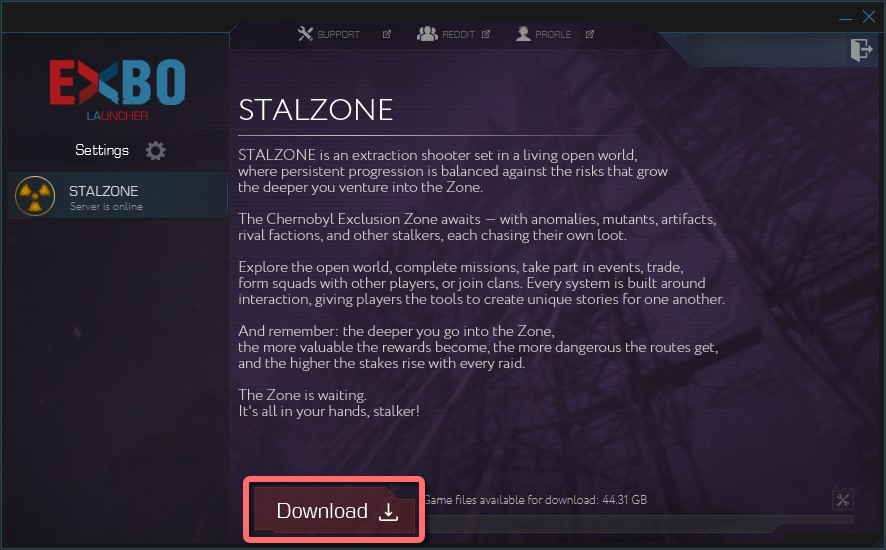
5. Log in with your EXBO account and click the “Download” button.
6. Choose the STALZONE installation path by clicking “Change folder”. Once done, click “Install”.
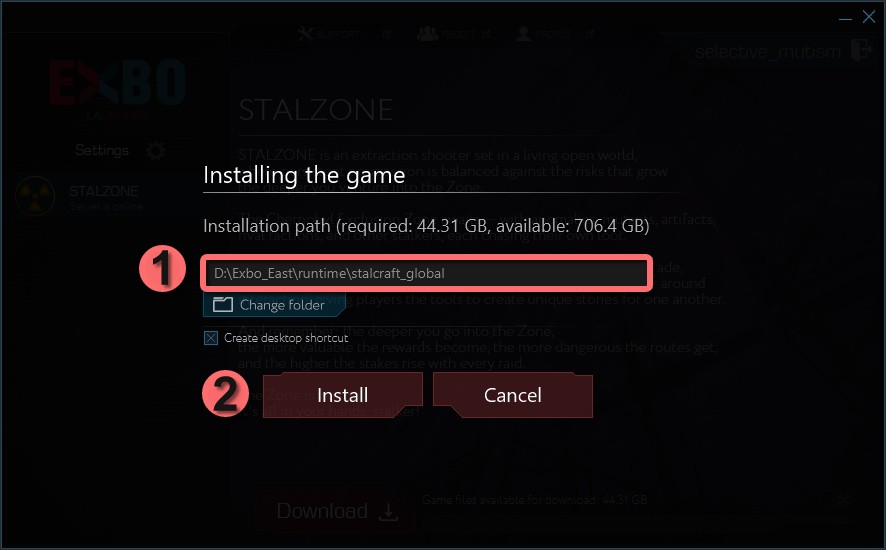
7. Wait until the installation process is complete. It may take some time.
8. After that, EXBO Launcher and STALZONE game will be installed. You can start playing.
Other guides
- Uninstalling the game in EXBO;
- Game files check in EXBO;
- Uninstalling the EXBO Launcher;
- Game client logs in EXBO;
- EXBO Launcher logs;
- Disabling peer-to-peer in EXBO;
- Setting the memory capacity in EXBO;
- Autorun of the EXBO Launcher;
- Location of screenshots in EXBO;
- Creating a game shortcut in EXBO;
- Opening the game folder in EXBO;
- Download limit in EXBO;
- Logging into EXBO via Steam;
- Minimizing EXBO into the tray.
Keywords: штыефддштп, instаlling the game in exbo, how to installing the game in exbo, i have a problem with installing the game in exbo please help, how to install stalzone, where to download, setup game, download game, download stalzone, installing the game in exbo, INSTALLING THE GAME IN EXBO, exbo in game the installing, installing, instaling the game in exbo, installing the game in exbo, установка игры в exbo, install game, instal