Guide

Uninstalling the EXBO Launcher in Windows 11
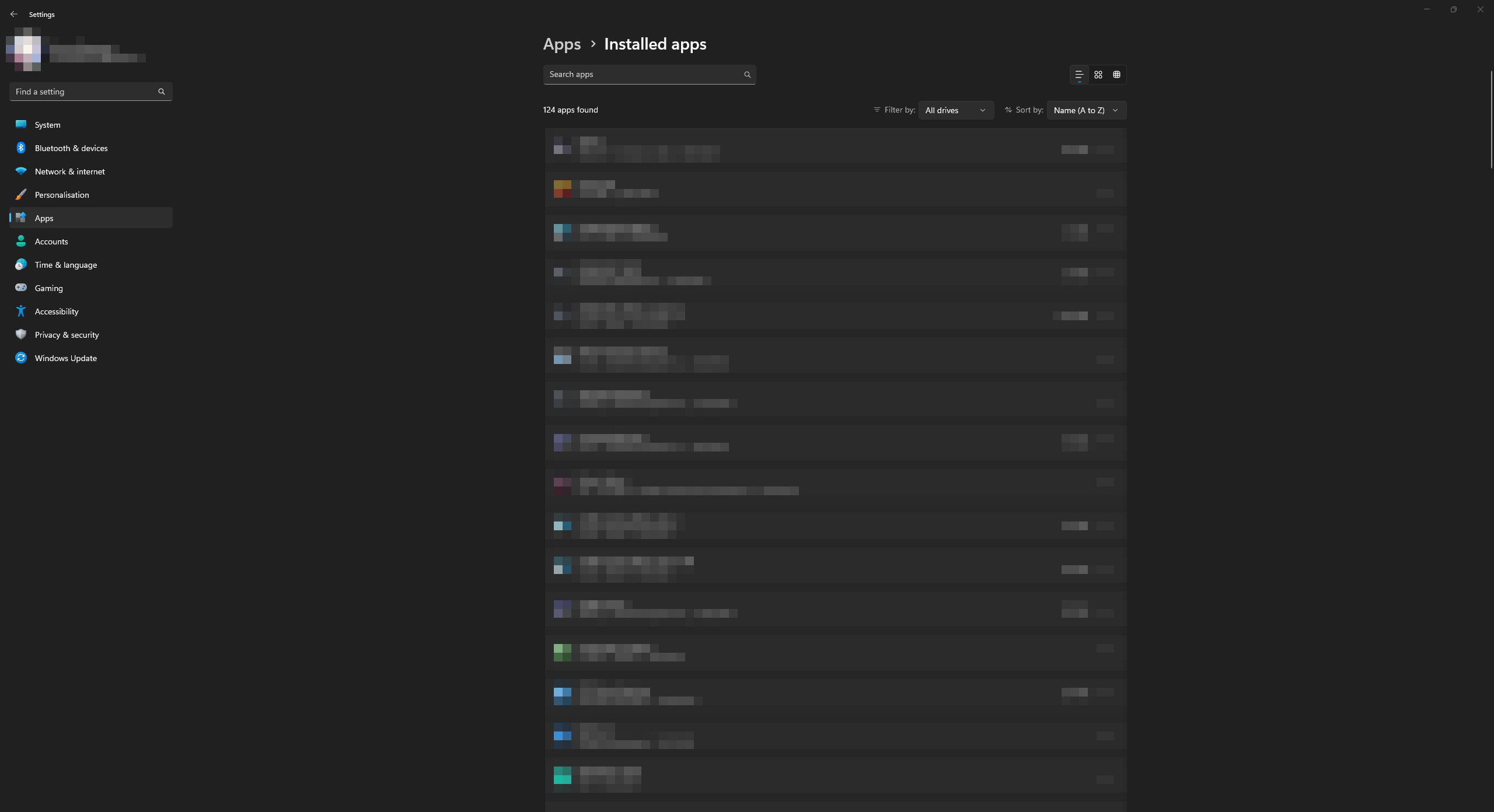
1. Open the Start menu and go to Settings on your Windows 11 operating system.
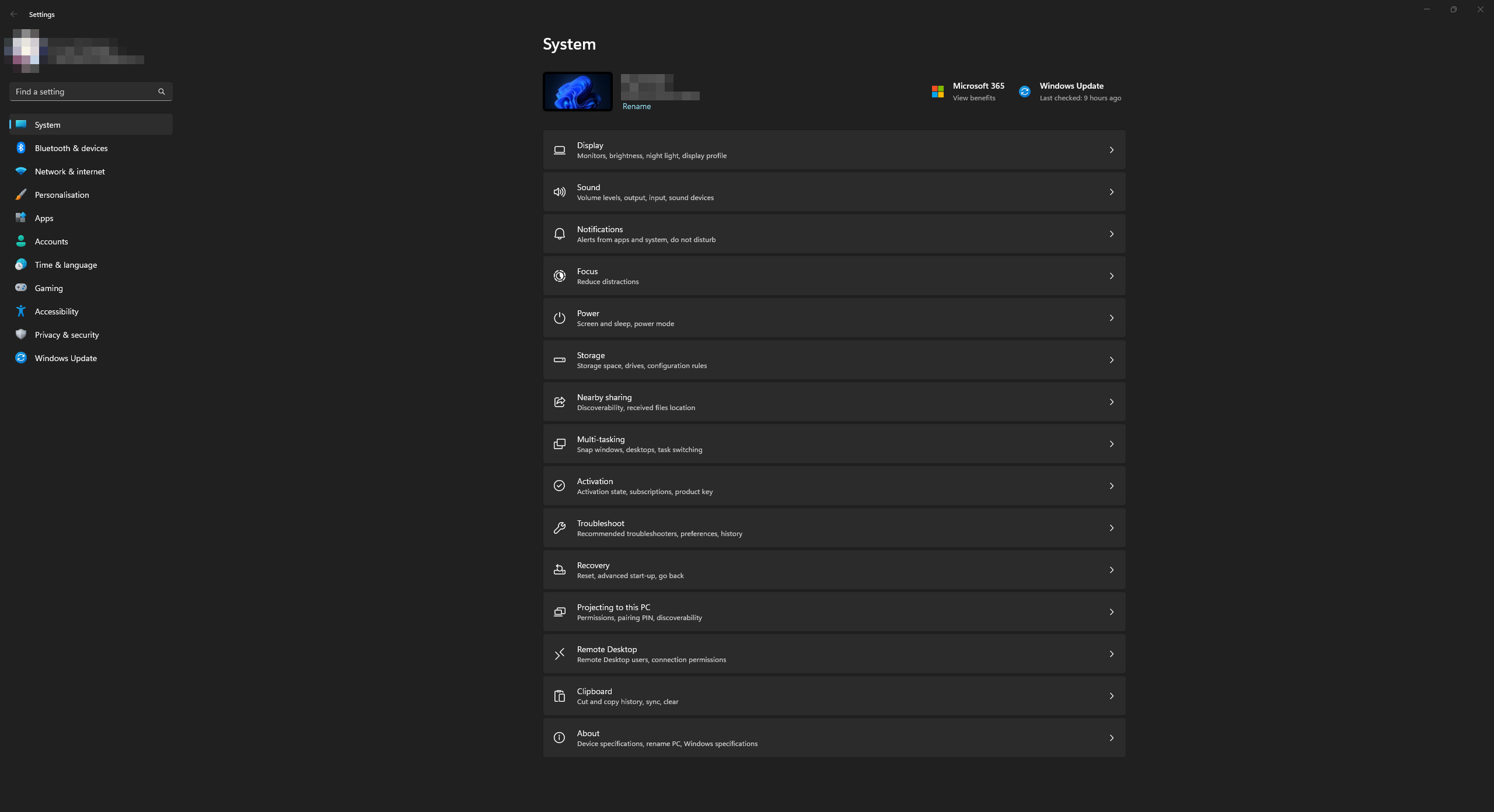
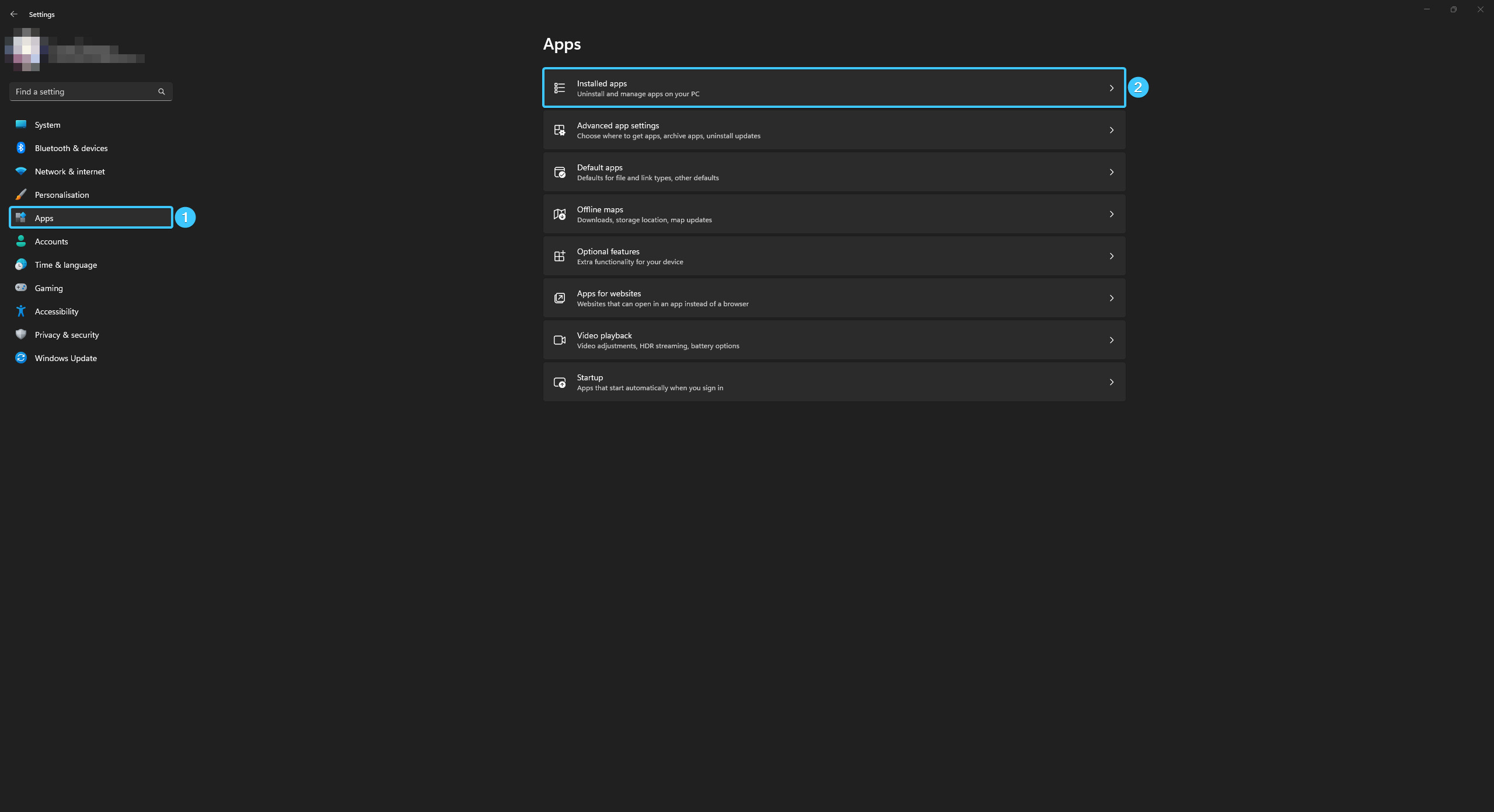
2. Open the “Apps” category and go to “Installed apps” section.
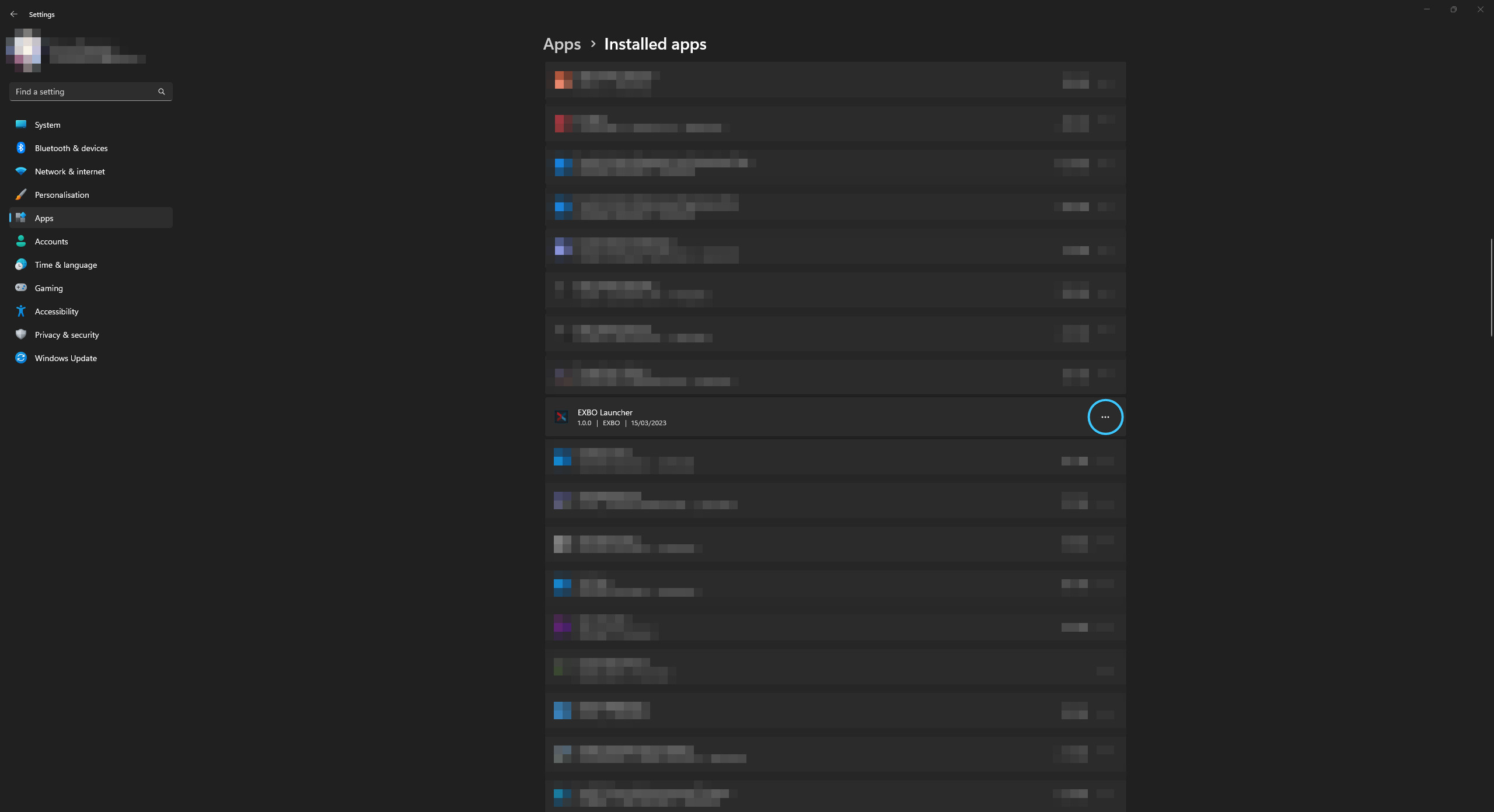
3. Search for EXBO Launcher in the list of apps and click on the three dots.
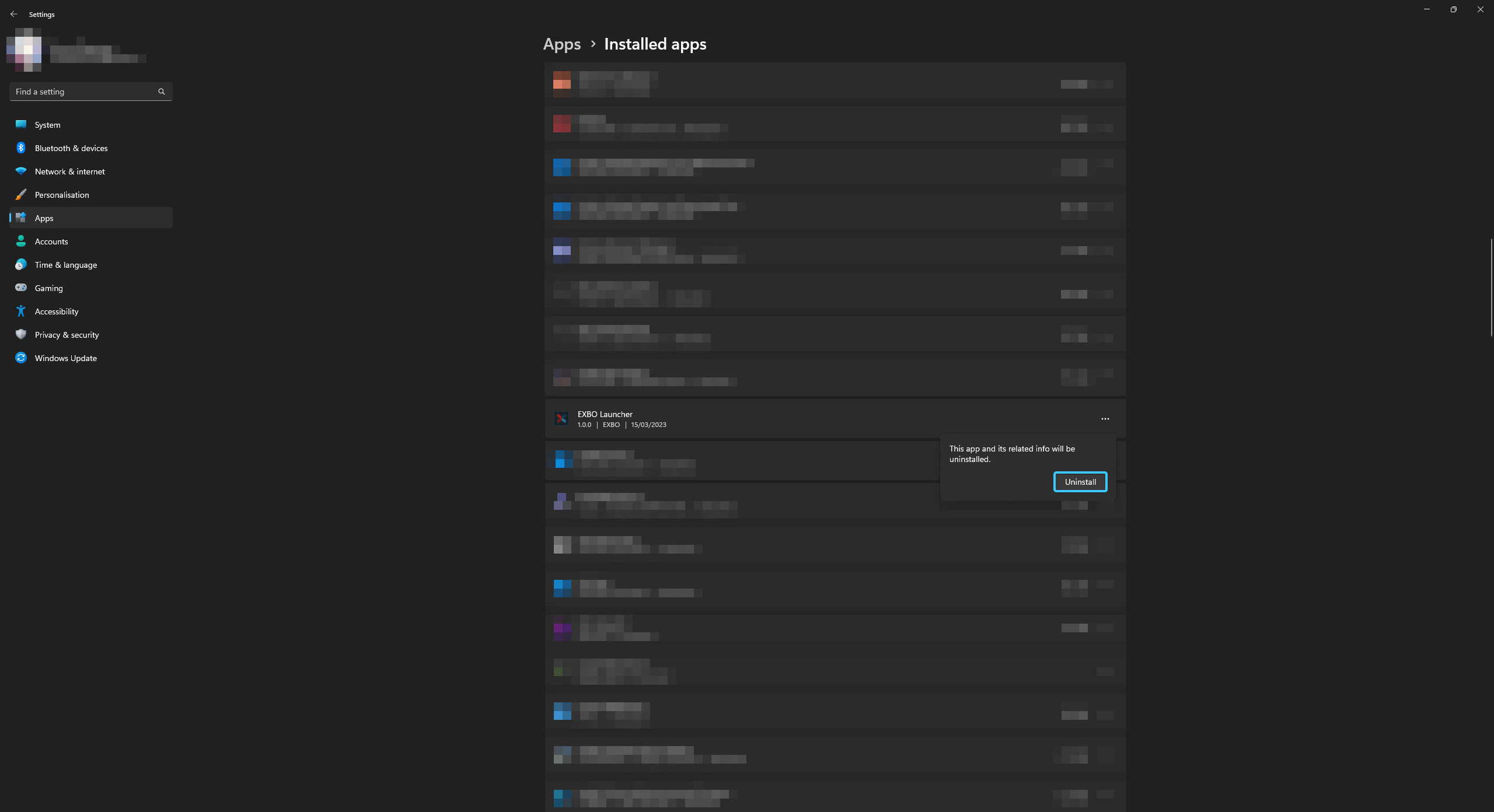
4. Press “Uninstall”. Confirm the action by pressing “Uninstall” and wait for the process to complete.
5. After that, EXBO Launcher will be uninstalled from your device. You can close this window.
Other guides
- Uninstalling the game in EXBO;
- Game files check in EXBO;
- Installing the game in EXBO;
- Game client logs in EXBO;
- EXBO Launcher logs;
- Disabling peer-to-peer in EXBO;
- Setting the memory capacity in EXBO;
- Autorun of the EXBO Launcher;
- Location of screenshots in EXBO;
- Creating a game shortcut in EXBO;
- Opening the game folder in EXBO;
- Download limit in EXBO;
- Logging into EXBO via Steam;
- Minimizing EXBO into the tray.
Keywords: дфгтсрук, uninstаlling the exbo launcher, how to uninstalling the exbo launcher, i have a problem with uninstalling the exbo launcher please help, remove launcher, delete exbo launcher, uninstalling the exbo launcher, UNINSTALLING THE EXBO LAUNCHER, launcher exbo the uninstalling, launcher, uninstalling the exbo launher, uninstalling the exbo launhcer, удаление лаунчера exbo, uninstall launcher, lancher