Guide
Uninstalling the STALZONE game on Steam
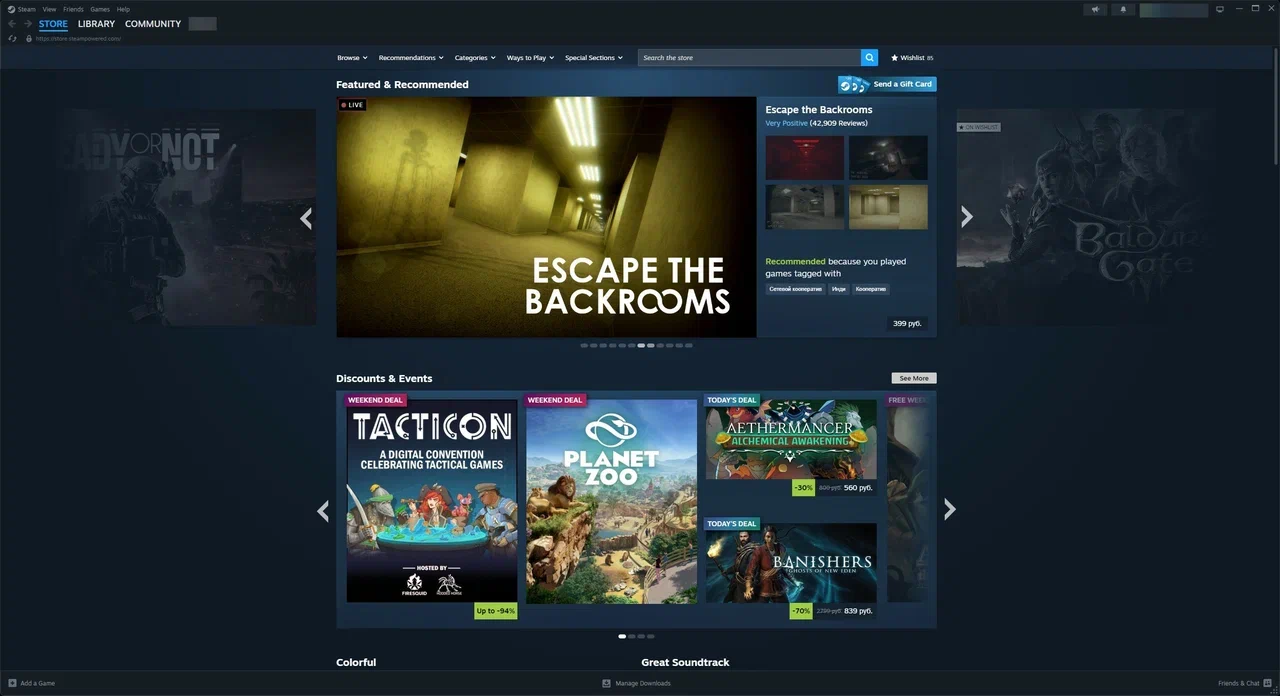
1. Launch the Steam app and log in to your account, if necessary.
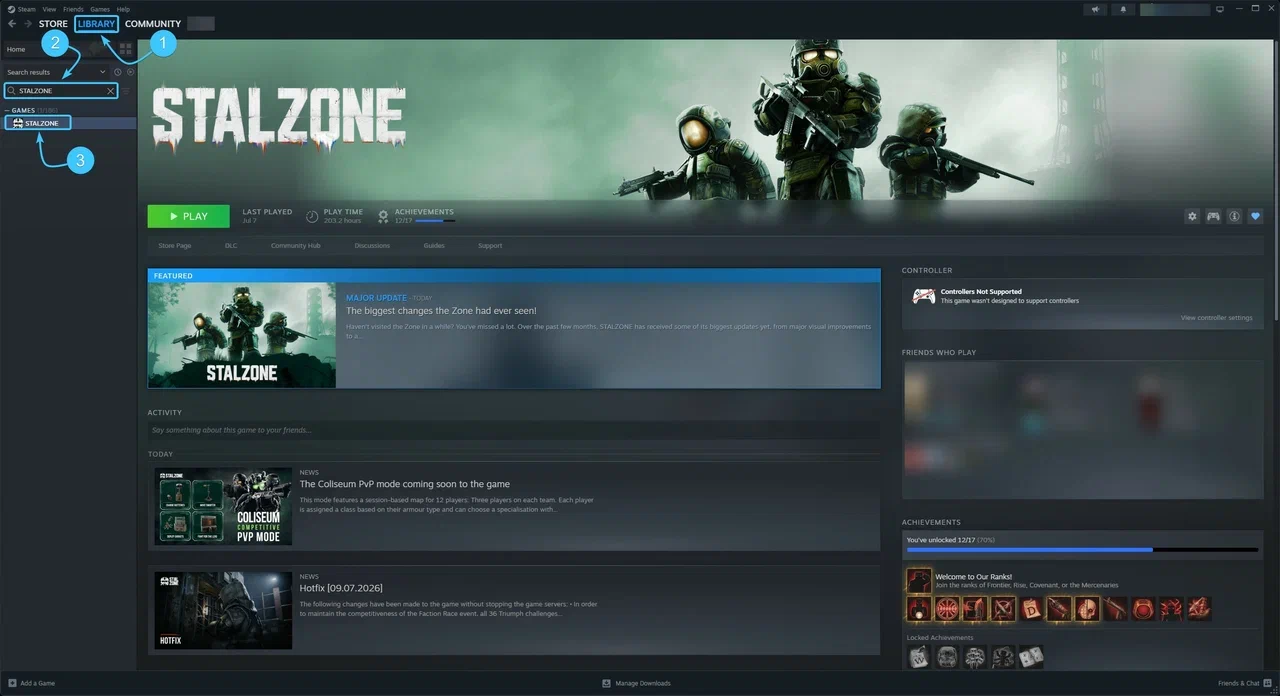
2. At the top, open the section called “Library”. In the list on the left, look for the STALZONE game.
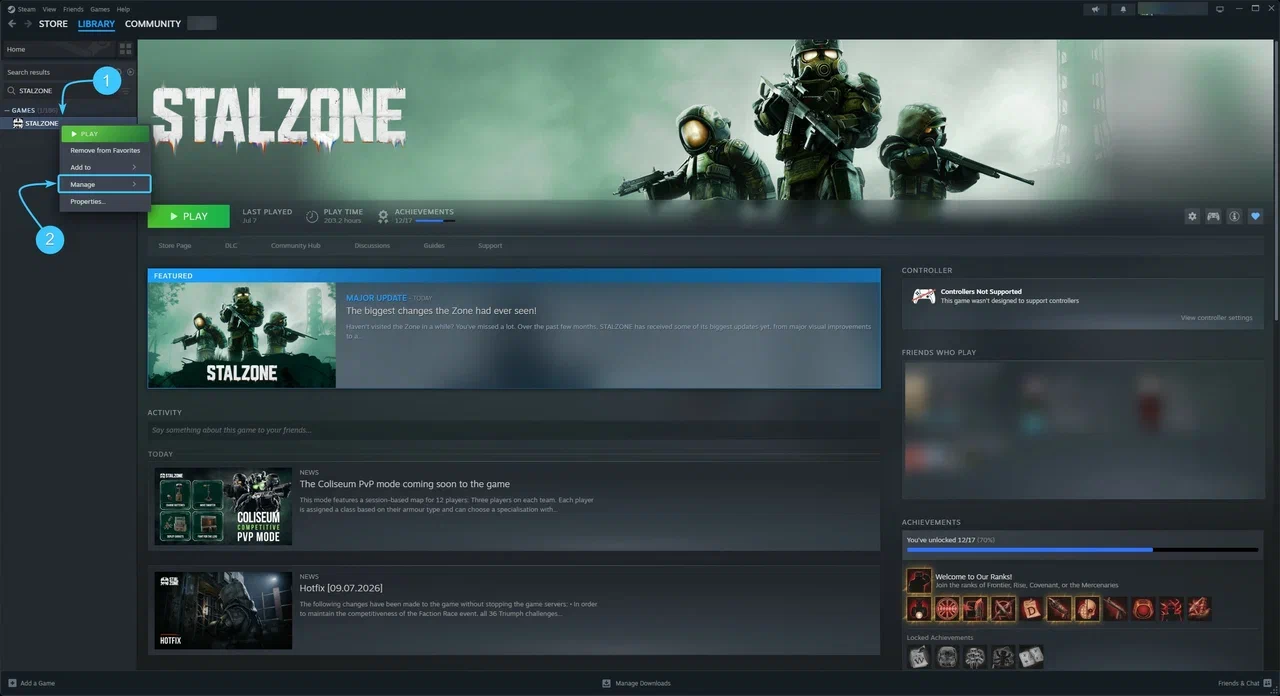
3. Right-click on STALZONE. Move the cursor to the “Manage” section.
4. A list of control options for the game will appear. Press the “Uninstall” button.
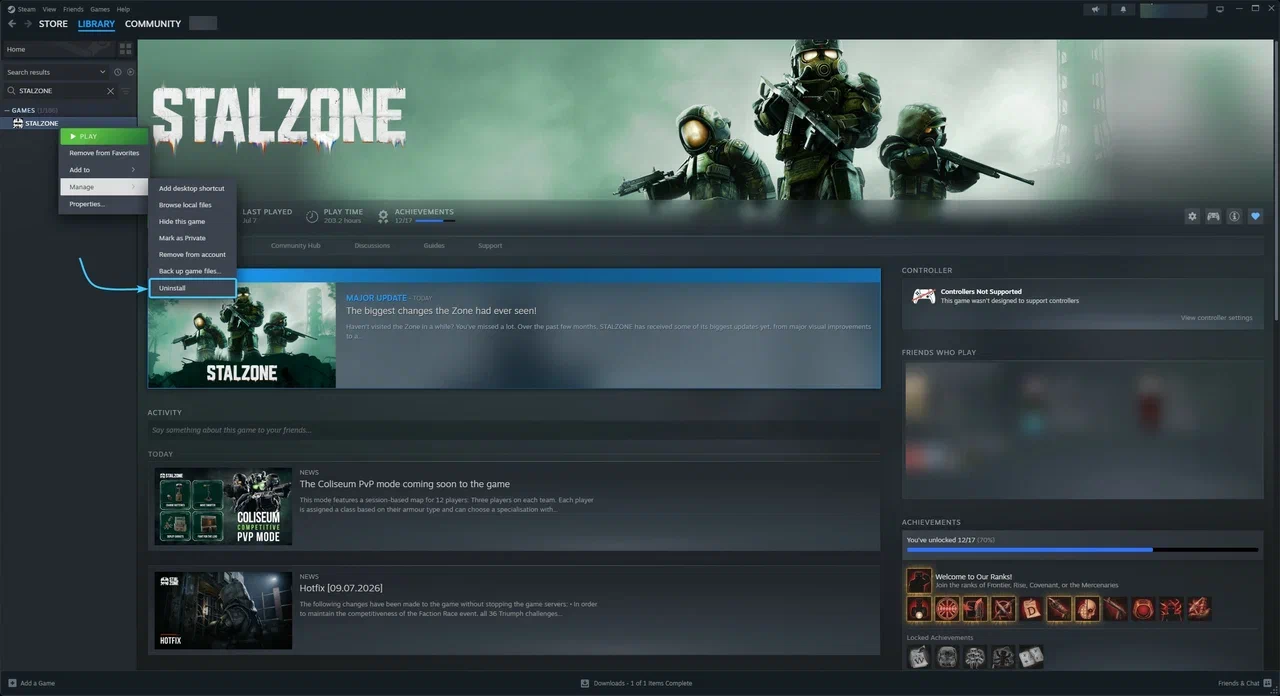
5. Confirm the action by pressing the “Uninstall” button. Wait until the uninstallation process is complete.
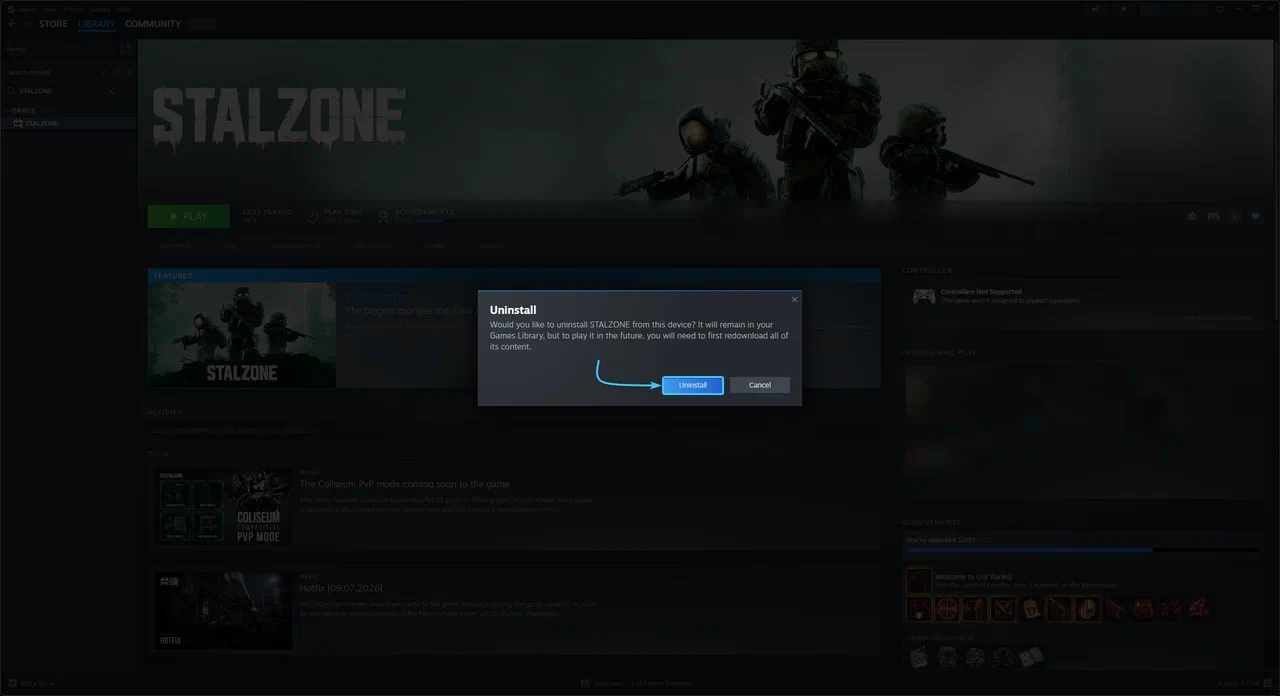
6. After that, the STALZONE game will be uninstalled from your device. This window can be closed.