Guide

Check STALZONE game files EXBO
1. Launch the EXBO Launcher and log in to your account, if necessary.
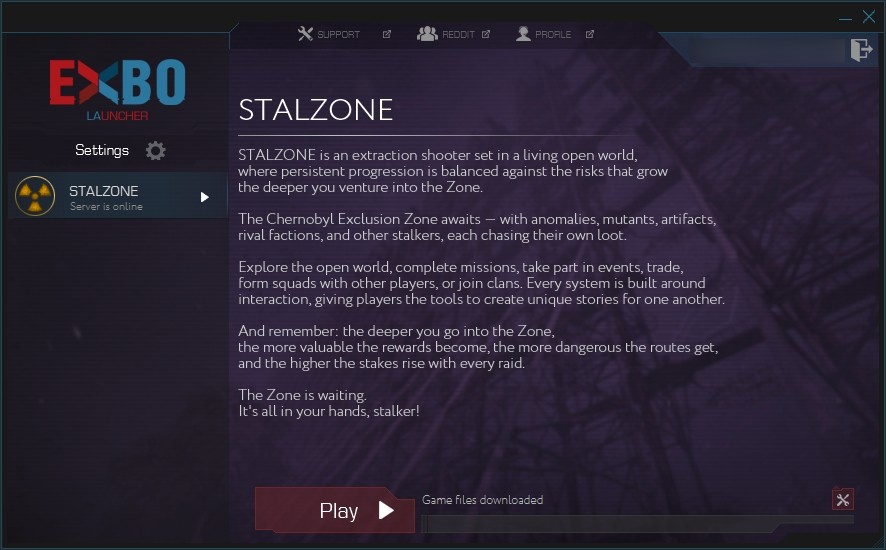
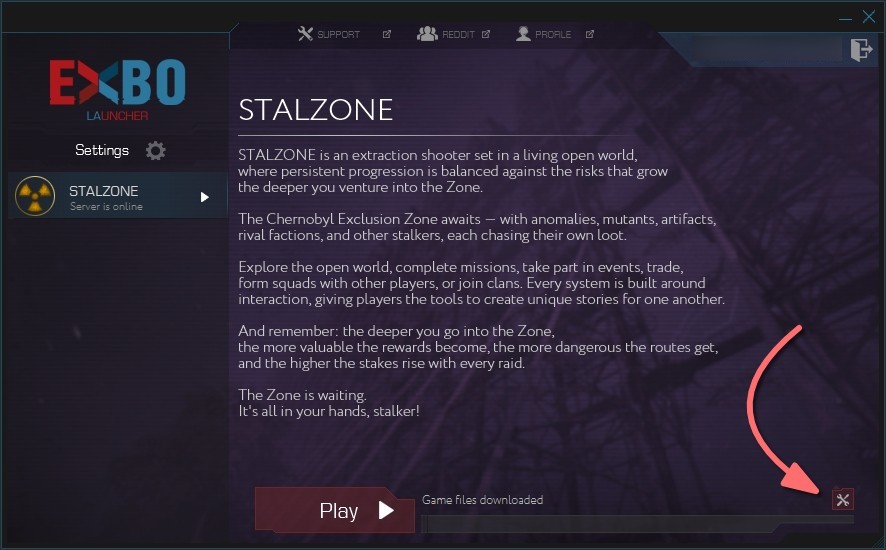
2. The “STALZONE” section will open immediately. Click on the tool icon in the bottom right corner.
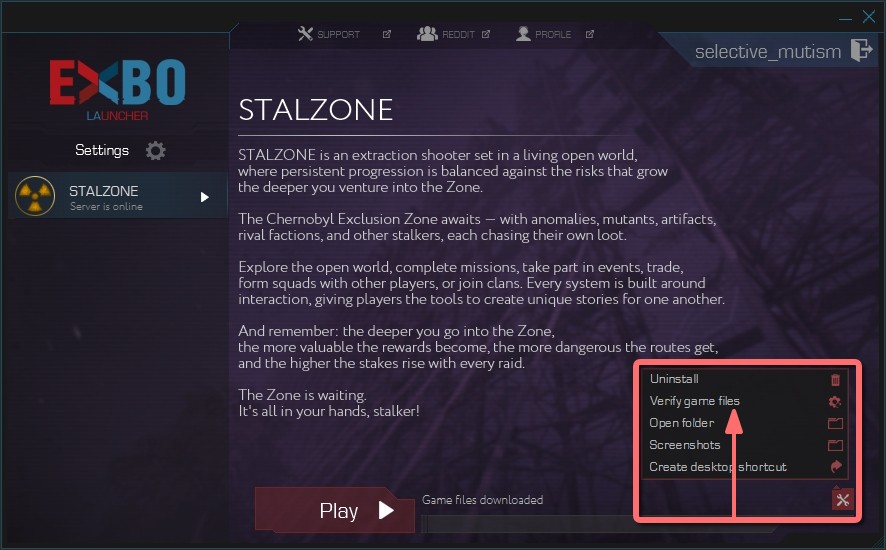
3. A list of functions will appear. Click “Verify game files”, and wait for this process to complete.
4. If EXBO launcher detects corrupted files, it will independently re-download them.
5. After that, check of STALZONE game files will be finished. You can start the game.
Other guides
- Uninstalling the game in EXBO;
- Uninstalling the EXBO Launcher;
- Installing the game in EXBO;
- Game client logs in EXBO;
- EXBO Launcher logs;
- Disabling peer-to-peer in EXBO;
- Setting the memory capacity in EXBO;
- Autorun of the EXBO Launcher;
- Location of screenshots in EXBO;
- Creating a game shortcut in EXBO;
- Opening the game folder in EXBO;
- Download limit in EXBO;
- Logging into EXBO via Steam;
- Minimizing EXBO into the tray.
Keywords: ашдуы, gаme files check in exbo, how to game files check in exbo, i have a problem with game files check in exbo please help, check integrity, repair game, fix files, game files check in exbo, GAME FILES CHECK IN EXBO, exbo in check files game, files, game fies check in exbo, game fiels check in exbo, проверка файлов игры в exbo, verify files, verify game files, corrupted files