Guide

Contents
Recommendations on creating a password
We recommend following these guidelines when creating a password:
- Use long passwords. The recommended length is from 16 to 64 characters;
- Use upper and lower case letters, as well as numbers and special characters;
- Use password generators, to quickly create strong, secure passwords;
- Make sure to store your password in a safe place that only you can access.
Changing the password on an EXBO account #1
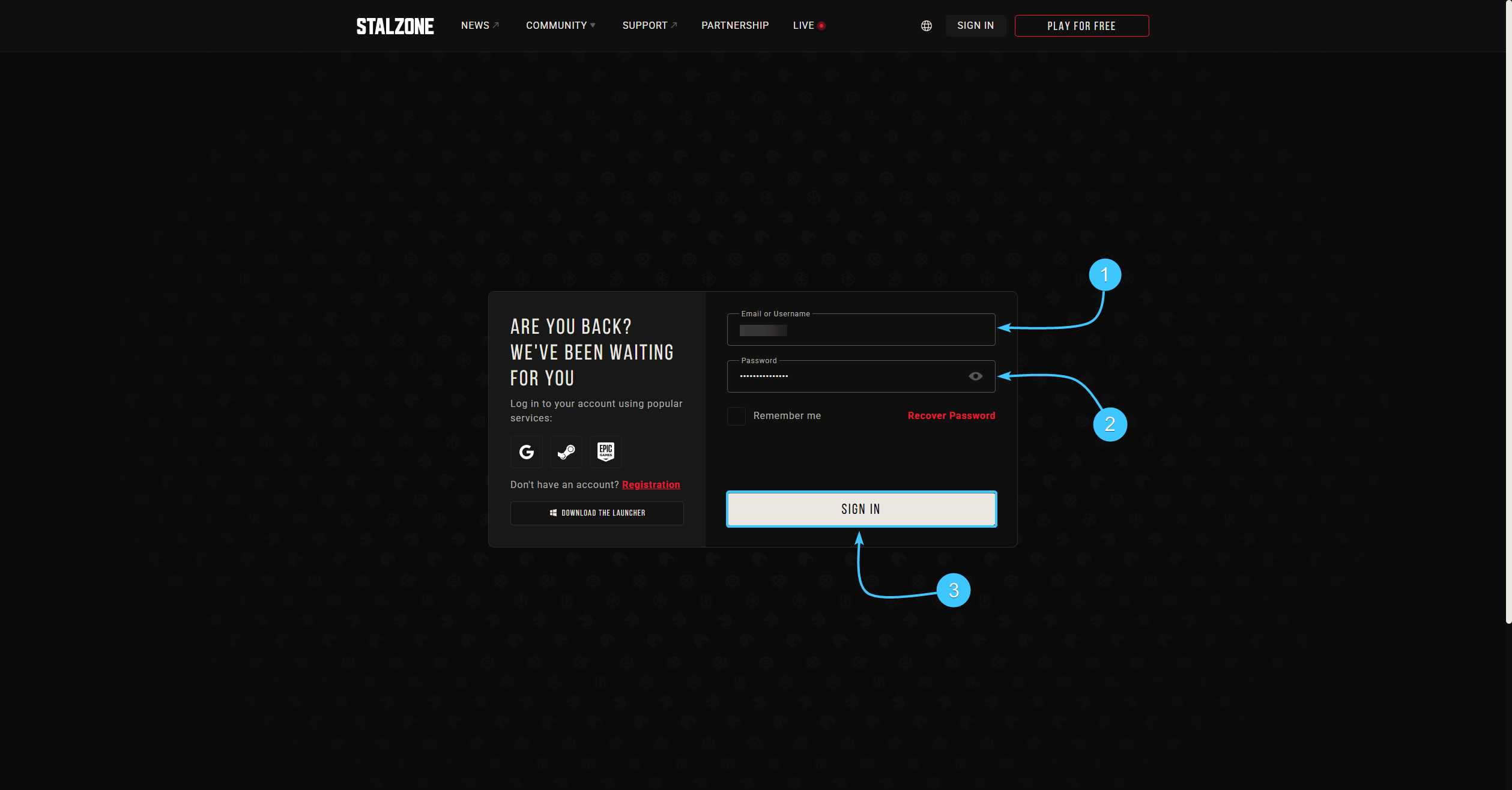
1. Go to the official STALZONE game website and log in if necessary.
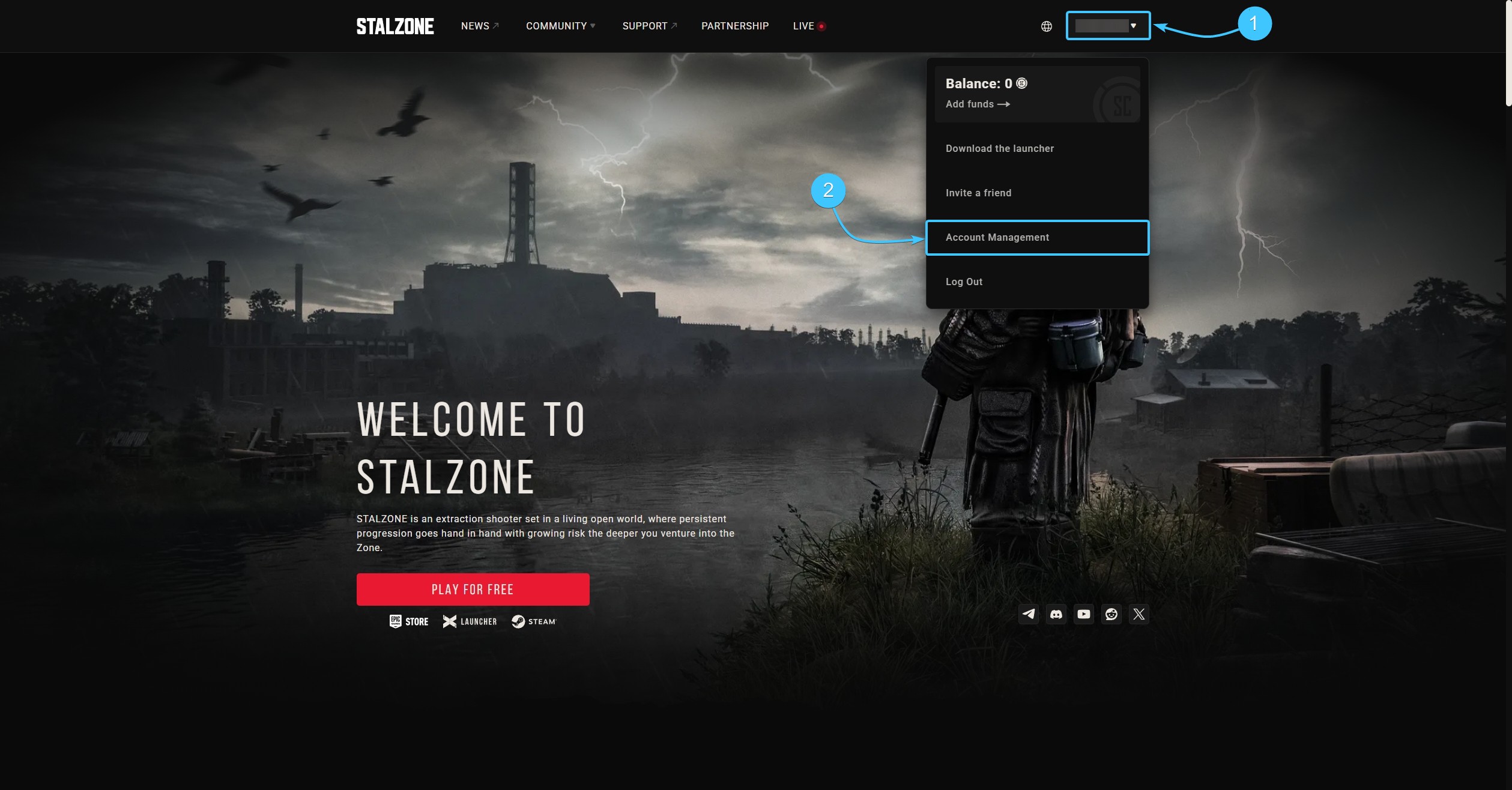
2. Hover the cursor over the EXBO account login. In the list, click the “Account Management” button.
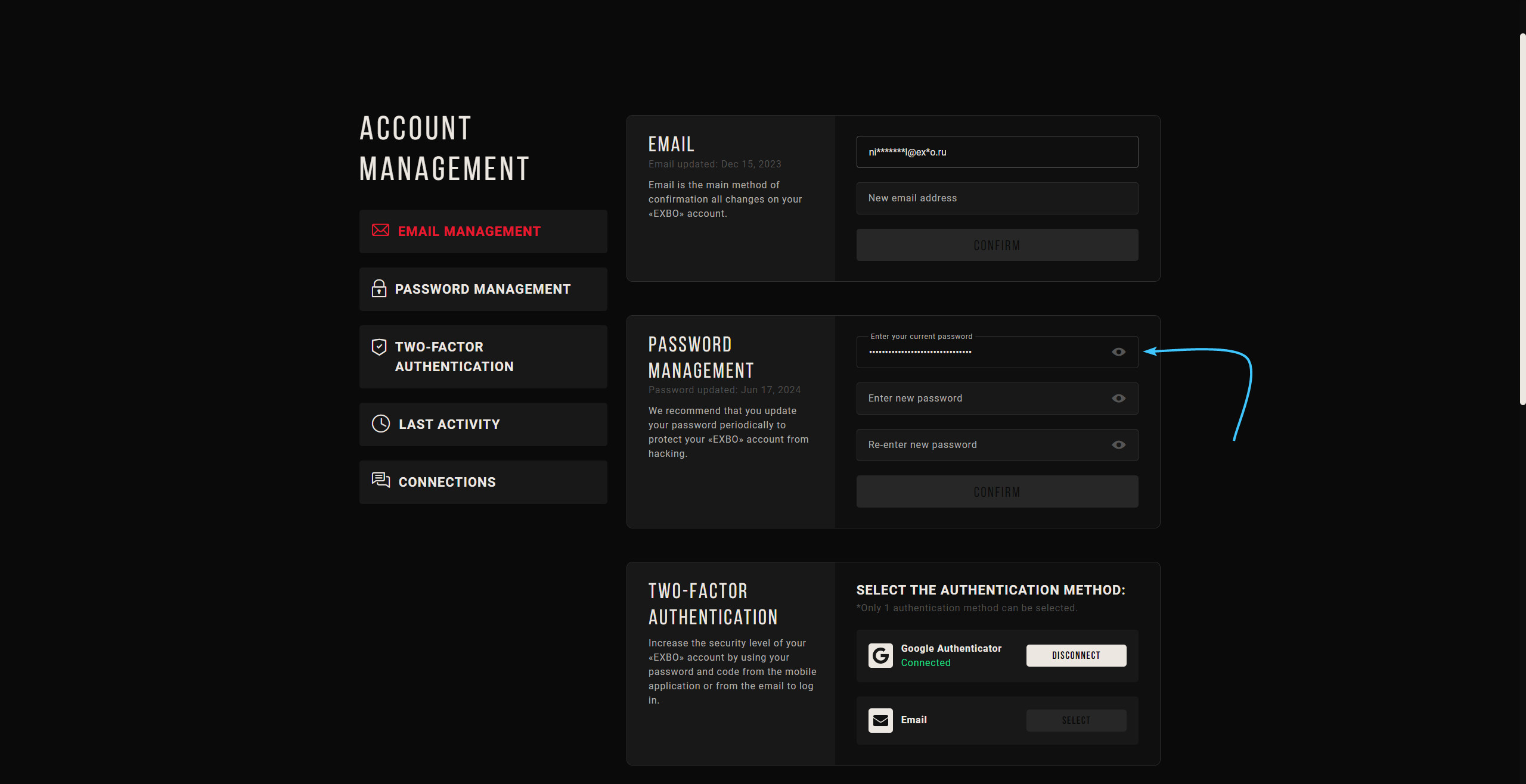
3. In the “Password Management” section, in the first field, enter the current password for the EXBO account.
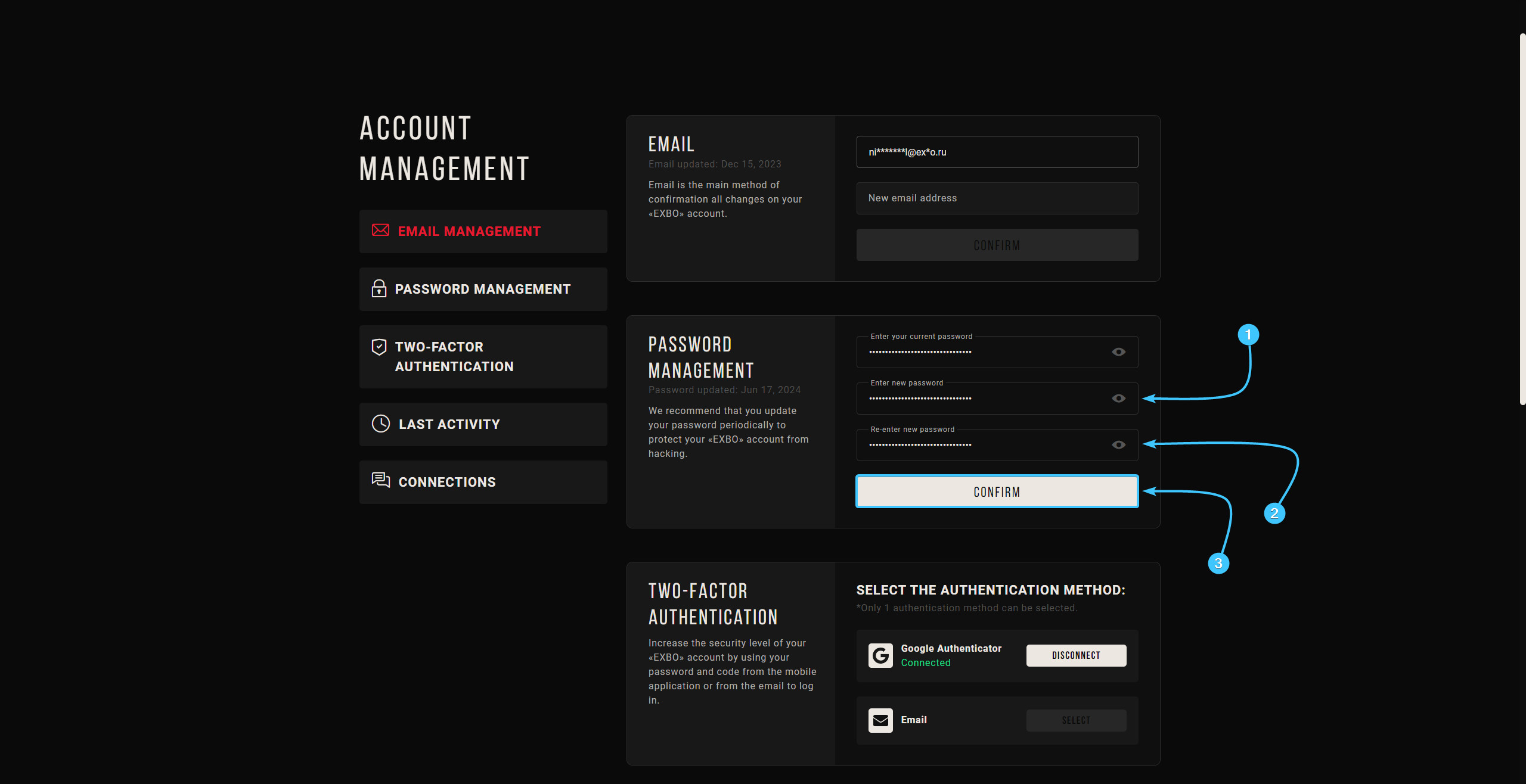
4. Enter a new password and re-enter it to confirm. Then click the "Confirm" button to proceed.
5. Enter the special code from the two-factor authentication method and click “Submit”.
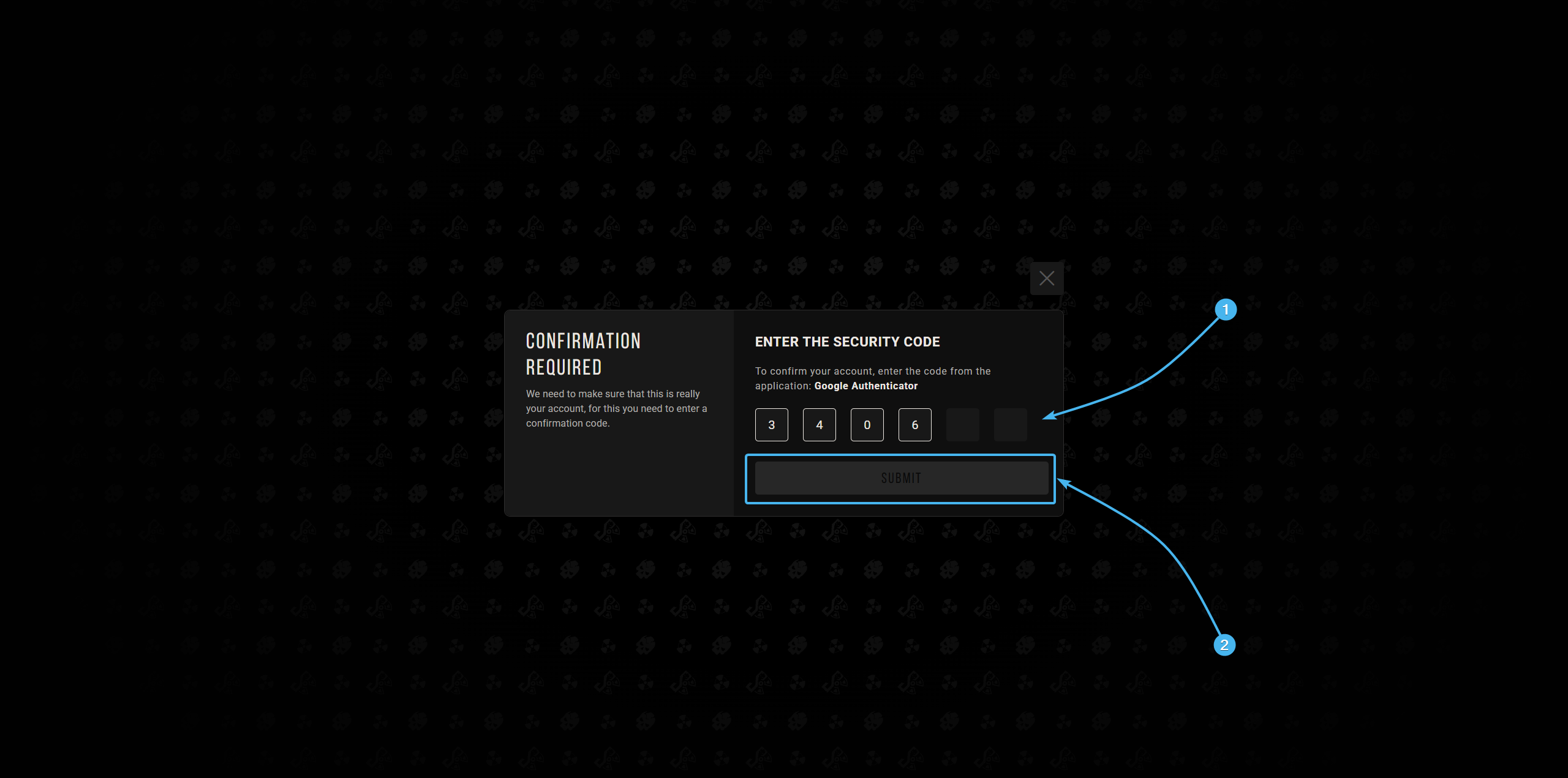
6. After that, the password of the EXBO account will be changed. Proceed with the authorisation again.
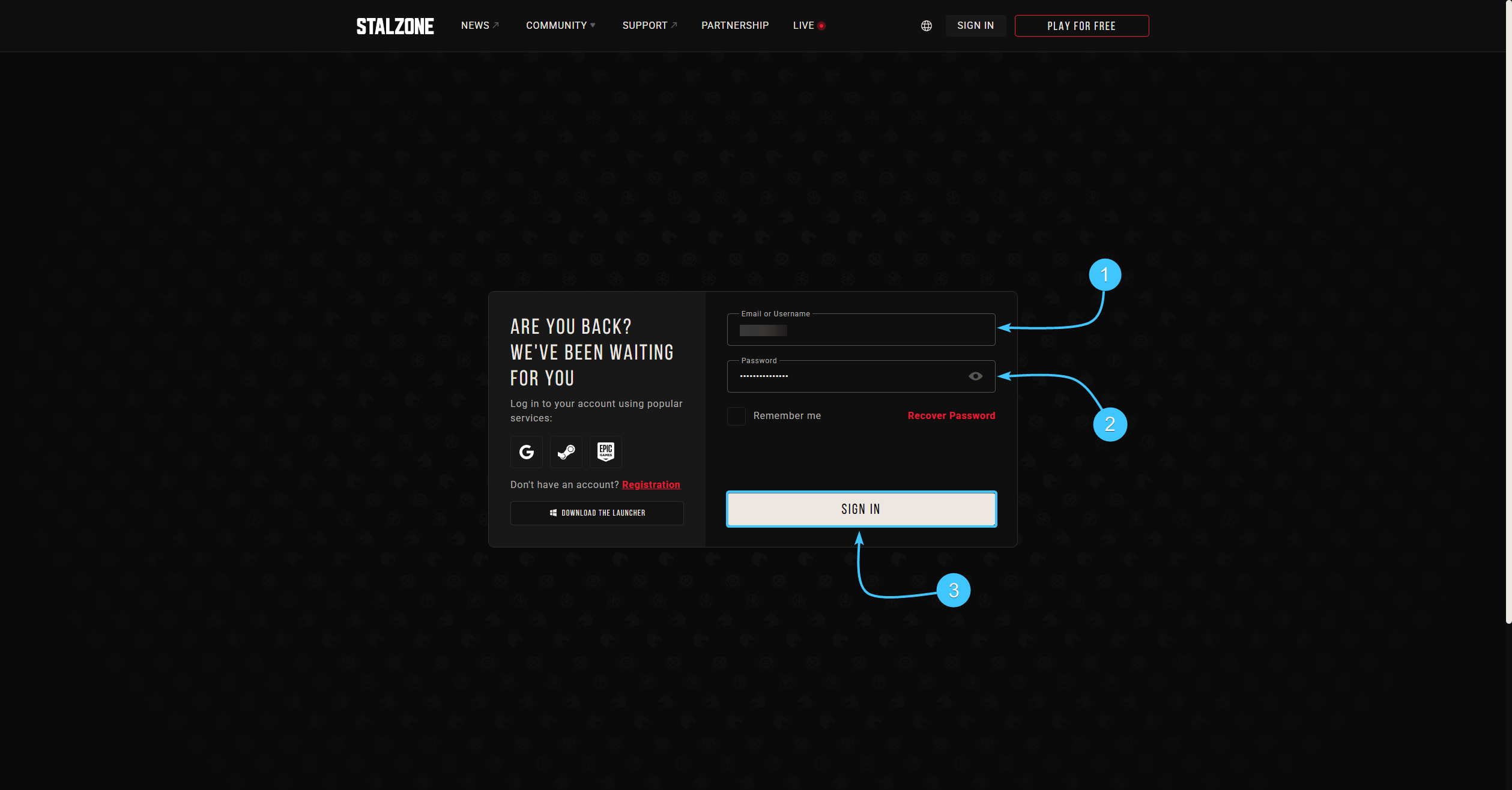
Changing the password on an EXBO account #2
1. Go to the official EXBO website and log in if necessary.
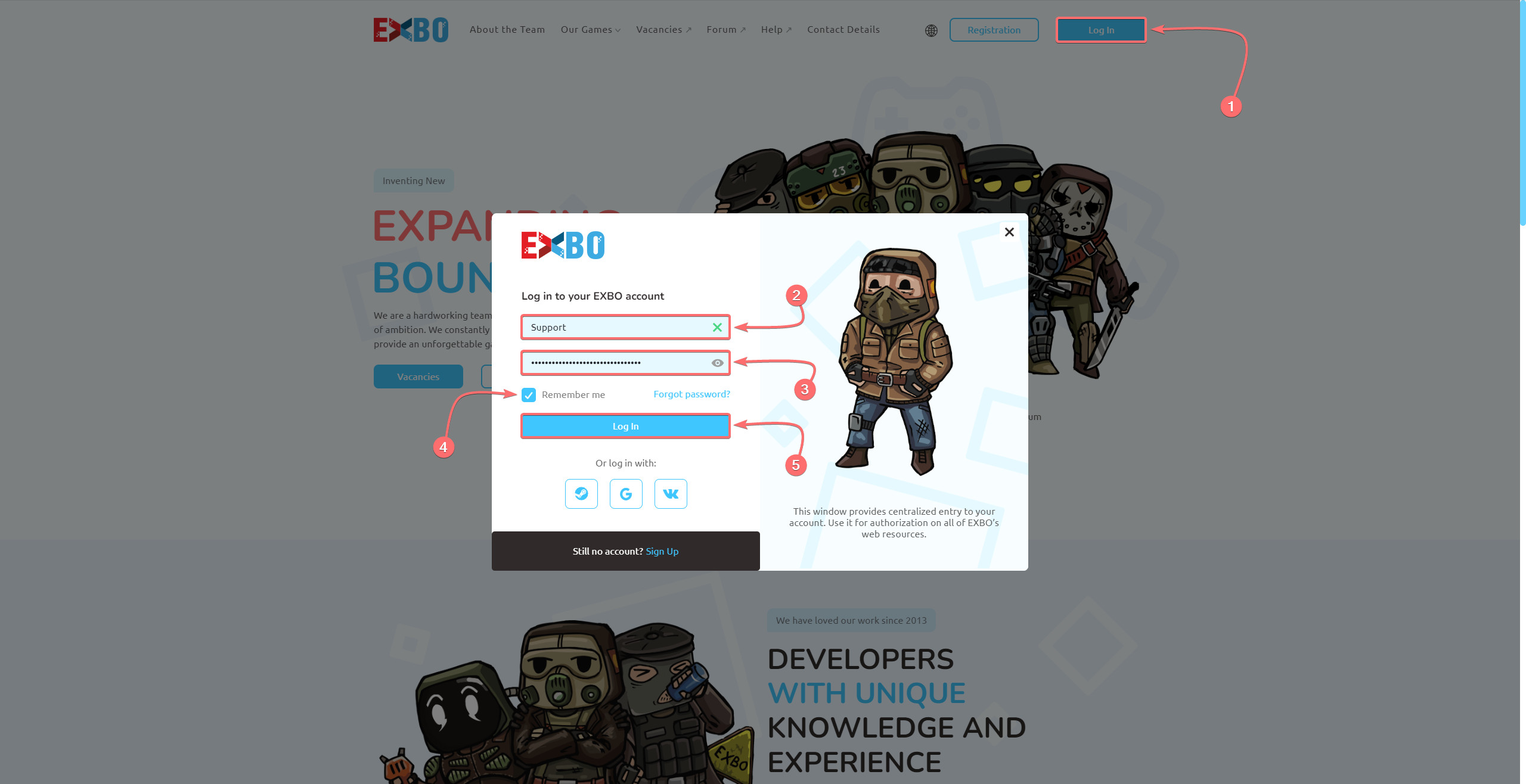
2. Hover over the EXBO account login and press the “Account settings” button.
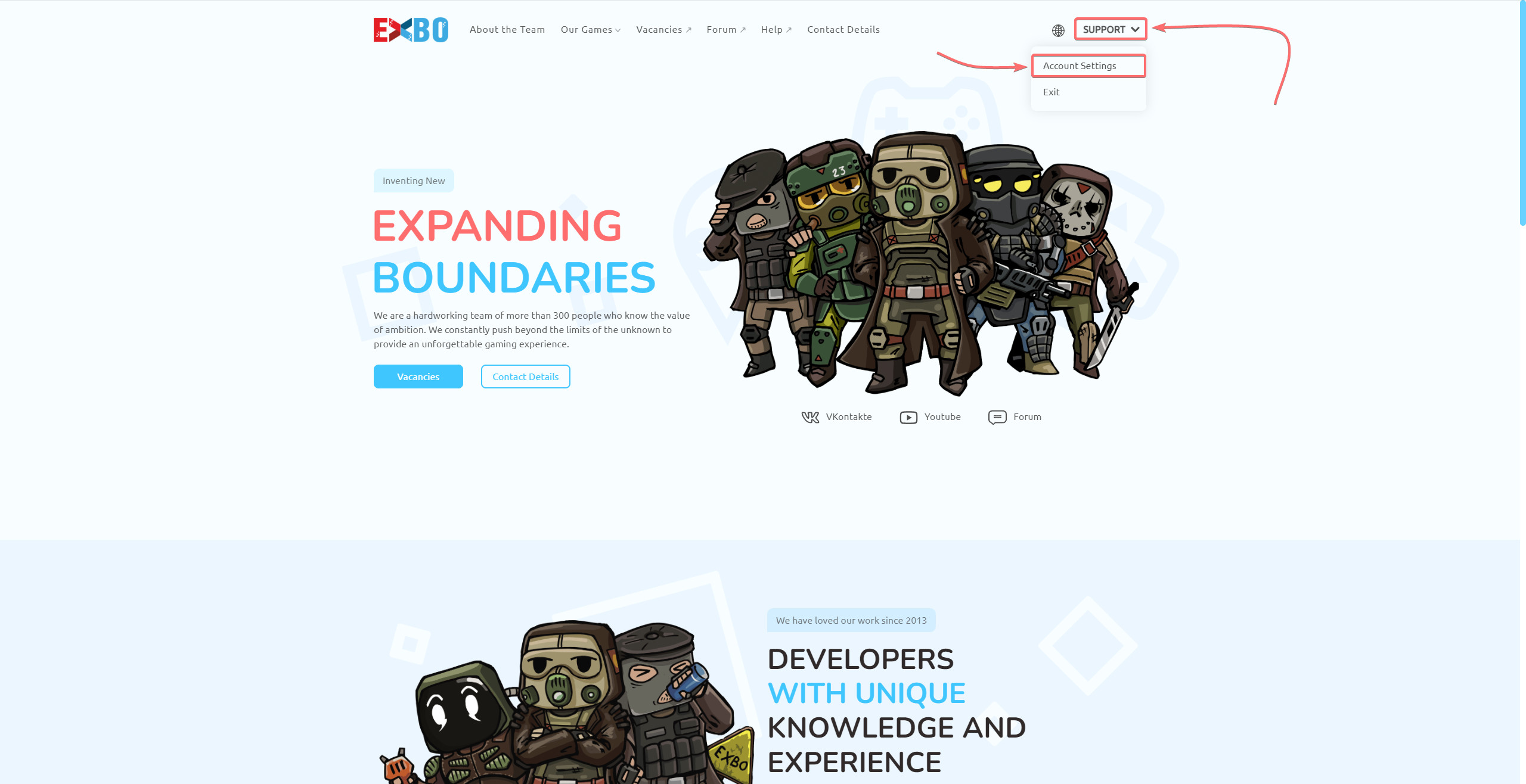
3. In “Manage Password” section, enter the current password of the EXBO account.
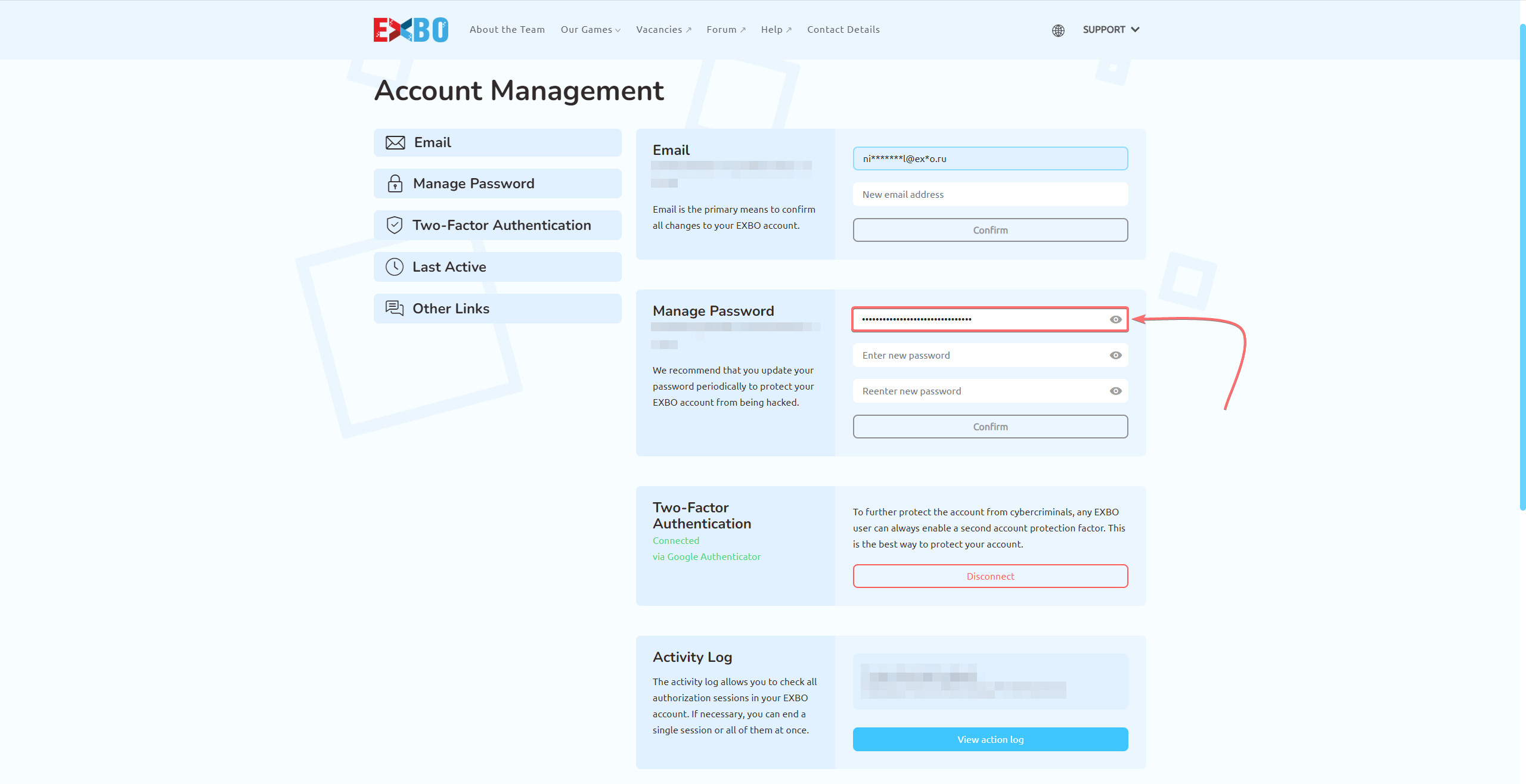
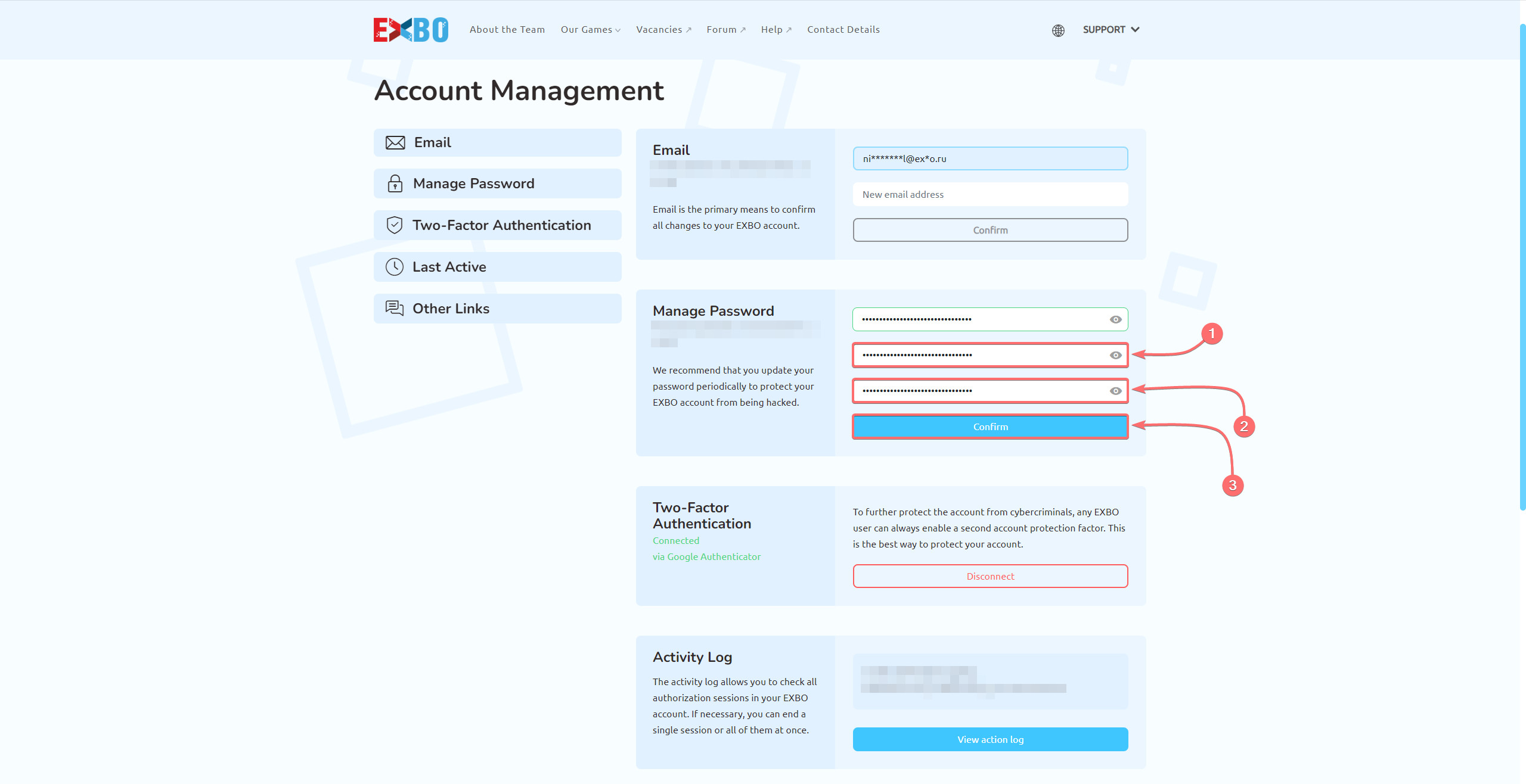
4. Enter a new password and re-enter it to confirm. Then click the "Confirm" button to proceed.
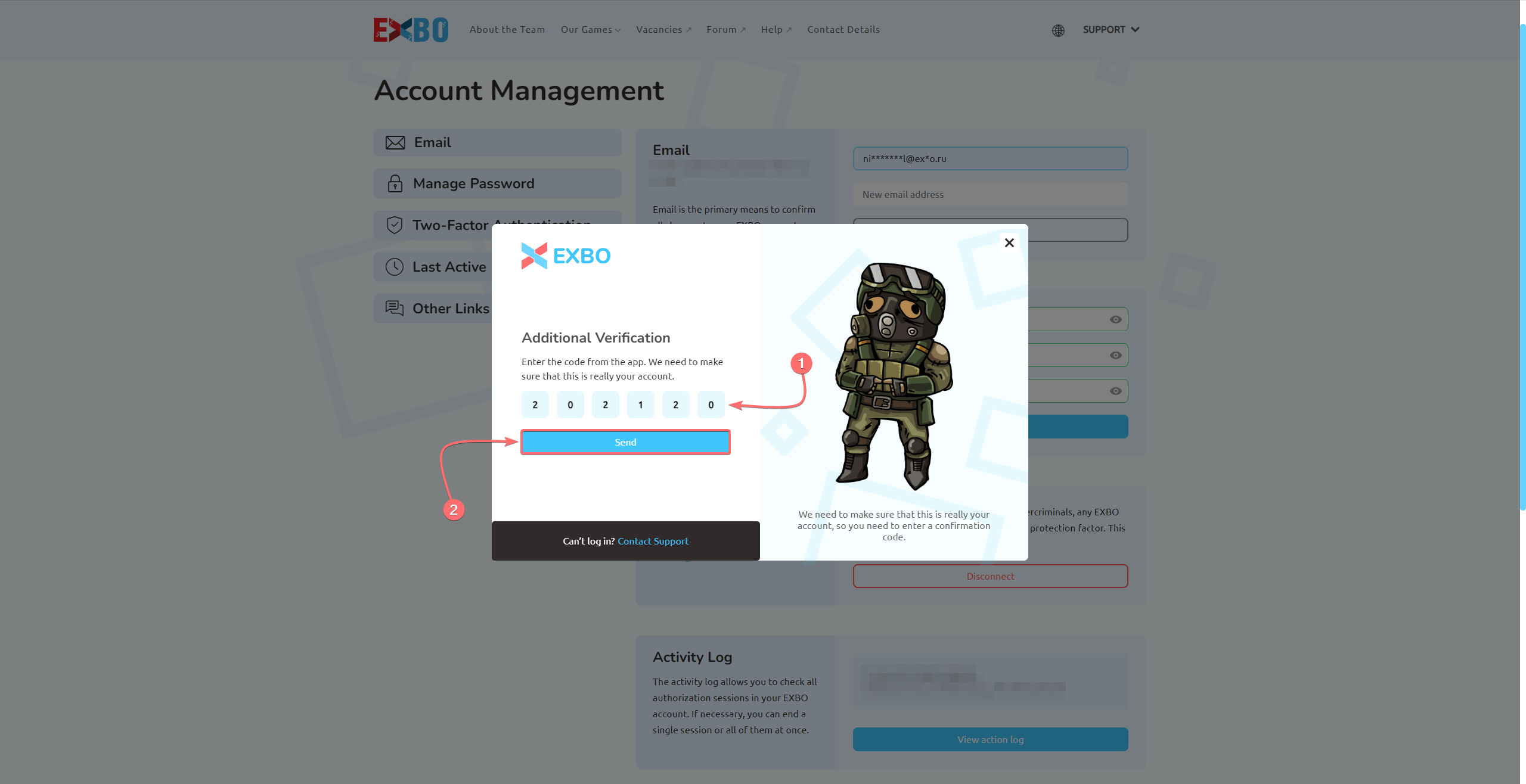
5. Enter the code from the two-factor authentication method and press the “Send” button.
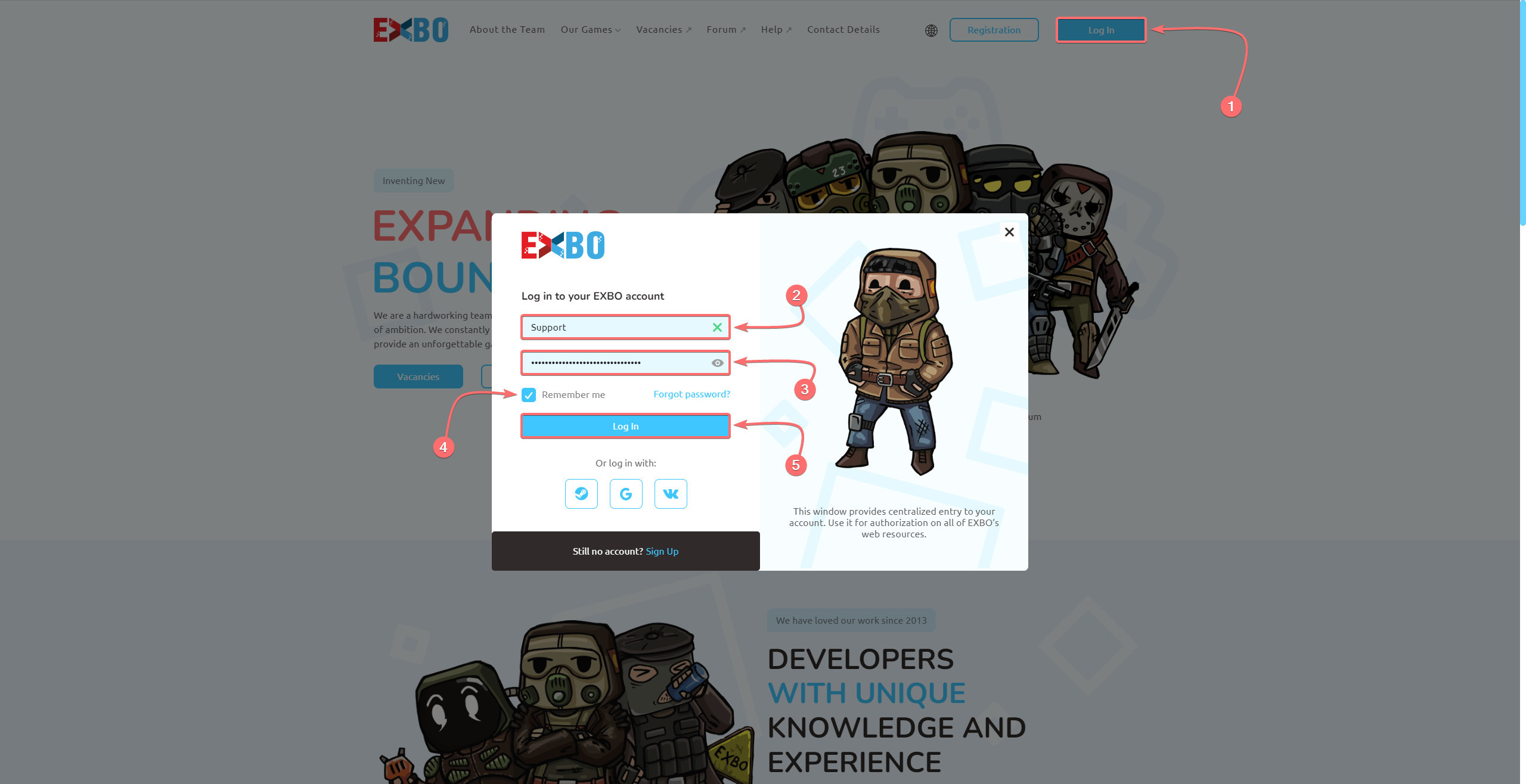
6. After that, the password of the EXBO account will be changed. Proceed with the authorisation again.
Other guides
- Change of email in EXBO;
- Ending authorization sessions;
- Management of 2FA in EXBO;
- Resetting the password in EXBO;
- Ensuring EXBO protection.
Keywords: срфтпштп, changing password in exbo, how to changing password in exbo, i have a problem with changing password in exbo please help, update password, how to change my password, pasword change, CHANGING PASSWORD IN EXBO, exbo in password changing, changing, chaning password in exbo, chanigng password in exbo, смена пароля в exbo, change password, new password