Guide

Information About the Issue
The issue occurs when: the code generated by a two-factor authentication (2FA) app is not accepted by the authentication system, both on the company's websites and in the EXBO Launcher.
There are several possible causes of this issue. The most common ones include:
- A time synchronization conflict between the device and the authentication app;
- The time on the mobile device is set manually rather than automatically;
- The device's operating system is missing critical updates and patches.
Below are some possible solutions. Please follow the steps in the order provided.
Correcting the Time Synchronization
Correct the Time Settings in Your Authentication App.
Setting date and time in automatic mode
Set the date and time on the device using the automatic mode rather than the manual mode.
Rebooting the mobile device
Reboot the device and try again to generate the code and further authorisation.
Updating the operating system
Update the operating system of your mobile device to the latest version and try again.
What to do if the problem persists?
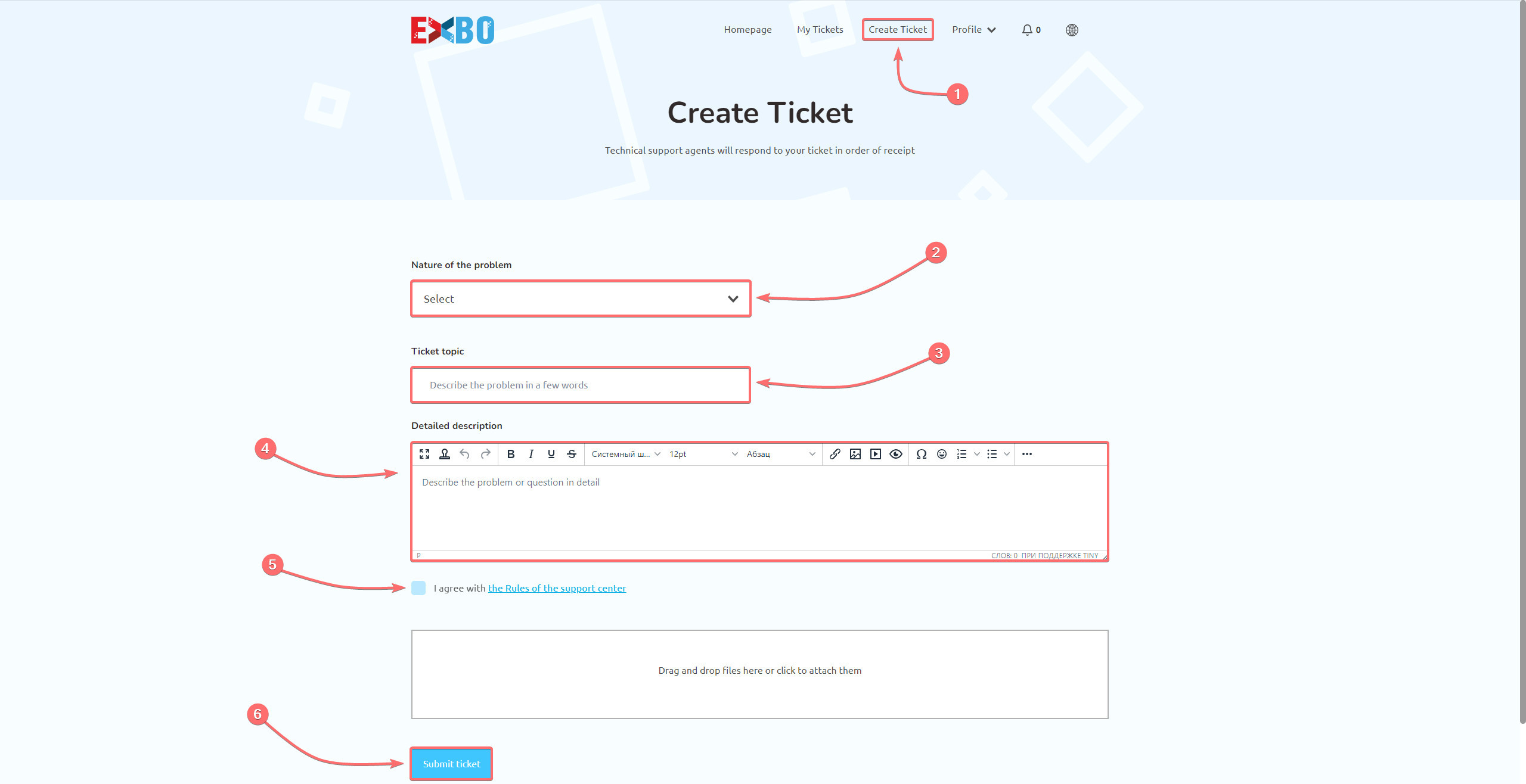
If you are unable to solve the problem on your own, please try to contact our support team. We currently have the following support service departments:
While creating the ticket, please specify which methods have been done previously.
Other guides
- High ping in the game;
- EXBO installer does not start;
- Freezes, lags and low FPS;
- Incorrect time at auction;
- No fonts in the EXBO Launcher;
- Java virtual machine error;
- Cannot run the game error;
- Low game download speed;
- Read timed out error;
- Socket exception game error;
- Java heap space error;
- Error at hooking API;
- Sound problems in the game;
- Microphone problems in the game.
Keywords: фгерутешсфешщт, incorrect authentication code, how to incorrect authentication code, i have a problem with incorrect authentication code please help, wrong code, code doesnt work, INCORRECT AUTHENTICATION CODE, code authentication incorrect, authentication, incorrect authentcation code, incorrect authentciation code, неправильный код аутентификации, invalid code, 2fa code not working, incorect cod