Guide

Contents
If you encounter an error launching the game due to the “EXENS” anti-cheat system, you can try reinstalling it. To do this, uninstall the “EXENS Anticheat Service” app from your device and restart the game.
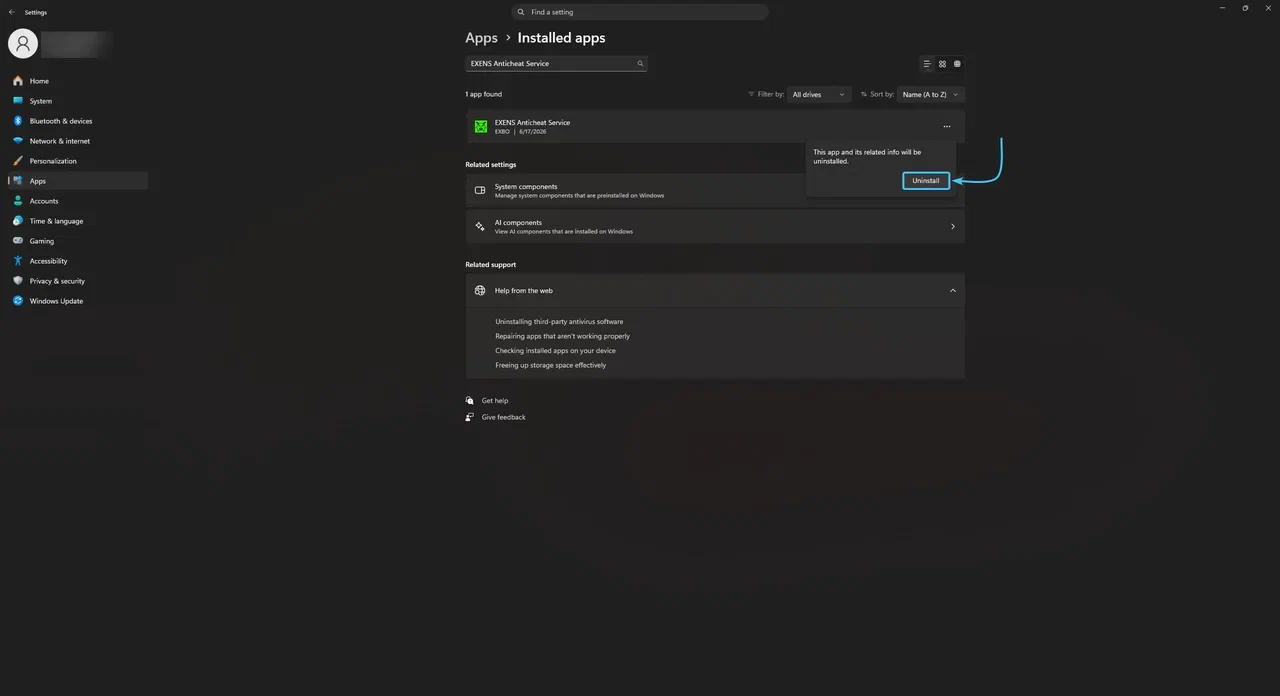
Delete “EXENS” using System Settings
1. Open the “Start” menu and go to “Settings” in Windows 11.
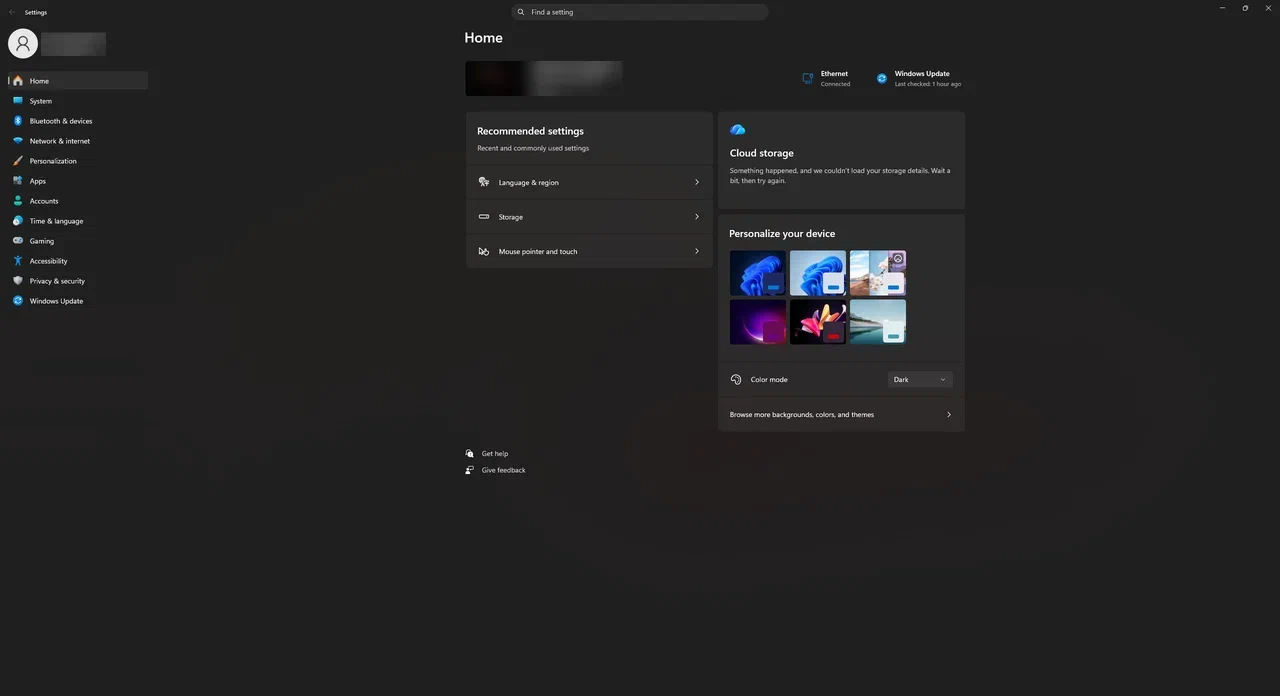
2. In the list, open the “Apps” category. Go to “Installed Apps.”
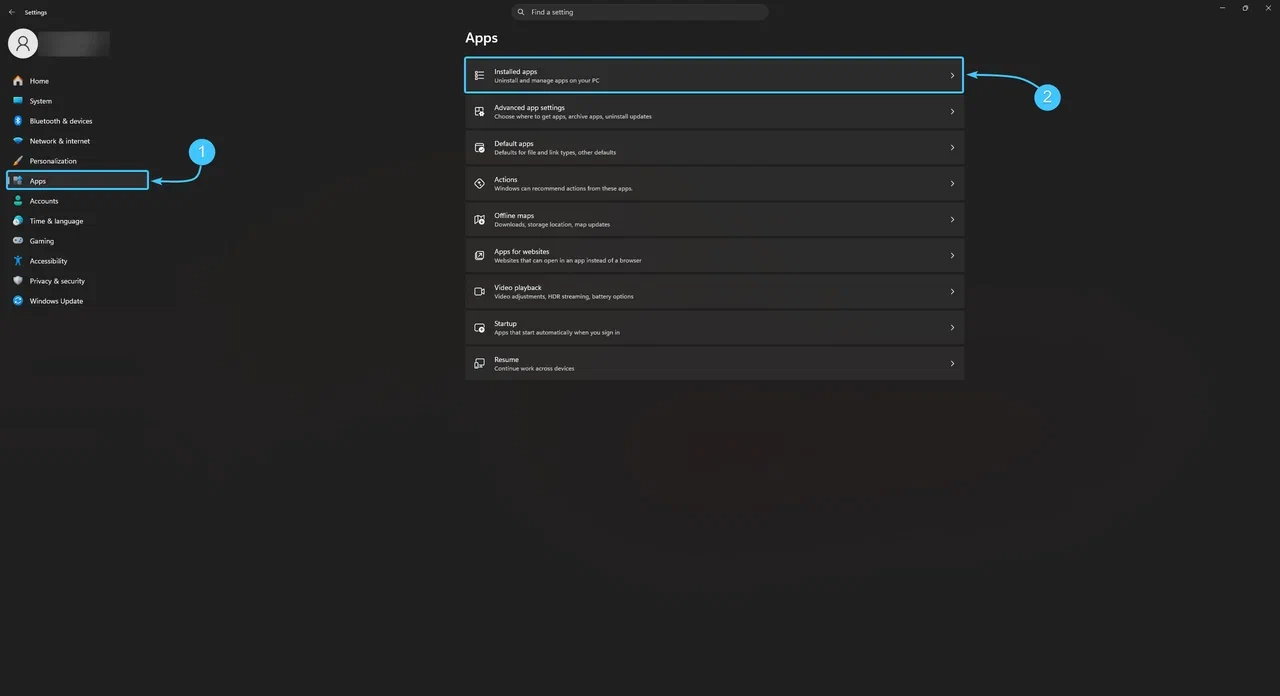
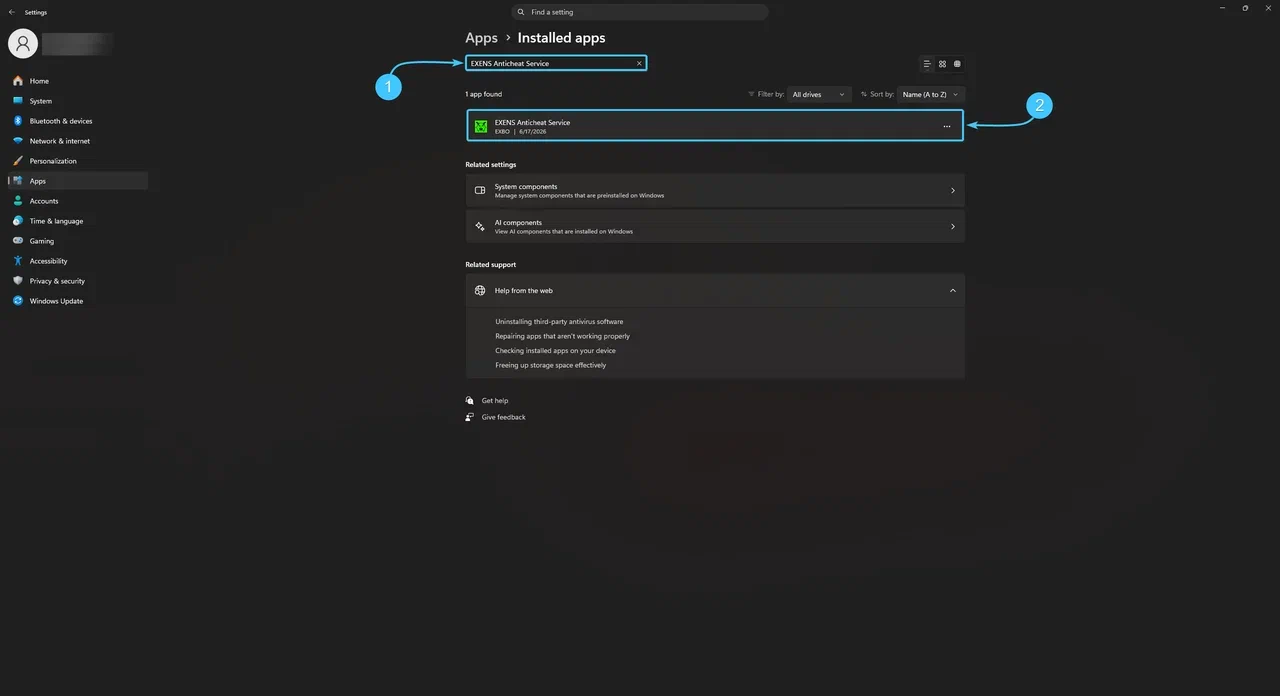
3. Use the search function to find the “EXENS Anticheat Service” app.
4. Click on the button with the three dots (1) and select “Delete” (2).
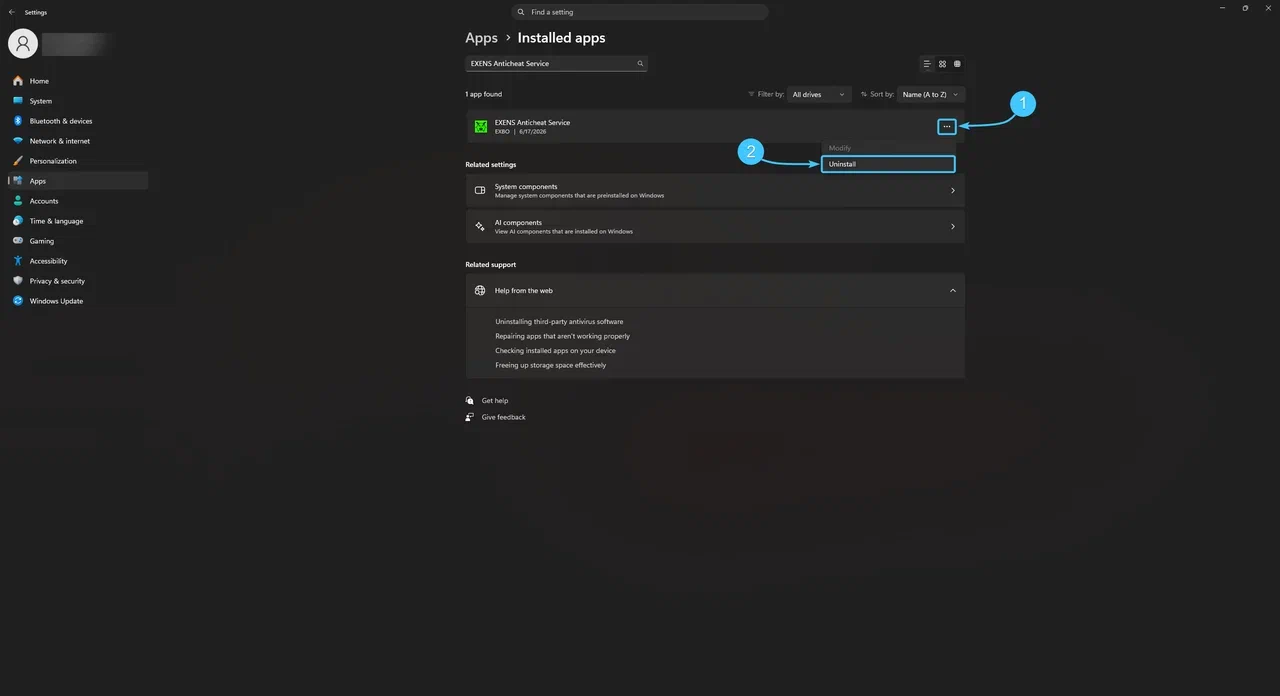
5. Confirm the action by clicking “Delete.” Wait for the process to finish, then restart the game.
Deleting “EXENS” Using the Control Panel
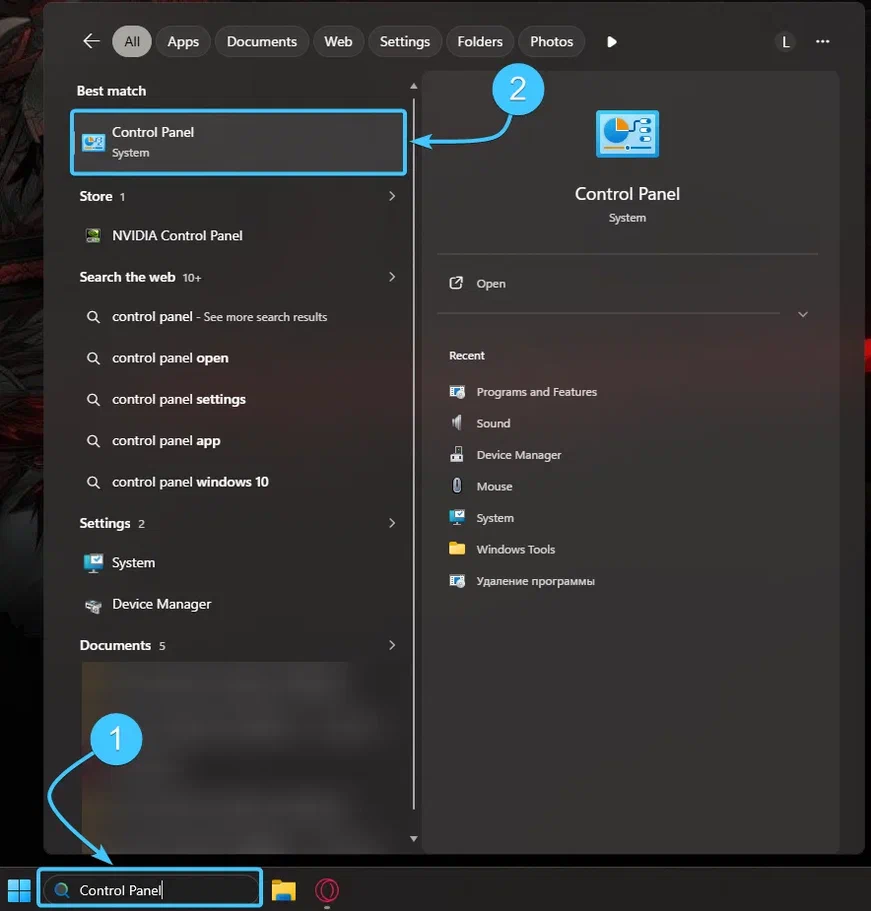
1. Use the search function and open «Control Panel».
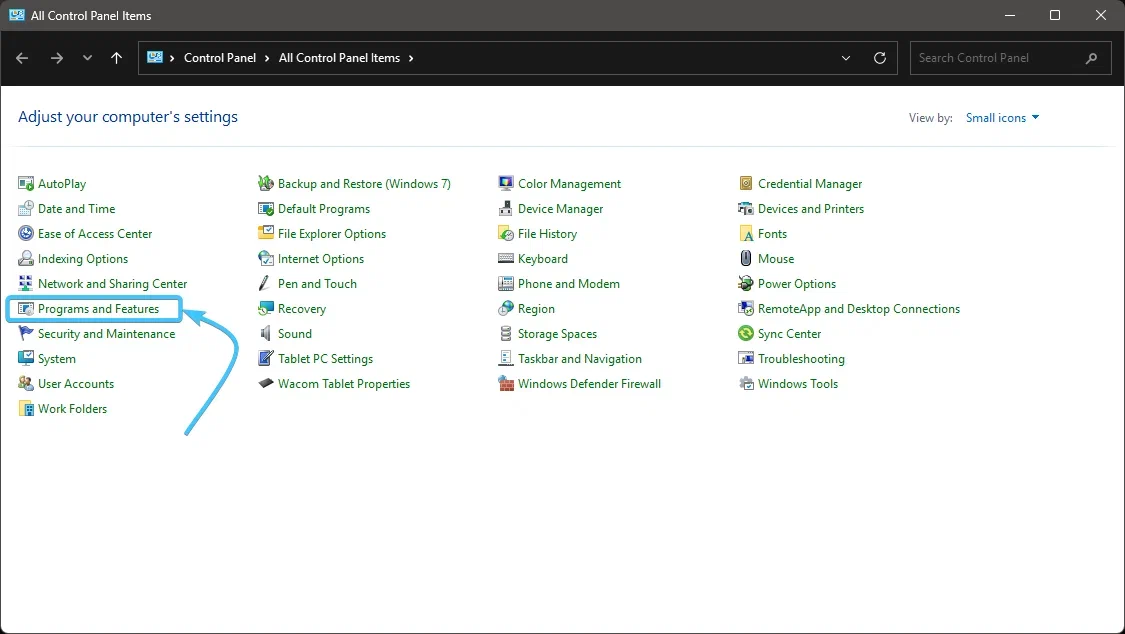
2. Go to the section named «Programs and Features».
3. Find the «EXENS Anticheat Service» app in the list.
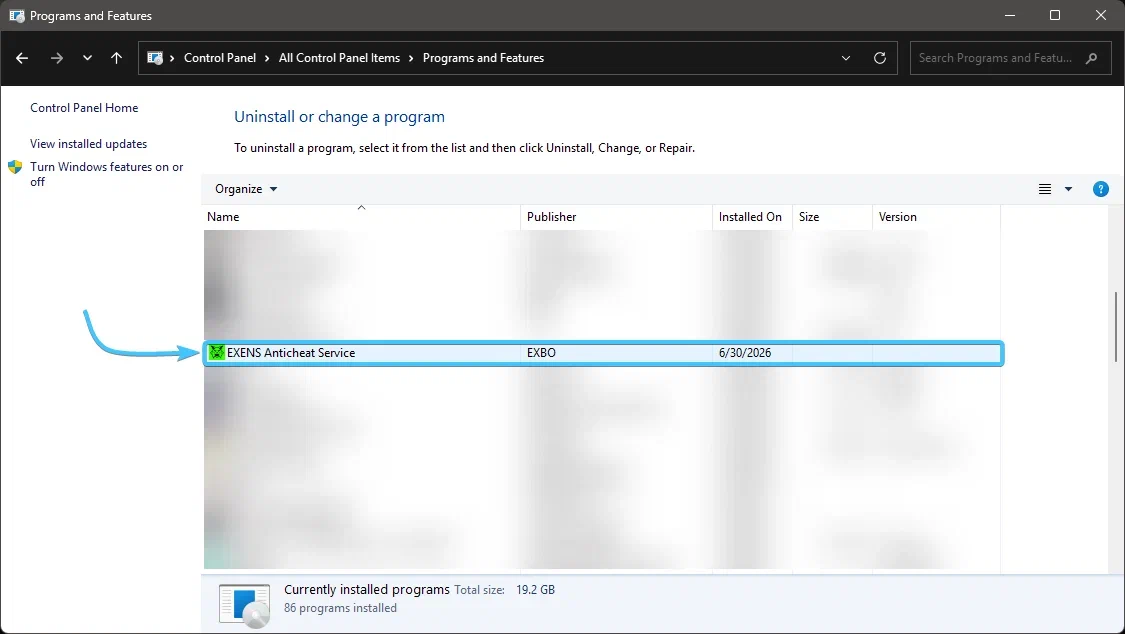
4. Click the right mouse button and select «Delete». After deleting it, restart the game.