Guide

What Diagnostic Data Is Used For
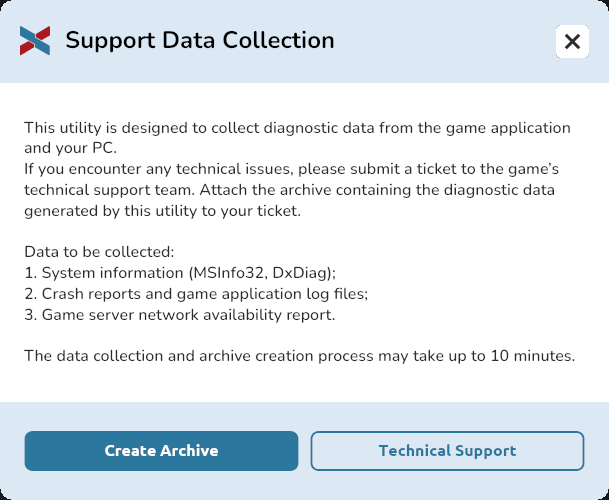
When technical issues occur, the Support team may need information about the game, your system, and your network connection.
A dedicated SupportTool utility is located in the game folder to collect this information automatically.
It can collect:
- system information (MSInfo32 and DxDiag);
- game error reports and log files;
- a report on the network accessibility of the game servers.
Collecting diagnostic data and creating the archive may take up to 10 minutes.
Locating and Launching the SupportTool Utility
1. Launch the EXBO launcher and sign in to your account if necessary.
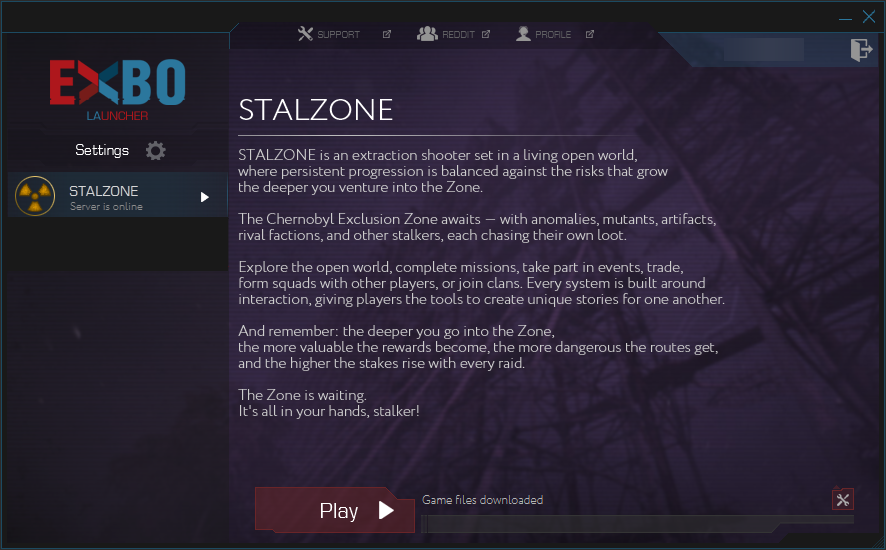
2. Click the tools icon in the bottom-right corner of the game section.
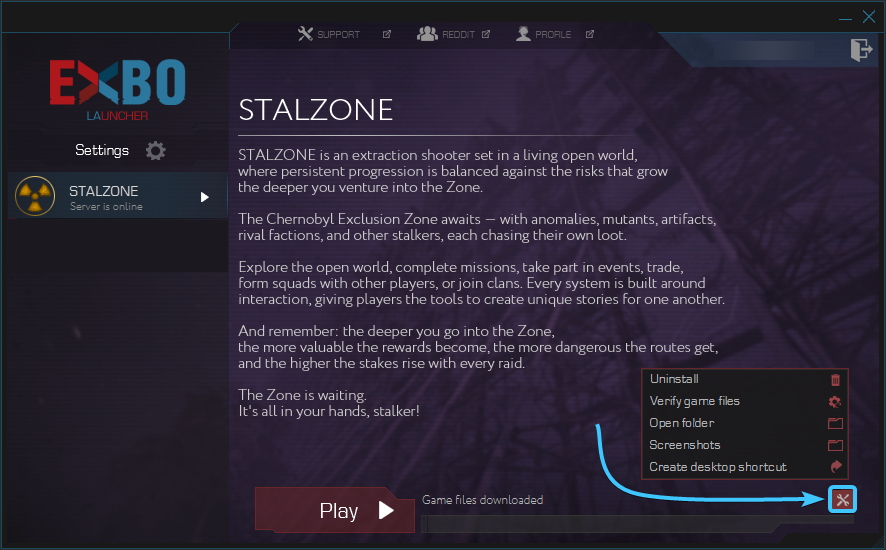
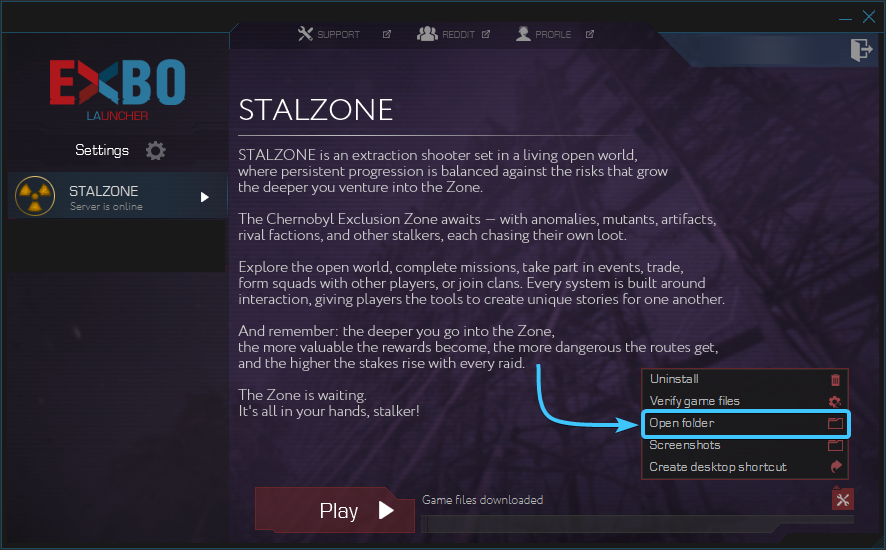
3. A list of options for STALZONE will appear. Click Open Folder.
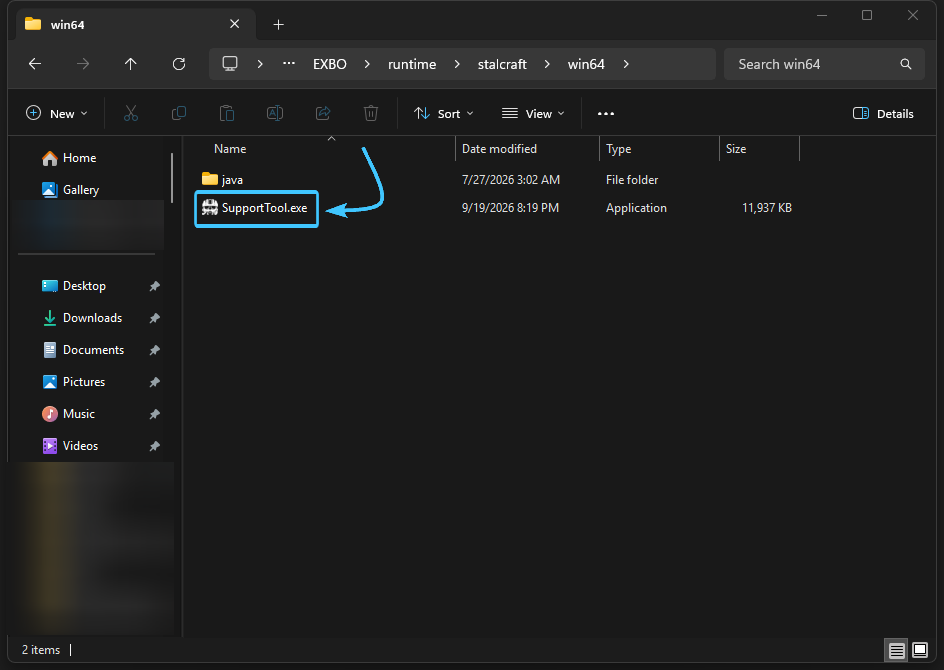
4. In the folder that opens, navigate to the win64 folder.
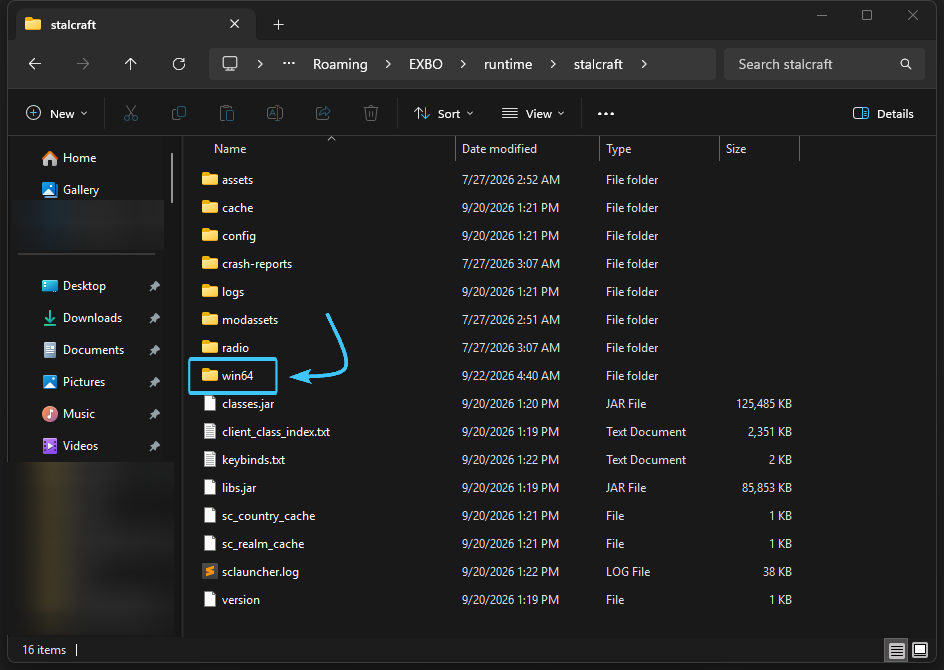
5. Find and launch SupportTool.exe.
Creating and Sending the Archive
1. The Support Data Collection window will appear. Click the Create Archive button.
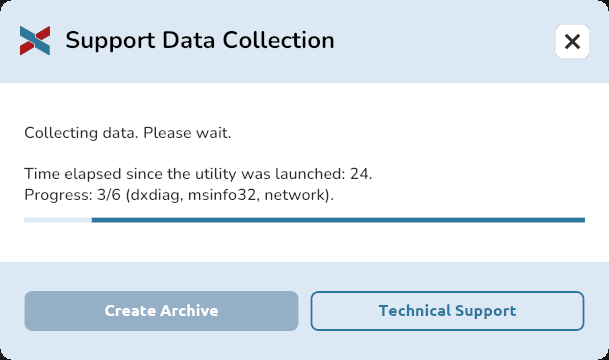
2. Wait for the diagnostic data collection to complete.
3. Once the process is complete, a message confirming that the archive was successfully created will appear. Click the Show File button.
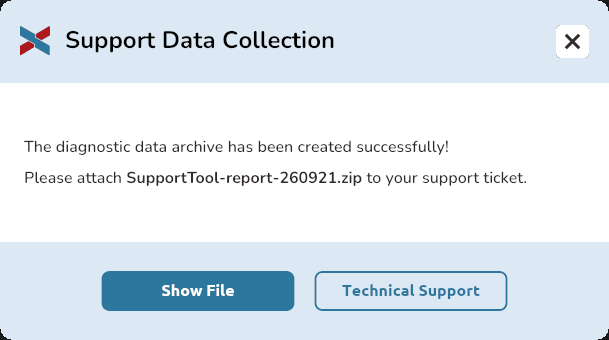
4. An archive will be created in the win64 folder. Its name starts with SupportTool-report- and ends with the .zip extension.
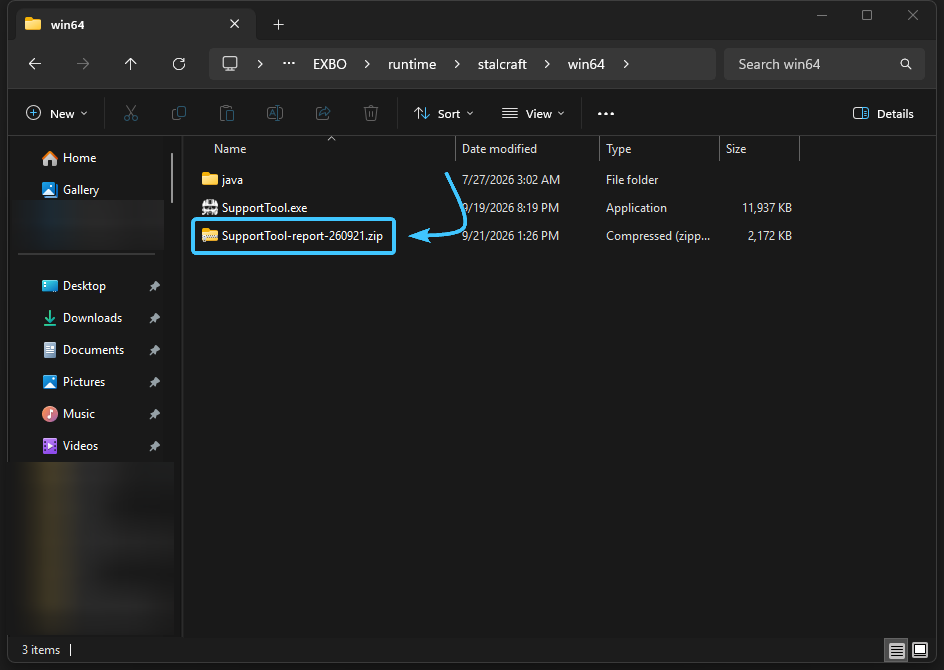
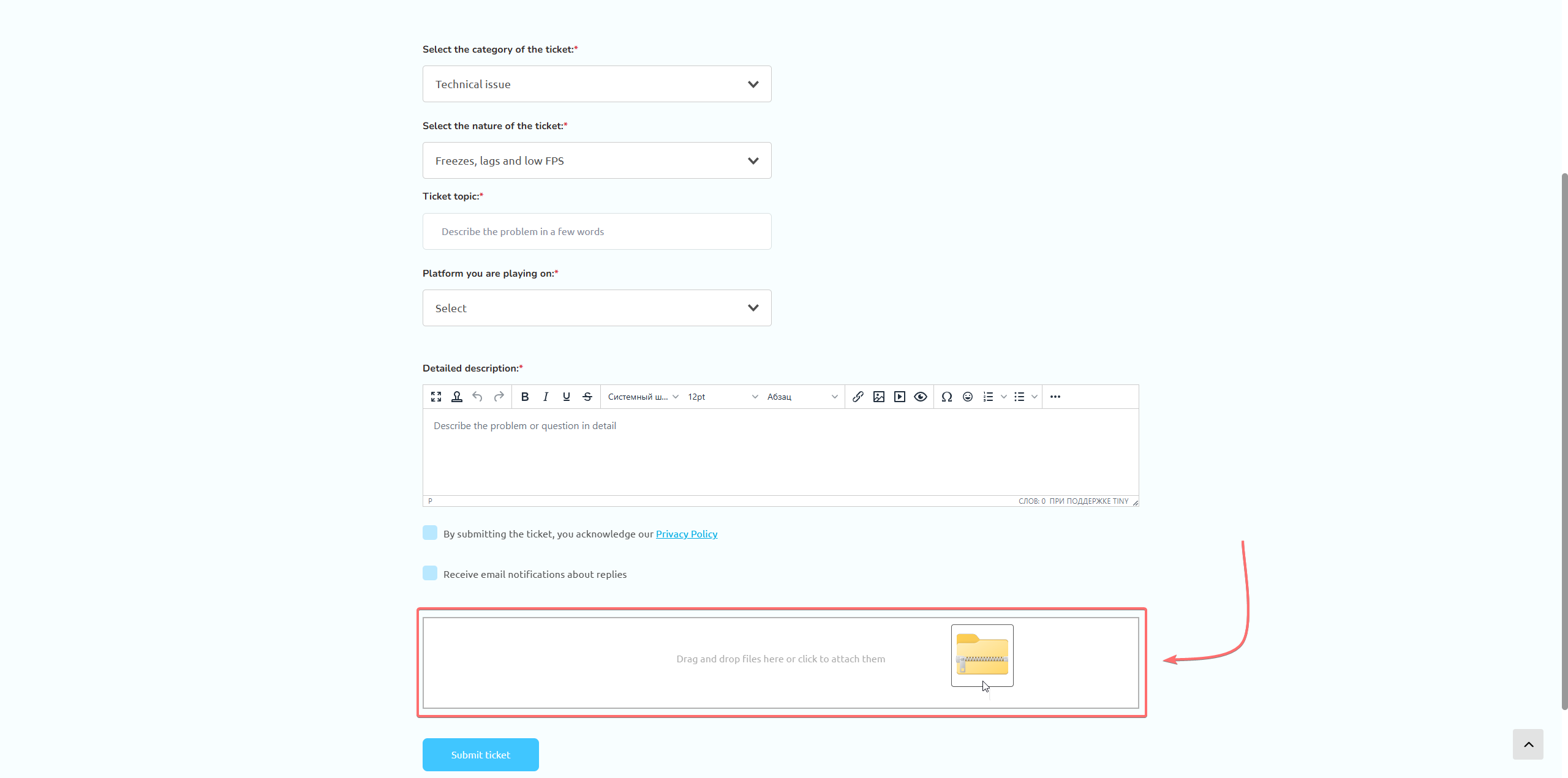
5. Attach this archive to your support ticket.
Other guides
- Uninstalling the game in EXBO;
- Game files check in EXBO;
- Uninstalling the EXBO Launcher;
- Installing the game in EXBO;
- Game client logs in EXBO;
- EXBO Launcher logs;
- EXBO installer does not start;
- Setting the memory capacity in EXBO;
- Autorun of the EXBO Launcher;
- Creating a game shortcut in EXBO;
- Opening the game folder in EXBO;
- Download limit in EXBO;
- Minimizing EXBO into the tray;
- No fonts in the EXBO Launcher.