Guide

Information on Steam Guard
Steam Guard is Steam's two-factor authentication (2FA) system.
When signing in to your account from an unfamiliar device, Steam Guard requires you to enter not only your password but also an additional verification code. This code is either sent to your email address or generated in the Steam mobile app.
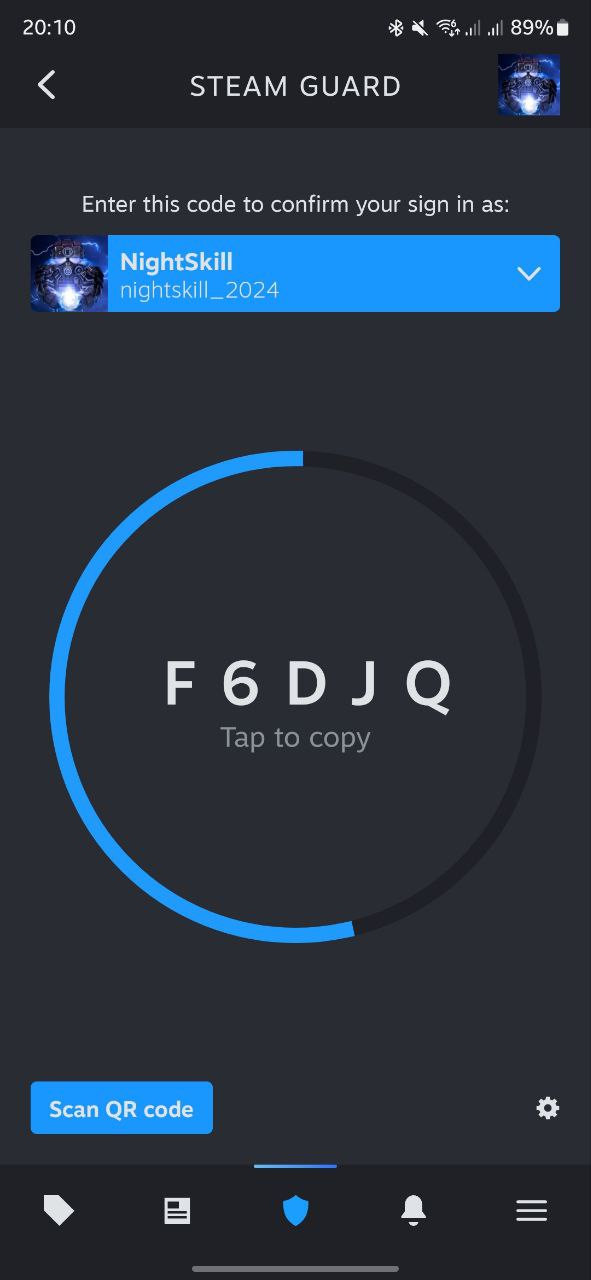
The codes generated by the mobile app are updated every 30 seconds, making them difficult to predict. Each code can only be used once, so it cannot be reused after you have successfully signed in with it.
Installing the Steam app
To enable Steam Guard, you need to install the Steam app on your mobile device:
- Steam app for Android in Google Play;
- Steam app for iOS in App Store;
- Steam app for Android in Amazon Apps.
Enabling Steam Guard #1
1. Go to the Steam platform official website and log in, if necessary.
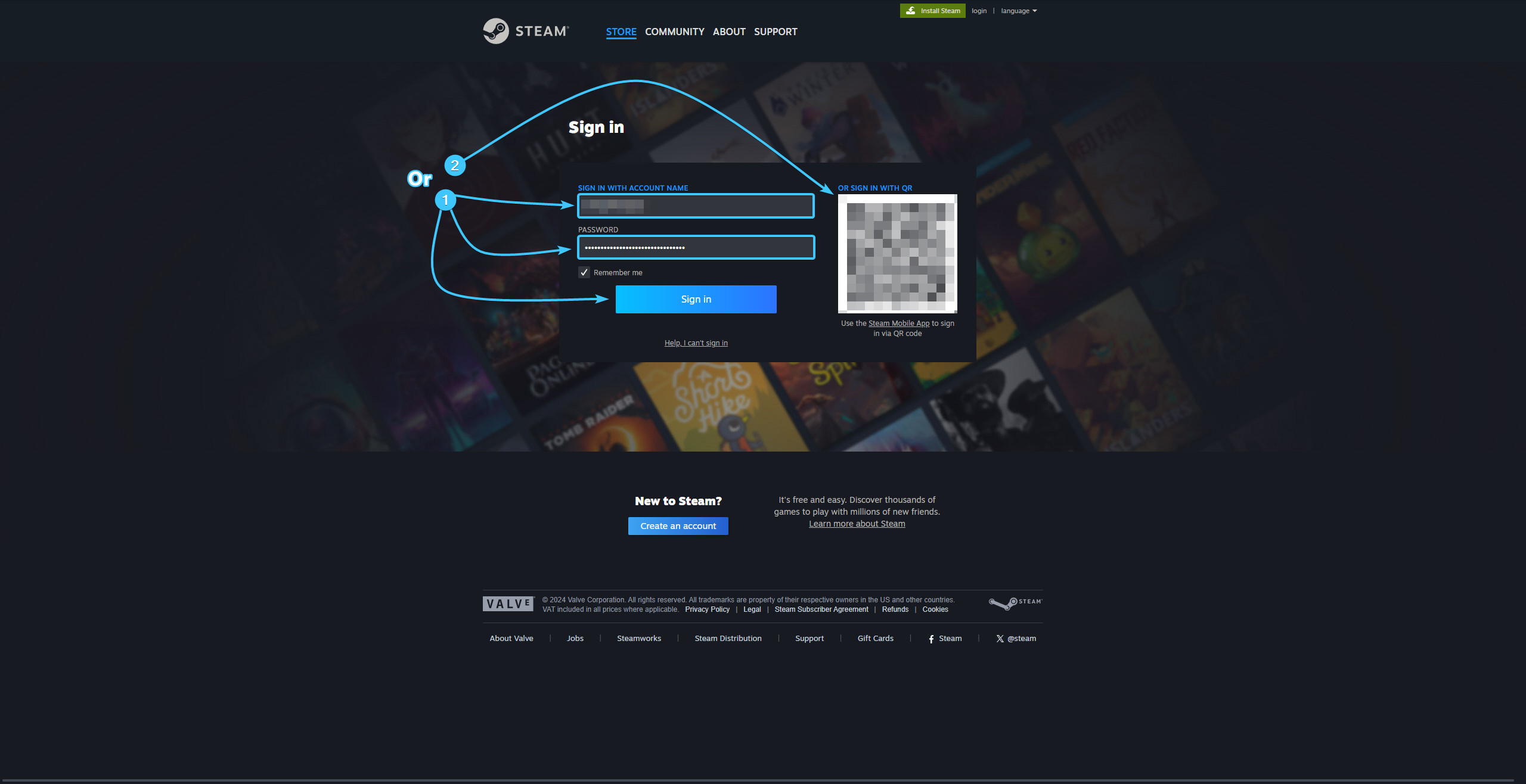
2. In the upper right corner, click on the account name to open the list of features.

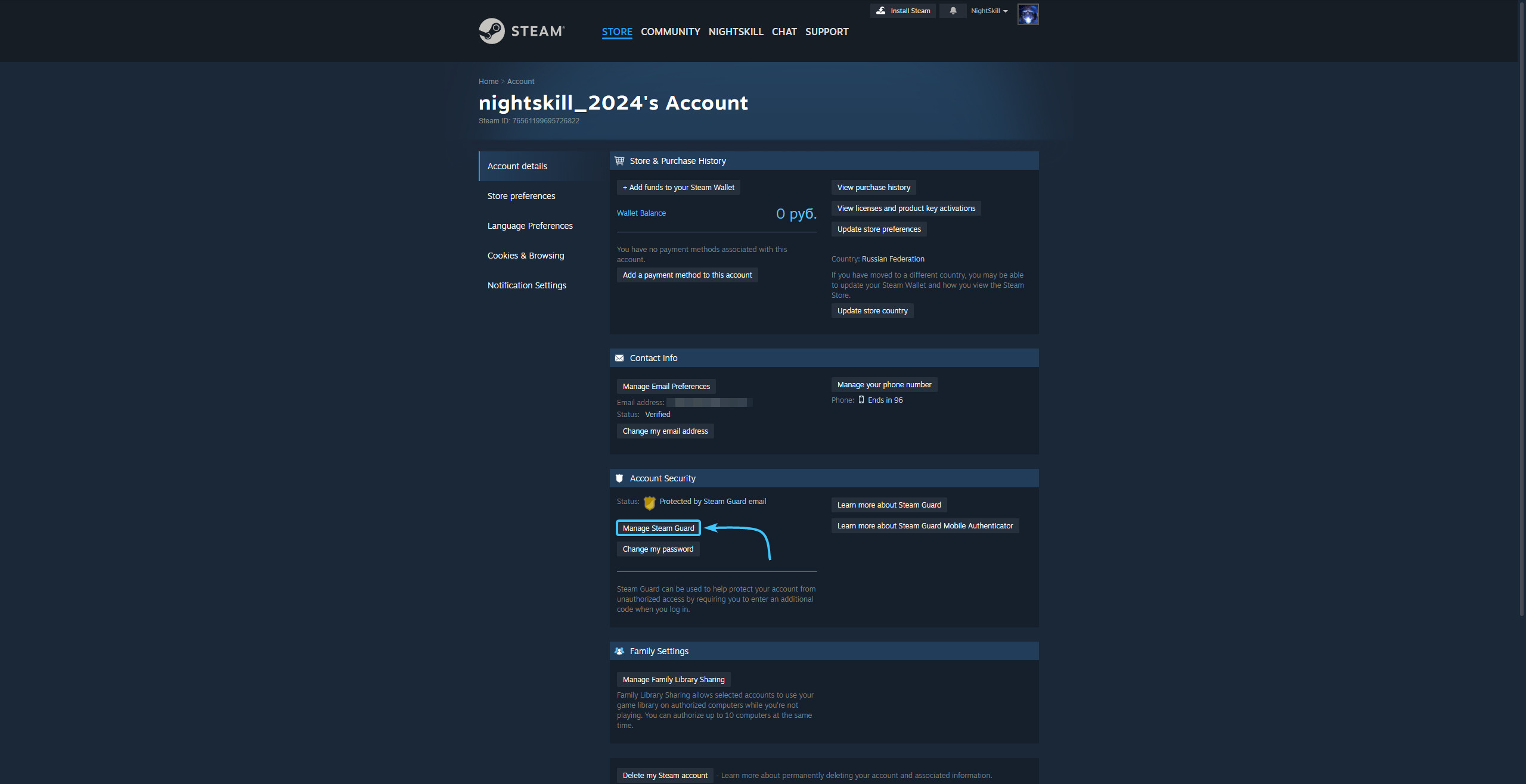
3. Click the “About details: {Login}” to go to the Steam account settings.

4. Click the “Manage Steam Guard” button, which is located in the “Account Security” section.
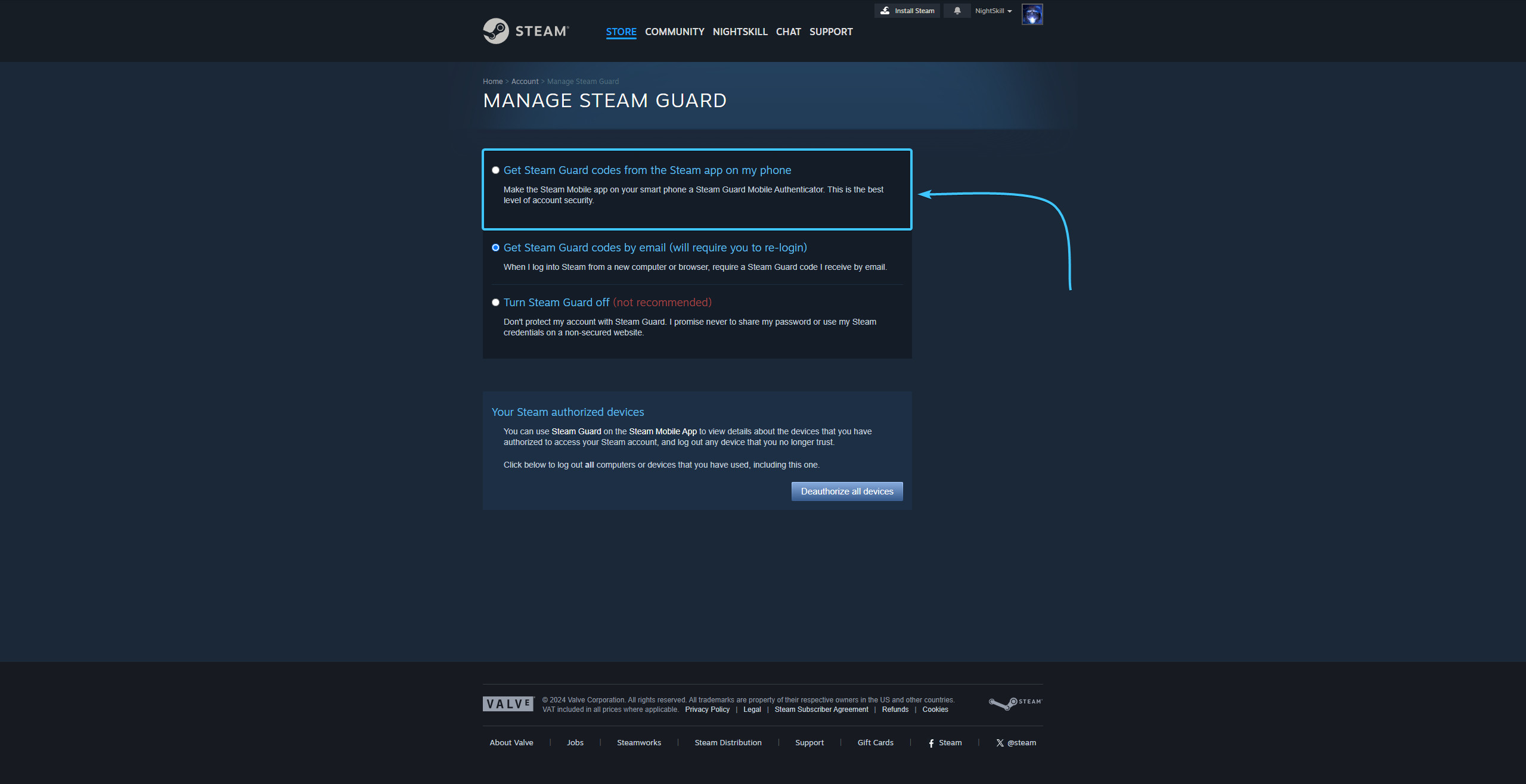
5. Select the “Get Steam Guard codes from the Steam app on my phone” option.
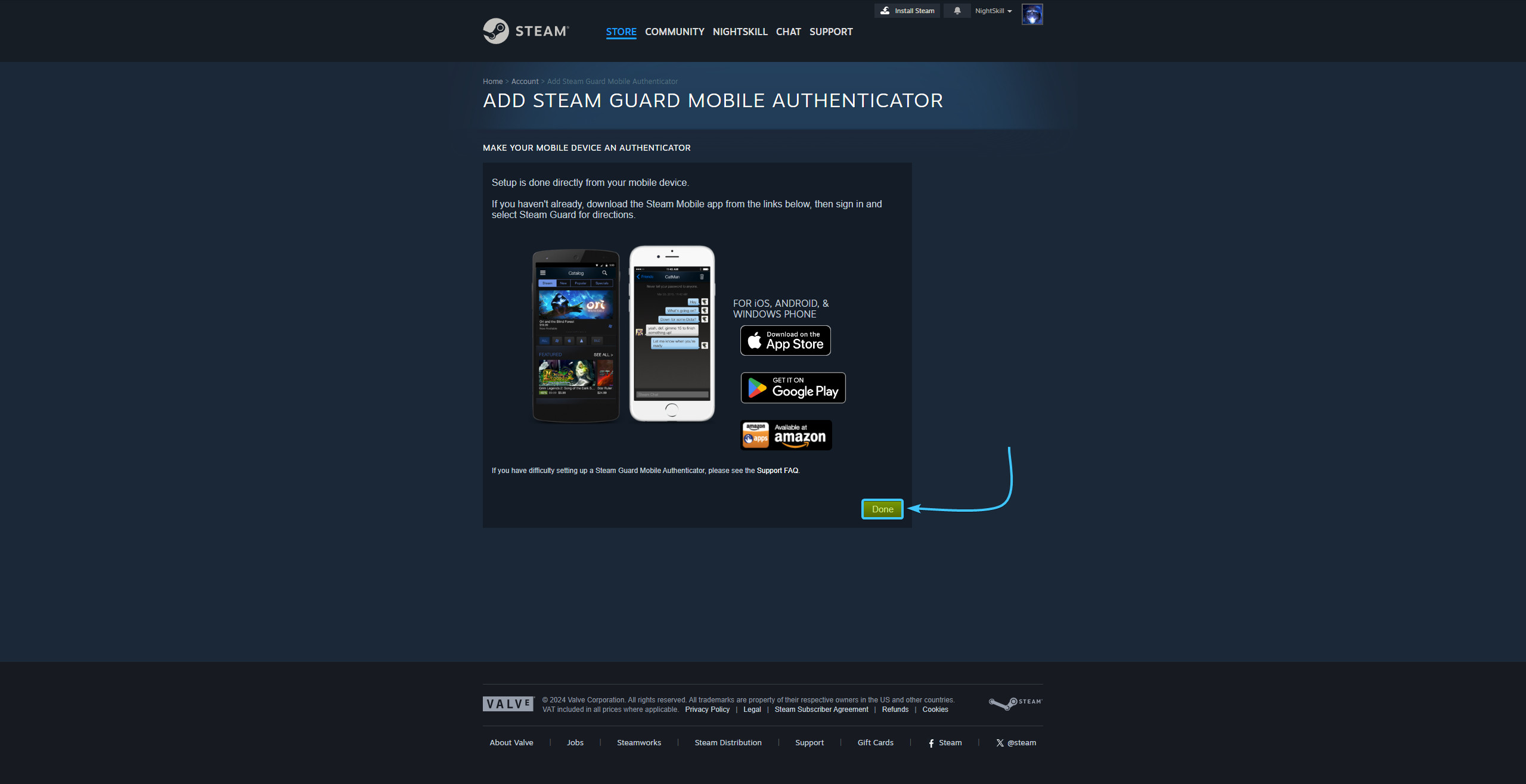
6. Install the Steam app on your mobile device and press the “Done” button.
7. Launch the Steam app on your mobile device. Tap the three lines icon.
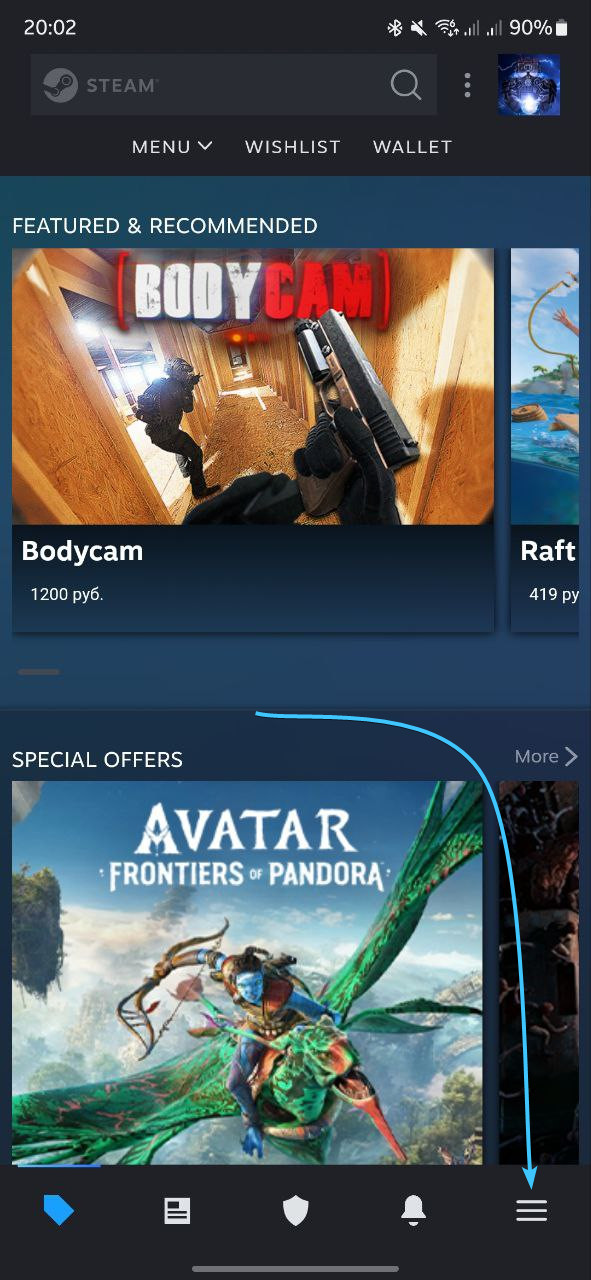
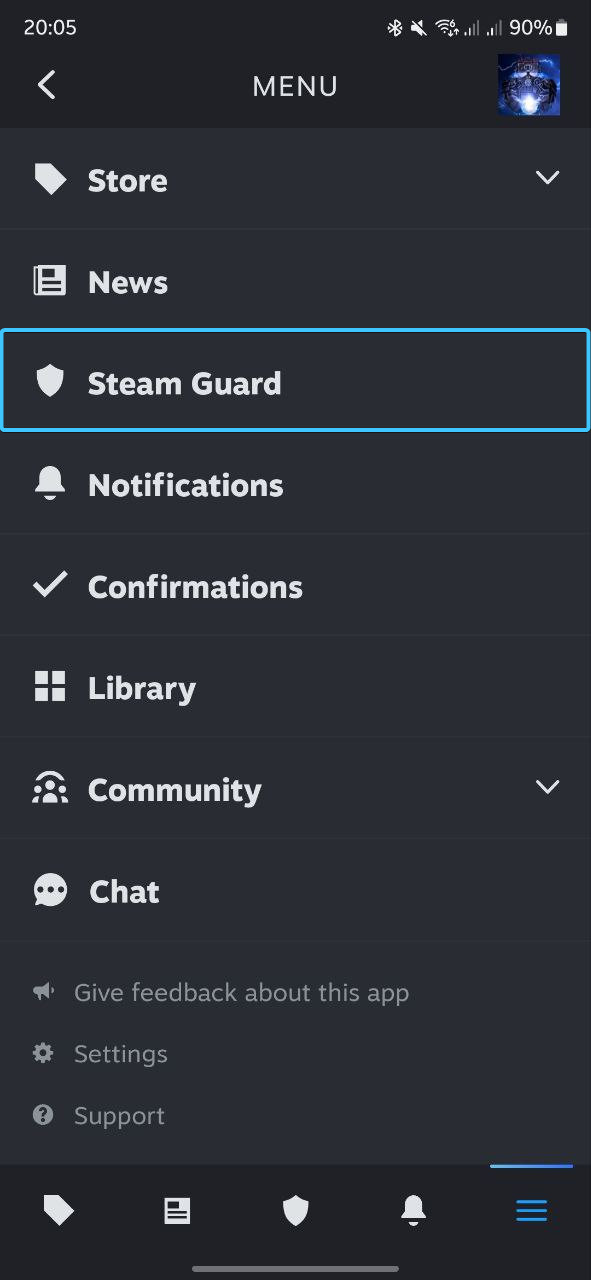
8. The main menu of the Steam app will open. Go to the “Steam Guard” section.
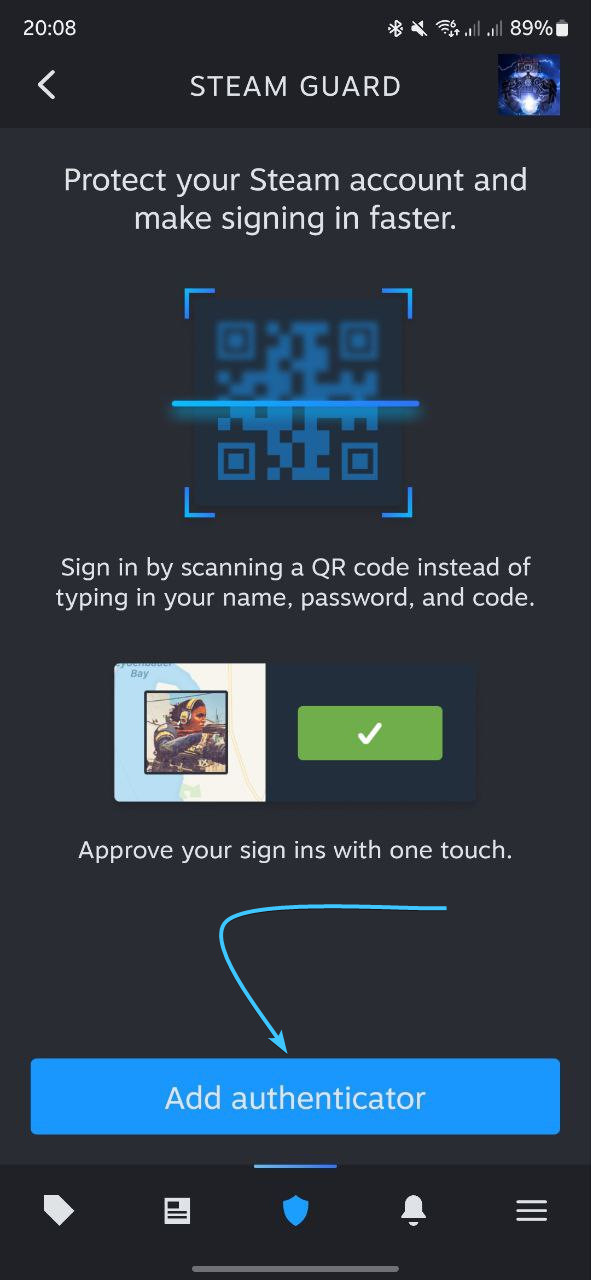
9. The “Steam Guard” section opens. Click the “Add Authenticator” button to continue.
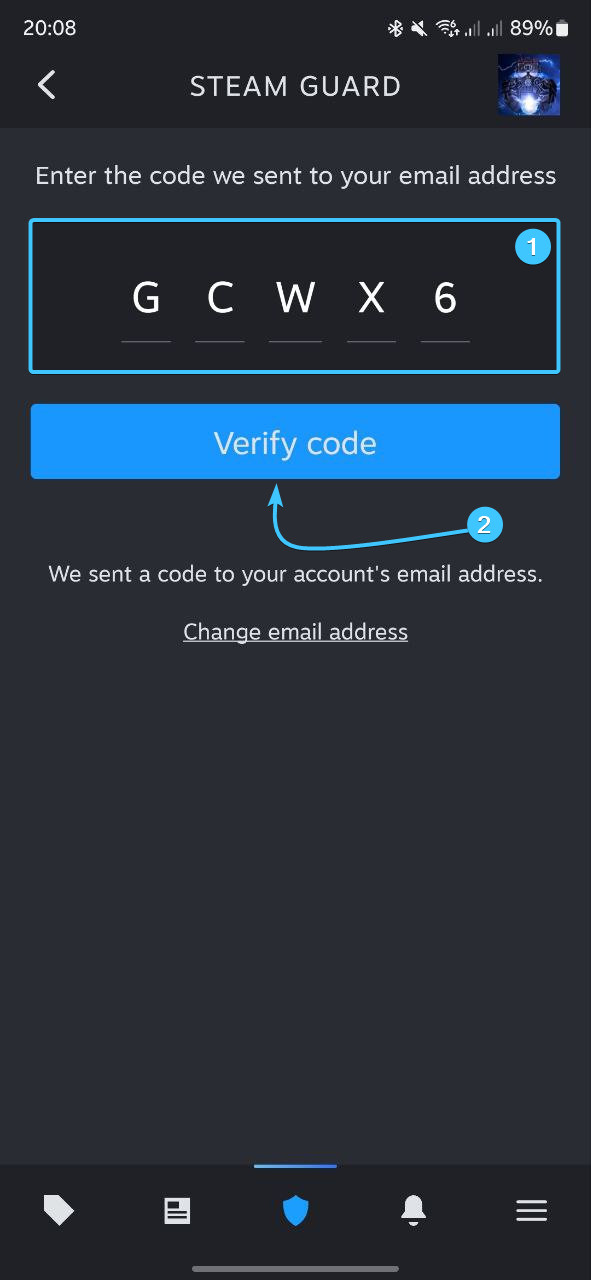
10. Enter the code sent to the linked email. Click the “Verify code” button.
11. Save the backup recovery code to a safe location and click “Done”.
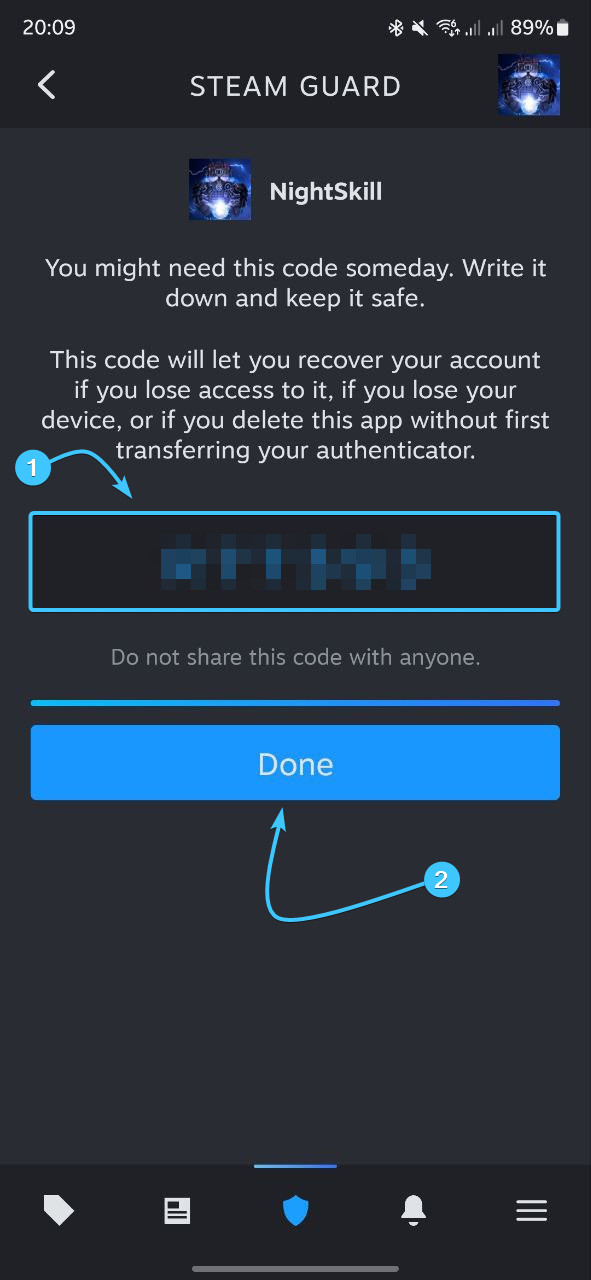
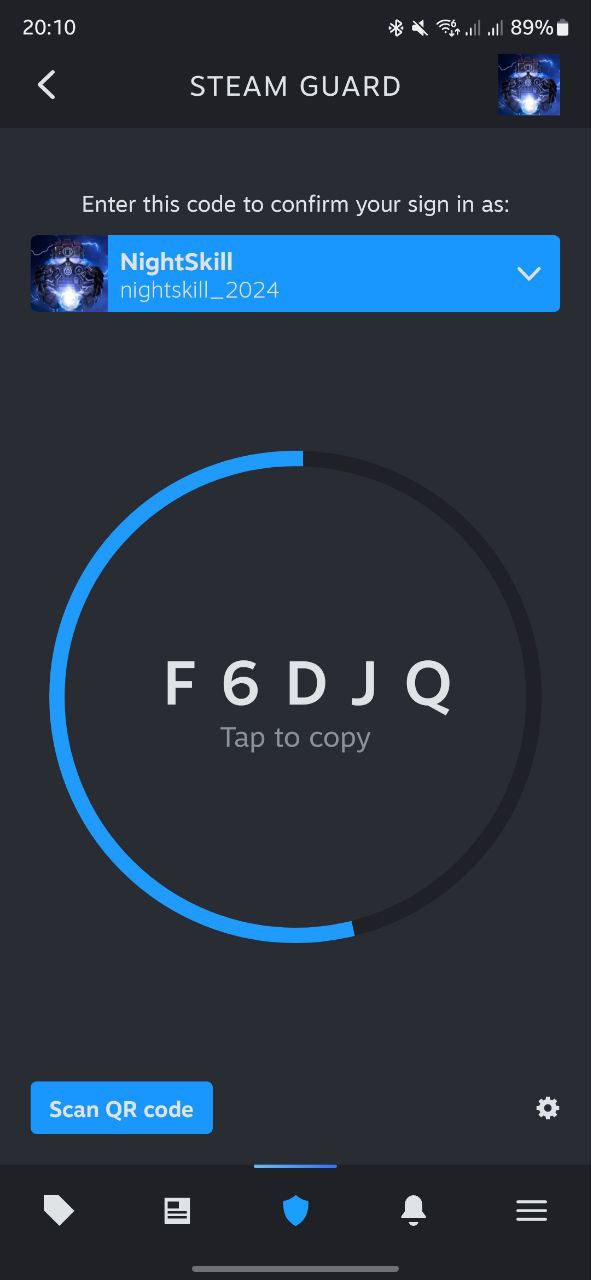
12. After that, the two-factor authentication by Steam app will be enabled.
Enabling Steam Guard #2
1. Launch the Steam app and log in with your account, if necessary.
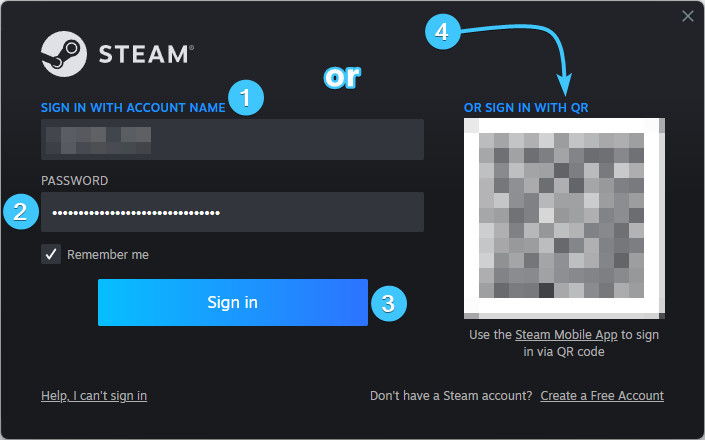
2. In the upper right corner, click on the account name to open the list of features.

3. Click the “About details: {Login}” to go to the Steam account settings.

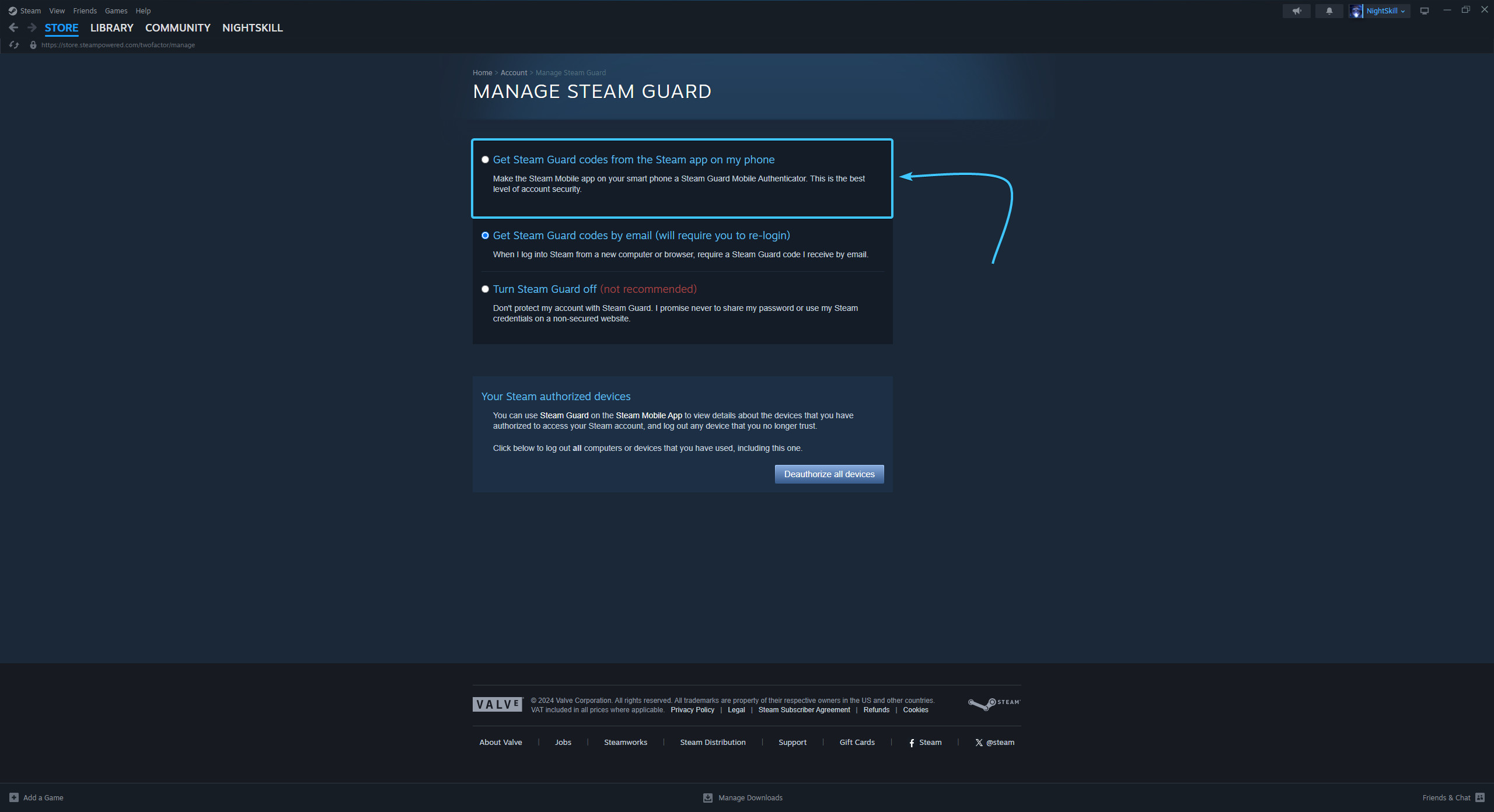
4. Click the “Manage Steam Guard” button, which is located in the “Account Security” section.
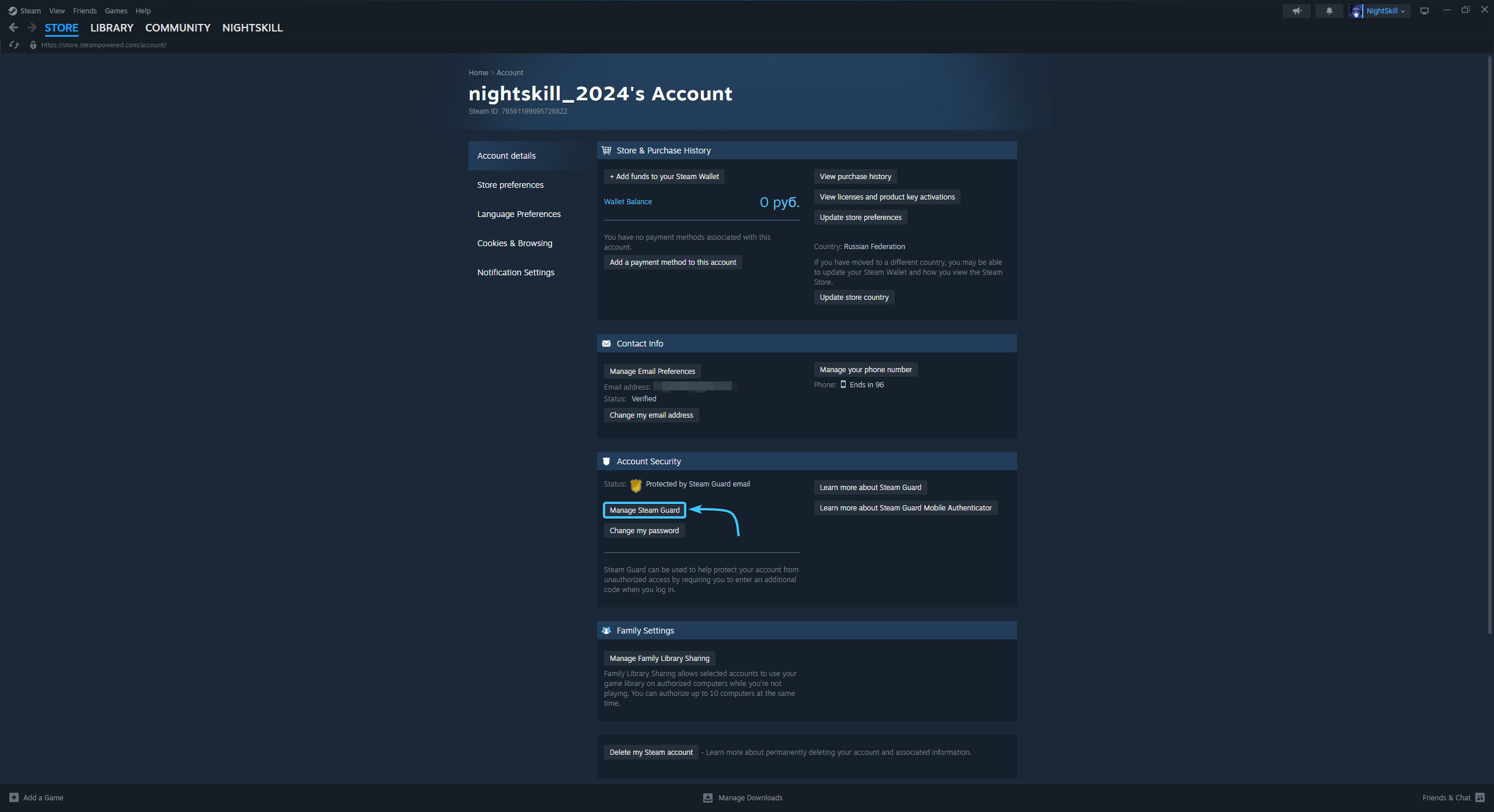
5. Select the “Get Steam Guard codes from the Steam app on my phone” option.
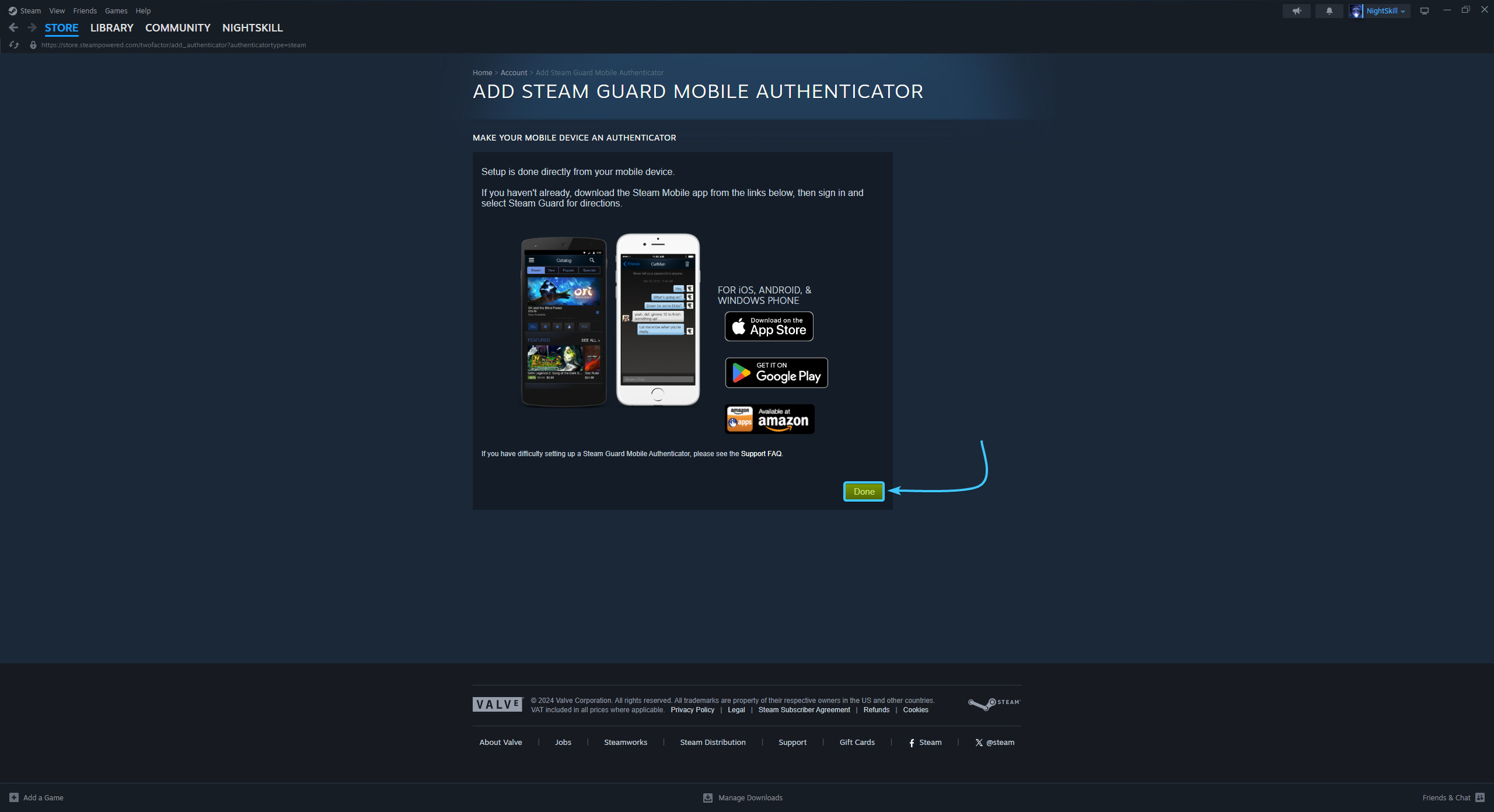
6. Install the Steam app on your mobile device and press the “Done” button.
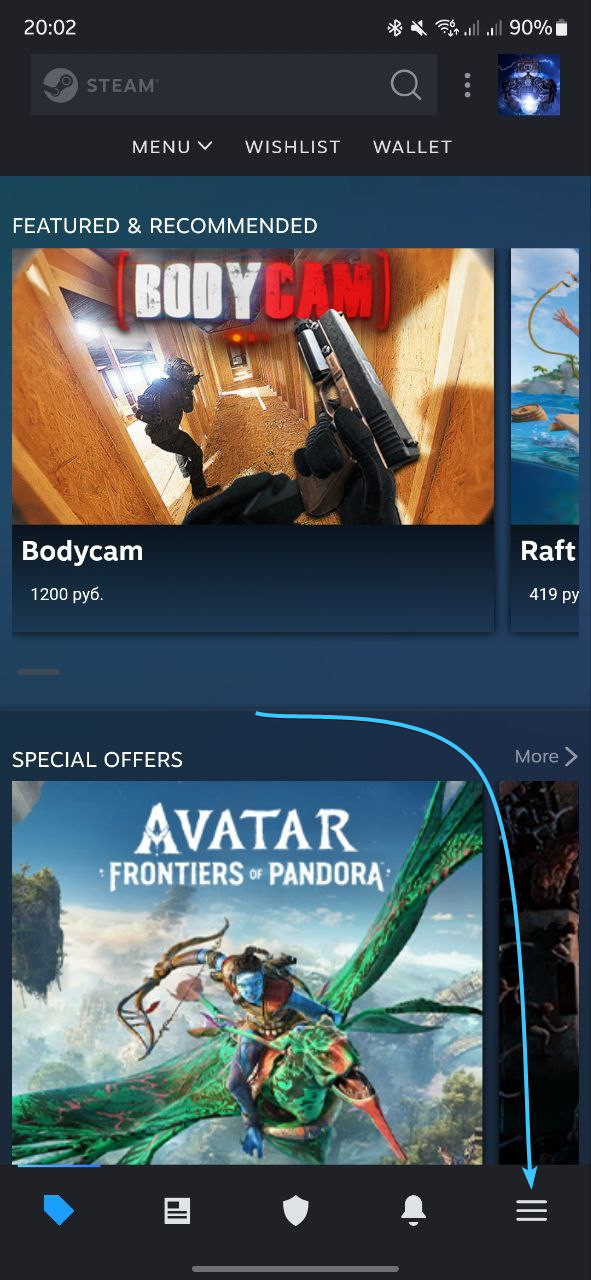
7. Launch the Steam app on your mobile device. Tap the three lines icon.
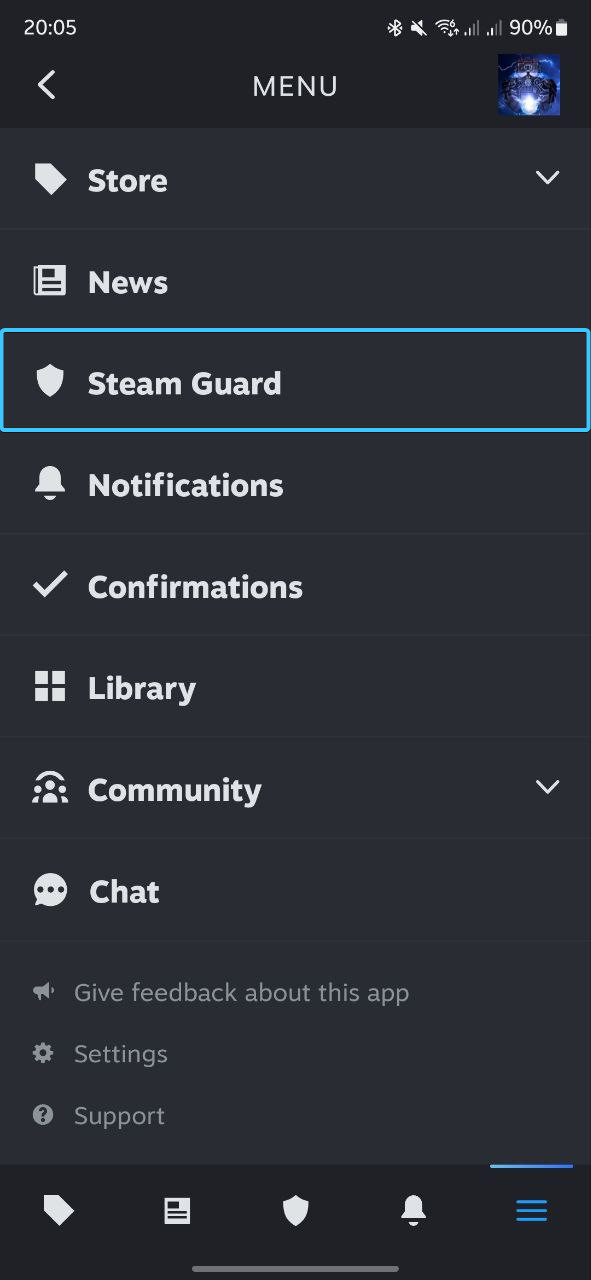
8. The main menu of the Steam app will open. Go to the “Steam Guard” section.
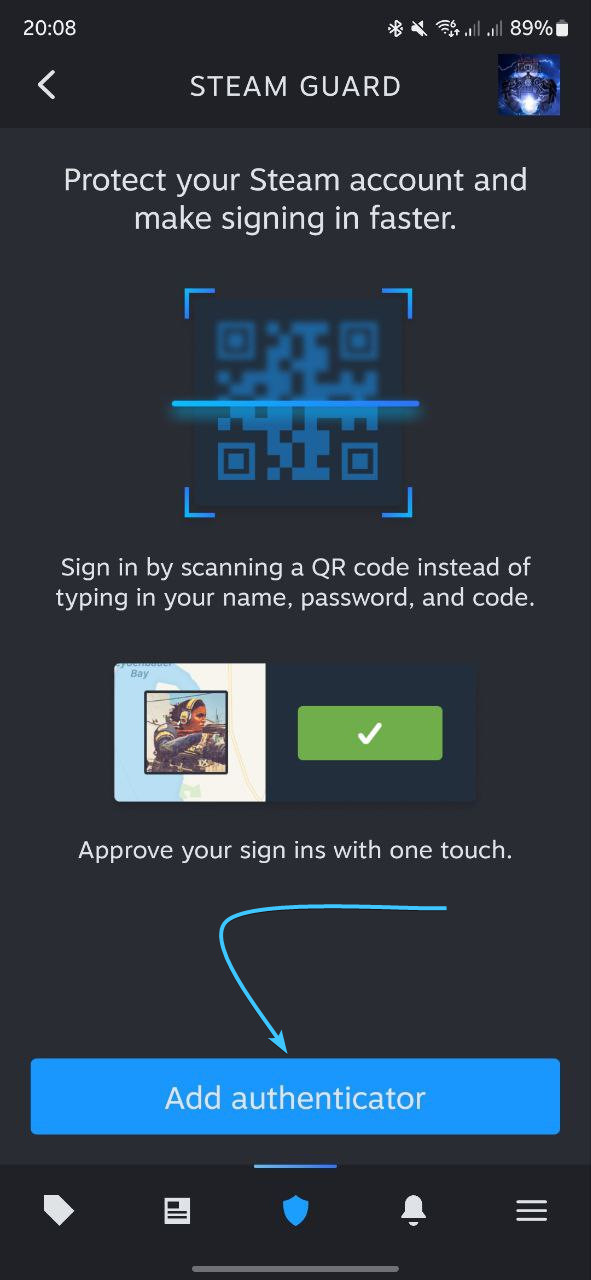
9. The “Steam Guard” section opens. Click the “Add Authenticator” button to continue.
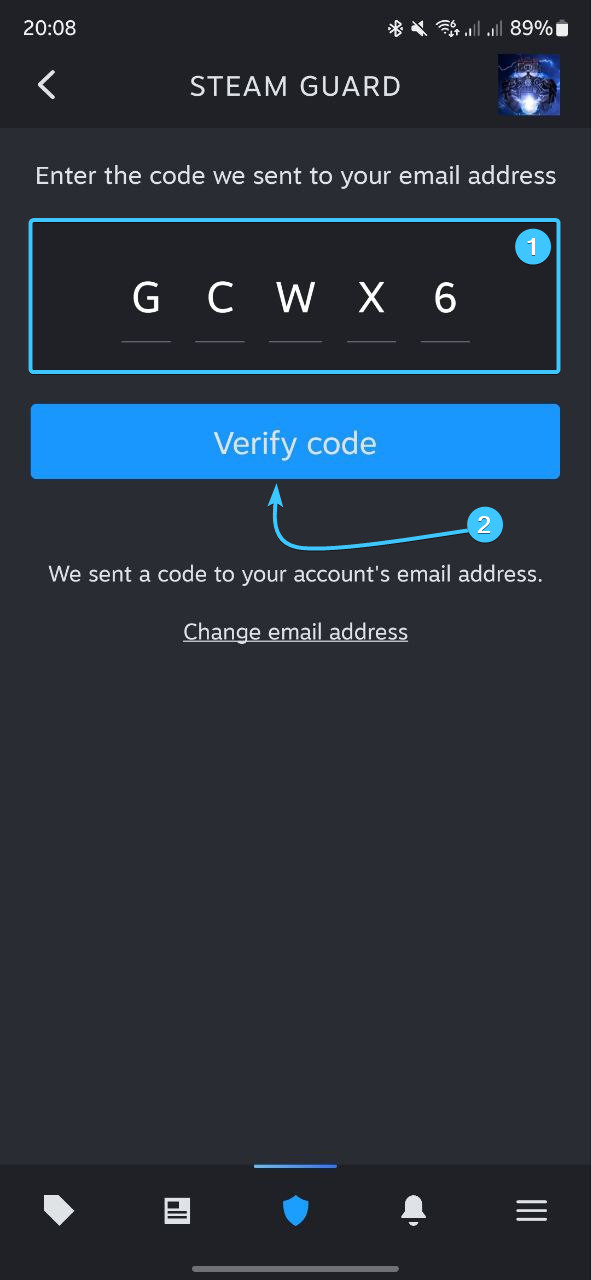
10. Enter the code sent to the linked email. Click the “Verify code” button.
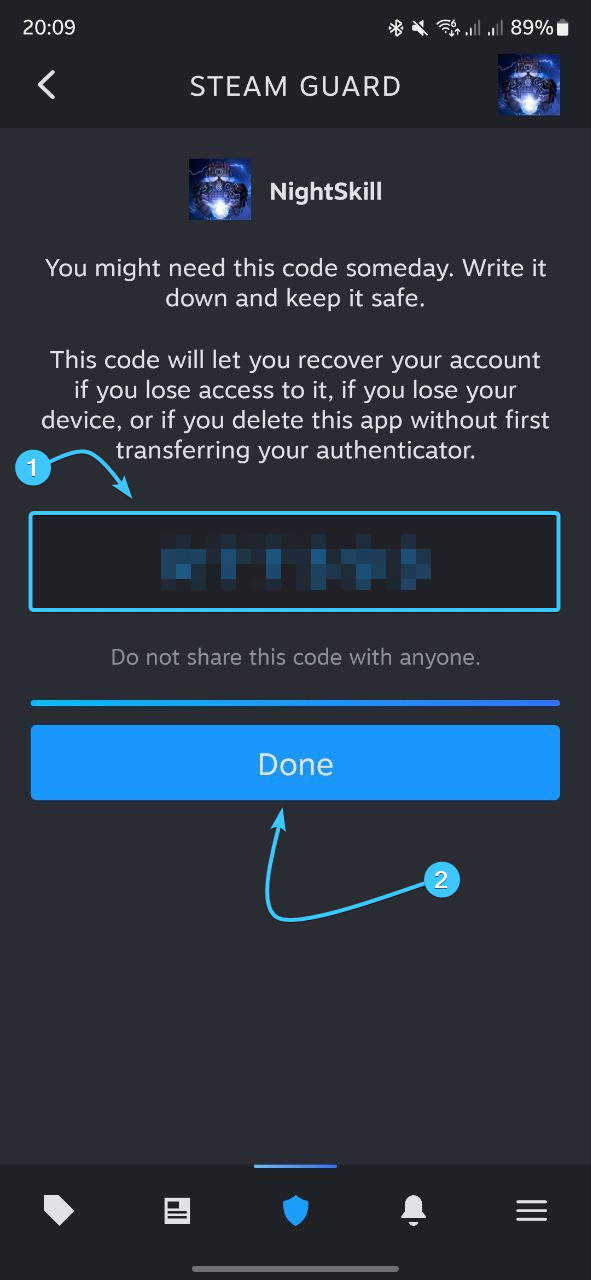
11. Save the backup recovery code to a safe location and click “Done”.
12. After that, the two-factor authentication by Steam app will be enabled.
Disabling 2FA in Steam
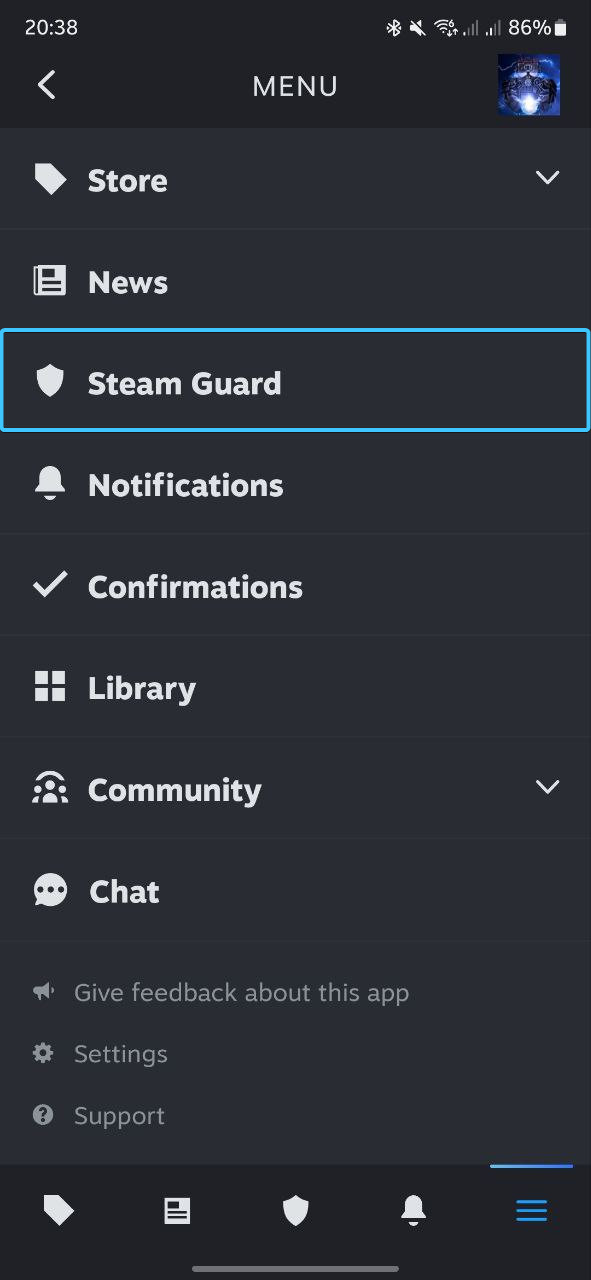
1. Launch the Steam app on your mobile device. Tap the three lines icon.

2. The main menu of the Steam app opens. Go to the “Steam Guard” section.
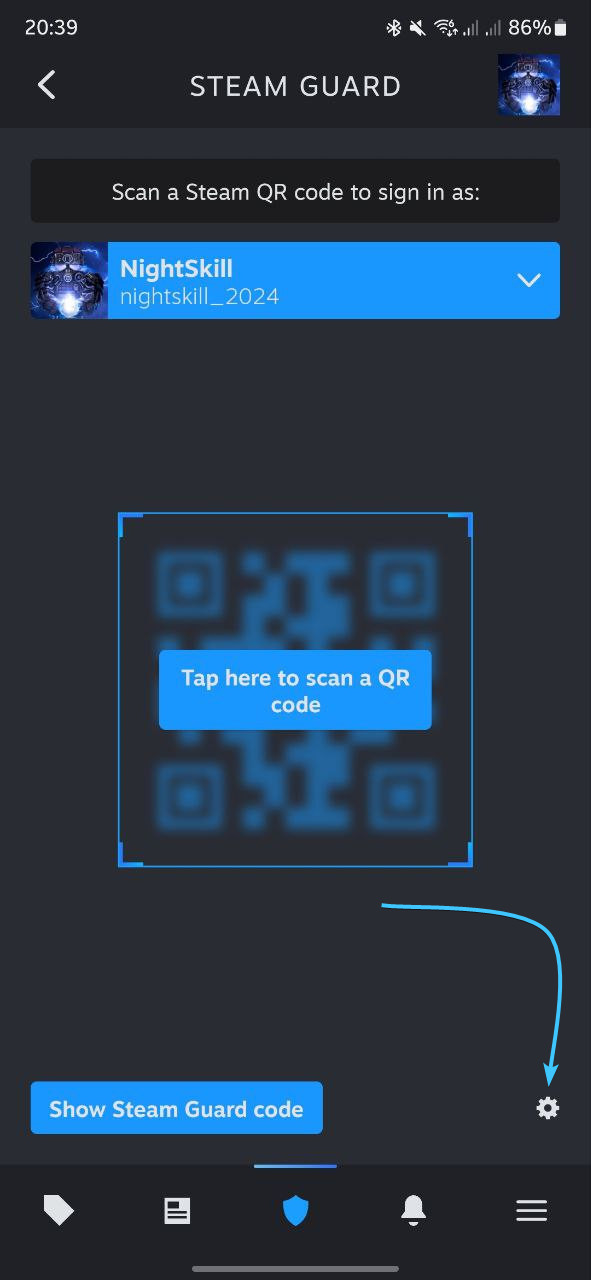
3. In the bottom right corner, click on the gear icon to open additional options.
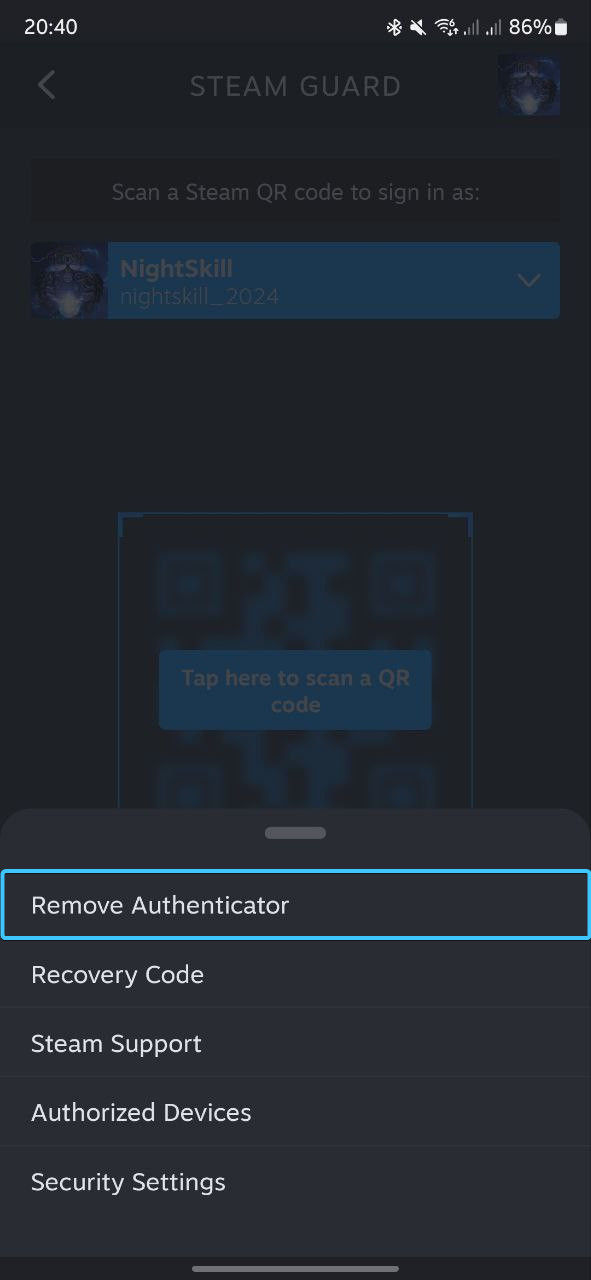
4. In the list of options that appears, click “Remove Authenticator” to continue.
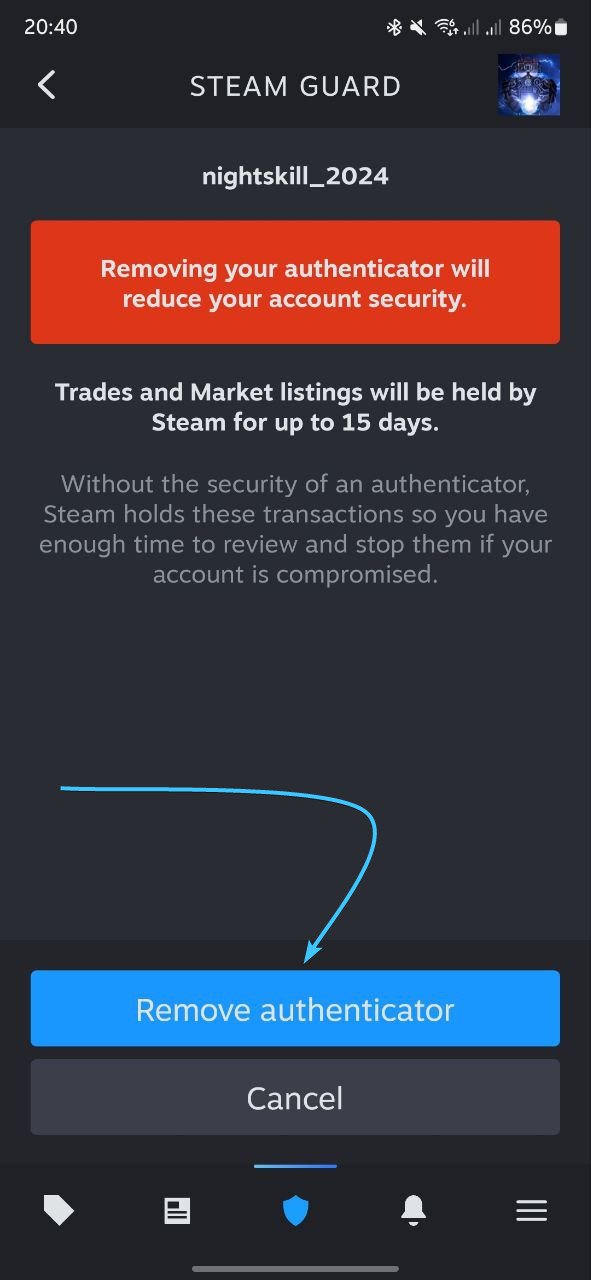
5. The confirmation page opens. Click the “Remove Authenticator” button to continue.
6. A confirmation window will appear. Click the “Remove” button to disable authentication.
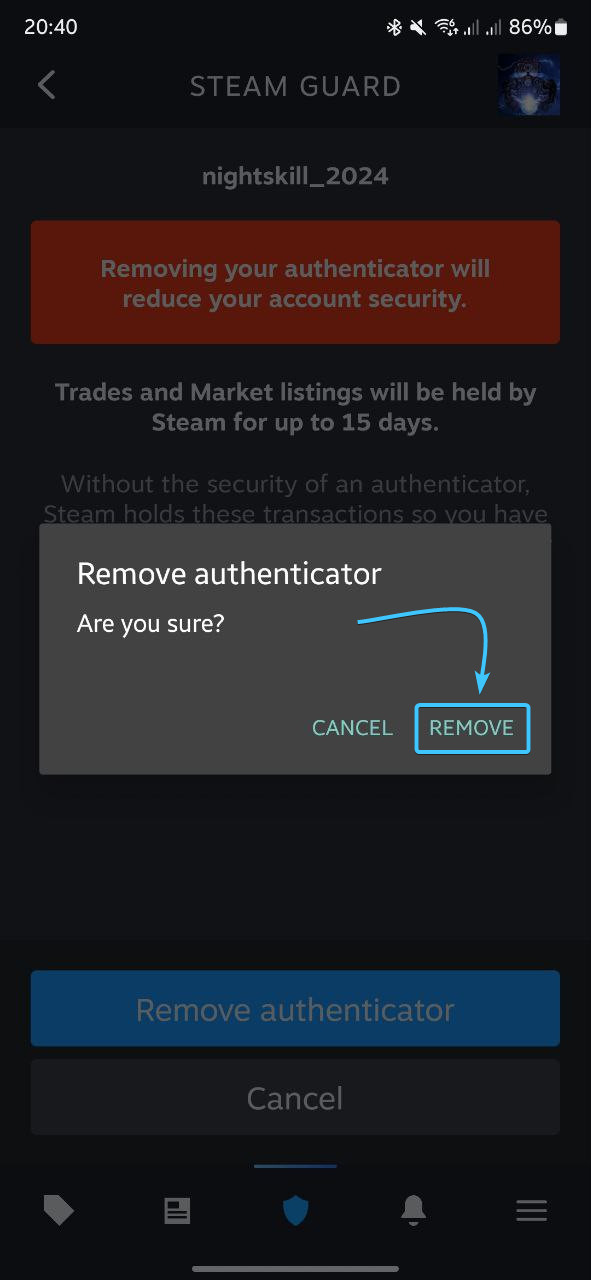
7. After that, two-factor authentication by Steam will be disabled.

Other guides
- Password change in Steam;
- Email change in Steam;
- Password reset in Steam;
- Steam Guard backup codes;
- Ending sessions in Steam.
Keywords: ьфтфпуьуте, steam guard, steam guard management, how to steam guard management, i have a problem with steam guard management please help, mobile authenticator steam, STEAM GUARD MANAGEMENT, management guard steam, management, steam guard managment, steam guard managmeent, управление steam guard, steamguard, steam authenticator