Guide

Contents
Recommendations on creating a password
We recommend following the below tips when creating a password:
- Use long passwords. The recommended length is from 16 to 64 characters;
- Use upper and lower case letters, as well as numbers and special characters;
- Use password generators, they can help you create a strong password quickly;
- Be sure to save the password in a safe place that only you will have access to.
Changing the password on Steam account #1
1. Go to the Steam platform official website and log in, if necessary.
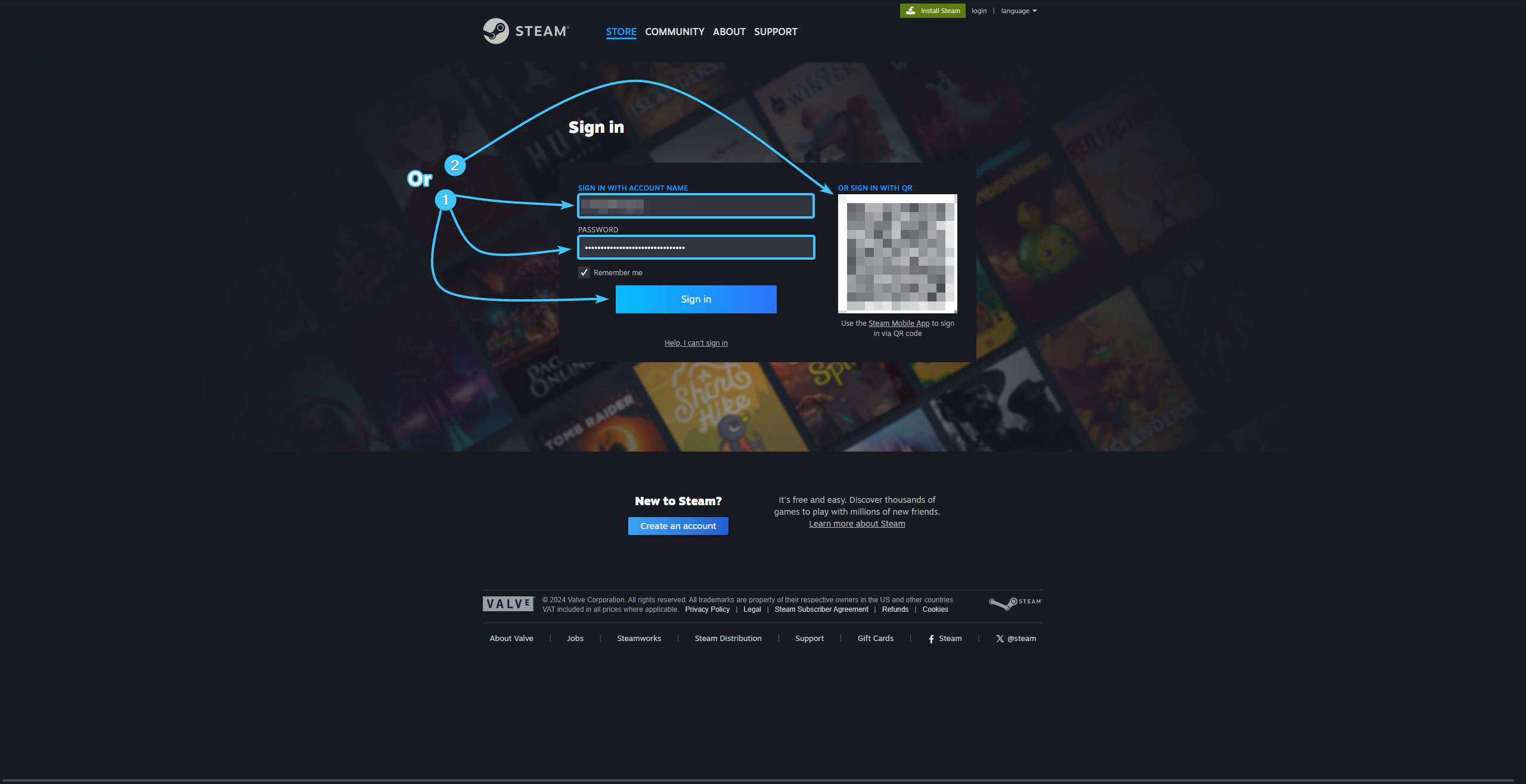
2. In the upper right corner, click on the account name to open the list of features.

3. Click the “About details: {Login}” to go to the Steam account settings.

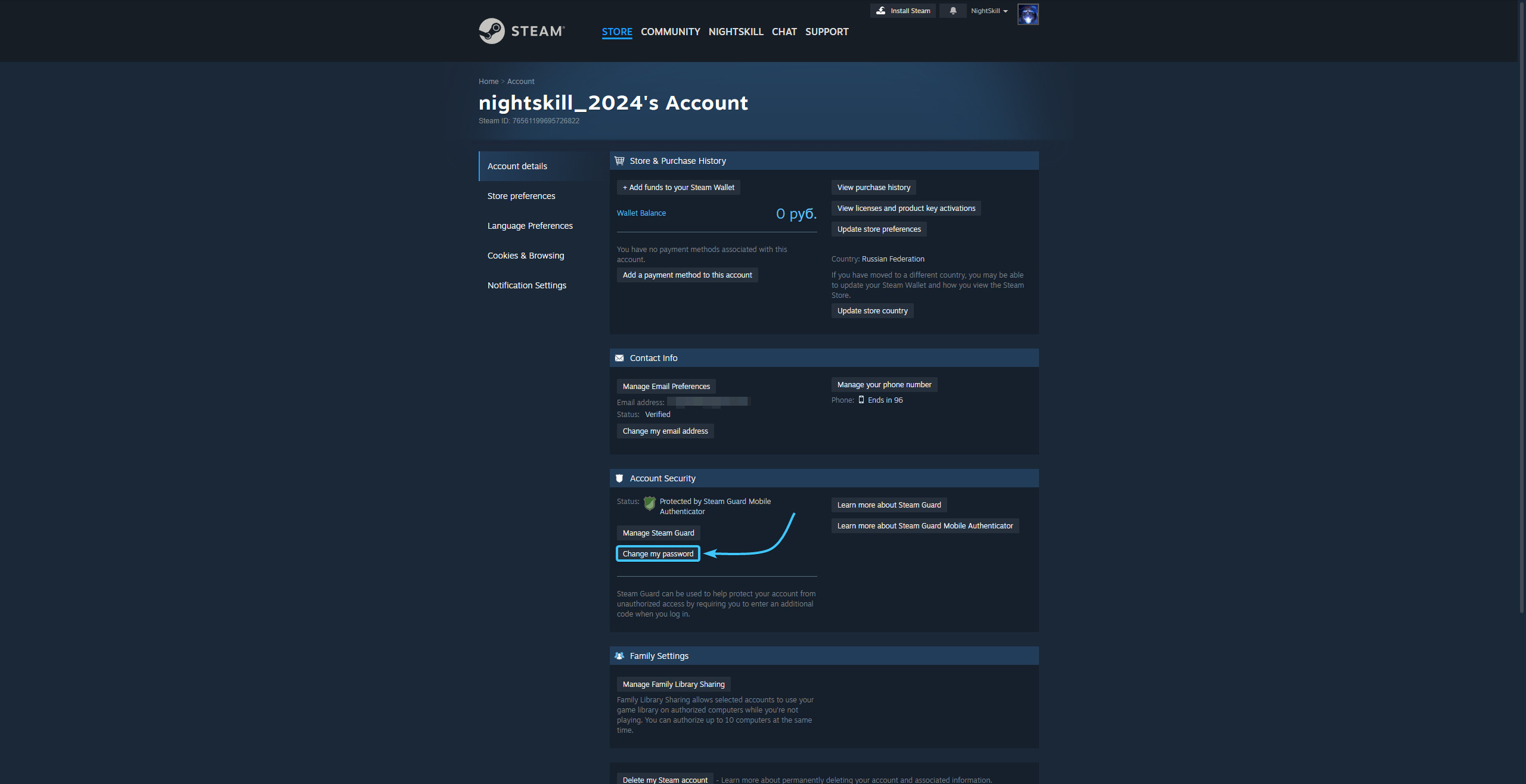
4. Click the “Change my password” button located in the “Account Security” section.
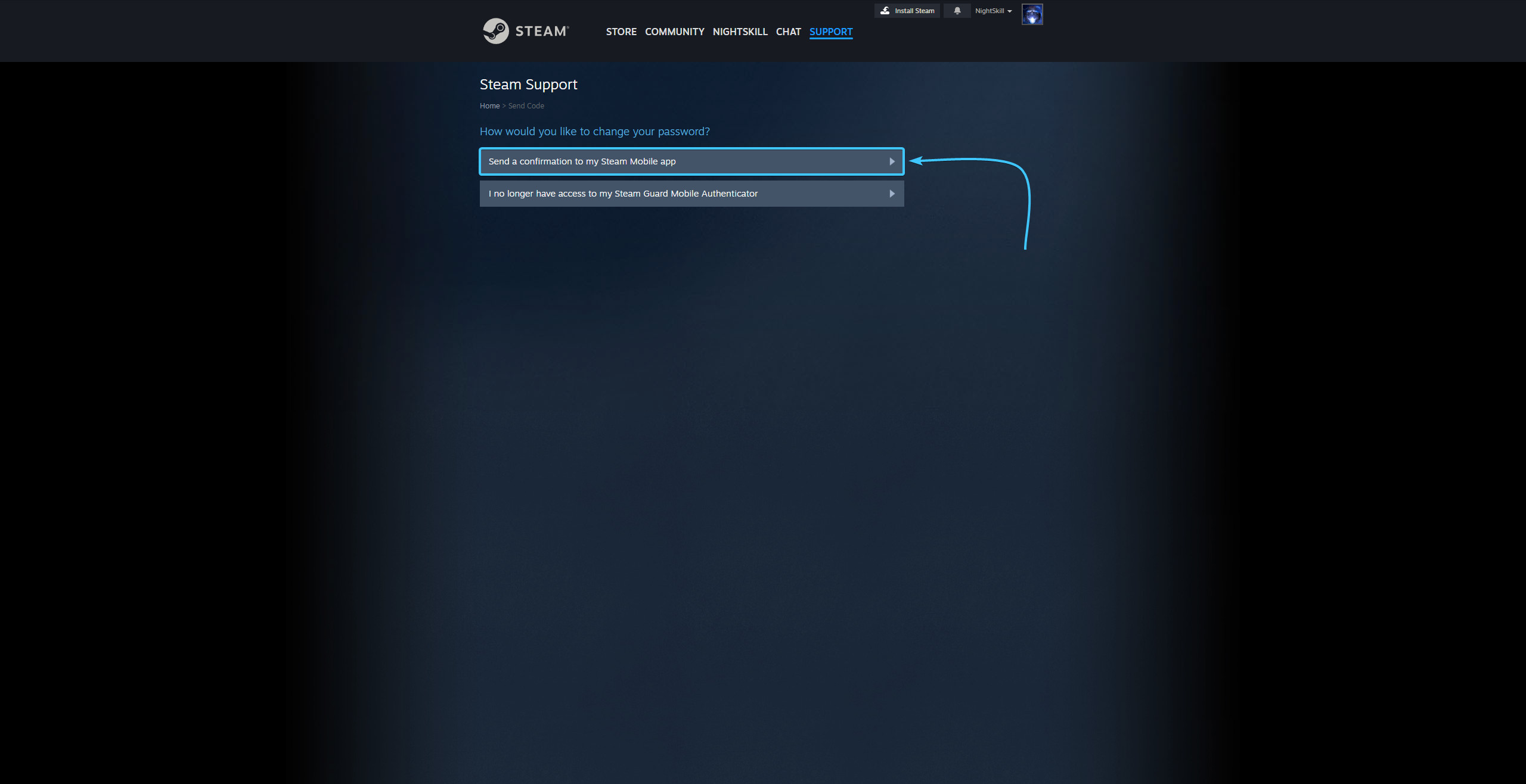
5. On the new page, click the “Send a confirmation to my Steam Mobile app” button.
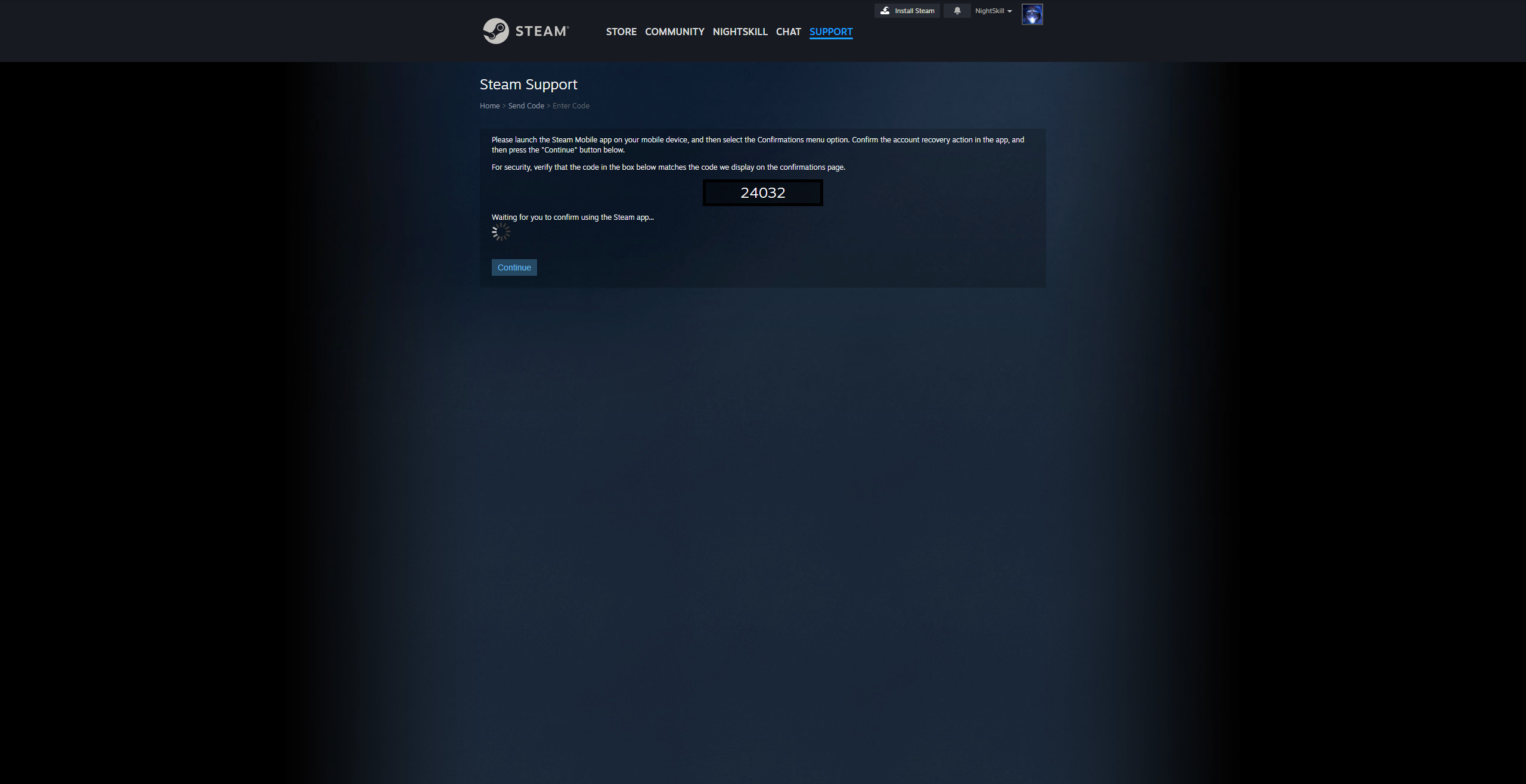
6. Open the Steam mobile app and confirm the password change on your Steam account.
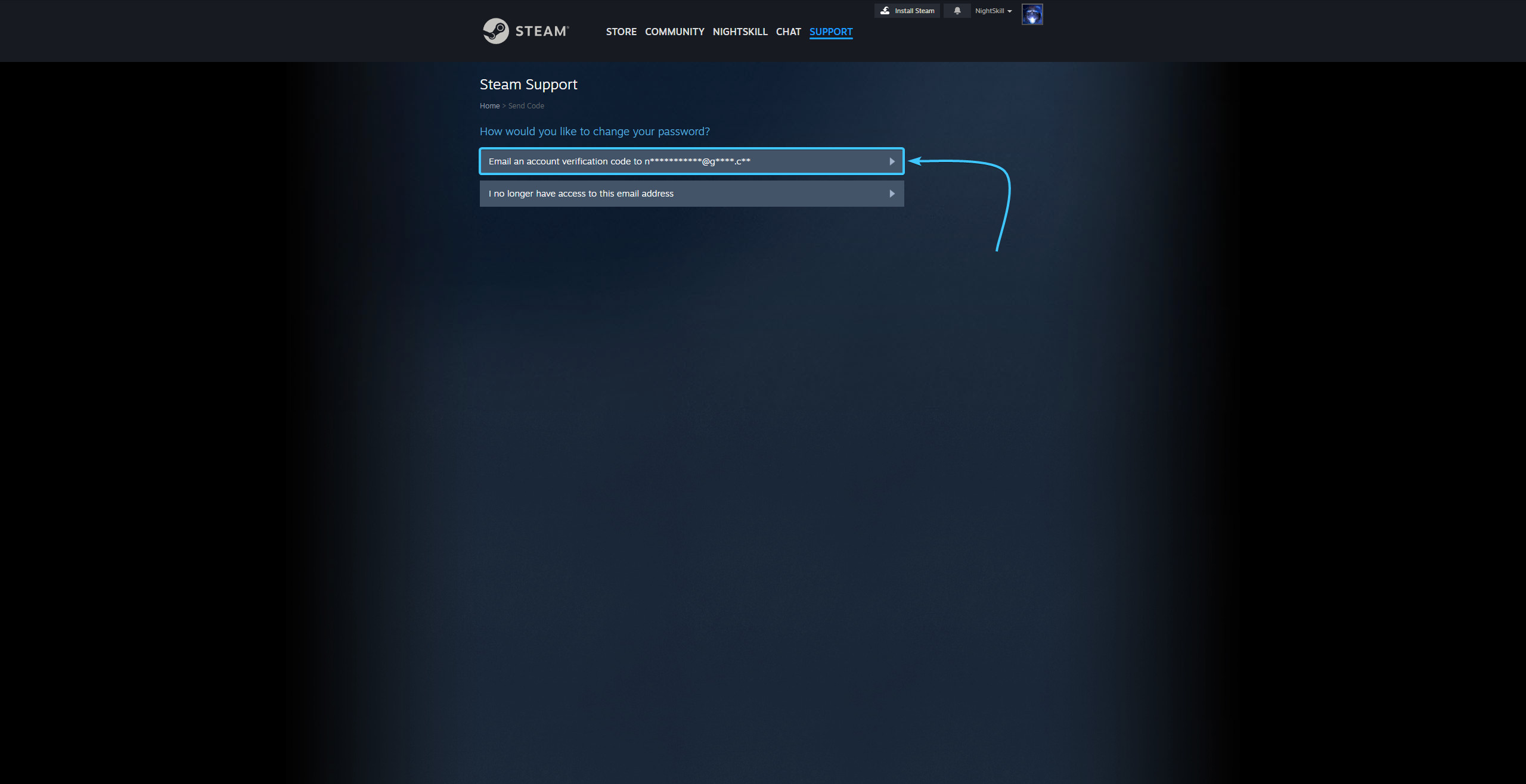
7. Then click the “Email an account verification code to {Email}” button.
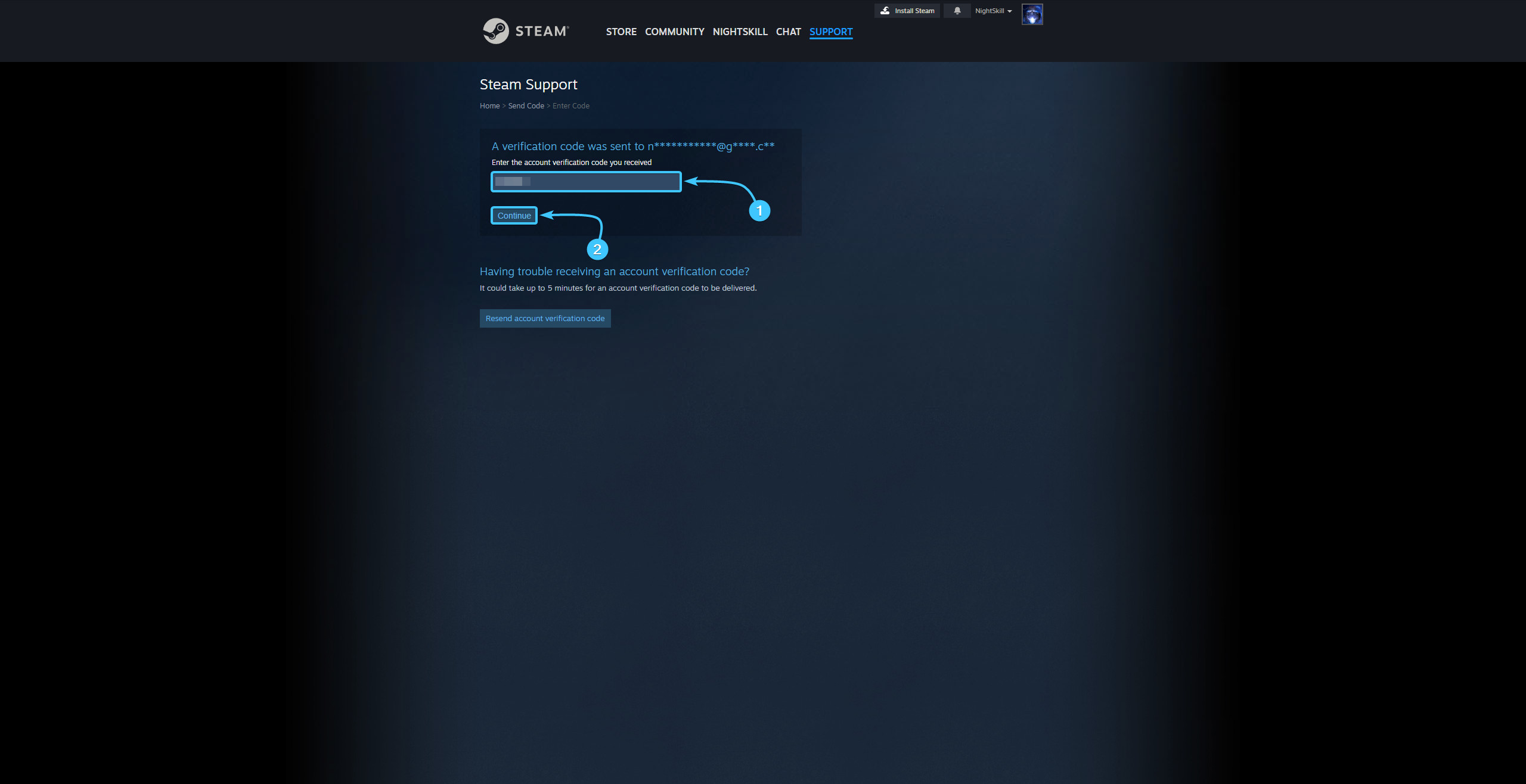
8. Enter the code sent to the linked email. Click the “Continue” button.
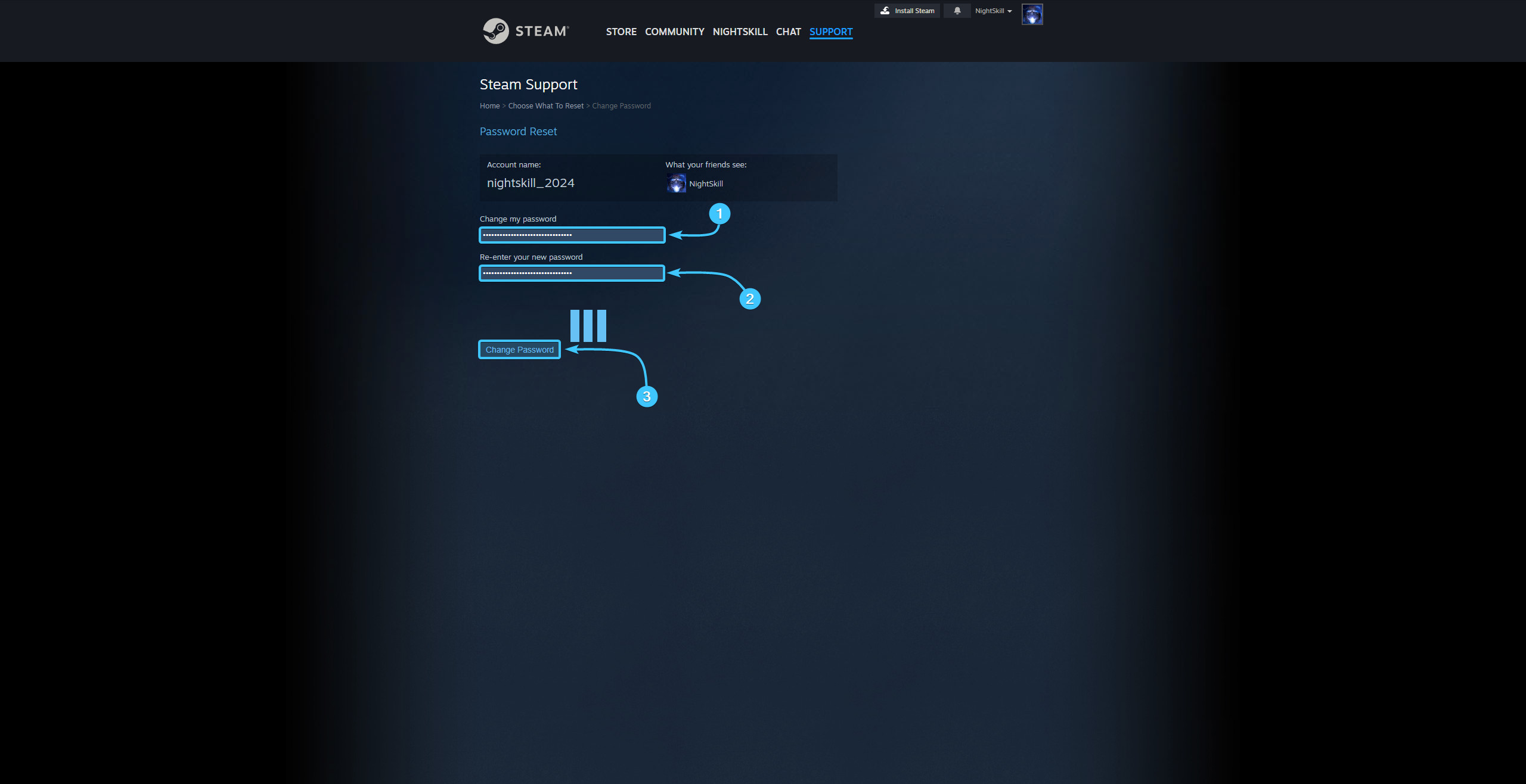
9. Enter a new password and repeat the password. Click the “Change Password” button to continue.
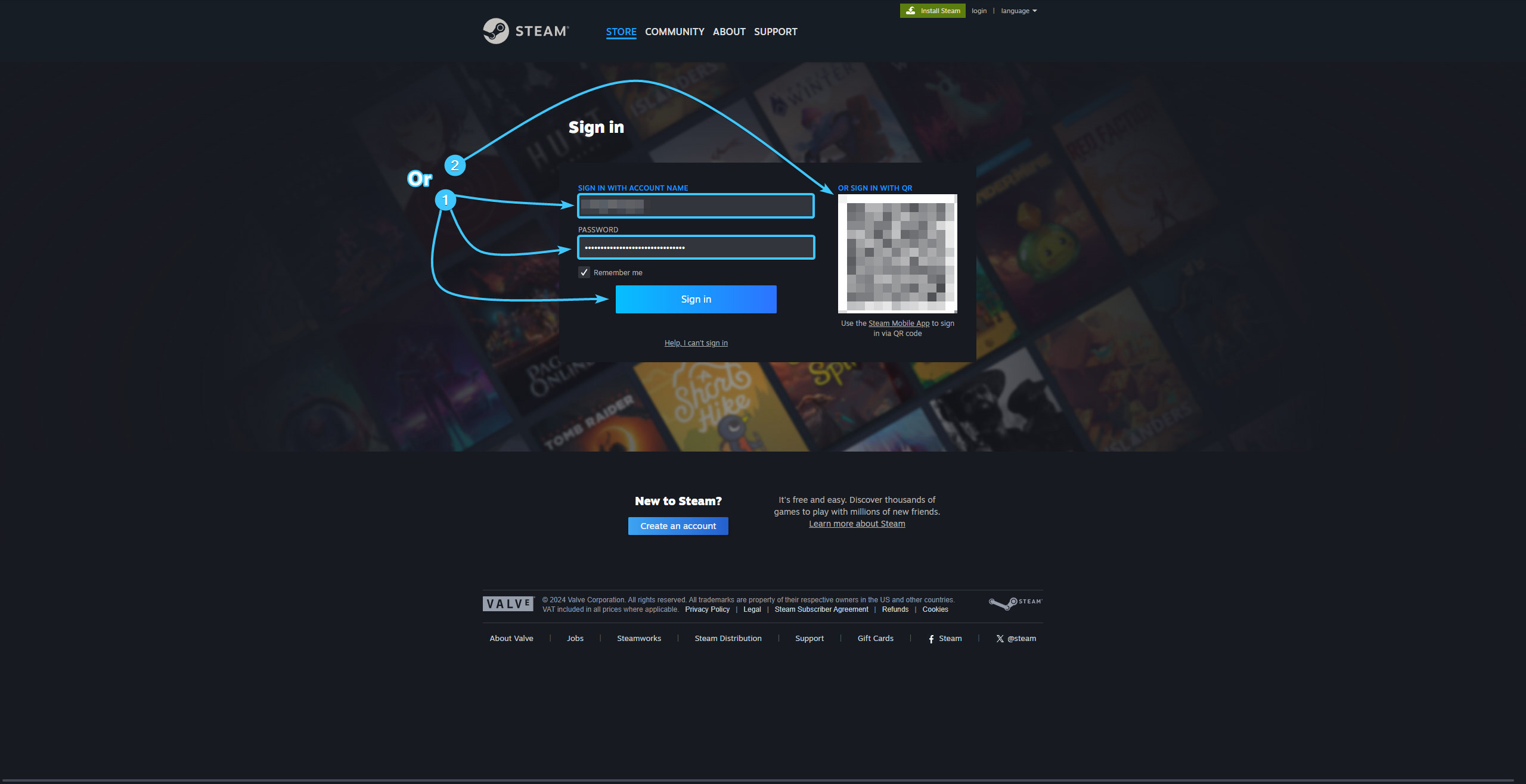
10. The password for your Steam account will then be changed. Go through the authorisation process again.
Changing the password on Steam account #2
1. Launch the Steam app and log in with your account, if necessary.
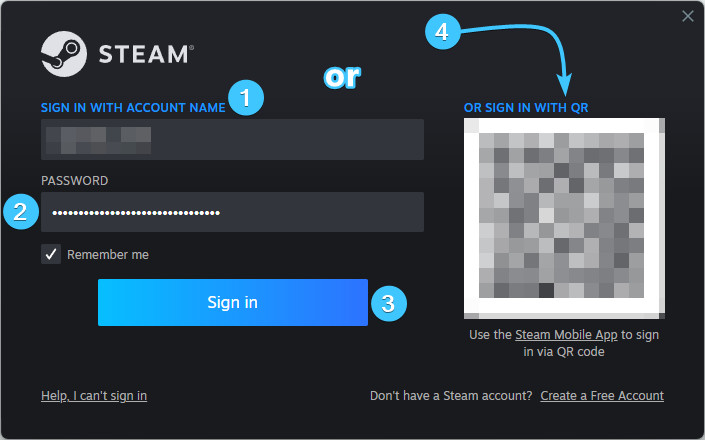
2. In the upper right corner, click on the account name to open the list of features.

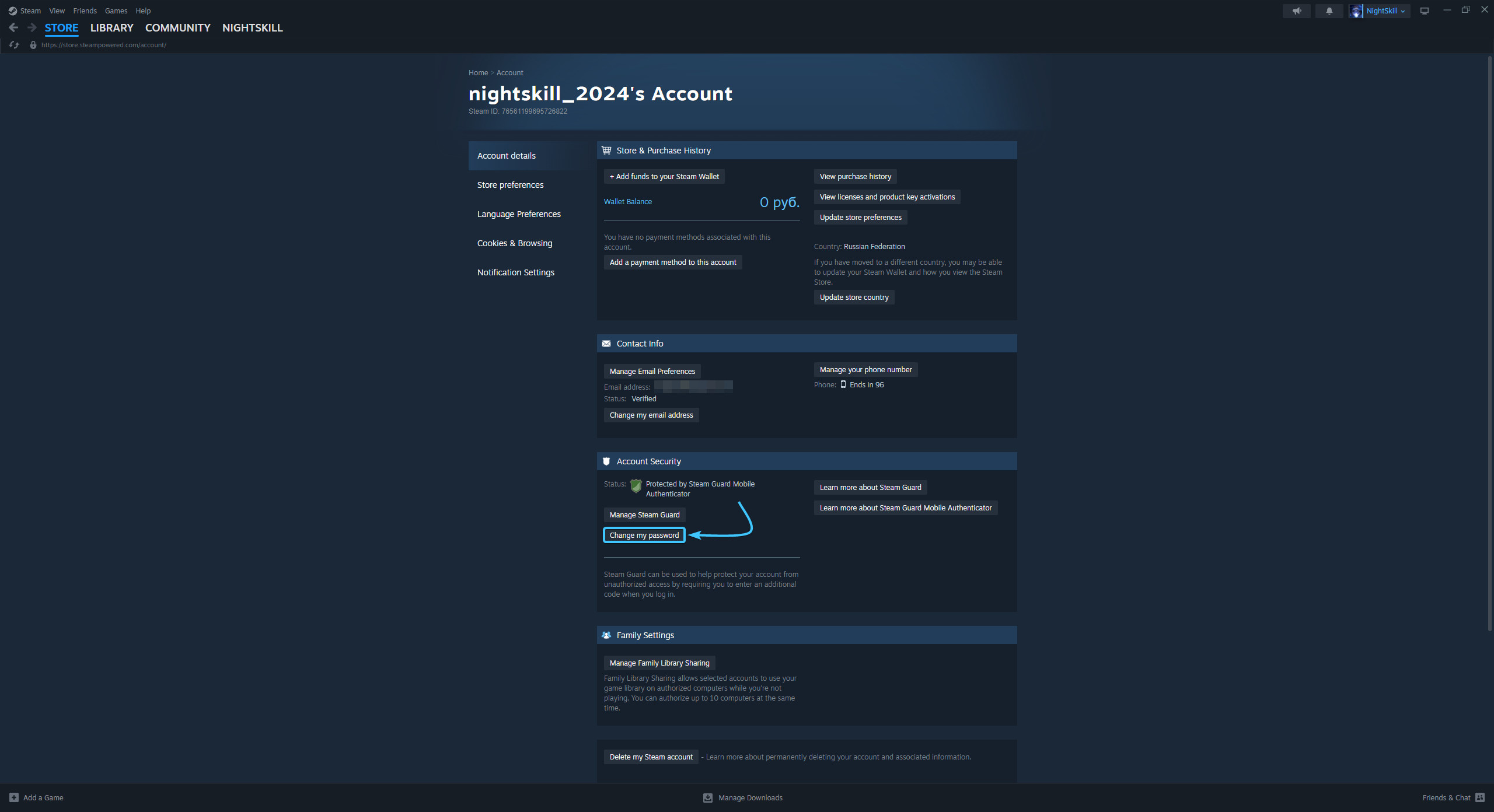
3. Click the “About details: {Login}” to go to the Steam account settings.

4. Click the “Change my password” button located in the “Account Security” section.
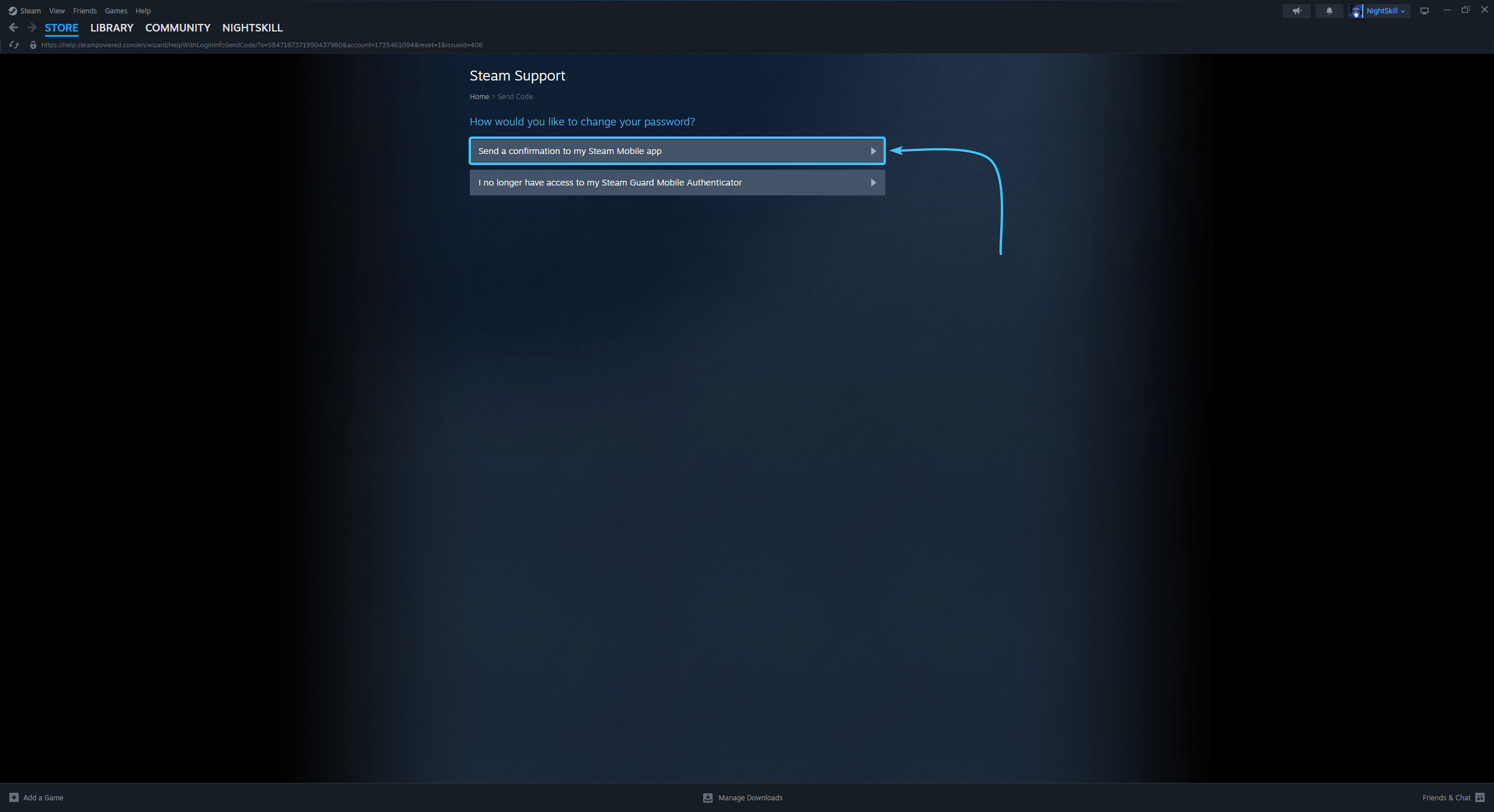
5. On the new page, click the “Send a confirmation to my Steam Mobile app” button.
6. Open the Steam mobile app and confirm the password change on your Steam account.
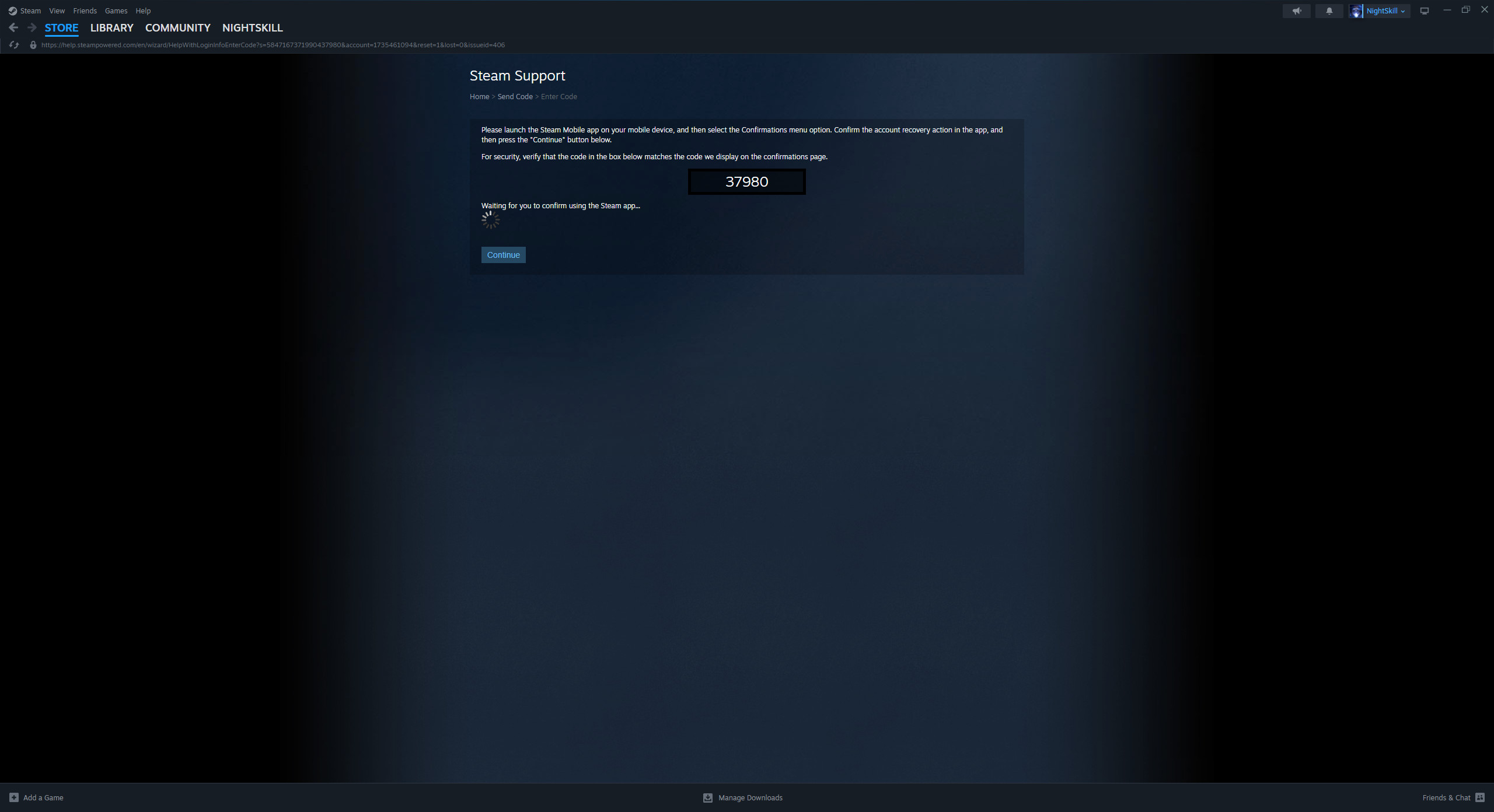
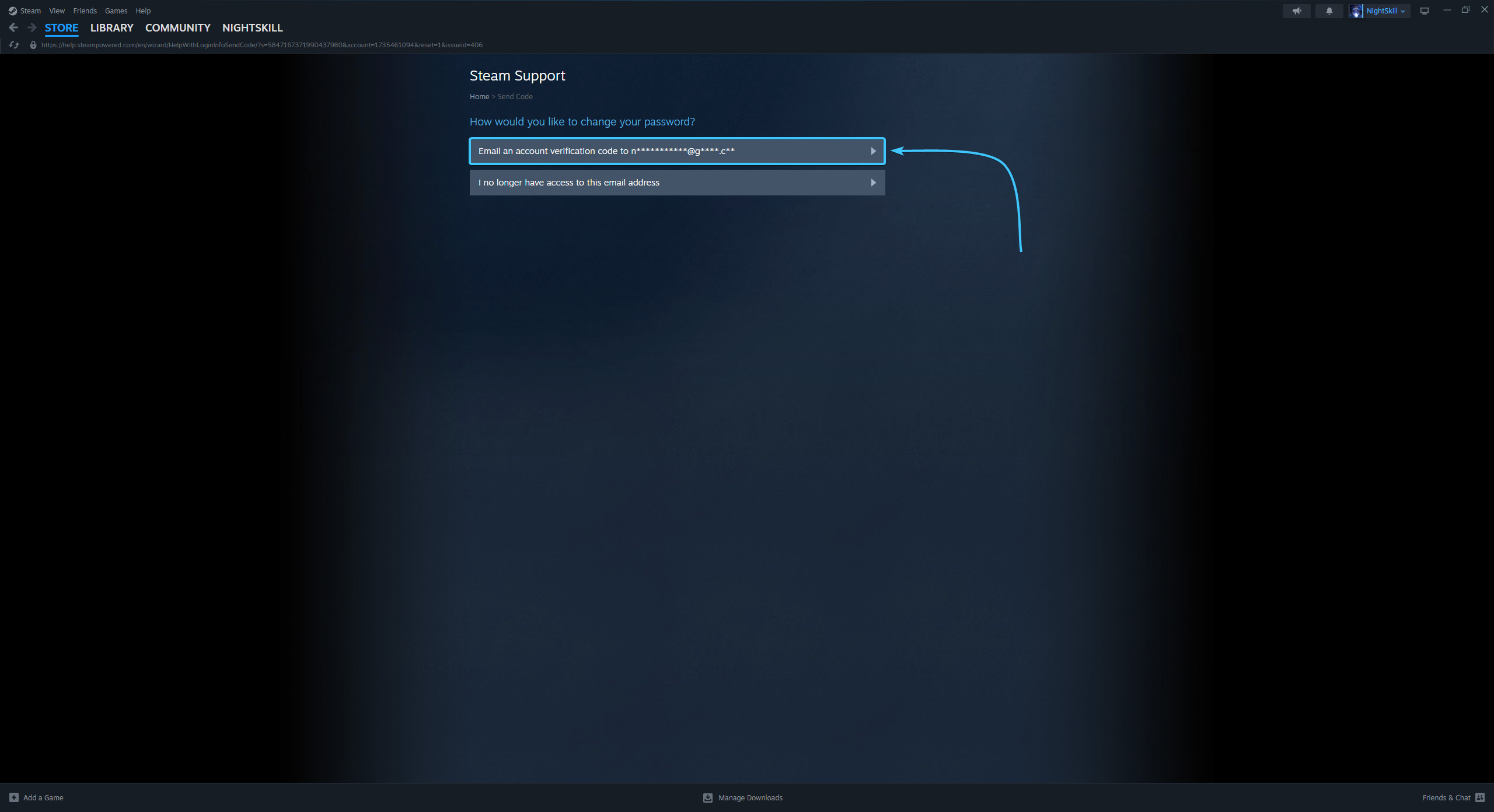
7. Then click the “Email an account verification code to {Email}” button.
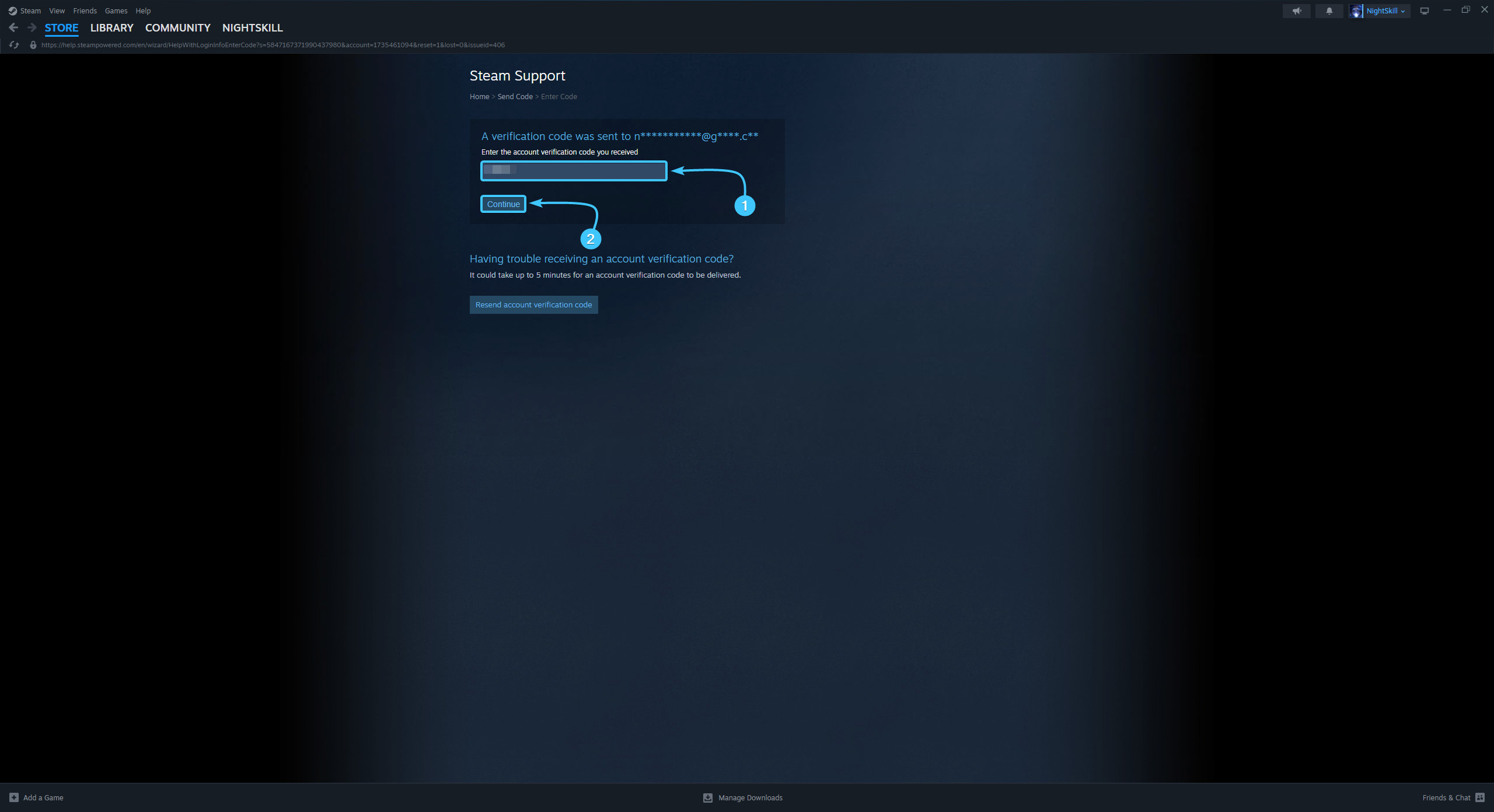
8. Enter the code sent to the linked email. Click the “Continue” button.
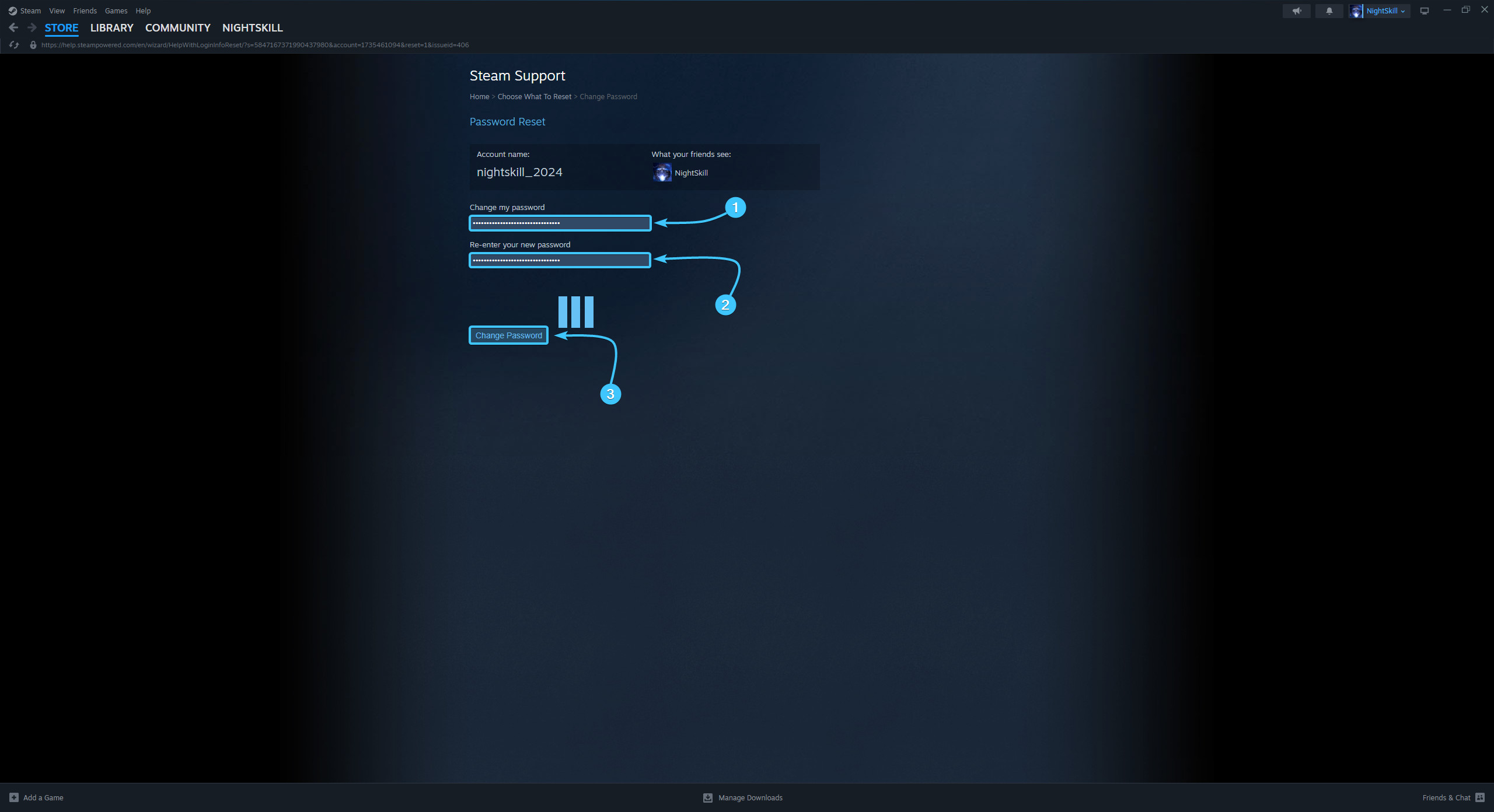
9. Enter a new password and repeat the password. Click the “Change Password” button to continue.
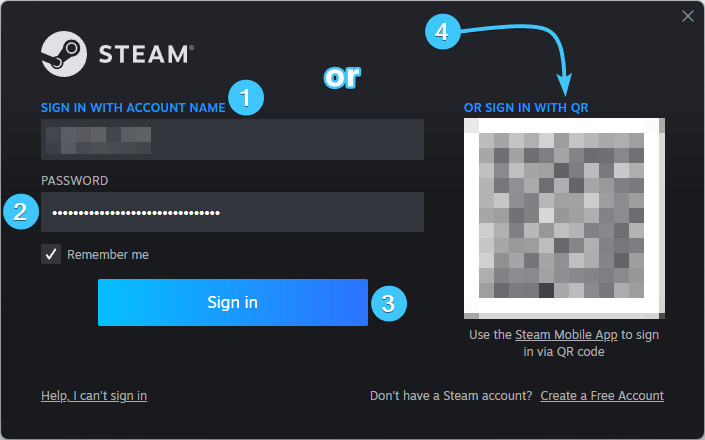
10. The password for your Steam account will then be changed. Go through the authorisation process again.
Other guides
- Email change in Steam;
- Password reset in Steam;
- Steam Guard management;
- Steam Guard backup codes;
- Ending sessions in Steam;
- Linking phone in Steam.
Keywords: зфыыцщкв, password change in steam, how to password change in steam, i have a problem with password change in steam please help, PASSWORD CHANGE IN STEAM, steam in change password, password, passord change in steam, passowrd change in steam, смена пароля в steam, steam password change, change steam password