안내

Table of Contents
Requirements for EXBO account login
The EXBO account login must fulfil the following requirements:
- A login can only contain characters of the Latin alphabet (A-Z);
- A login can contain numbers (0-9);
- A login can contain an underscore or a hyphen (_), (-);
- The minimum length of a login is 3 characters;
- The maximum length of a login is 16 characters.
Creating an EXBO account #1
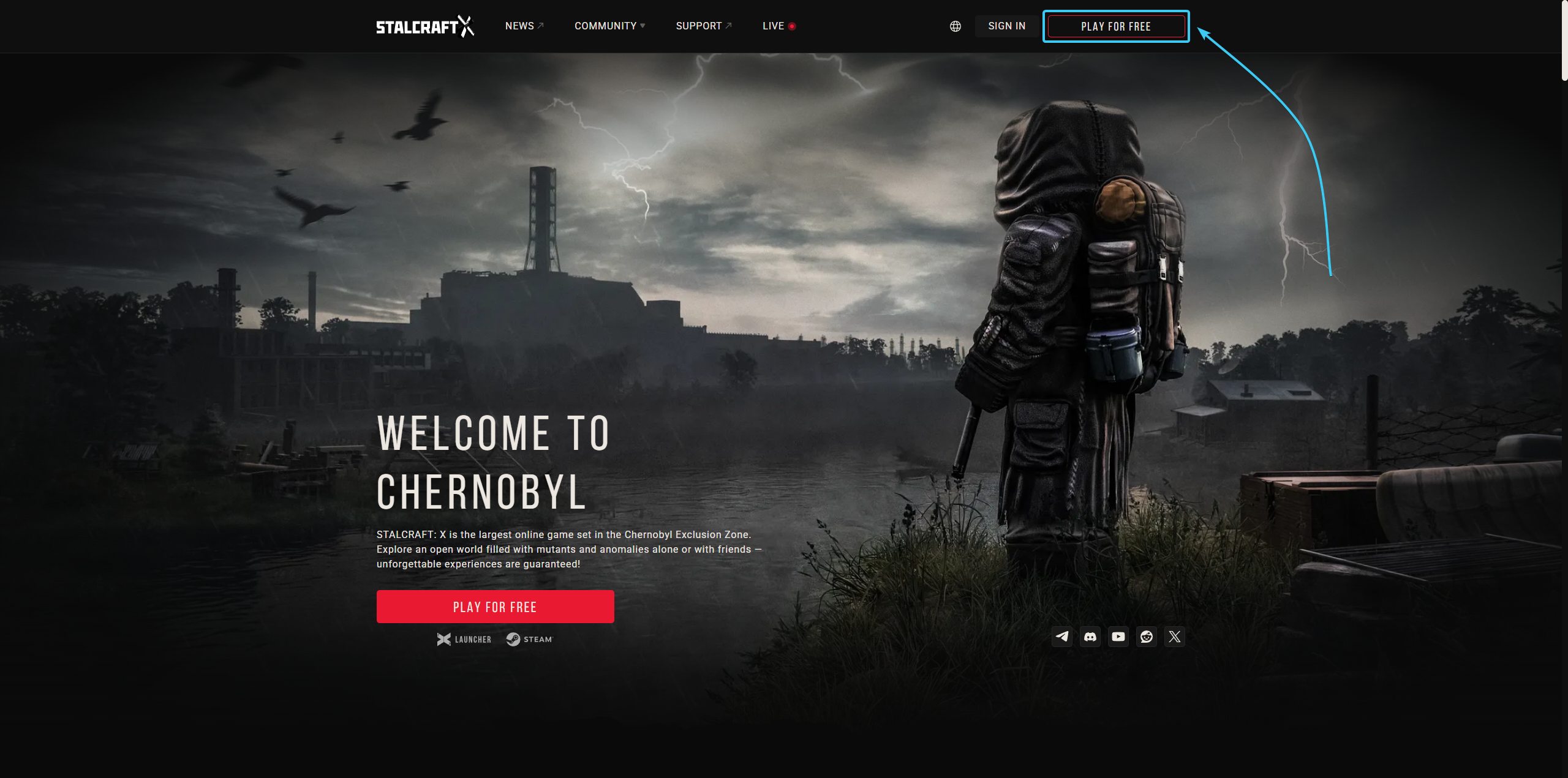
1. Go to the official STALZONE website and click on “Play for free” at the top.
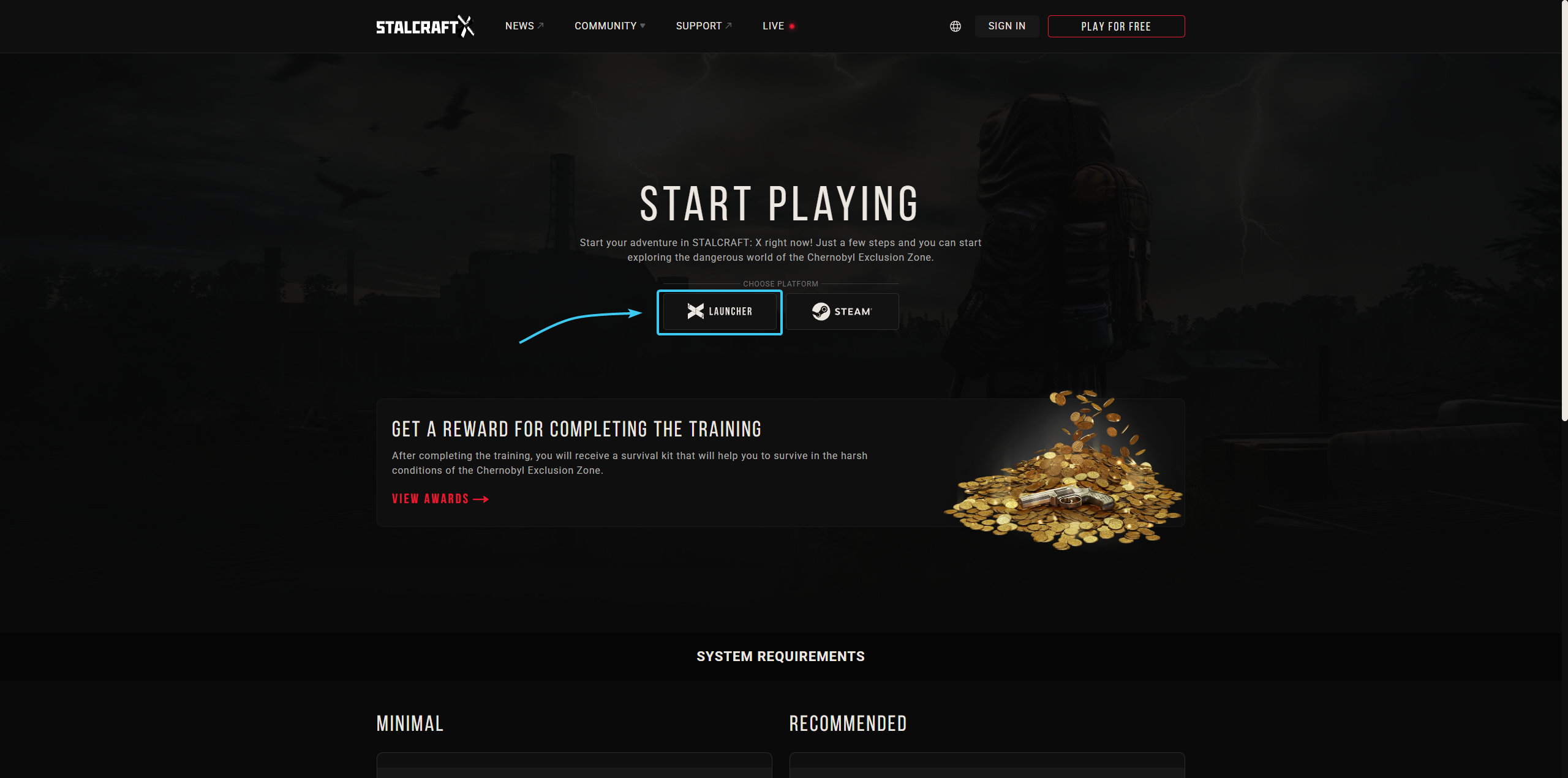
2. A new page will open. Click the “Launcher” button to proceed to the registration process.
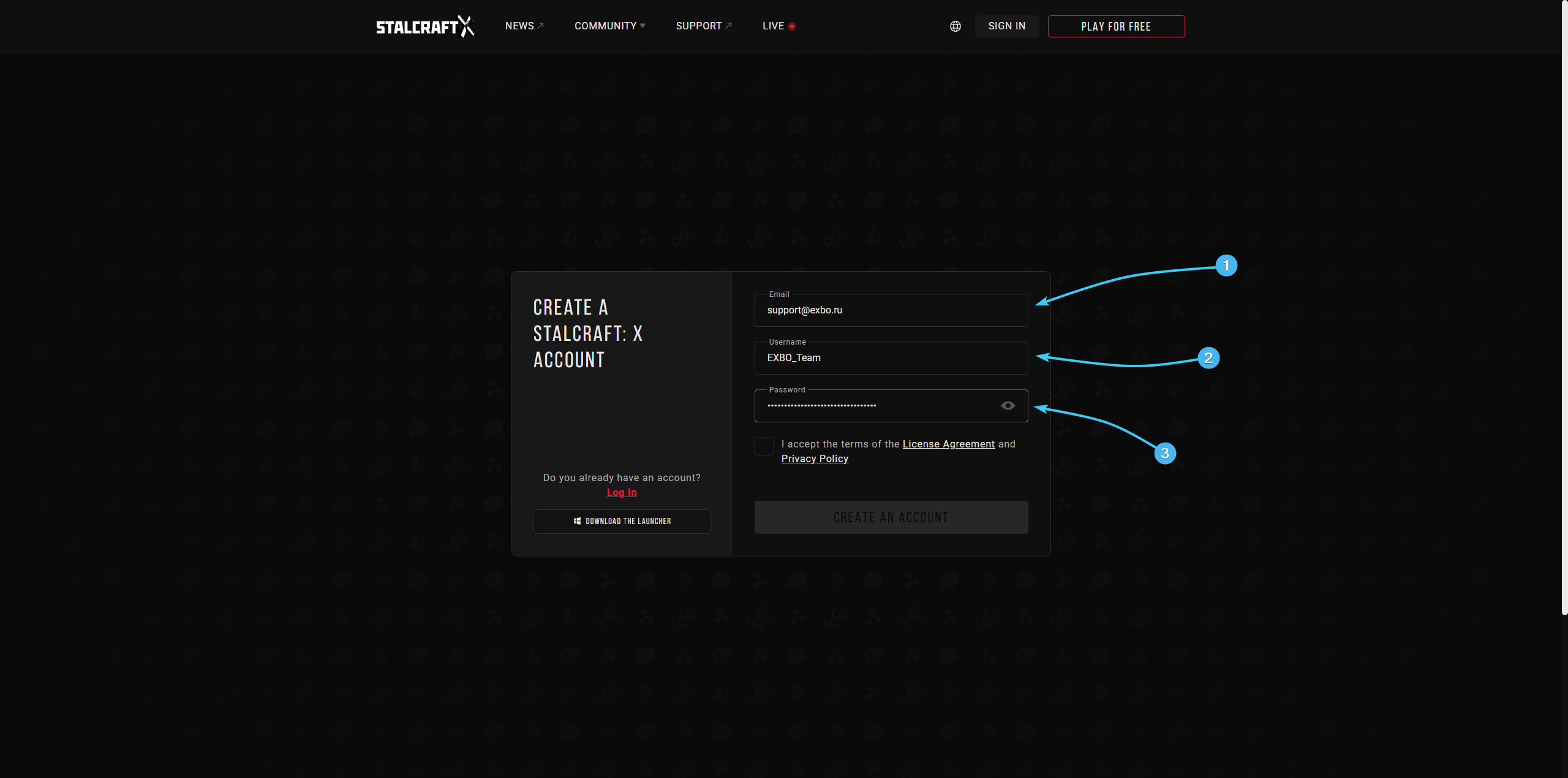
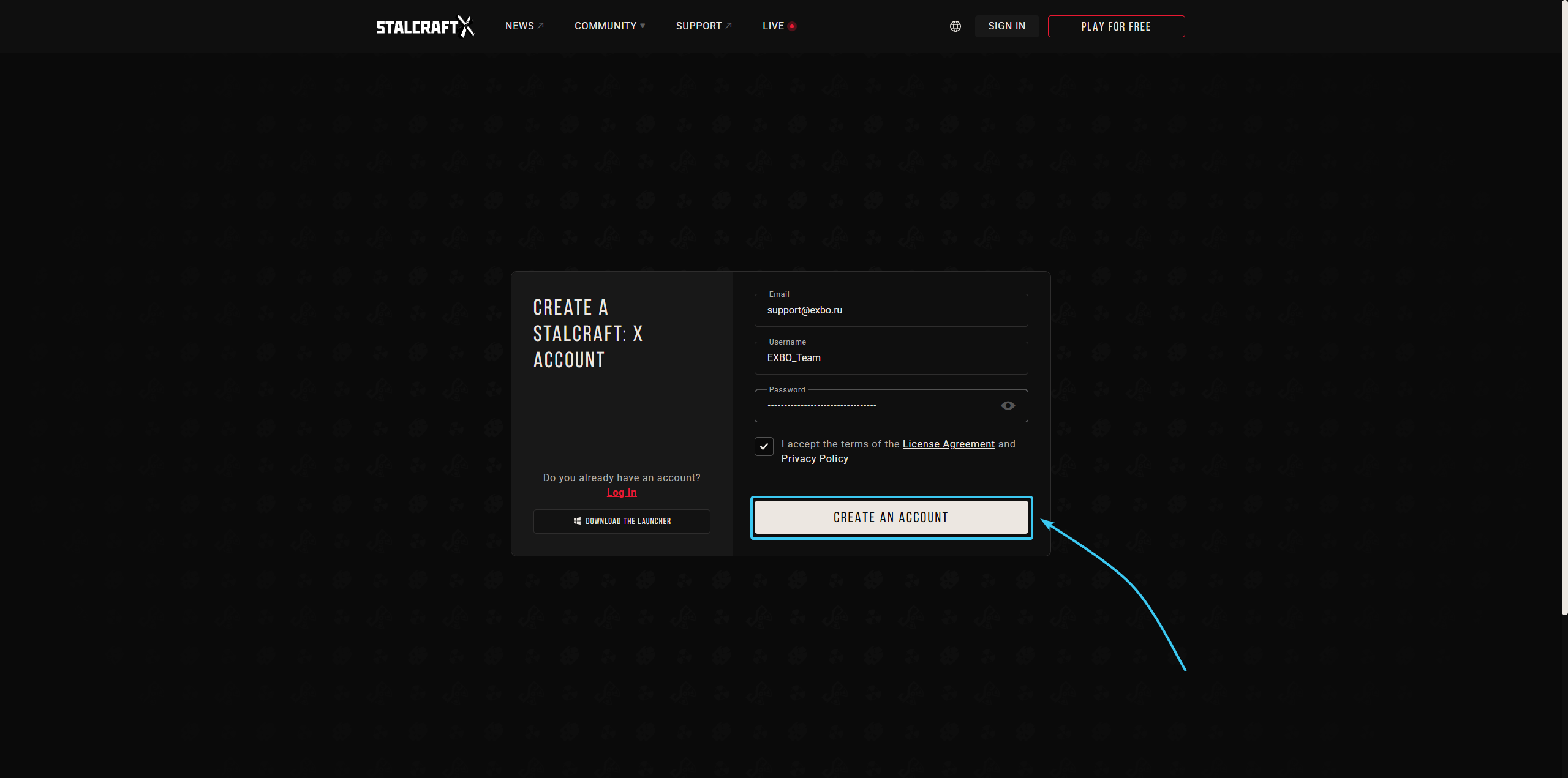
3. Enter your e-mail address, username, and password in the special fields.
4. Accept the current licence agreement and privacy policy.
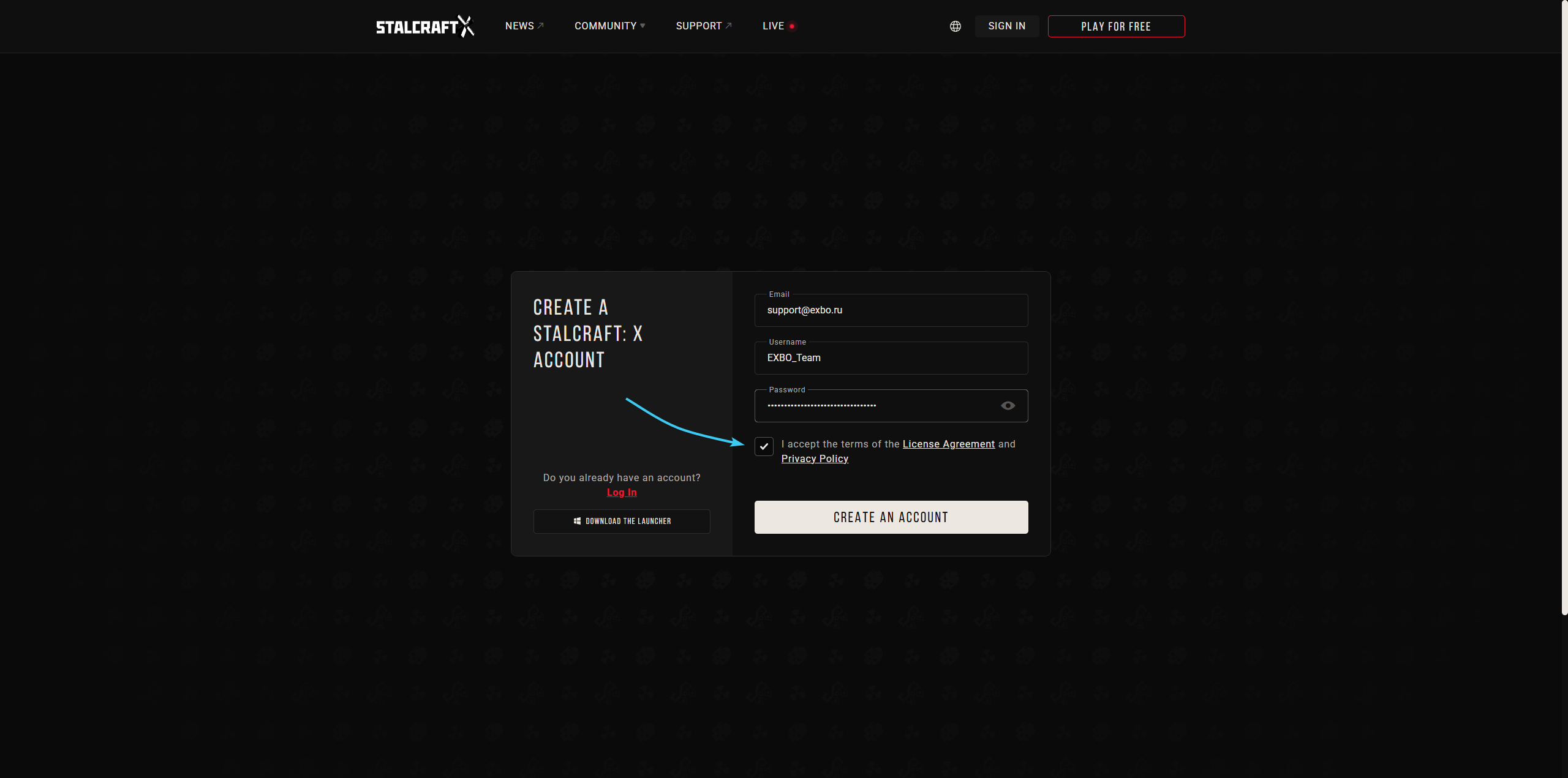
5. Click the “Create an account” button. After that, open the email you entered.
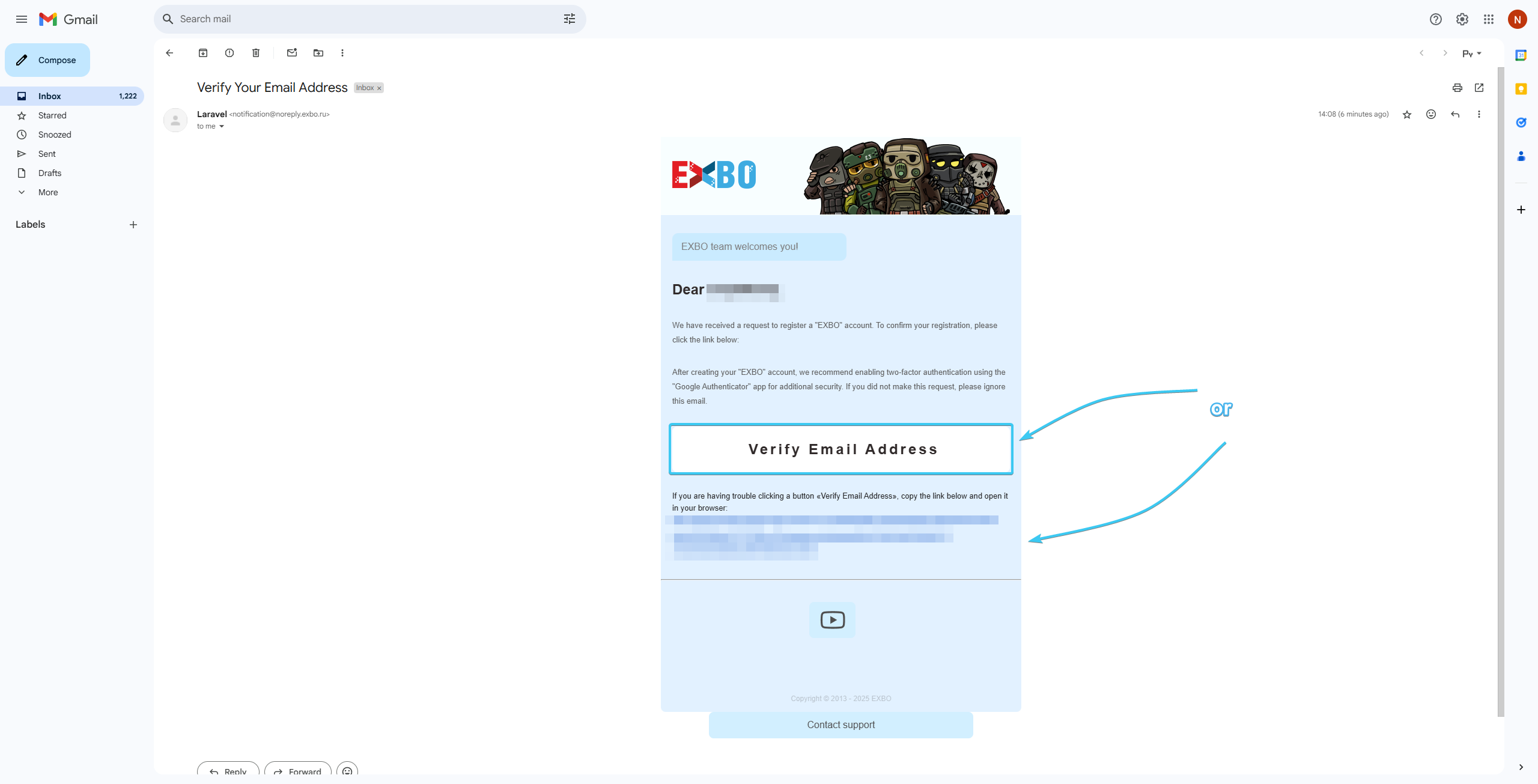
6. Search for the required letter. Click on the “Verify email address” button or on the link.
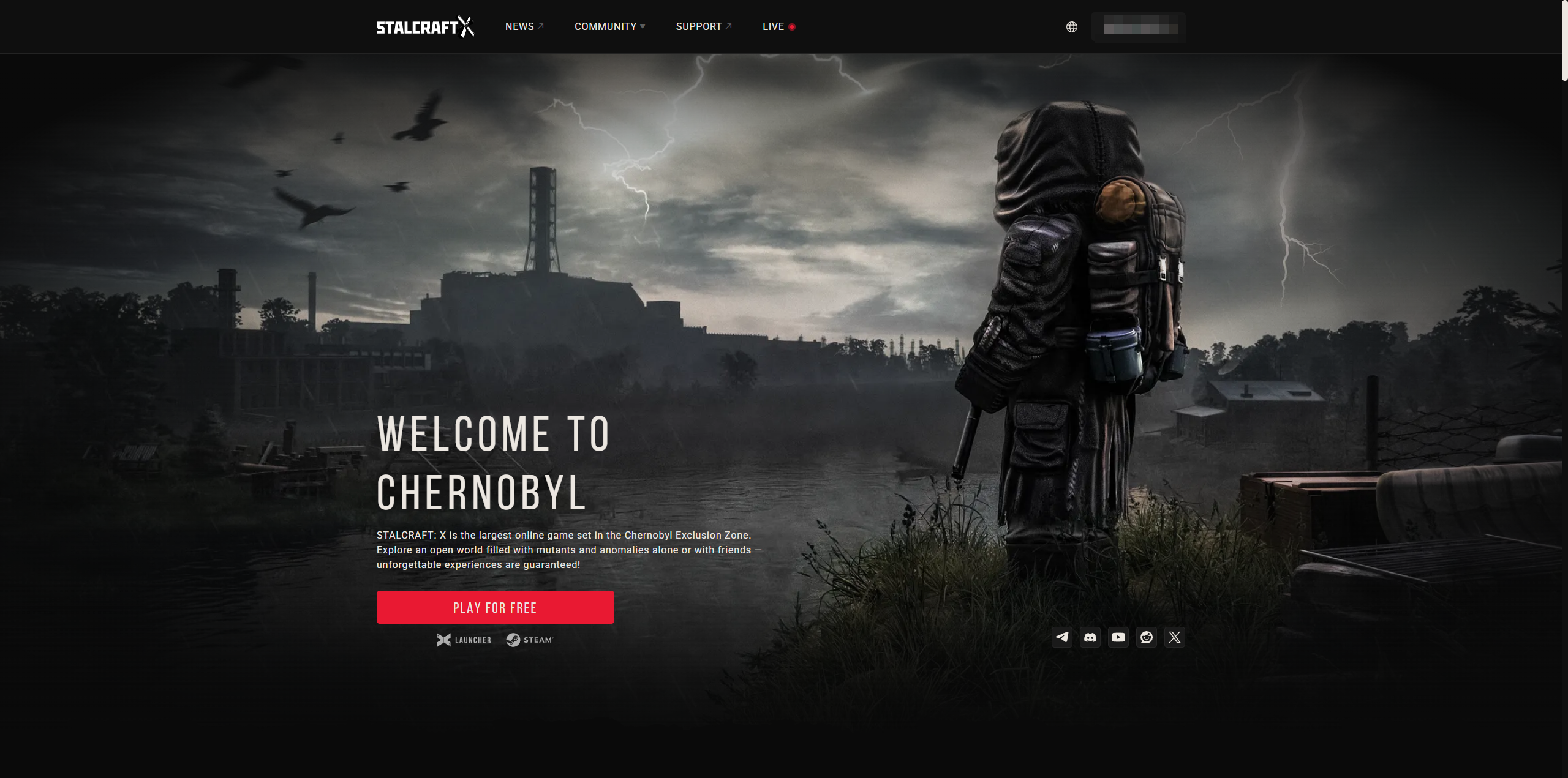
7. After that, the EXBO account will be registered. You can download the EXBO Launcher.
Creating an EXBO account #2
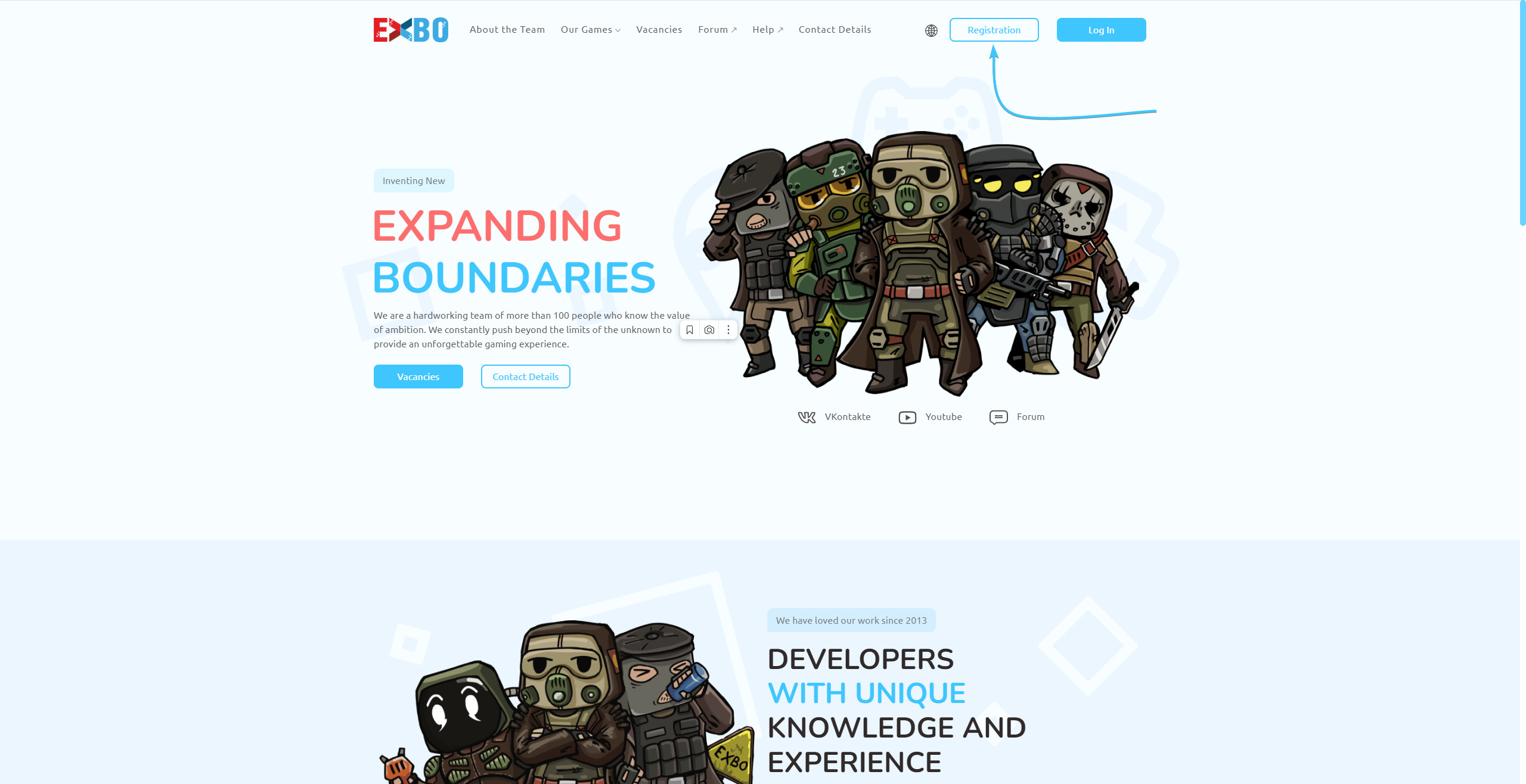
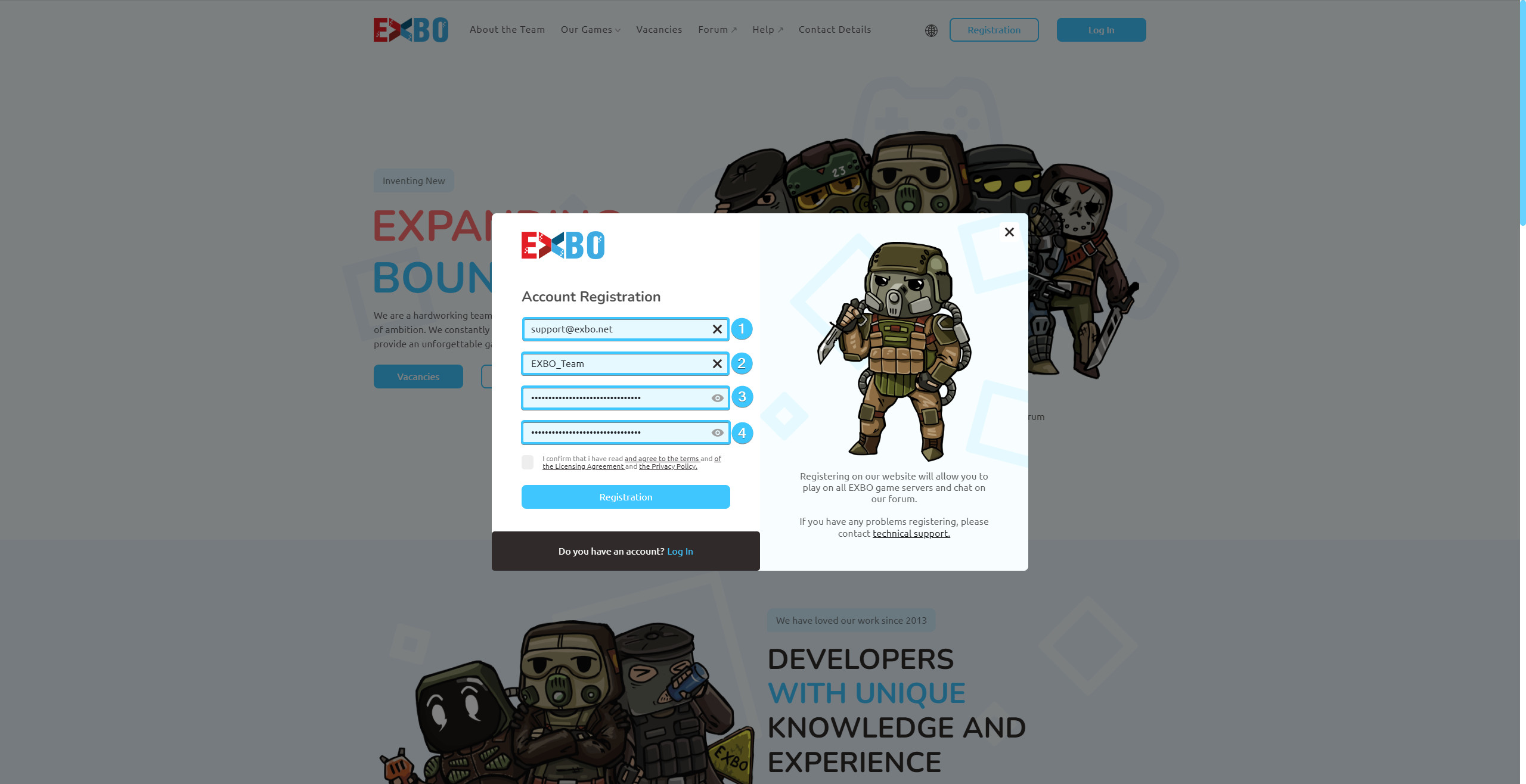
1. Go to the official EXBO website and click on “Registration” button at the top.
2. Enter an existing email address. Then enter your login and password, and then repeat it.
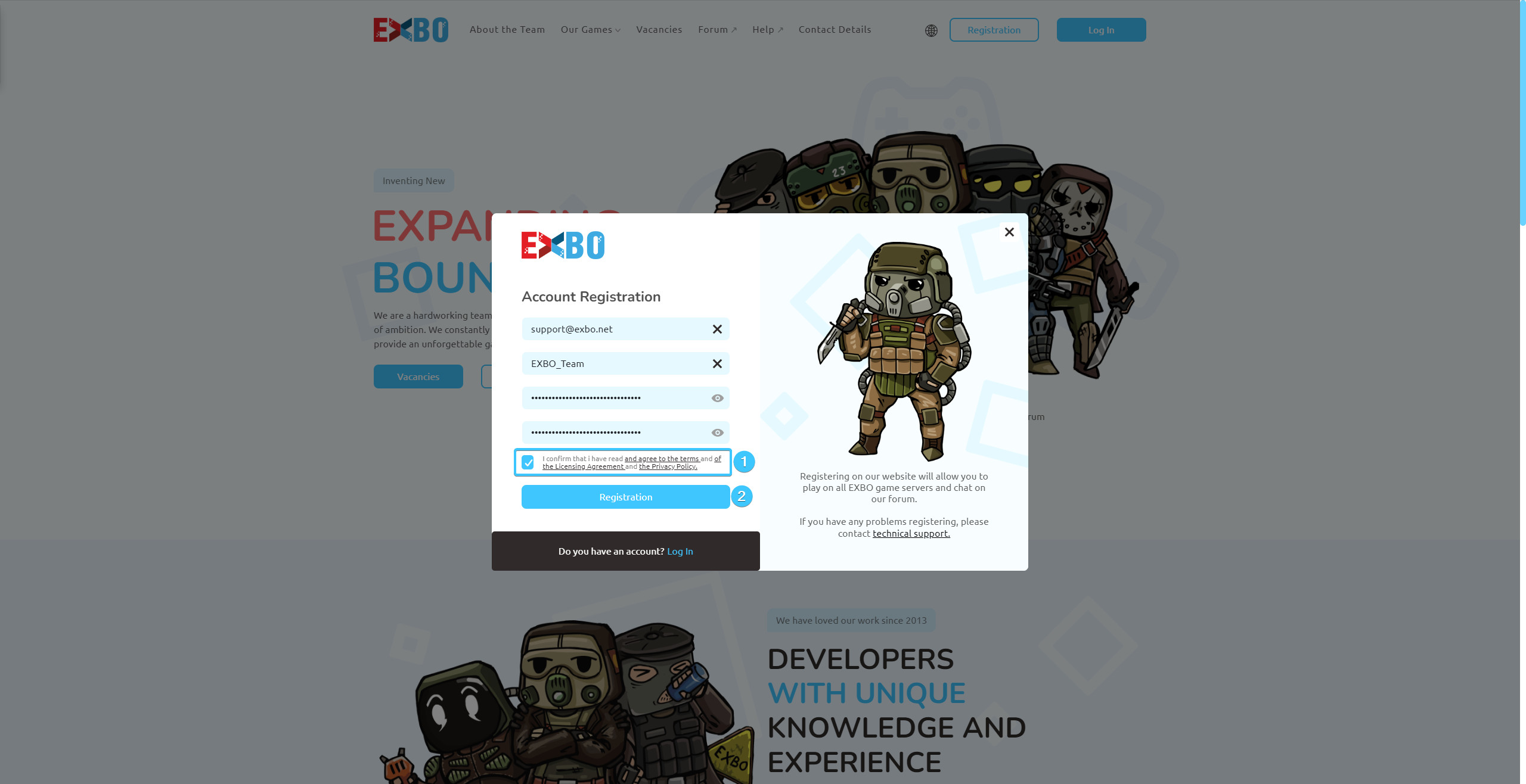
3. Accept the current licence agreement and privacy policy and press the “Registration” button.
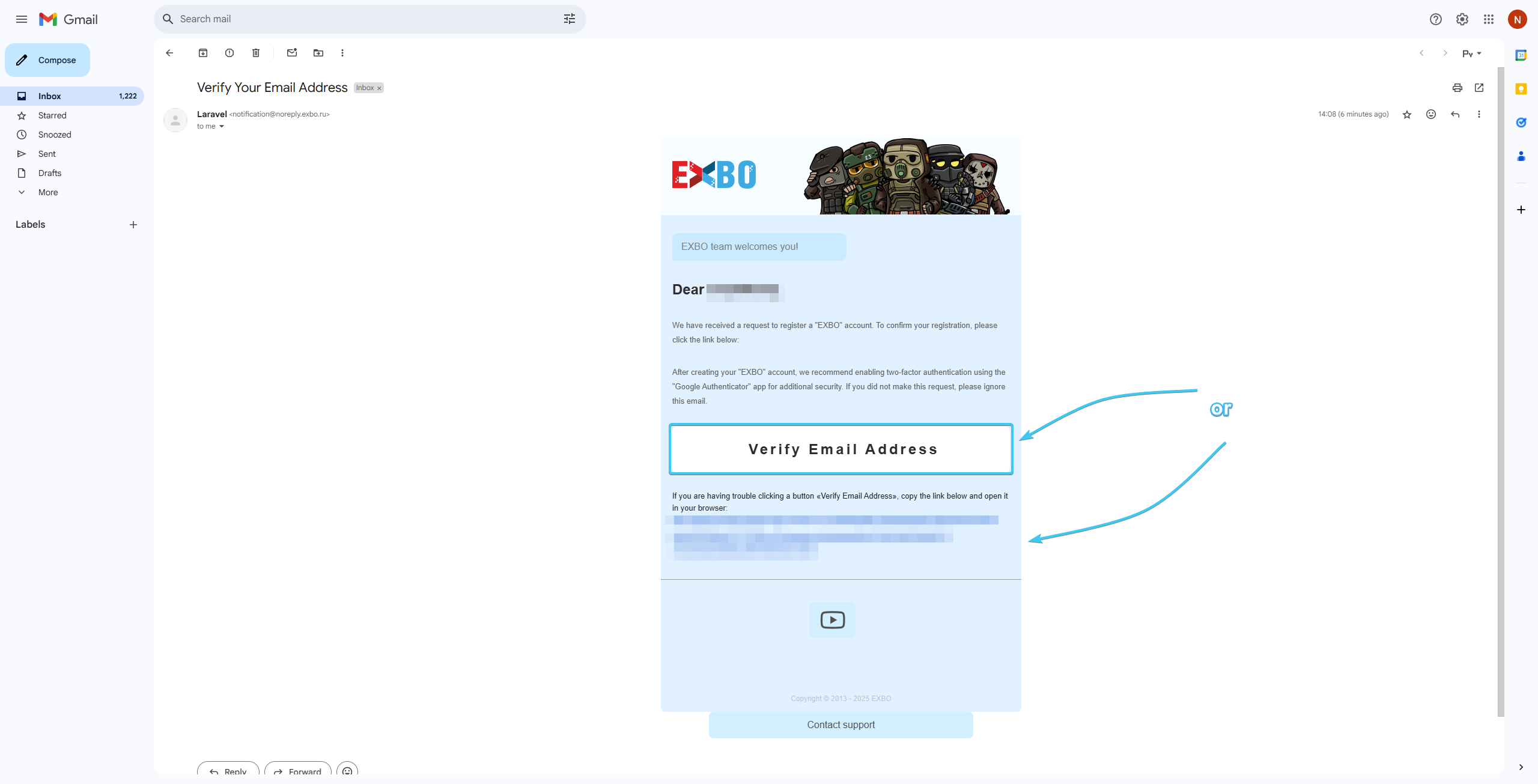
4. Open your email account. Search for the required letter. Click on the “Verify email address” button or on the link.
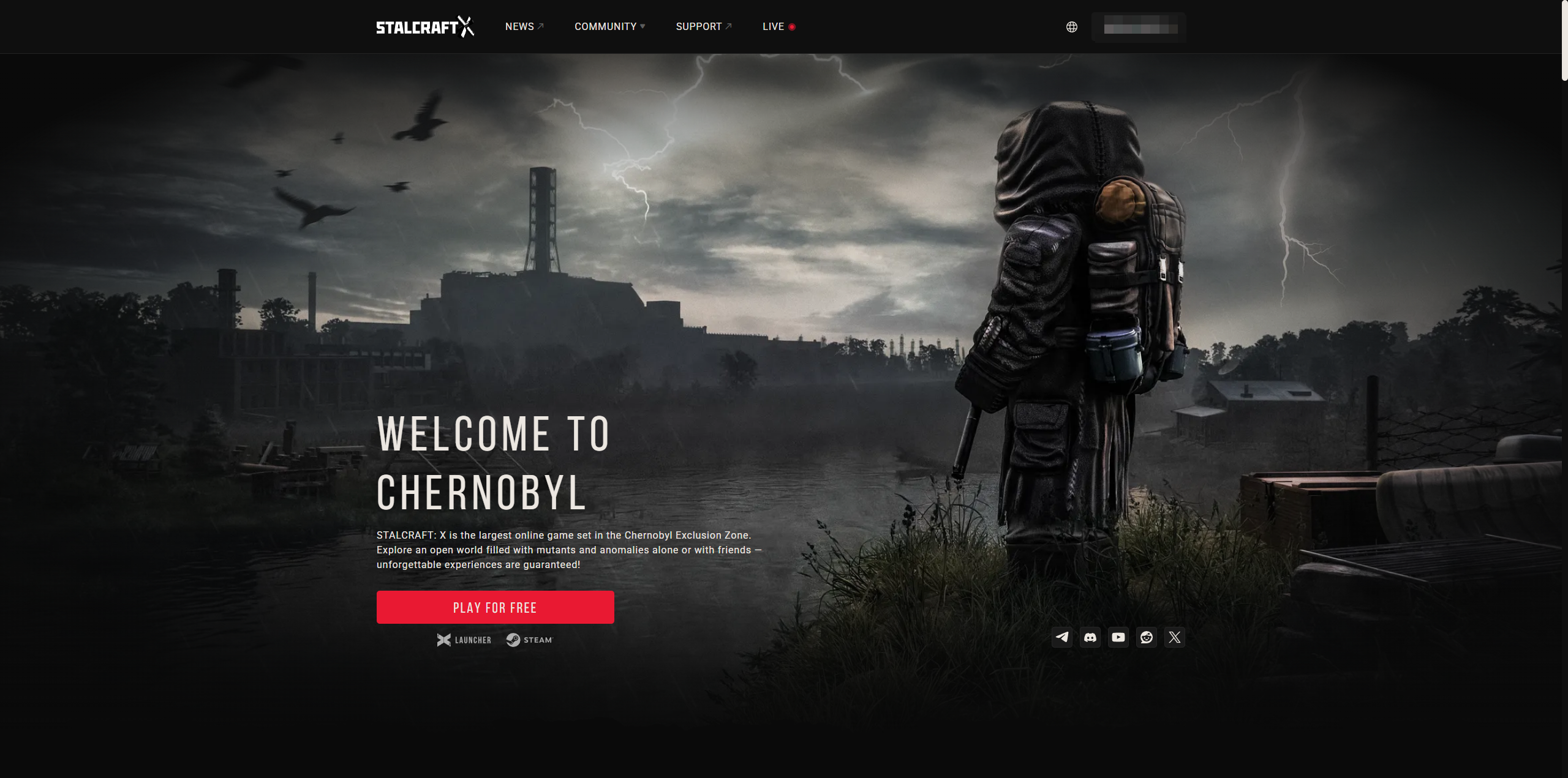
5. After that, the EXBO account will be registered. You can download the EXBO Launcher.
Other guides