안내

Steam에서 오버레이 데이터 삭제
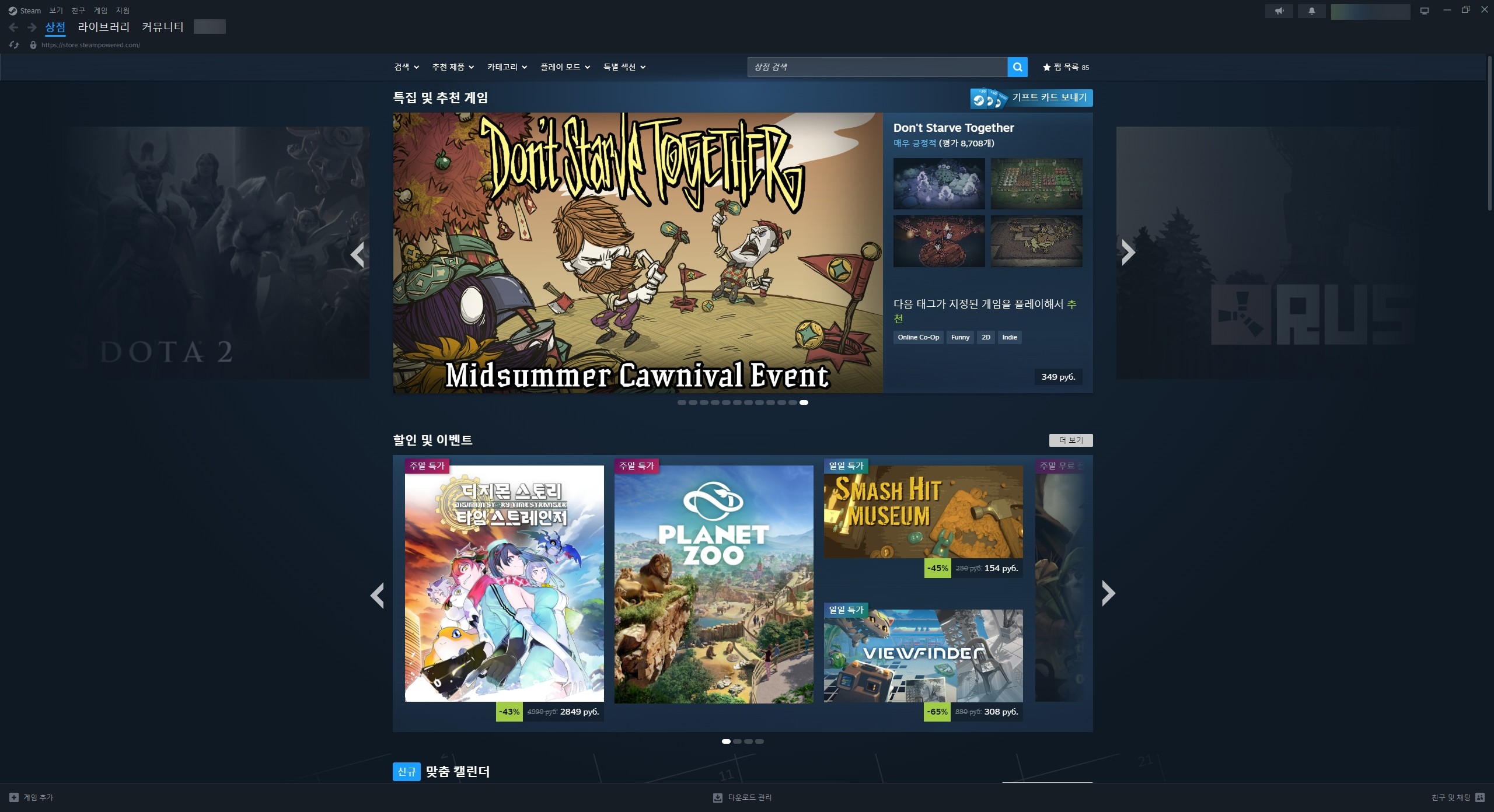
1. Steam 애플리케이션을 실행하고 필요 시 계정에 로그인합니다.
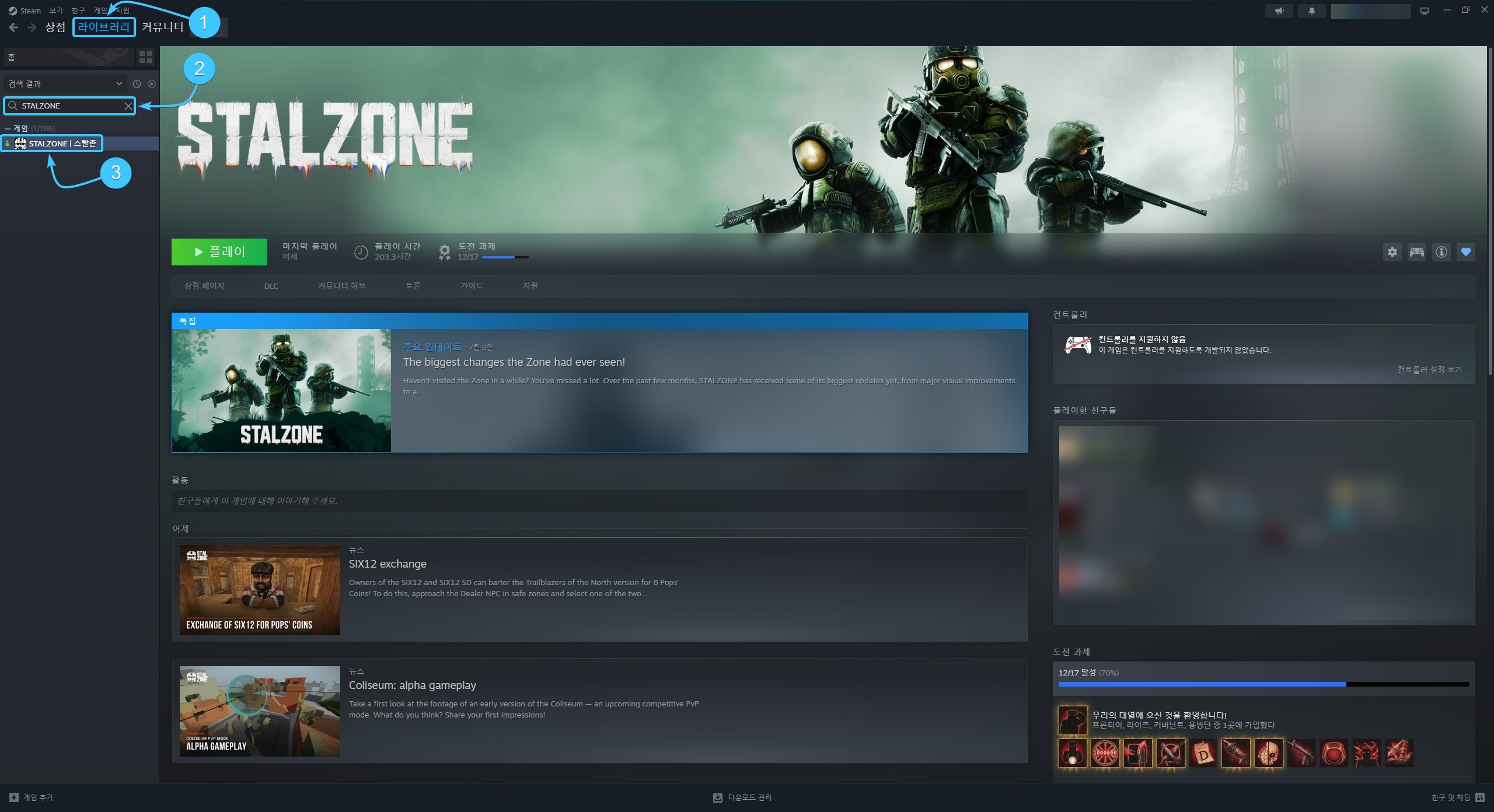
2. 상단에서 라이브러리 섹션을 열고 왼쪽 목록에서 STALZONE 게임을 찾습니다.
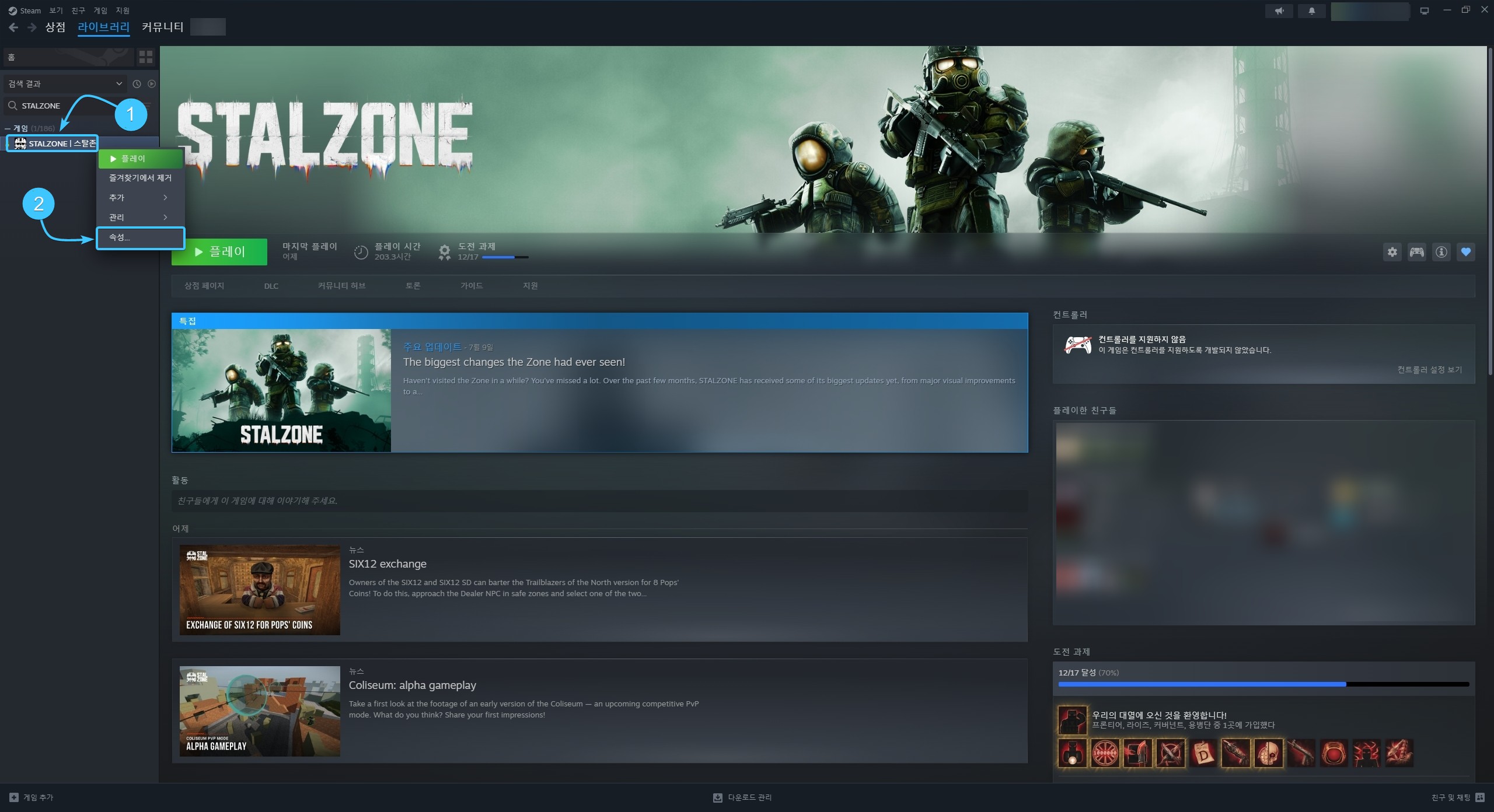
3. STALZONE를 마우스 오른쪽 버튼으로 클릭한 후 나타나는 메뉴에서 속성을 클릭합니다.
4. 왼쪽 목록에서 개인정보 섹션을 엽니다. 오른쪽 하단에서 삭제 버튼을 클릭합니다.
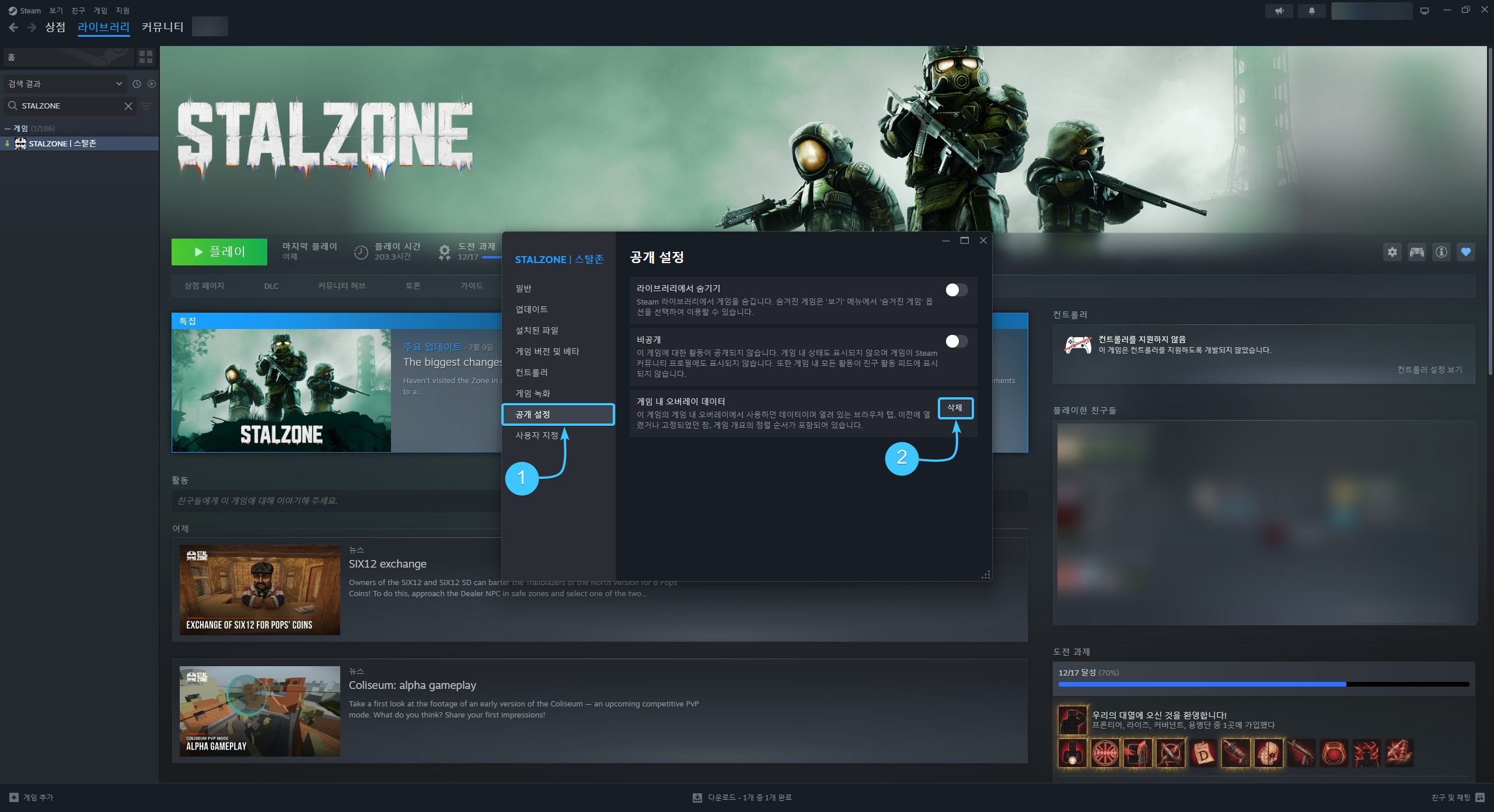
5. 확인 창이 나타납니다. 오버레이 데이터 삭제를 위해 확인 버튼을 클릭합니다.
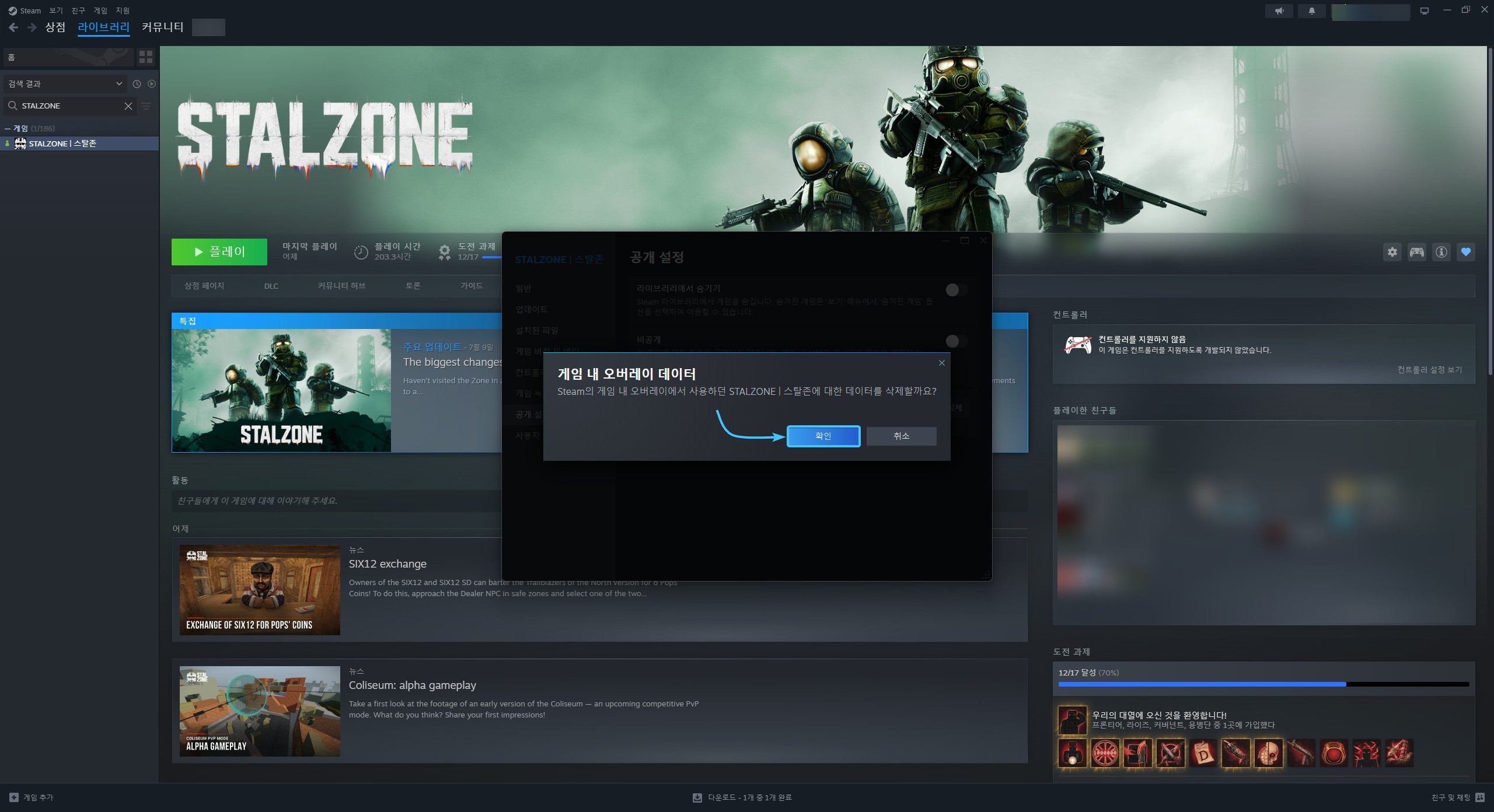
6. 이후 STALZONE 게임의 Steam 오버레이 데이터가 삭제됩니다. 이제 게임을 실행할 수 있습니다.