Guide

Deleting STALZONE in EXBO
1. Launch the EXBO Launcher and log in to your account, if necessary.
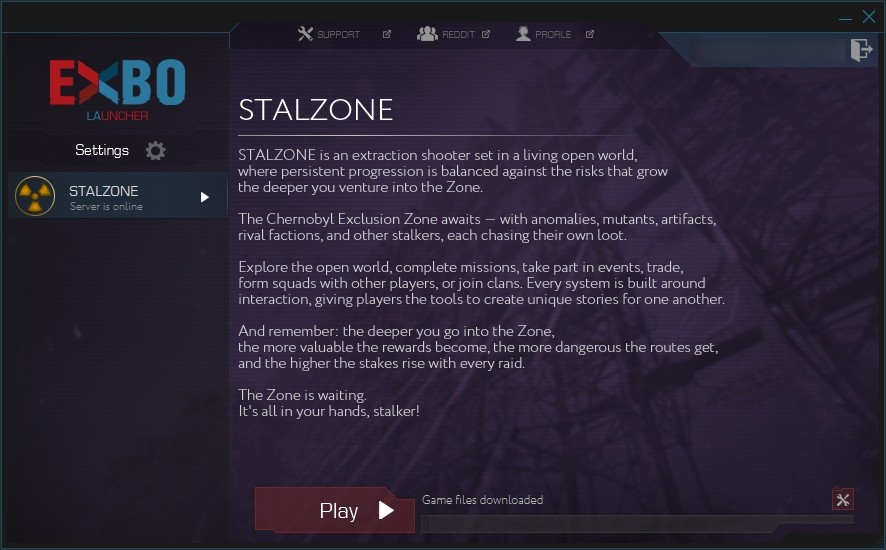
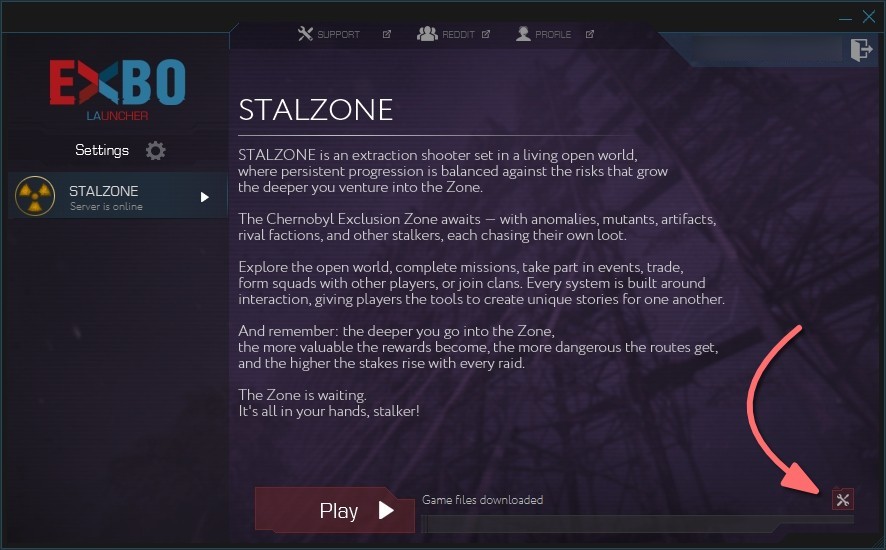
2. Click on the tool icon at the bottom right of the game section.
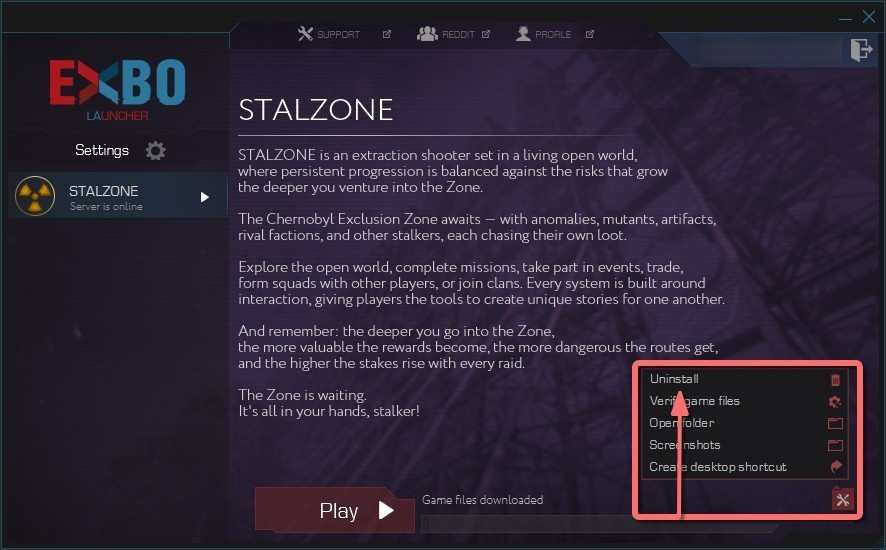
3. In the opened menu, select “Uninstall”. Wait until the verifying process is finished.
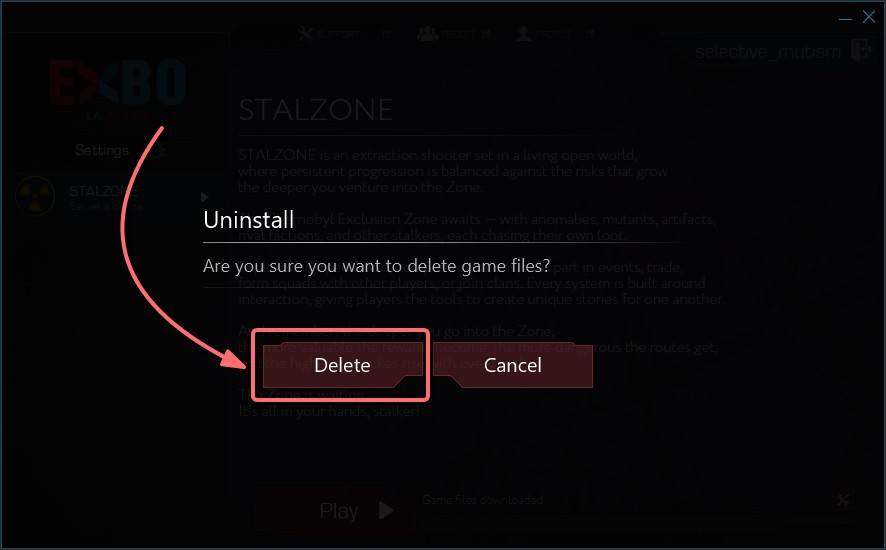
4. Confirm the deletion by clicking “Delete”. Wait for the game uninstallation process to complete.
5. After that, the STALZONE game will be deleted from your device. EXBO launcher can be closed.
Other guides
- Game files check in EXBO;
- Uninstalling the EXBO Launcher;
- Installing the game in EXBO;
- Game client logs in EXBO;
- EXBO Launcher logs;
- Disabling peer-to-peer in EXBO;
- Setting the memory capacity in EXBO;
- Autorun of the EXBO Launcher;
- Location of screenshots in EXBO;
- Creating a game shortcut in EXBO;
- Opening the game folder in EXBO;
- Download limit in EXBO;
- Logging into EXBO via Steam;
- Minimizing EXBO into the tray.
Keywords: гтштыефддштп, uninstаlling the game in exbo, how to uninstalling the game in exbo, i have a problem with uninstalling the game in exbo please help, remove stalzone, how to uninstall stalzone, uninstall game, delete game, uninstalling the game in exbo, UNINSTALLING THE GAME IN EXBO, exbo in game the uninstalling, uninstalling, uninstlling the game in exbo, uninstlaling the game in exbo, удаление клиента игры в exbo, uninstal