Guide

Enabling the autorun of the EXBO Launcher
1. Launch the EXBO Launcher and log in to your account, if necessary.
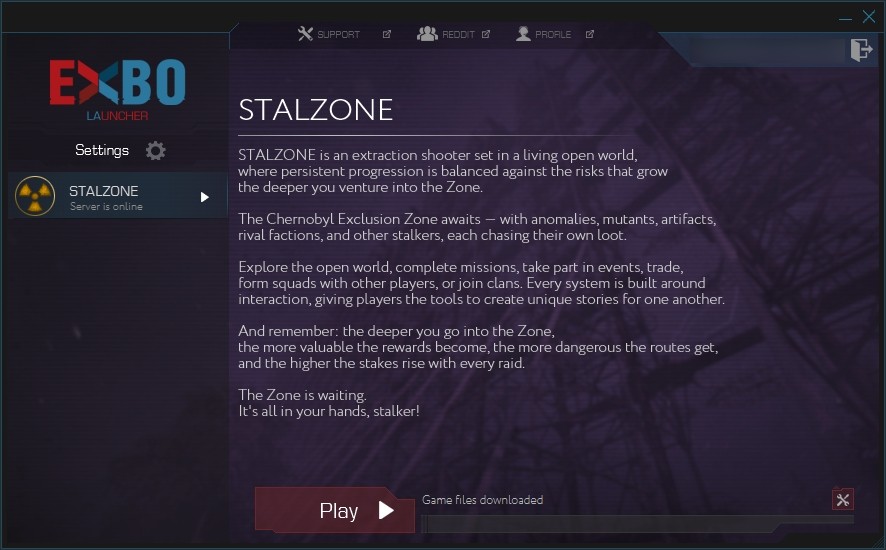
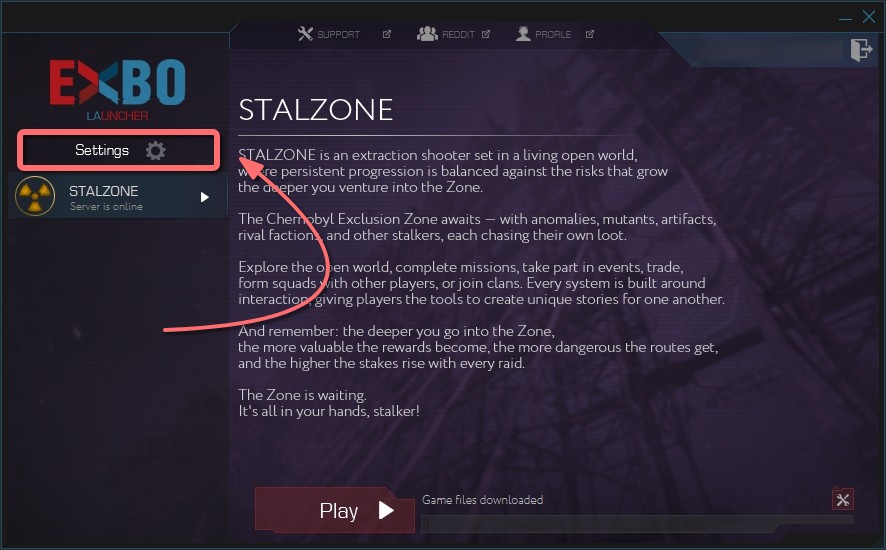
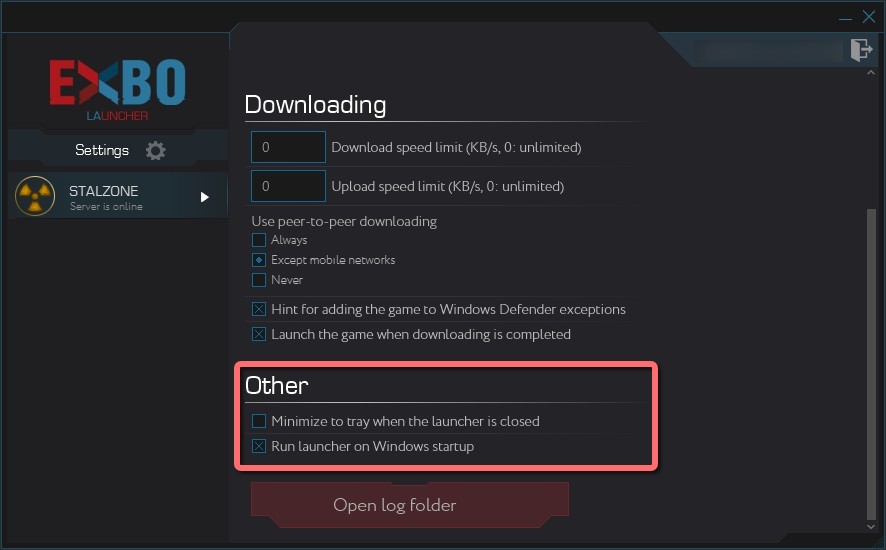
2. Open the “Settings” section and scroll to the bottom. Look for the “Other” section.
3. Enable the option labelled “Run launcher on Windows startup”.
4. EXBO Launcher will now start automatically when the device is switched on.
Other guides
- Uninstalling the game in EXBO;
- Game files check in EXBO;
- Uninstalling the EXBO Launcher;
- Installing the game in EXBO;
- Game client logs in EXBO;
- EXBO Launcher logs;
- Disabling peer-to-peer in EXBO;
- Setting the memory capacity in EXBO;
- Location of screenshots in EXBO;
- Creating a game shortcut in EXBO;
- Opening the game folder in EXBO;
- Download limit in EXBO;
- Logging into EXBO via Steam;
- Minimizing EXBO into the tray.
Keywords: фгещкгт, autostart, аutorun of the exbo launcher, how to autorun of the exbo launcher, i have a problem with autorun of the exbo launcher please help, disable autorun, autorun of the exbo launcher, AUTORUN OF THE EXBO LAUNCHER, launcher exbo the of autorun, autorun, autrun of the exbo launcher, autroun of the exbo launcher, автозапуск лаунчера exbo, startup, launch on startup, auto run