Guide

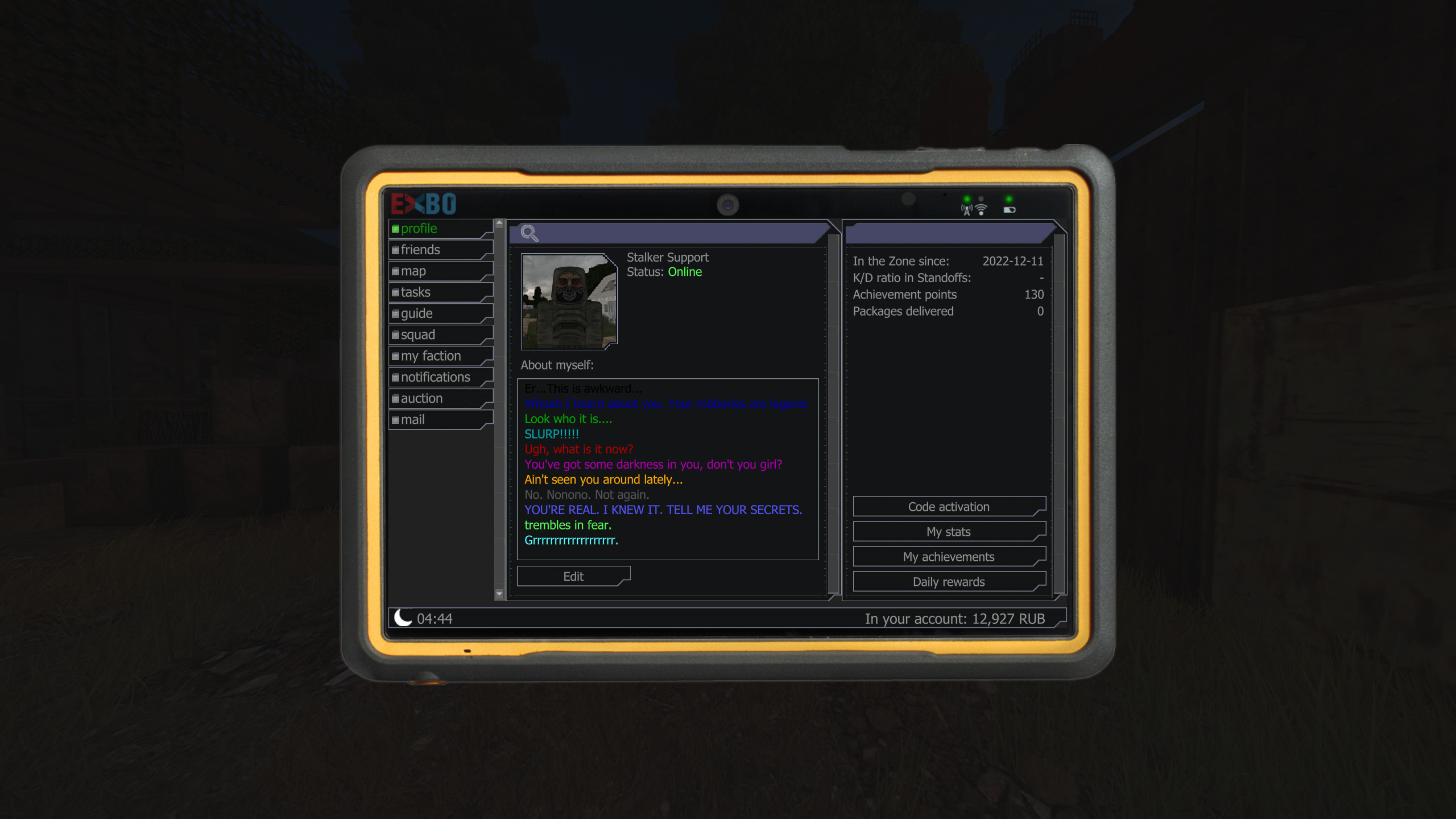
How to make coloured text in the PDA profile?
You can change the colour of the text in the PDA profile using the “§” icon. After entering it, put a number or a letter of the desired colour. The following colours are currently available:
- §0 — black;
- §1 — dark blue;
- §2 — dark green;
- §3 — turquoise;
- §4 — dark red;
- §5 — dark purple;
- §6 — gold;
- §7 — grey;
- §8 — dark grey;
- §9 — blue;
- §a — green;
- §b — blue-green;
- §c — red;
- §d — violet;
- §e — yellow;
- §f — white.
Other guides
- Cooperative play with friends
- Deleting a game character
- Adding a player to the blacklist
- Filing a complaint on chat violation
- Transferring a game character
- Activating streamer mode
- Hiding the interface and hands
- Switching on the smooth camera
- Accidentally deleted an in-game item
- Switching language in the game
- Setting achievements in the profile
- Removing achievements from profile
- Removing a player from the blacklist
- Disabling death waypoints in the world
- Graphics parameters
- Filing a complaint on a cheater
- Performance parameters
- Deleting an in-game item
- Game character statistics
Keywords: сщдщгк, i have a problem with colour text in the pda profile please help, profile pda the in text colour, cоlour text in the pda profile, profile description color, colour text in the pda profile, COLOUR TEXT IN THE PDA PROFILE, colour, colur text in the pda profile, coluor text in the pda profile, how to colour text in the pda profile, цветной текст в профиле, color text, colored text, coloured text, text color codes, pda profile